Medeek Wall Plugin
-
Version 4.6.5b - 06.19.2026
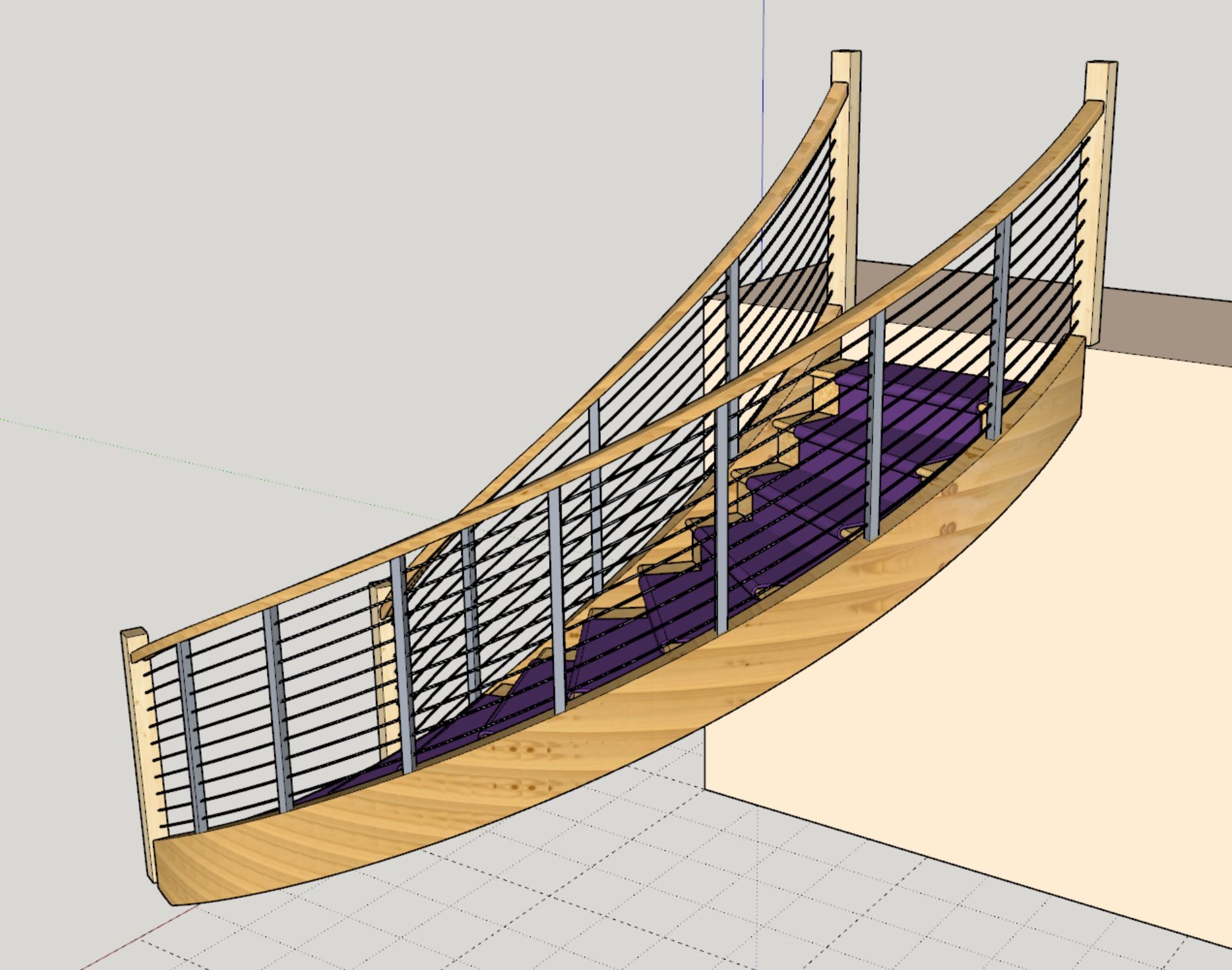
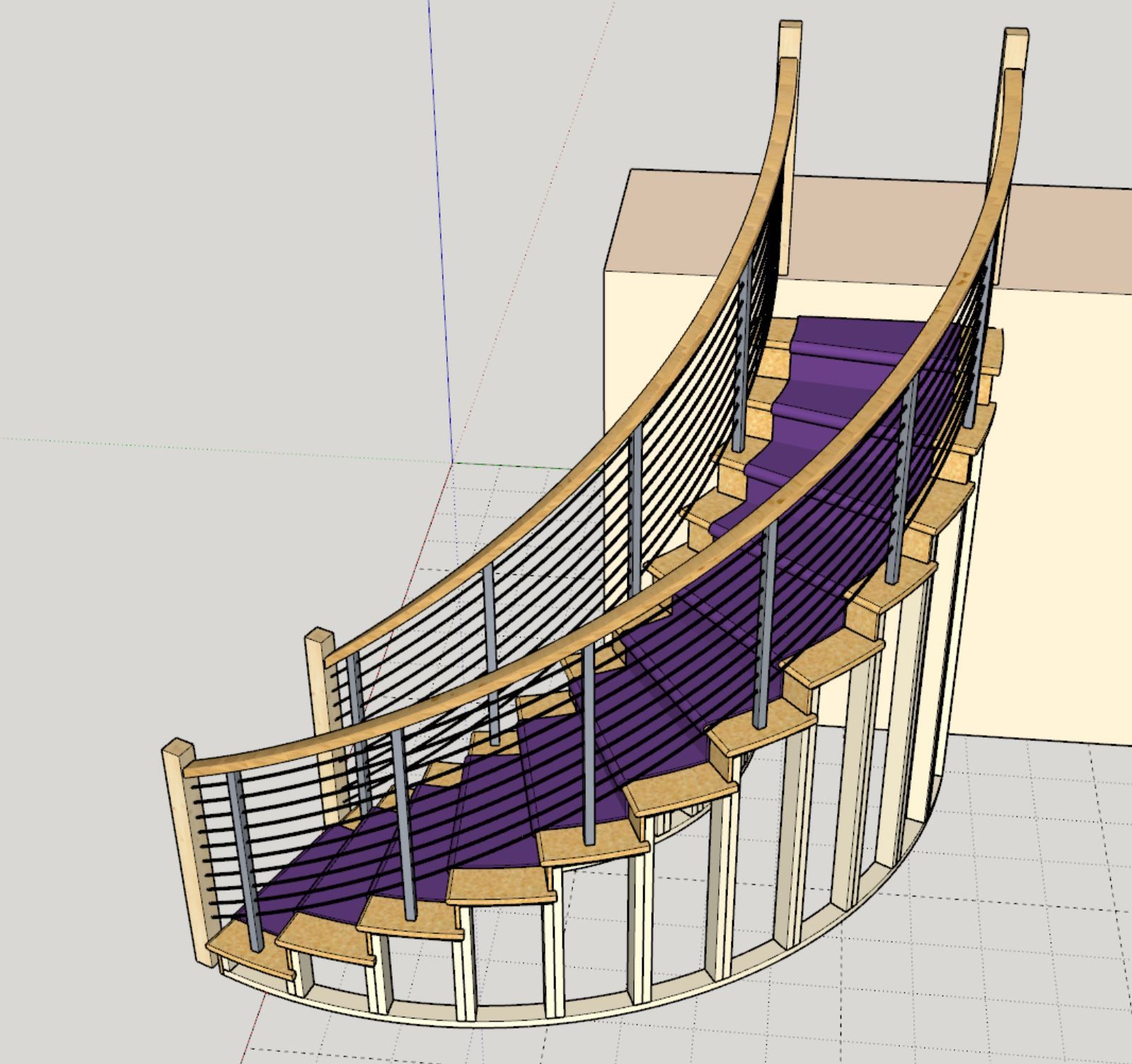
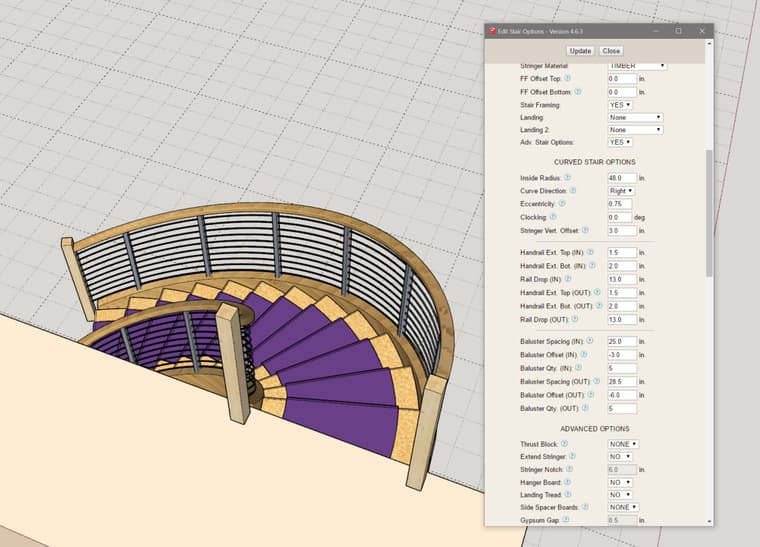
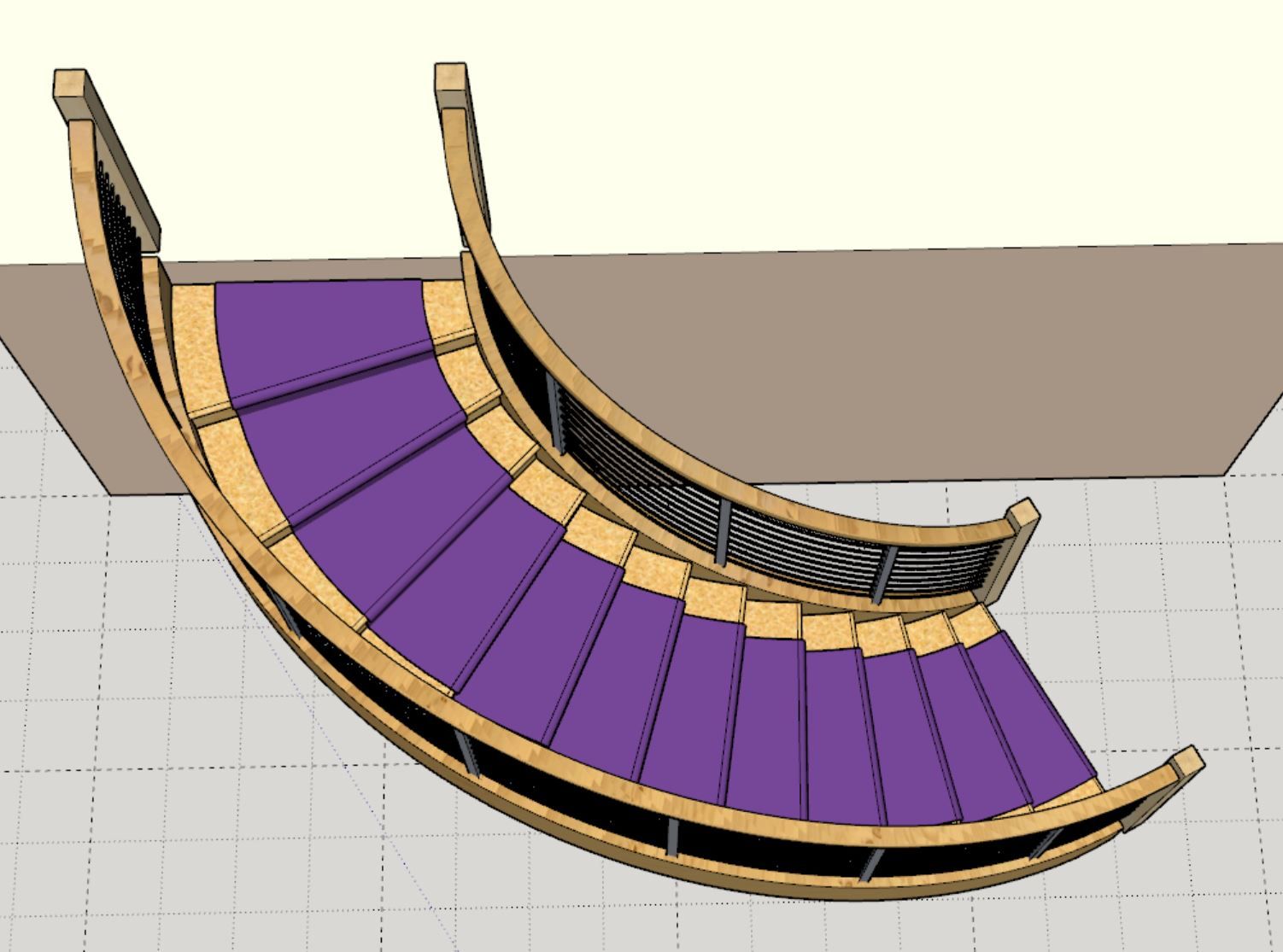
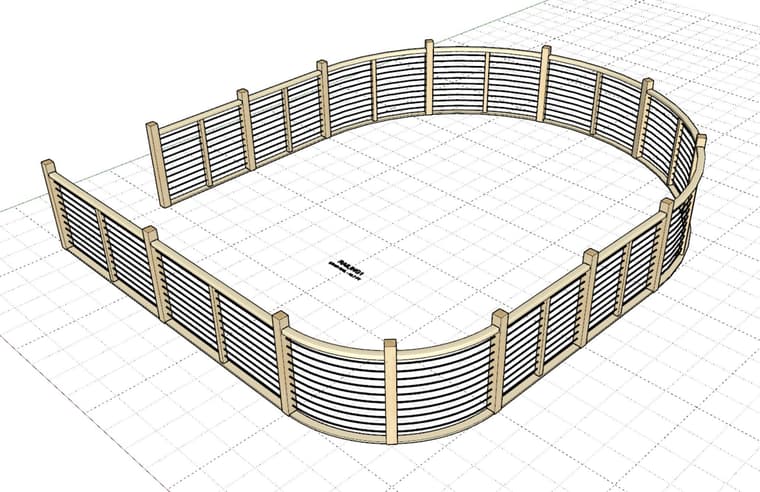
- Added a “CABLE” baluster option for curved stair assemblies (circular and elliptical).
-
Currently the railing tool operates similar to the polyline stemwall tool. You select a bunch of points which then create the segments that form the polyline. In order to add the possibility of “curved” segments into this algorithm I could add in a tool which allows the user to select internal segments within the polyline. In order for the segment to be switched to “curved” it would need to meet the following criteria:
1.) It cannot be a start or end segment.
2.) It cannot be colinear with either of its adjacent segments or neighbors.
3.) (Optional) Both adjacent segments must not be curved.The upside with this type of algorithm is that the user does not need to enter in any radii, the curved segment would always be tangent to the two adjacent segments. Also the question as to which way to orient the arc coming off the two end points is deterministic (there are four possible arc placements otherwise for a given radius).
My only problem with this type of system is that it may be too limiting and even confusing to some, thoughts?
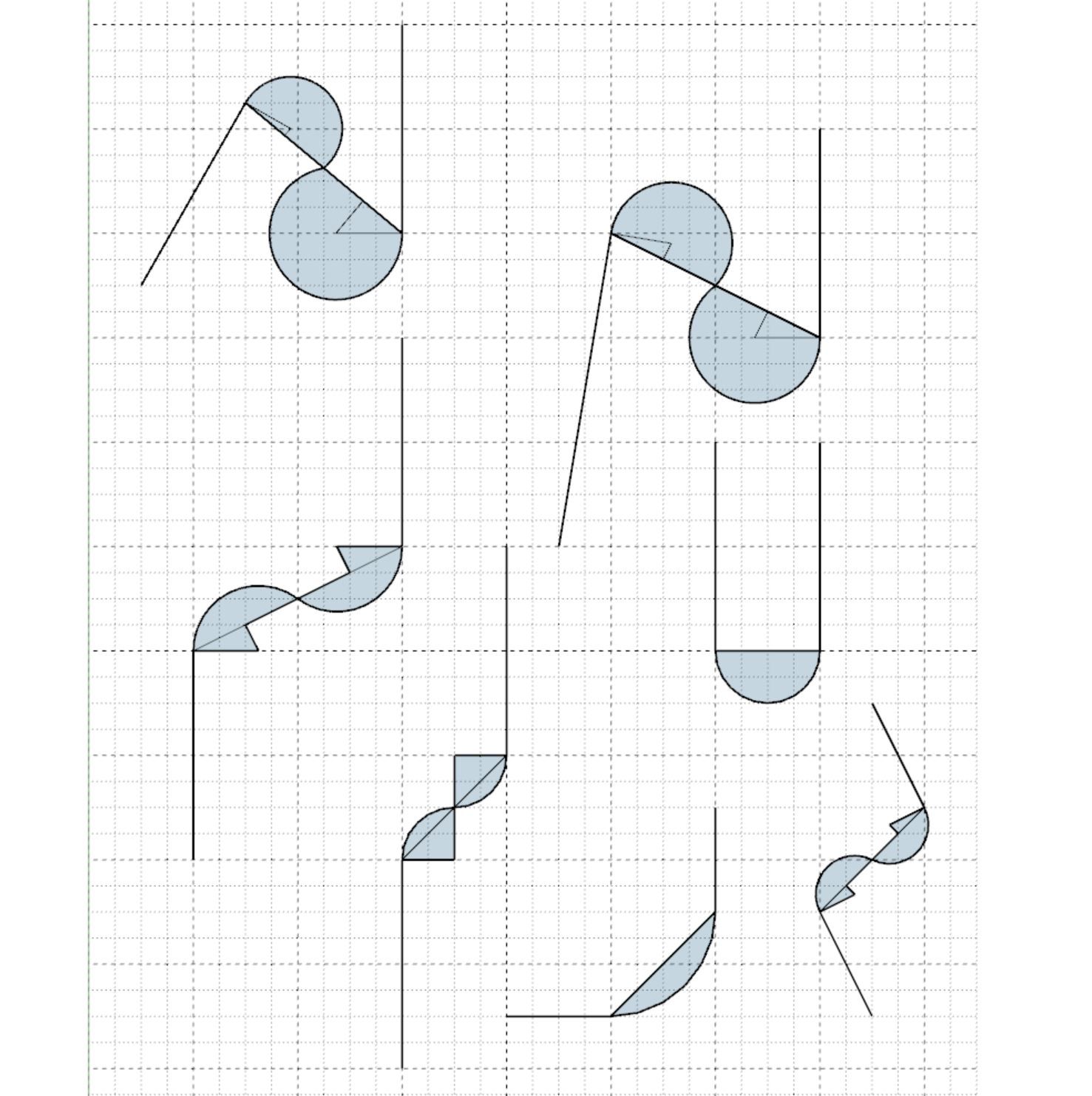
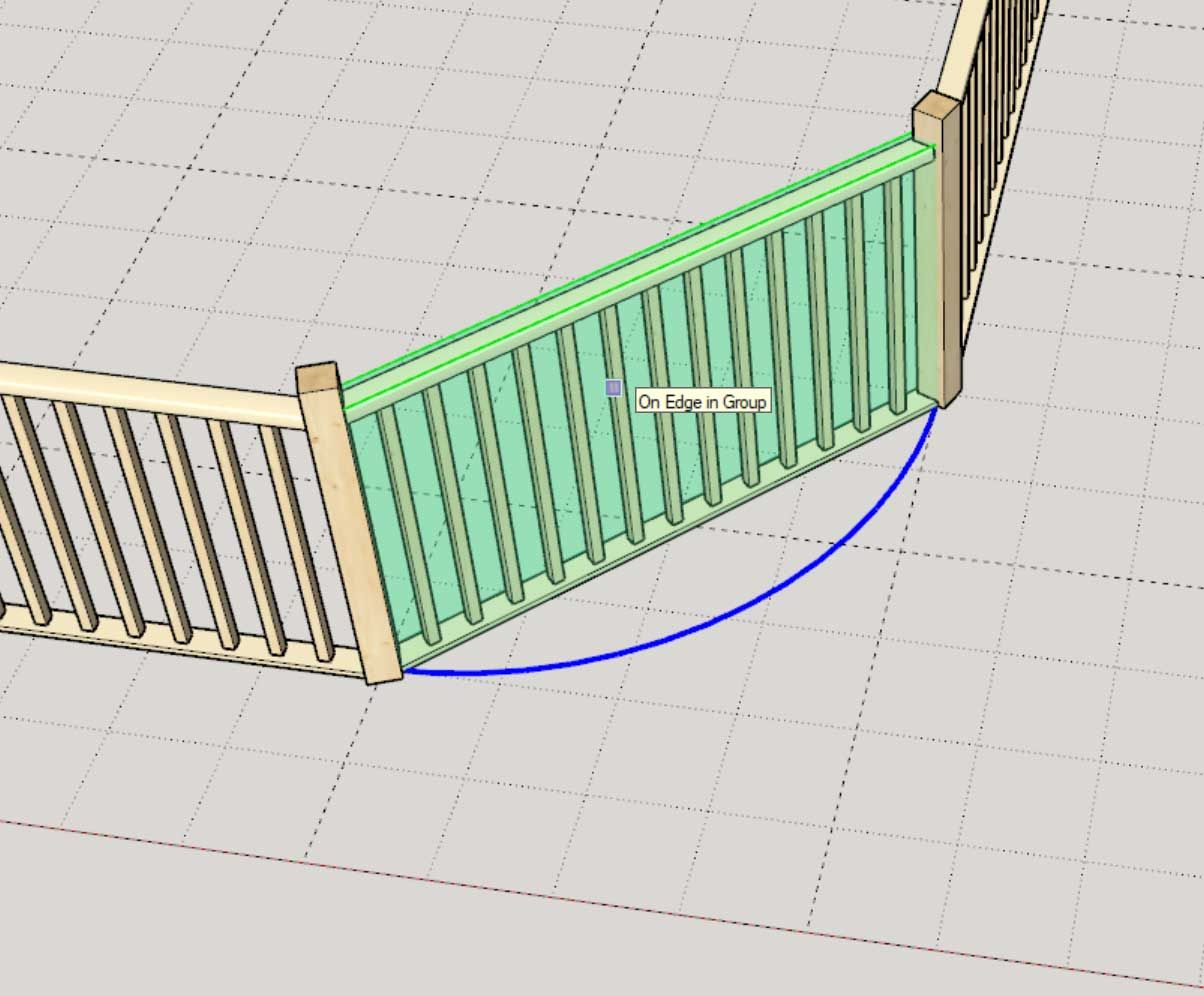
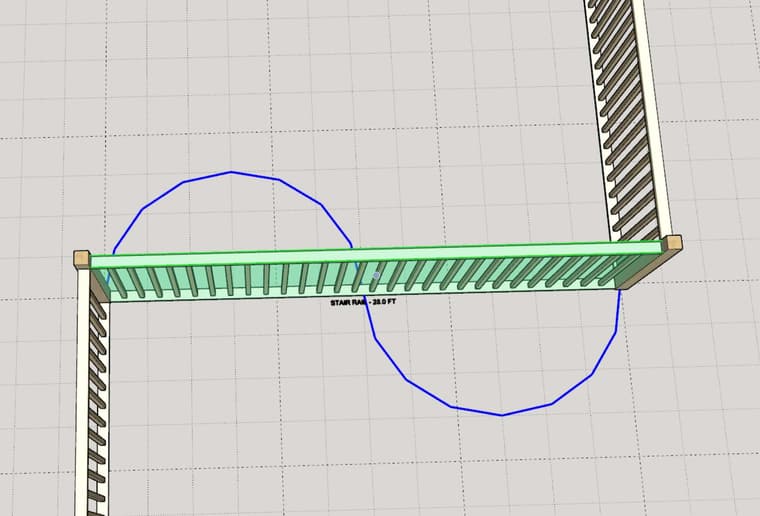
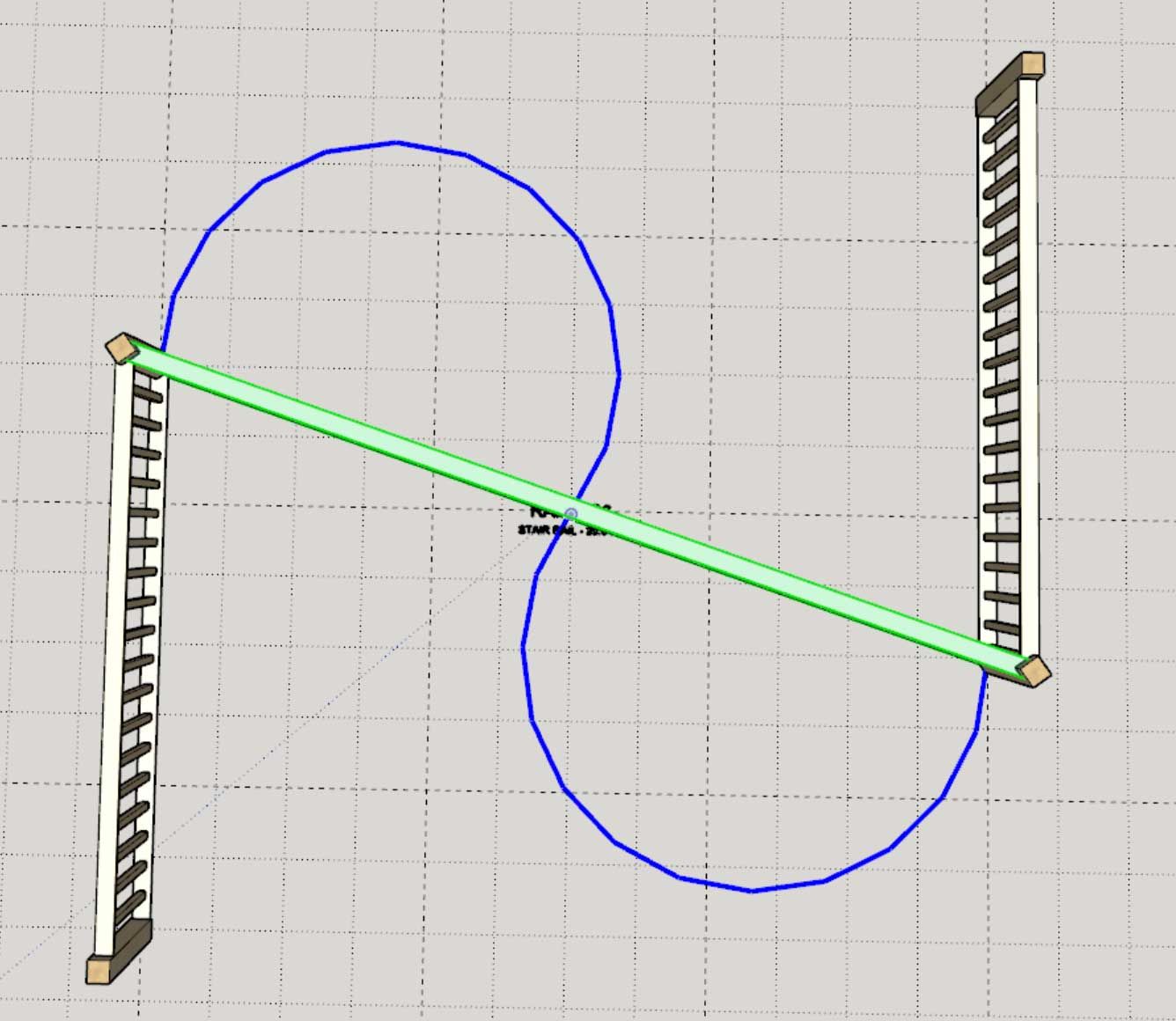
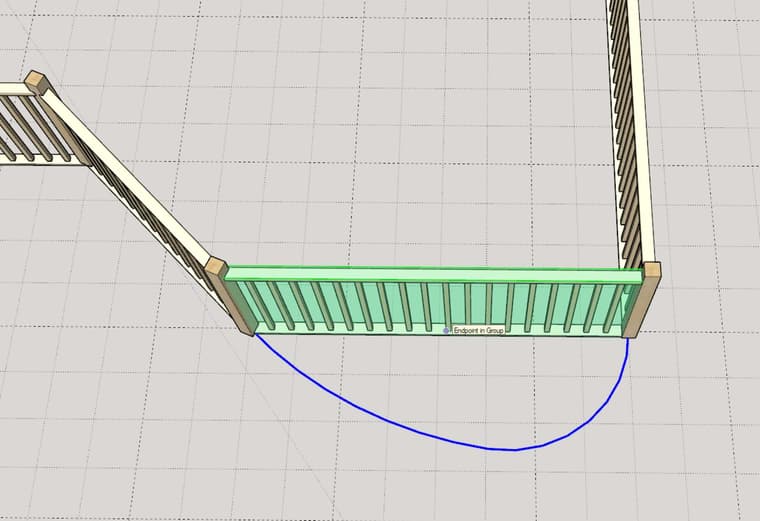
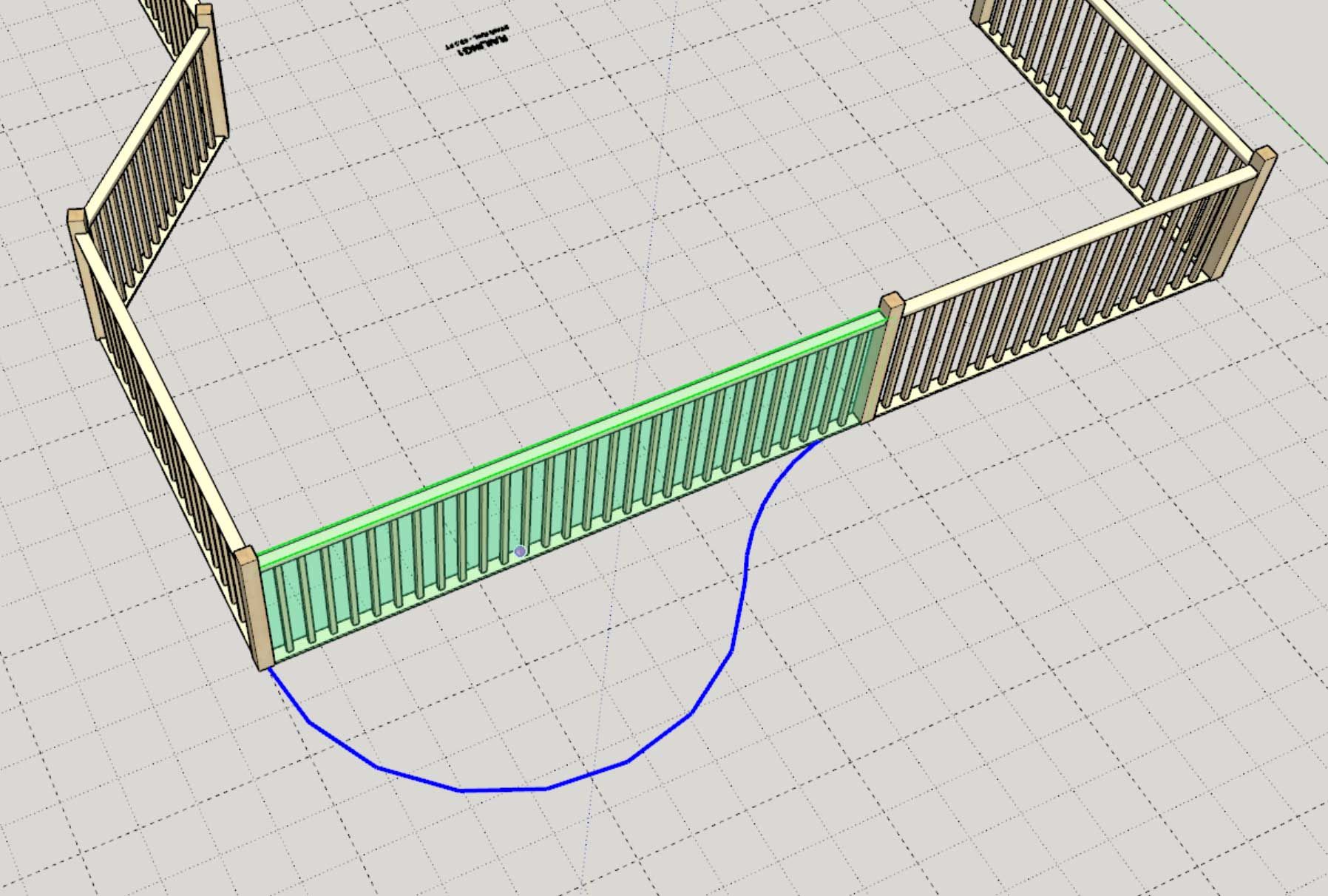
You end up with geometry like this (either a single arc or an S-shaped double arc [biarc]).
The other issue is how to handle start and end segments that the user might want to set as curved.
-
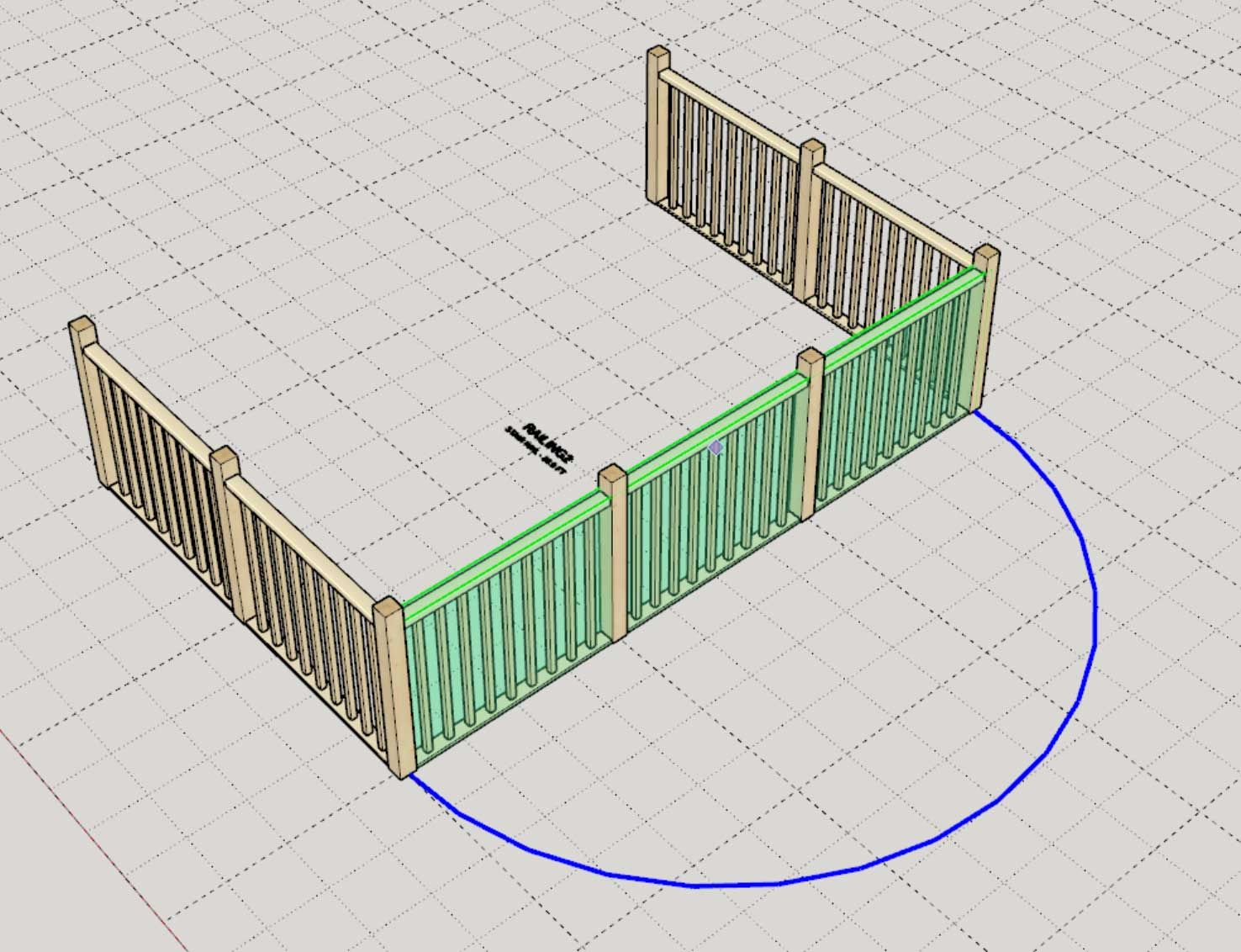
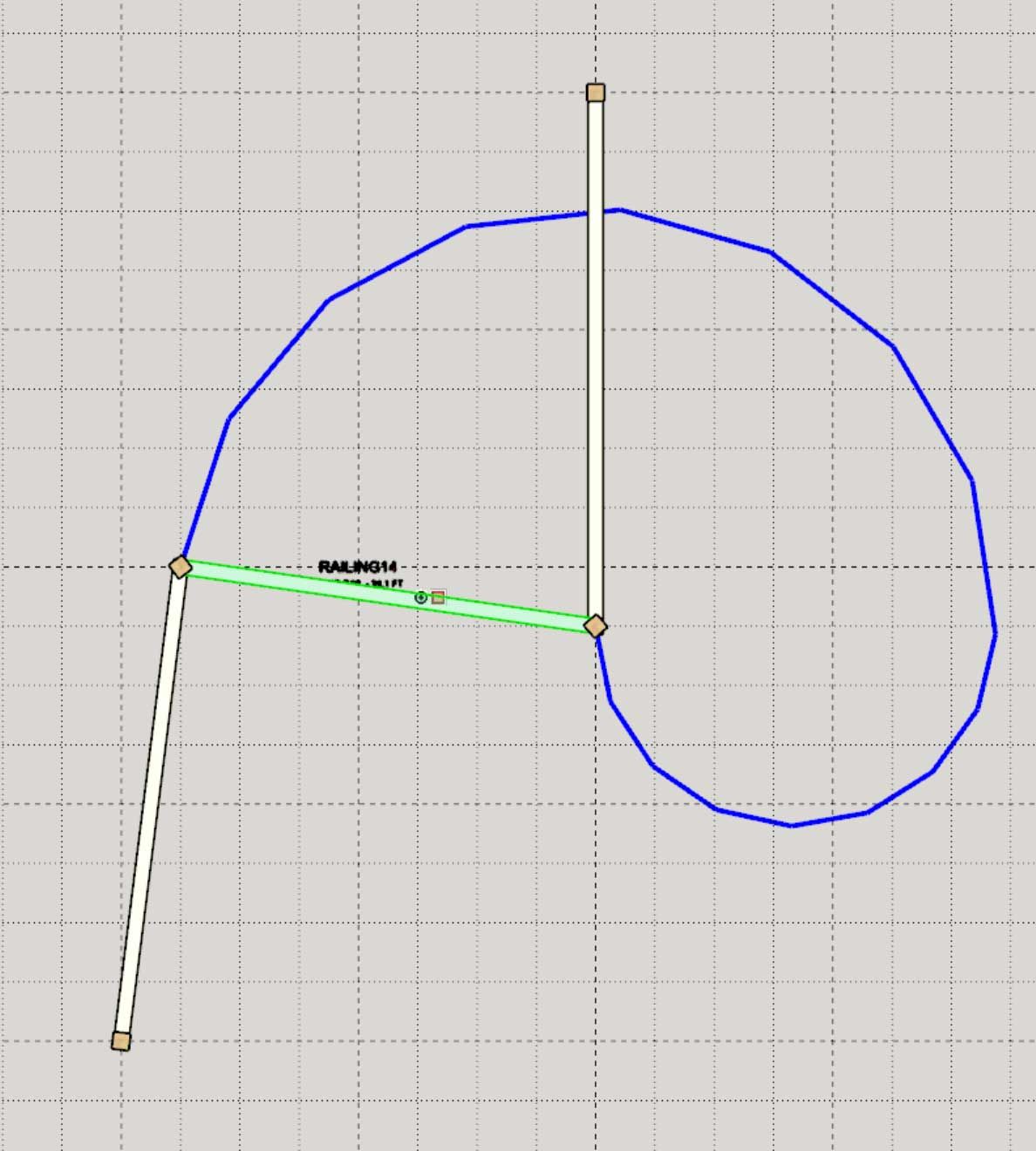
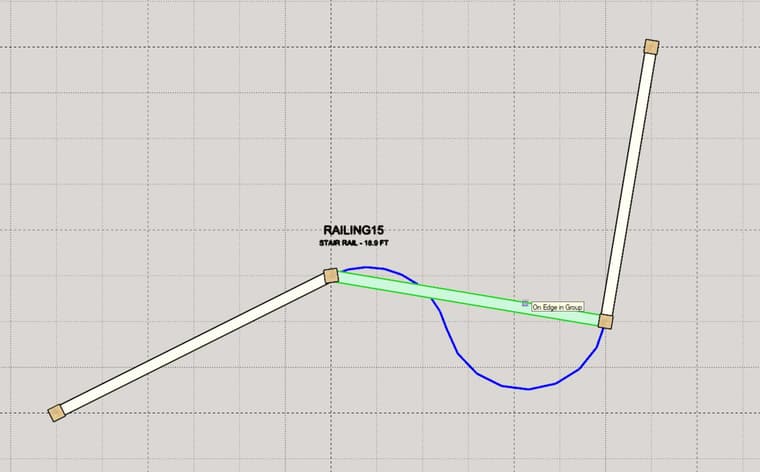
Turns out there are many possible solutions to the problem when you go from a single arc to a Hermite biarc solution. Of course not all these solutions are useful, especially where they intersect or collide with other segments of the polyline. Quite the education on this topic between Wikipedia and ChatGPT yesterday. Here as some solutions to the biarc and single arc problem:
-
Version 4.6.6 - 06.23.2026
- Added a Curved Segment option/tool for railing assemblies.
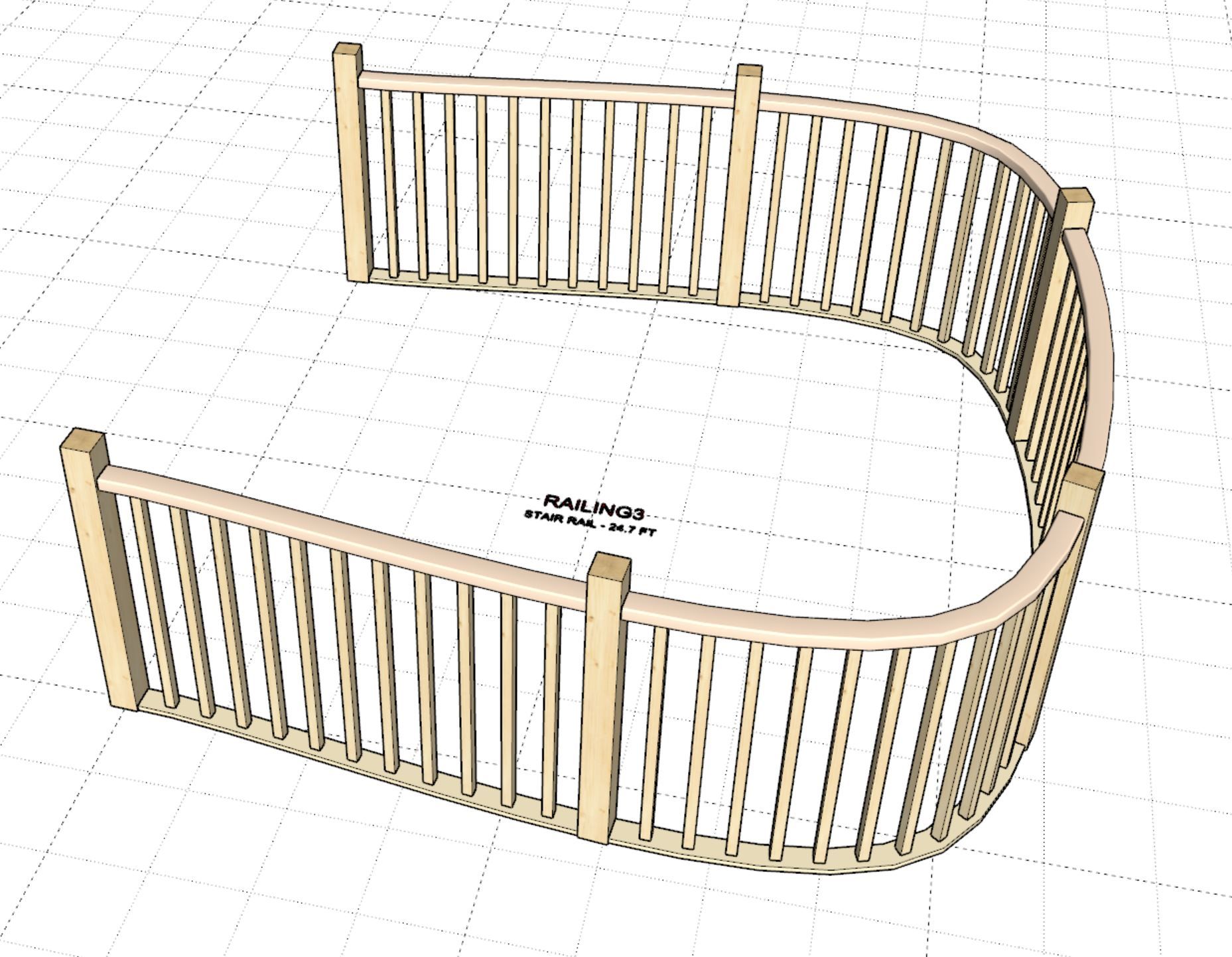
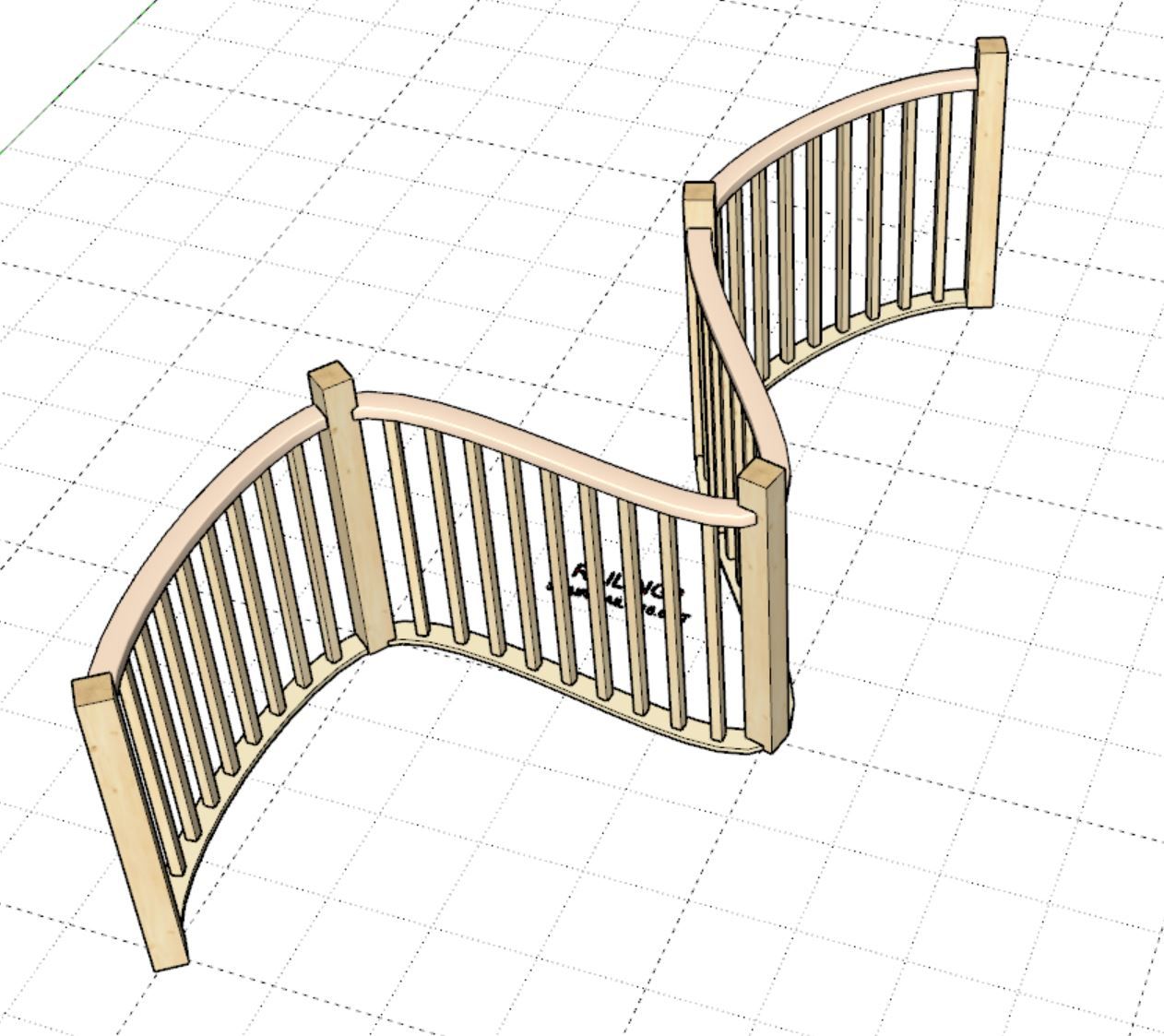
- Added a Spline Railing tool into the Stair Toolbar.
- Spline Railings enabled using a Centripetal Catmull-Rom spline algorithm with user selected start and end tangency points.
-
-
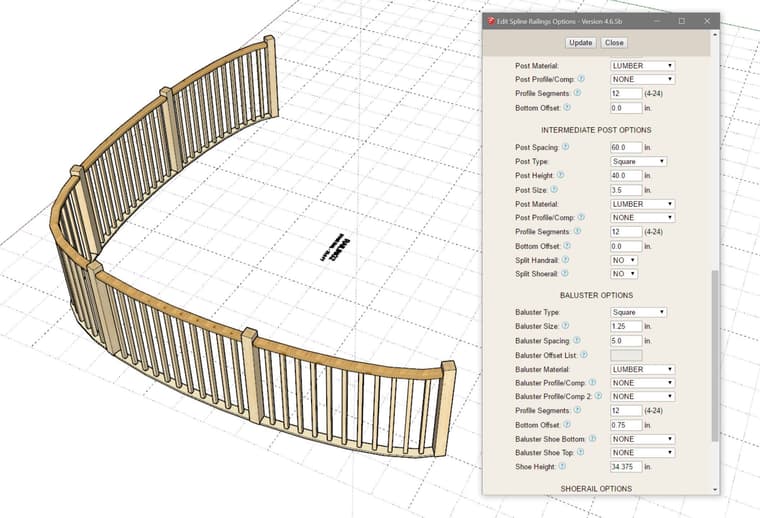
On a related note as I’ve stated in the recent tutorial the regen time of this spline railings can suffer because of the large poly handrails and/or shoerails. In the next update I will be introducing and option where the user can toggle a “split” option for both the handrail and shoerail. This will split those two curved solids into separate segments (at the intermediate posts). For larger spline railing assemblies my internal testing has shown an almost 100% performance (draw, edit, regen).
These two parameters will be found in the intermediate post sub-menu, see image below:
-
Version 4.6.7 - 06.25.2026
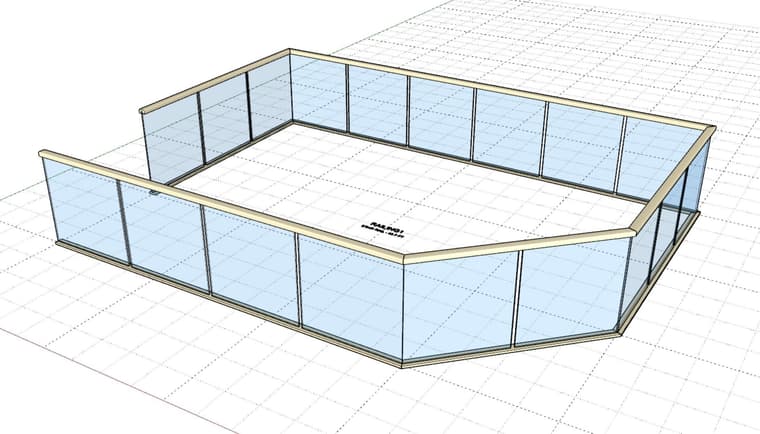
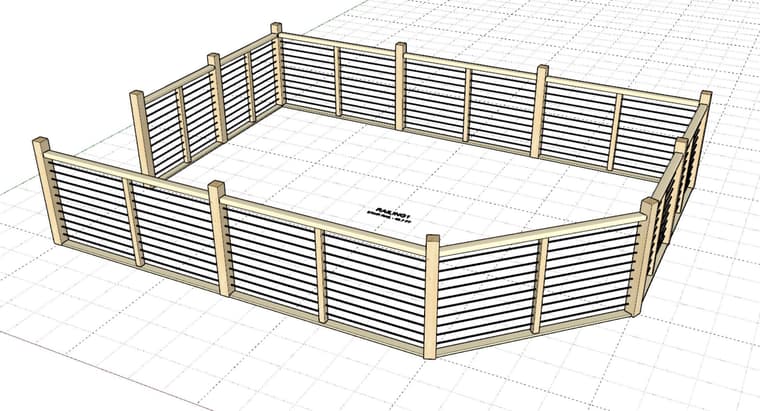
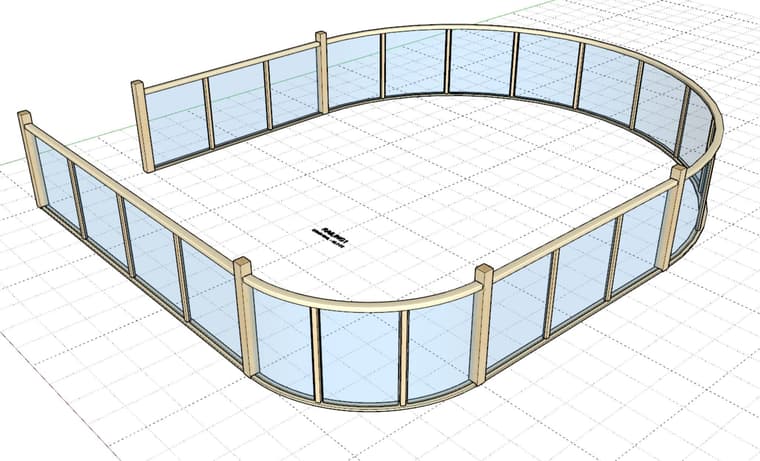
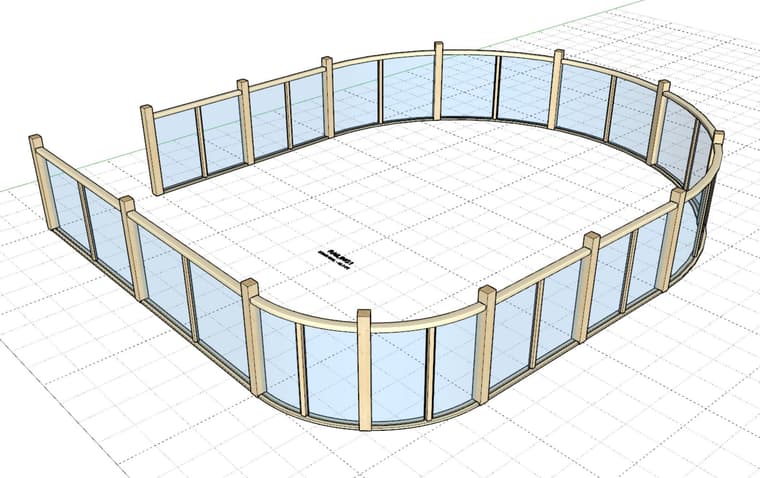
- Added a “GLASS” baluster option for curved and straight rail assemblies.
- Added a “CABLE” baluster option for curved and straight rail assemblies.
-
Version 4.6.7b - 06.26.2026
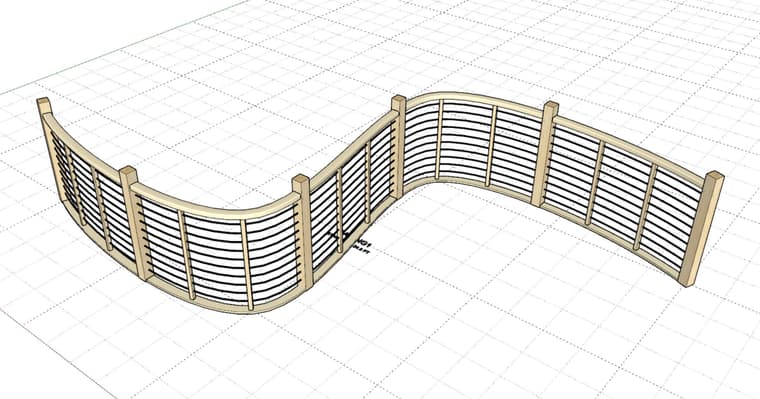
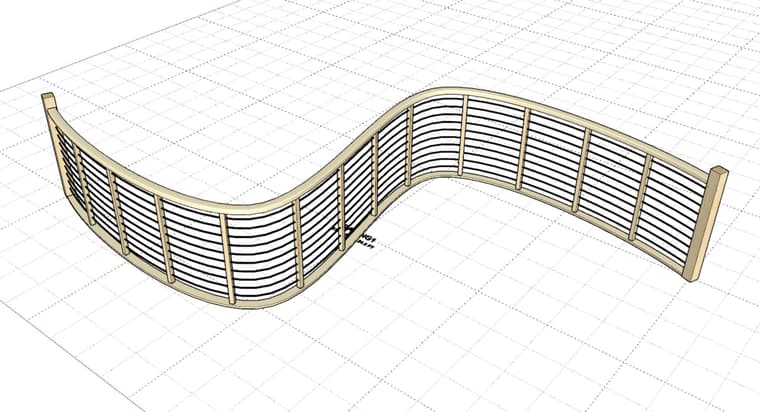
- Enabled deck railing for spline railing assemblies.
- Added a "GLASS" baluster option for spline railing assemblies.
- Added a "CABLE" baluster option for spline railing assemblies.
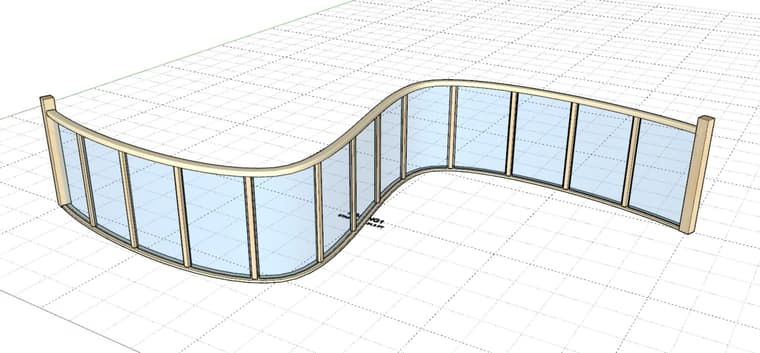
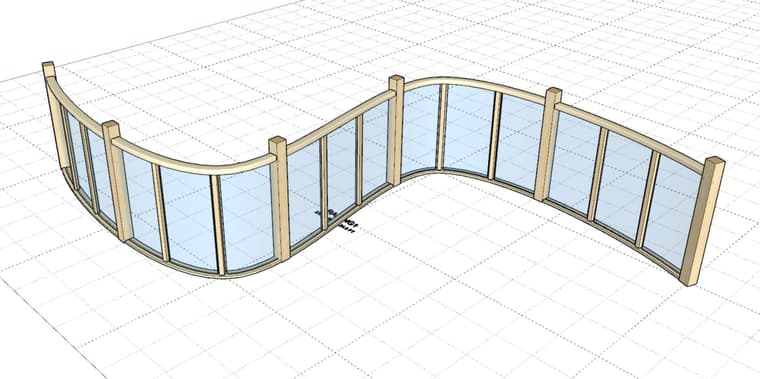
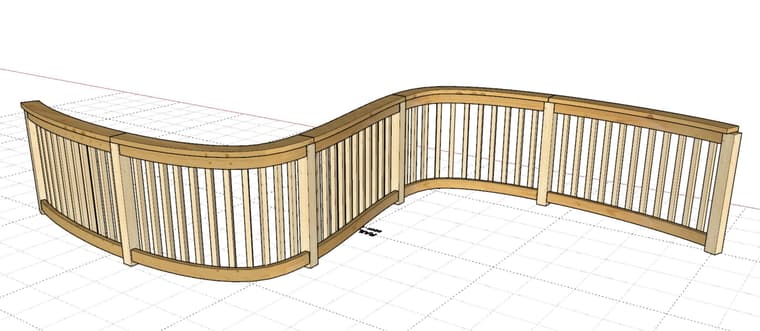
-
Tutorial 91: Curved Stairs II - (17:37 min.)
-
Back in 2023 Matt Donley reviewed the Wall extension and put it through its paces. One thing he pointed out was that there were cases where none of the existing wall types fit the bill. I call these irregular or “custom” walls.
I’ve now started working on a solution for those “custom” walls that don’t fit neatly into one of the four categories:
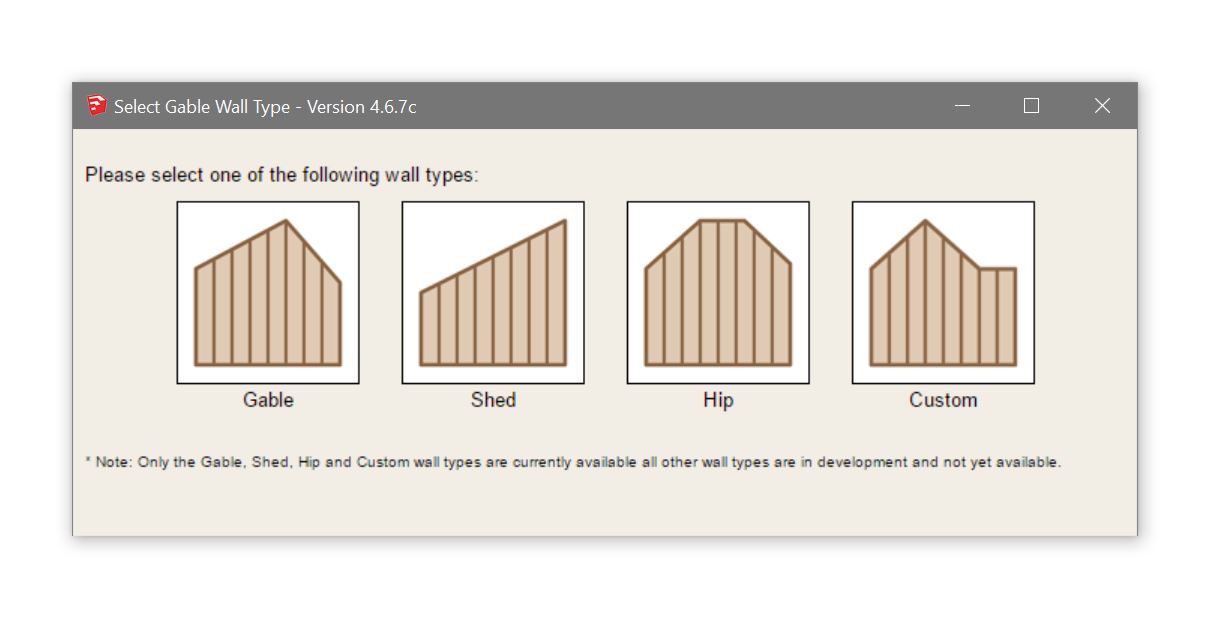
-
I have a specific request for users of my extensions and those who would like some free advertisement on my website. The front page of my website is in desperate need of an upgrade or at the very least I need to switch focus to the extensions and less focus on my plan sets.
If you have any screenshots or renders that you are particularly proud of that you have created with any of the Medeek extensions please submit them to me via email. Please limit the number of submissions to no more than 10 images. Your image should be no more than 2Mb in size and the dimensions should be a minimum of 1024 x 768 pixels.
If I decide to use an image I reserve the right to trim or crop the image so that it fits within the targeted position on the website. If I do decide to use your image on the front page of my website I can optionally include a small footer that credits your name or the name of your business and the extension used. Also if I do feature your image I will also apply an additional year to the license of the extension you created the image with.
I will probably only need about 20 to 30 images so not every image submitted will be utilized or selected, however all submissions will be retained. I will select the best submissions and then notify you if your were selected via email. I will also probably limit my selection to a maximum of two images per person who submits images so as to give everyone a fair chance at being selected. If at a later date I do consider one of the (non-selected) submissions for inclusion I will notify you before posting it to the front page and also offer you the same license extension as mentioned above.
I’m hoping to get an eclectic mix of images that I can spruce up the front page of design.medeek.com with, and hopefully put a new face on the website.
-
In commemoration of the 250th anniversary of the Unites States of America I am running a month long promotion for the mdkBIM suite. This promotion applies to new customers as well as existing customers, and with the coupon code USA250 gives a 20% discount on the purchase of the mdkBIM suite.
This promotion runs from July 1, 2026 to July 31, 2026. All purchases of the mdkBIM suite prior and after this time frame will be at the regular price. This will reduce the regular bundle price from $330.00 USD to $264.00 USD. This promo code does not apply to any of the extensions purchased separately, subscription licenses or to permanent license renewals.
Now the important part, and why I think this promo is also a decent value for existing customers who might be thinking about renewing their licenses. As part of this promotion a permanent license for the Electrical, HVAC and Engineering plugins will also be included (upon request) at no additional cost. This offer ends on July 31st and no rain checks will be given thereafter.
During the last few weeks I have been focused primarily on the stair and railing modules within the Wall plugin. I am happy to announce that significant progress has been made on that front and I strongly encourage everyone to check out the new updates and watch some of the latest tutorial videos which demonstrate these new capabilities. A huge shout out to Patrick O'Brien and Larry Belk for taking the time to encourage me and push me even further in this regard. Without their feedback and insistence I might not have progressed these two modules as far as I did.
I would also like to take the time to thank everyone for their support of the plugins these past 10 years, it has been quite a journey and I am very much looking forward to another 10 years of productive improvements and many feature additions, and who knows, maybe a few new plugins.
Nathaniel P. Wilkerson
nathan@medeek.com
-
The custom wall "draw" tool is going to be a little bit different from the existing wall tools. Currently I have it so that can select a face (grouped or ungrouped). The face has to be vertical, in more precise terms this means the face normal vector must be perpendicular to the Z axis. Also note that as you hover over the face the nearest vertex is highlighted with the light green circle:
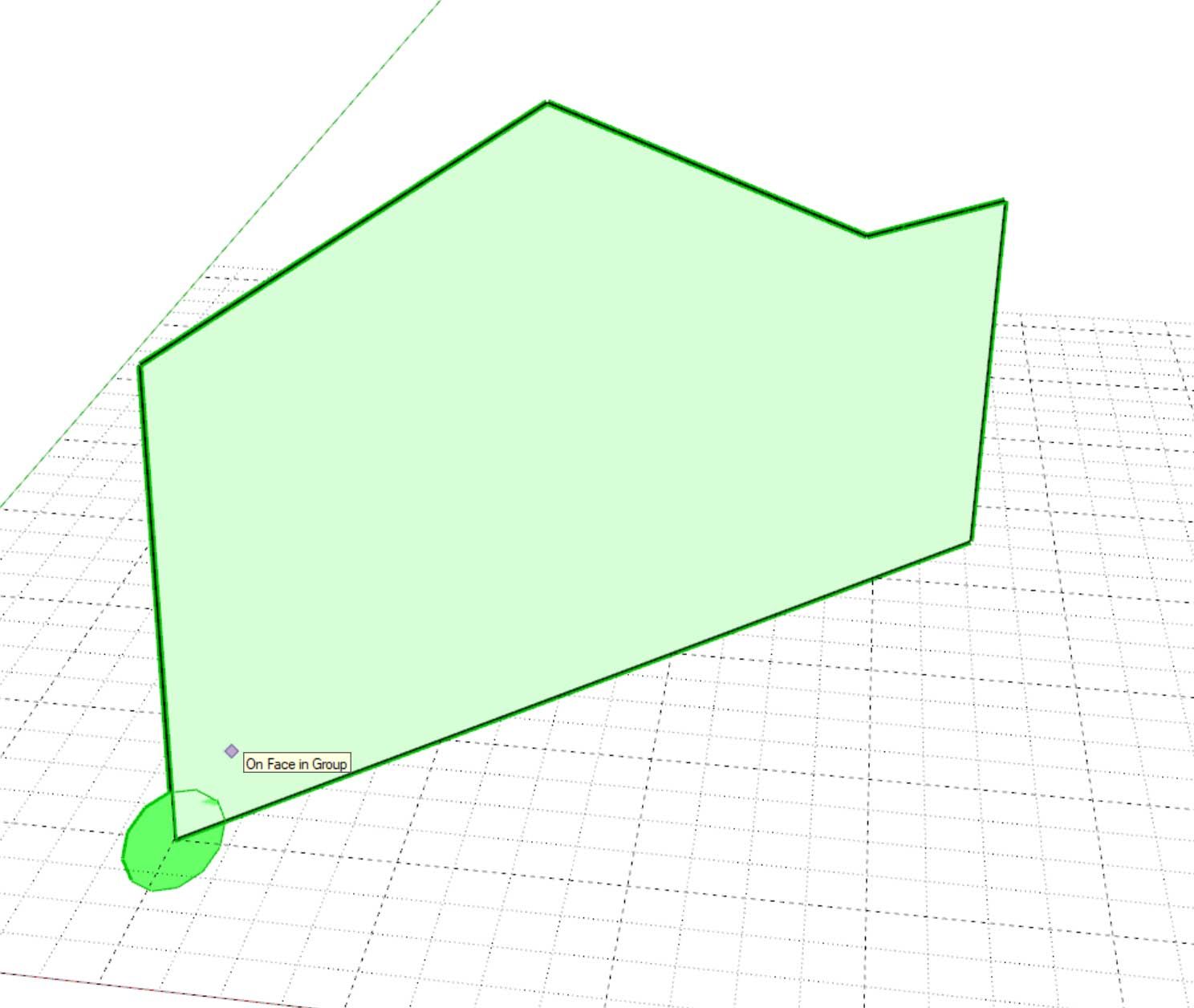
This indicates where the "origin" or start point of the wall will be drawn from. Once you select the face, the tool then goes to phase 2, which allows you to project along the face in one of two directions. This will determine which side is the interior or exterior of the wall:
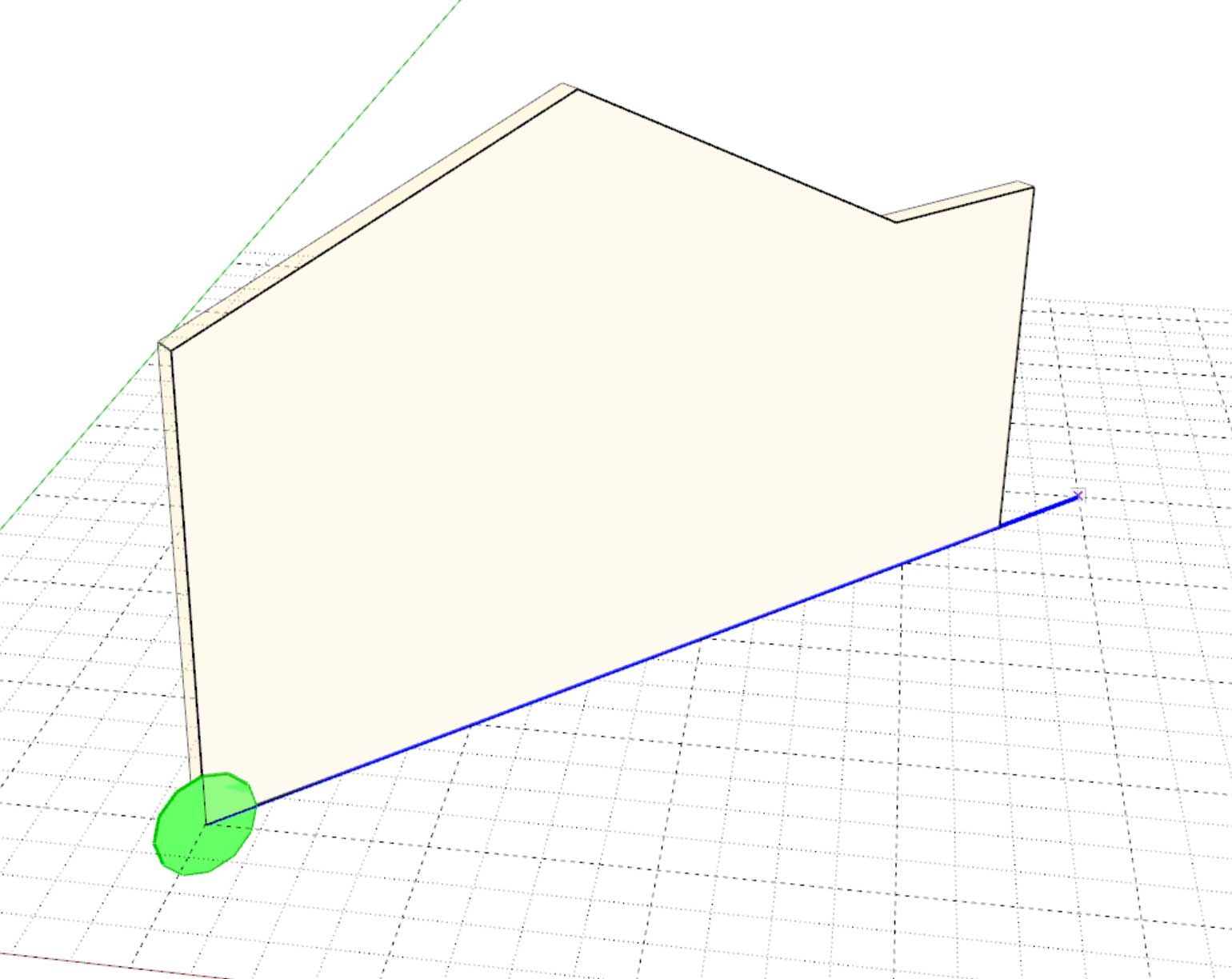
The thick blue line indicates the ray or vector that is being used to determine which way the wall is facing, also the 3D wireframe indicates the wall's general envelope or geometry.
-
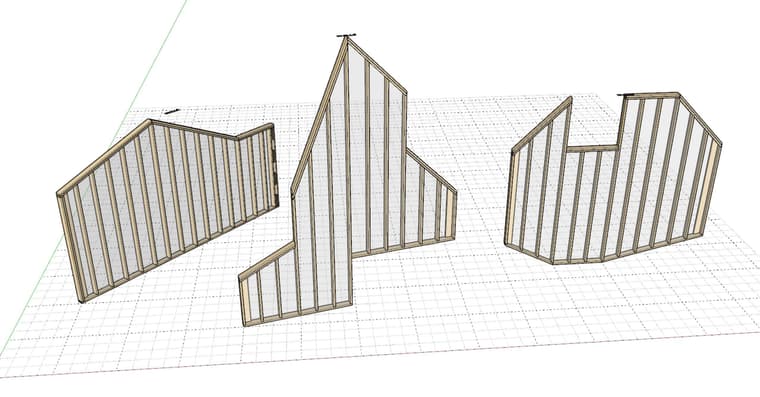
Progress is steady but these types of irregular walls present a few more challenges than normal:
-
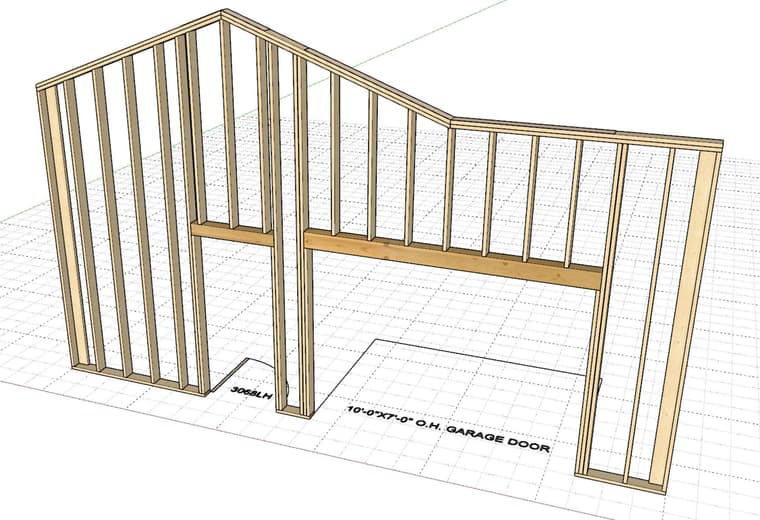
Testing garage doors and doors:
-
Custom or "complex" walls are really no different than complex roofs or floors. They are defined by an array of points. I was just going to adapt my current "Outline Edit" method for Custom walls but I felt like it was time for a bit of an upgrade. I'm hoping people will find this new tool a bit more intuitive. After I fully test it I may incorporate the same logic/tool into the other plugins for the following: Complex Roofs, Floors, Slab-on-Grad foundations, Polyline Stemwalls and Railings
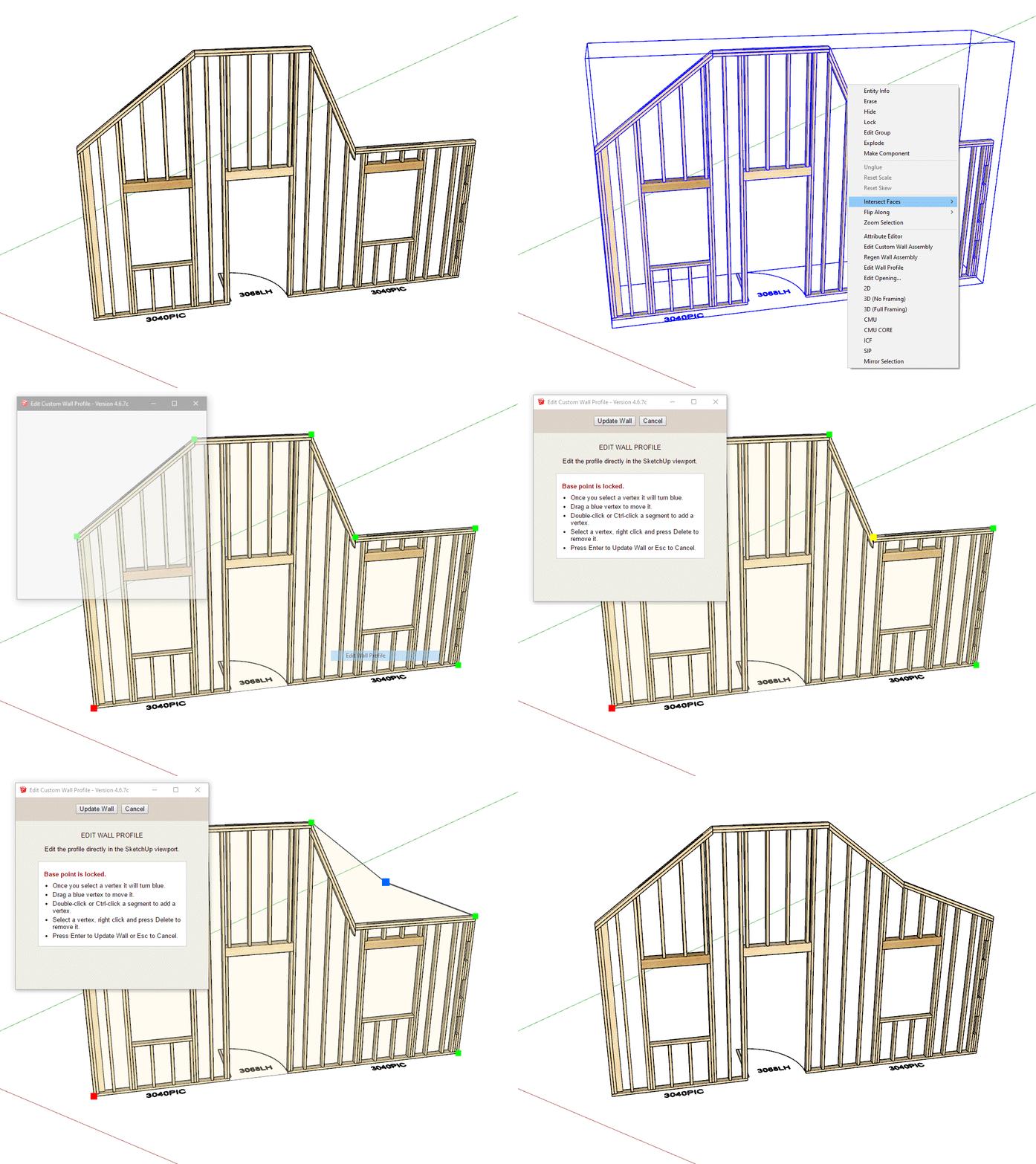
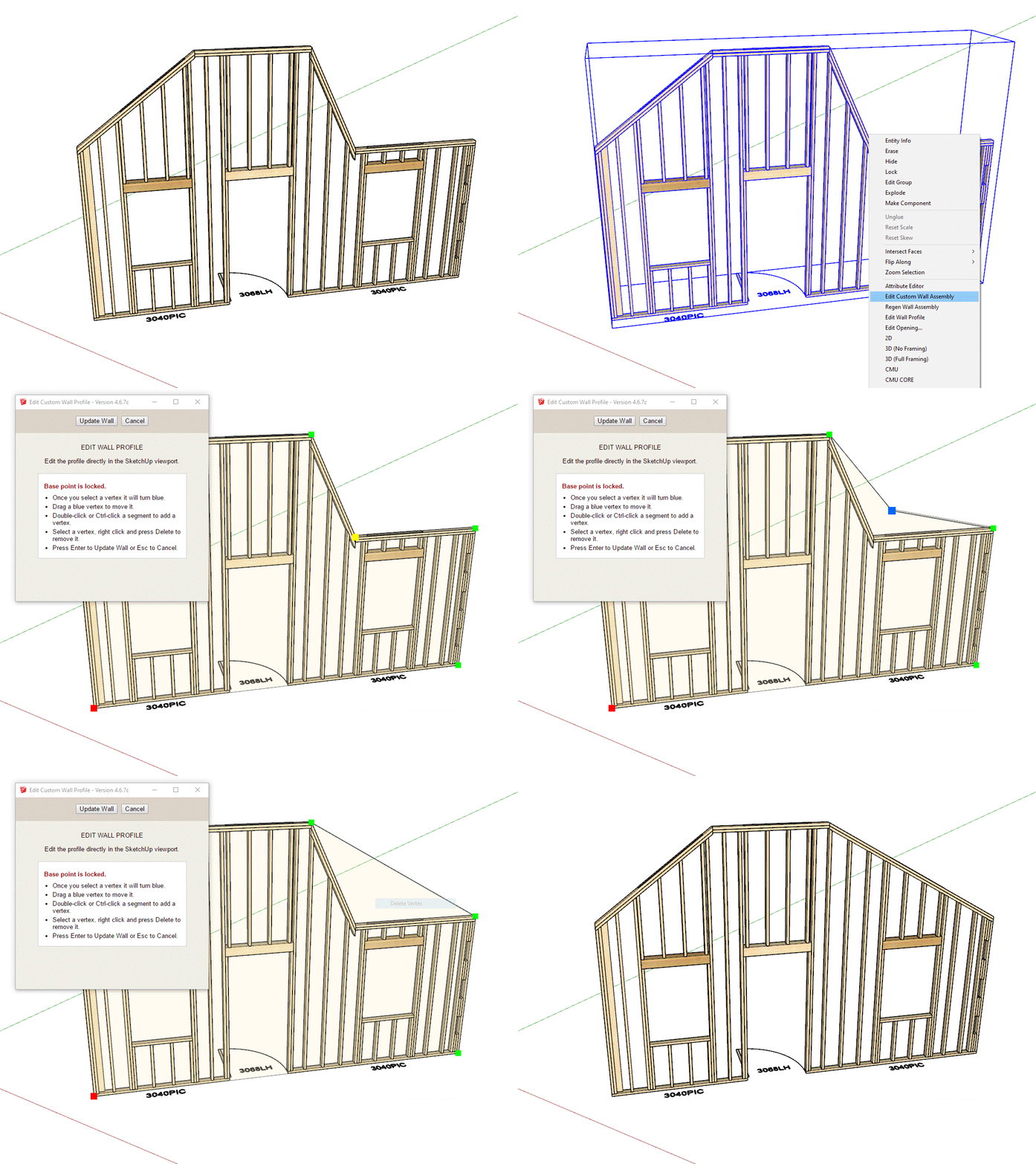
-
Version 4.6.8 - 07.06.2026
- Added a new "Custom" wall option in the Gable Wall tool.
- Added Doors, Windows and Garage Doors for Custom walls.
- Created a new interactive Custom Wall profile editing tool.
This new "custom" wall is still not quite ready for prime time, however I want to put it out there so that the power users can BETA test it for me and tell me what works for them and what does not. I still need to add in all the advanced options and I'm sure there are a few holdovers from the previous wall menu (ie. Wall Height and Wall Length) that are not relevant to this wall type.
Please be advised that this new wall type is not production ready. Right now it is for testing purposes only.
-
First look at cavity insulation for custom walls:
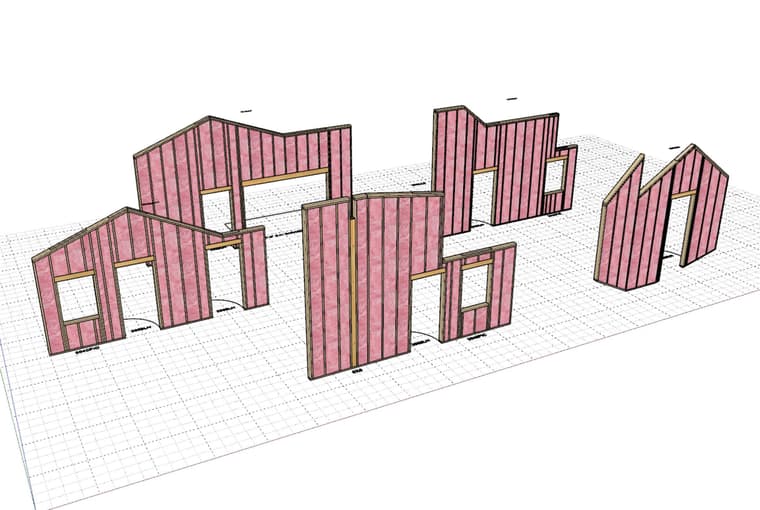
-
First look at exterior trim applied to custom walls:
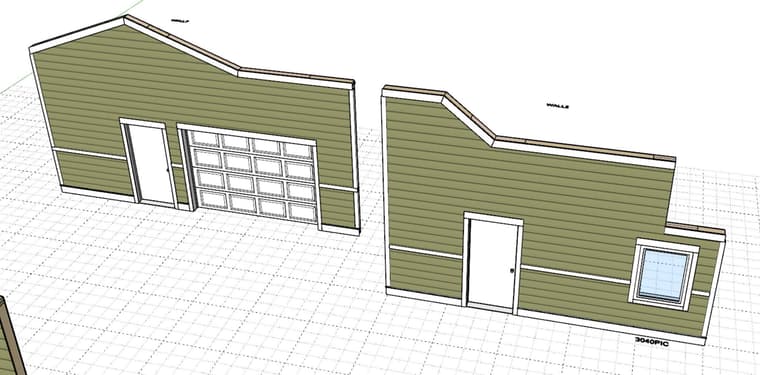
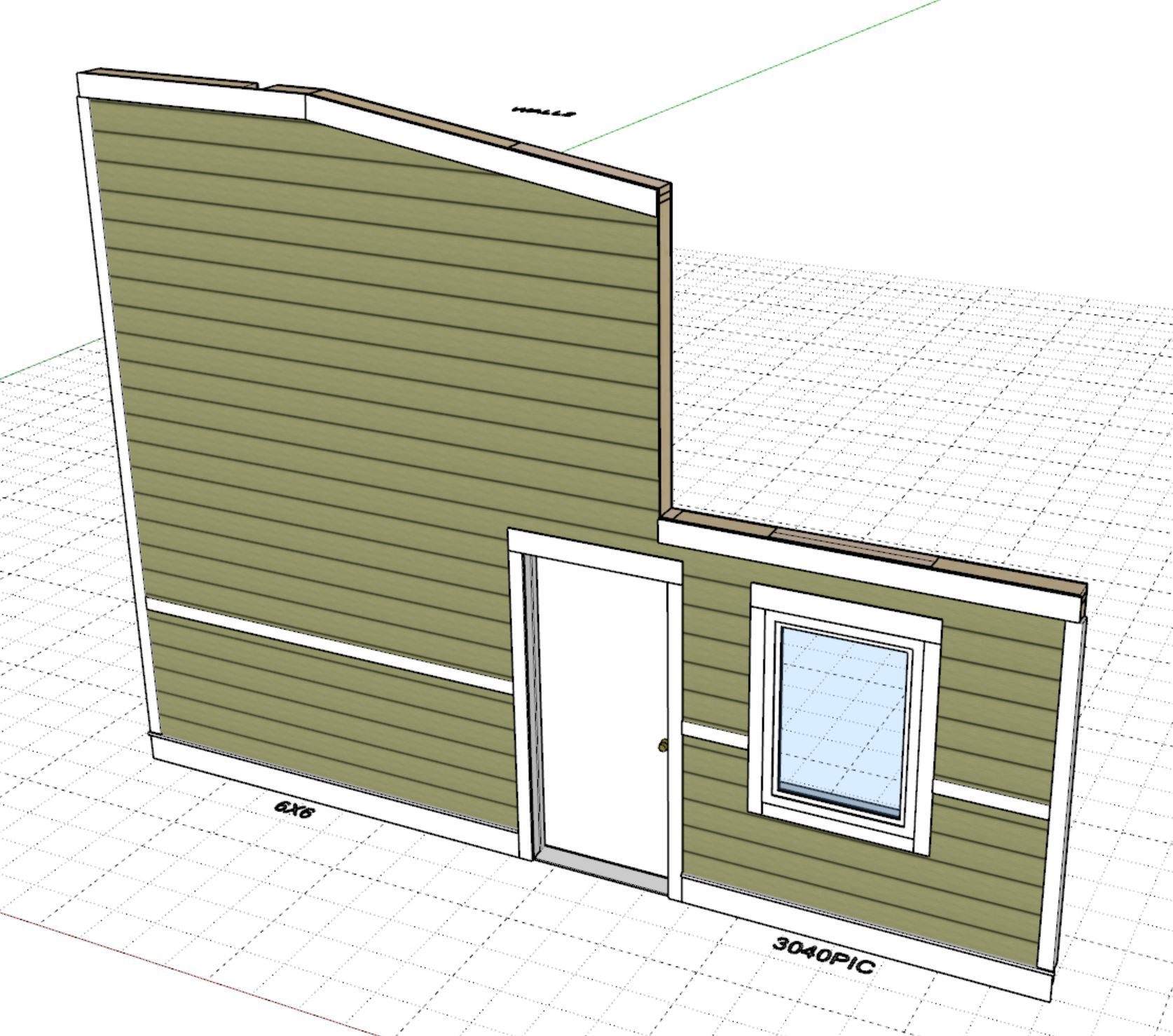
-
First look at wainscot applied to Custom walls.
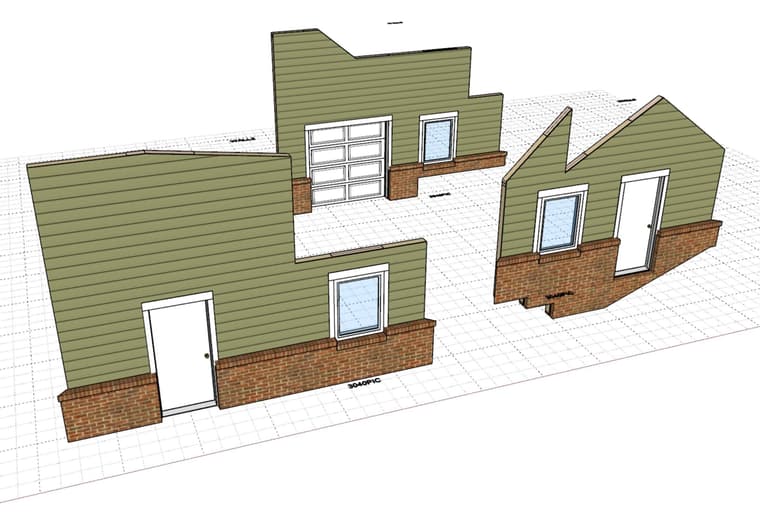

Hello! It looks like you're interested in this conversation, but you don't have an account yet.
Getting fed up of having to scroll through the same posts each visit? When you register for an account, you'll always come back to exactly where you were before, and choose to be notified of new replies (either via email, or push notification). You'll also be able to save bookmarks and upvote posts to show your appreciation to other community members.
With your input, this post could be even better 💗
Register Login


Advertisement