Building DC for Masterplan
-
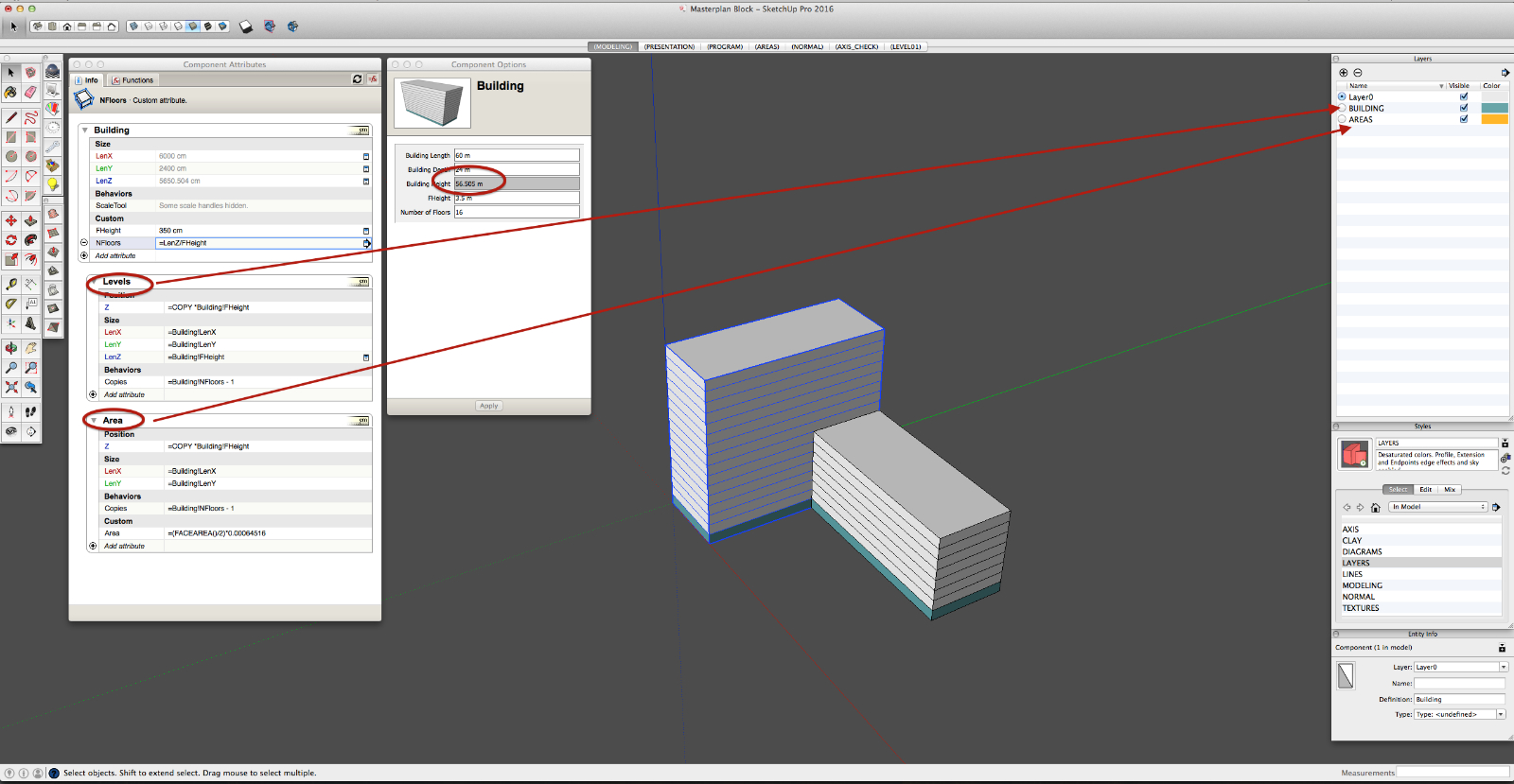
I creating a DC for a typical building to use in master plan studies. It works, but I have a couple of questions.
- How to make every new copy of floor that was created while scaling DC to be in the same layer as parent ? and not in Layer 0
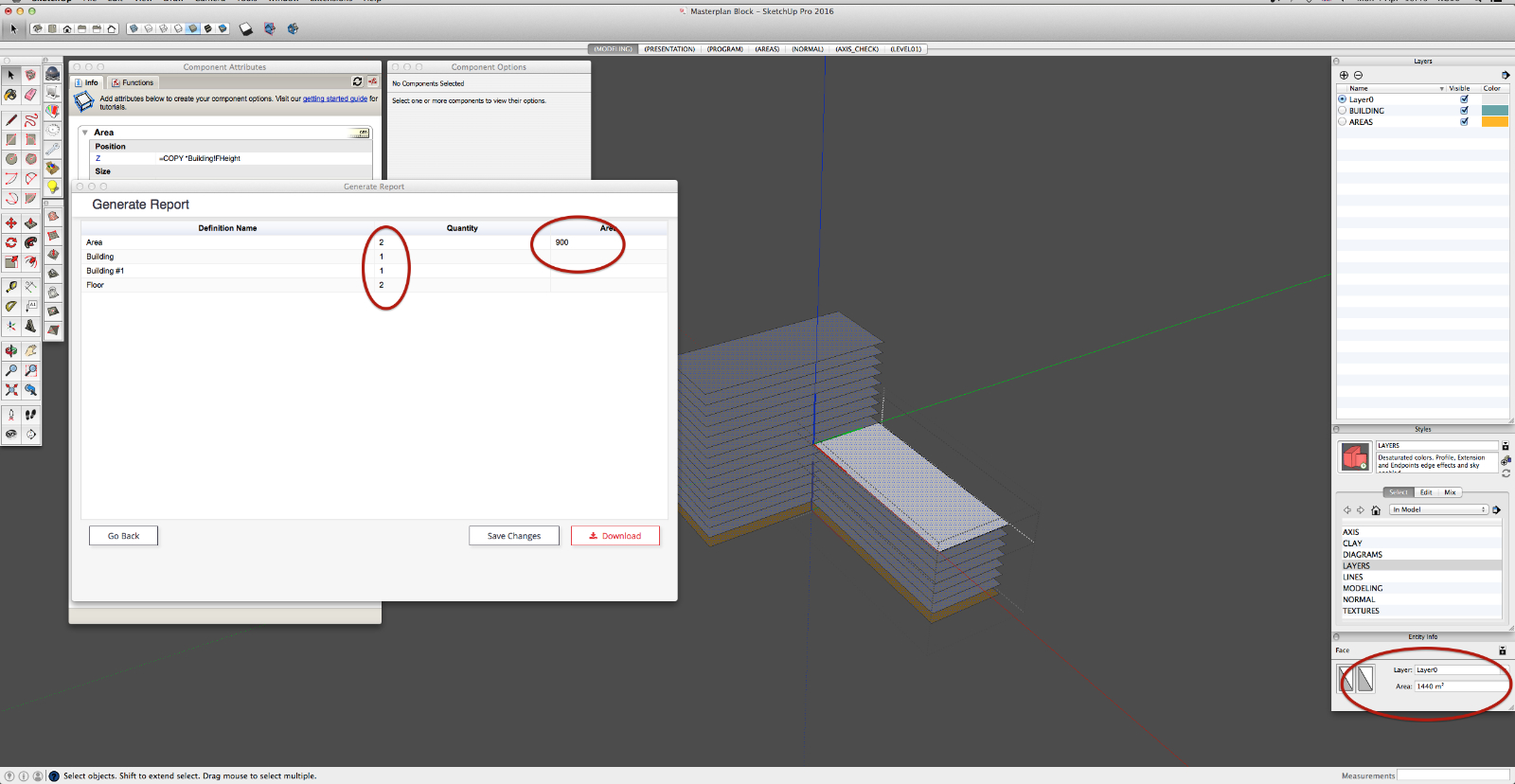
- I have added a Area attribute to check face are of a floor face. But if I copy DC with different sizes, it will show identical area for every floor and it doesn't count all floor plates.
- Height after scaling DC is not correct.
Is there a way to fix it?
Cheers
-
- you can group the floors within another component or group with a particular layer
- after an alteration of the first component in a series of copies, after exit you need to update with right click menu, DC,redraw.
- you need to create formula to suit
generally better to use material names (with no space) to do areas, so reflects only the surface required however complicated (you can rename a material to exclude space)
suggest if you don't already, use outliner to amend the components rather than mult click
attached example
-
You could further nest your building with several groups with the nested components, for mixed use buildings.
-
Hi guys,
Thanks for help. To be honest I tried your suggestions, and I still have all the problems I described above.
In your (PCMOOR) DC area does not update even if I redraw component. Cant get it to work.
Also why did you put slabs in floors component ?Thank you

Hello! It looks like you're interested in this conversation, but you don't have an account yet.
Getting fed up of having to scroll through the same posts each visit? When you register for an account, you'll always come back to exactly where you were before, and choose to be notified of new replies (either via email, or push notification). You'll also be able to save bookmarks and upvote posts to show your appreciation to other community members.
With your input, this post could be even better 💗
Register Login


Advertisement