How to disable spell-check and auto correct function
-
Hi there,
I'm from Vietnam and my langue use UTF-8 unicode for some special chars.
Within Layout, the autocorrect function did transform some chars like this:
Õ --> Ơ ; È ---> Č, etc...
(Only Arial Narrow font wasn't changed)
When i used Text or Label to type, if it happens, i press Ctrl-Z and it solved.
But it always be in Autotexts or infomations from Sketchup model like Component's Description.
I think if we can disable the spell-check and auto correct, my problem will be over.
So, can anyone help me, please?
Thanks a lot.
(sorry for my english) -
@lê việt trường said:
...can disable the spell-check and auto correct...
it's a system setting not a LayOut one...
john
-
Thanks driven, i disabled all the msspell files in system32, but it still does transform my chars in autotext.
But it not always does...
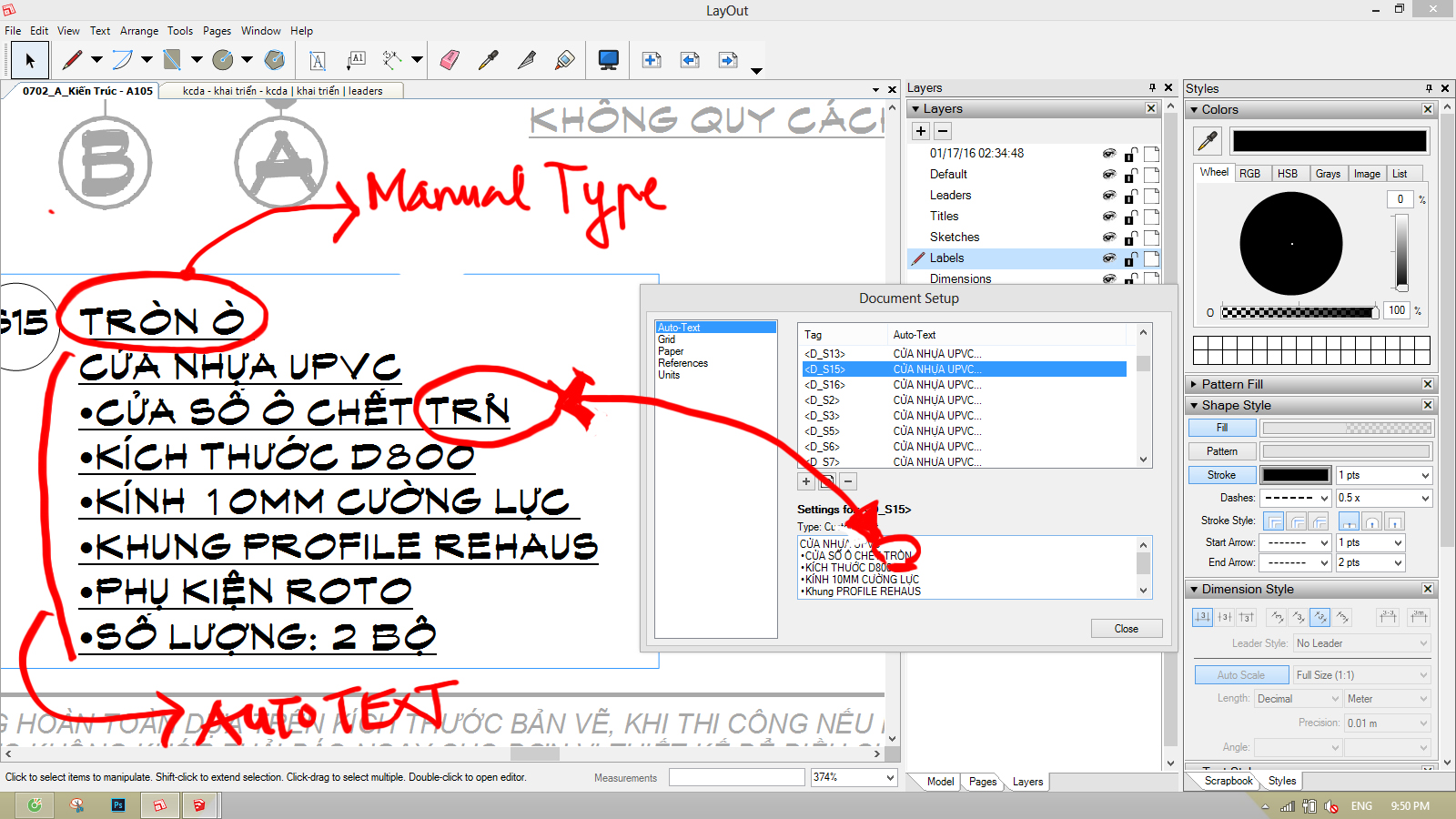
-
that looks like font replacement going from the font used in the dialog box and the font used in the document...
it happens in SU with WebDialogs and Input Boxes, but I don't use LO enough to have ever noticed it there...
You may have more joy asking at http://forums.sketchup.com/t/about-the-layout-category
start a new topic and a link back to here if you can't post an image yet [you need 2-3 post for that]
Hello! It looks like you're interested in this conversation, but you don't have an account yet.
Getting fed up of having to scroll through the same posts each visit? When you register for an account, you'll always come back to exactly where you were before, and choose to be notified of new replies (either via email, or push notification). You'll also be able to save bookmarks and upvote posts to show your appreciation to other community members.
With your input, this post could be even better 💗
Register Login


Advertisement