Distorted and fragmented .dwg files
-
PLEASE.... can anybody help..!
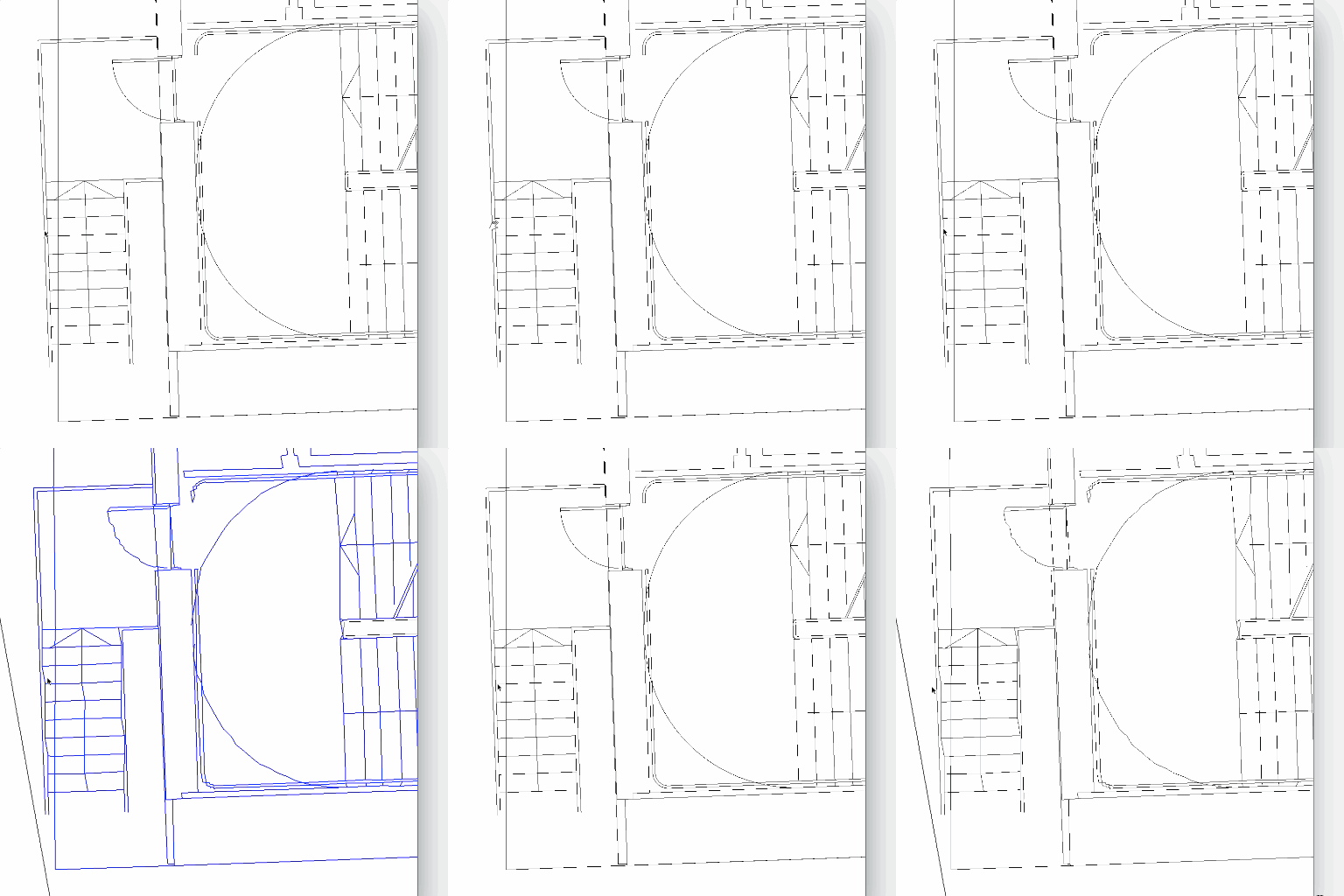
I have a lot of this kind of work coming up very soon. As you can see in the movie below on opening the grouped .dwg file it becomes distorted and fragmented. The original file was a .dng file converted to .dwg in Autocad (on a windows machine as it is not possible to do this on Autocad 2016 on a mac )
Does anybody know why this is happening or if their is a better way of converting .dgn file to be used in SKUP PRO 2016. I have over 100 files to convert and work on and at the moment I can't if this keeps happening.
All help, ideas welcome ASAP
Thanks in advance to anyone who can shed some light on this.
THX
-
it looks like your importing at too small a scale and inferencing is joining the ends of the dashed lines in a random fashion...
there is https://sefaira.zendesk.com/hc/en-us/articles/203399495-Best-Practice-for-Importing-Microstation-Files-into-Sketchup that may offer some clues...here's a gif to make it easier for others to view...
john
Hello! It looks like you're interested in this conversation, but you don't have an account yet.
Getting fed up of having to scroll through the same posts each visit? When you register for an account, you'll always come back to exactly where you were before, and choose to be notified of new replies (either via email, or push notification). You'll also be able to save bookmarks and upvote posts to show your appreciation to other community members.
With your input, this post could be even better 💗
Register Login


Advertisement