sketchucation logo sketchucation
    • 登入
    Oops, your profile's looking a bit empty! To help us tailor your experience, please fill in key details like your SketchUp version, skill level, operating system, and more. Update and save your info on your profile page today!
    🔌 Smart Spline | Fluid way to handle splines for furniture design and complex structures. Download

    [Plugin] GKWare Cabinet Maker

    已排程 已置頂 已鎖定 已移動 Plugins
    627 貼文 69 Posters 459.9k 瀏覽 70 Watching
    正在載入更多貼文
    • 從舊到新
    • 從新到舊
    • 最多點贊
    回覆
    • 在新貼文中回覆
    登入後回覆
    此主題已被刪除。只有擁有主題管理權限的使用者可以查看。
    • N 離線
      NBG
      最後由 編輯

      while we speak of hardware support, I think for european customers the most common drawers and hinge systems are from Hettich and Blum. And I know that Blum (maybe Hettich too) has all the 3D components ready to use on their site.
      But I guess that's still a pretty big work to implement this in Cabmaker.

      1 條回覆 最後回覆 回覆 引用 0
      • G 離線
        Garry K
        最後由 編輯

        Version 3.0.107 is now available from my web site.

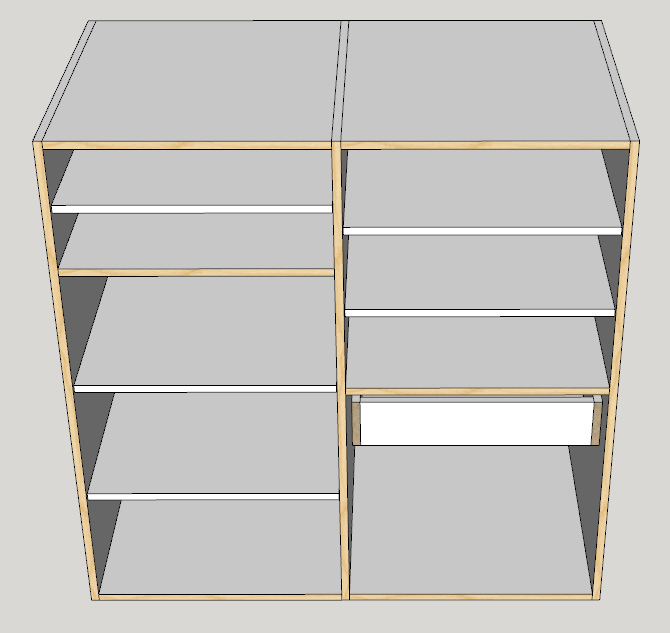
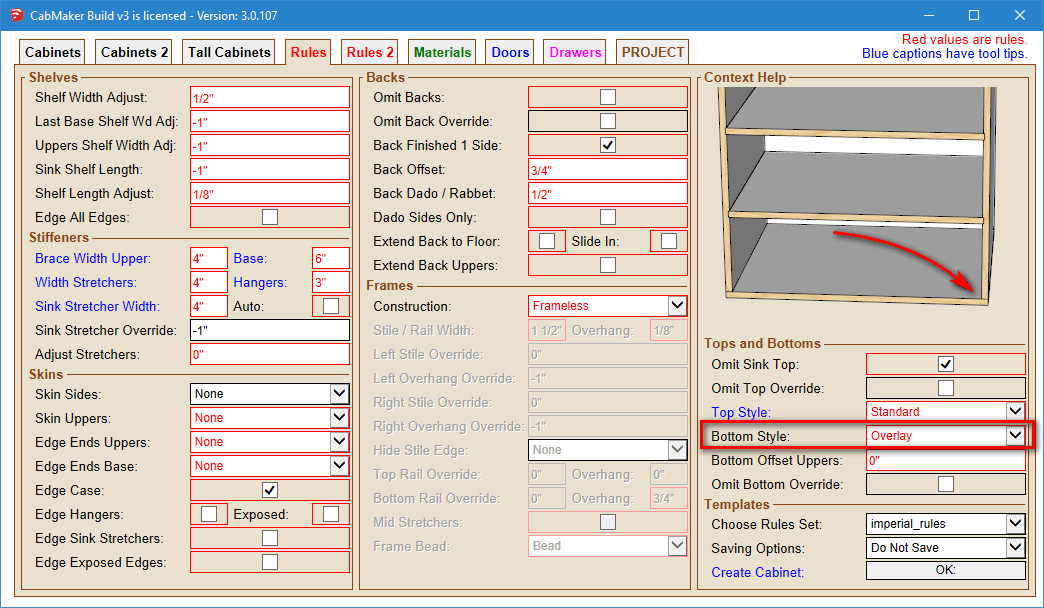
        I have added a Bottom Overlay style. You can now sandwich the sides between bottom and top
        Overlay Bottom.png

        1 條回覆 最後回覆 回覆 引用 0
        • G 離線
          Garry K
          最後由 編輯

          A new version of CabMaker is now available.

          Version 3.0.108 – Feb 7, 2018

          1. PROJECT info was not re read when switcthing models after an edit. Fixed.
          2. Stretchers had front edge banding with Face Frames and shouldn't have. Fixed.
          3. Adjustable shelves for tall cabinets came across to CutMaster Fixed Shelves. Fixed.
          4. Overlay bug for bottom when back is not dadoed into sides. Fixed.
          5. Added Case Back option to edge backside of cabinet when no back.
          6. Fixed pullout bug.

          A new version of CutMaster is also available from my website.

          1 條回覆 最後回覆 回覆 引用 0
          • utilerU 離線
            utiler
            最後由 編輯

            Hi Garry, just wondering if you can explain why this happens when i go to change a cabinet that I did in a drawing a few weeks ago?

            Seems to change it back to another set of defaults!!


            Cabmaker.wmv

            Just Curious...

            1 條回覆 最後回覆 回覆 引用 0
            • G 離線
              Garry K
              最後由 編輯

              There was a bug back in that old version where the PROJECT settings become the same as a different model that you just edited in the the same Sketchup Session.

              The work around is close sketchup - then open it and your old project and the cabinets should maintain their settings.

              1 條回覆 最後回覆 回覆 引用 0
              • utilerU 離線
                utiler
                最後由 編輯

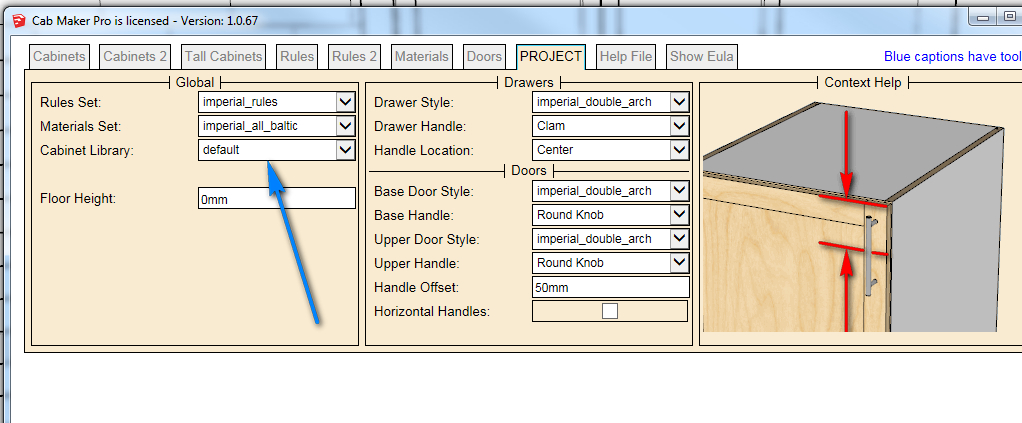
                Thanks Garry, I did that and still the project settings have not reset.

                2018-02-26_100719.jpg

                Just Curious...

                1 條回覆 最後回覆 回覆 引用 0
                • G 離線
                  Garry K
                  最後由 編輯

                  Version 1.0.67 is very old - I'm currently working on version 3.0.110

                  1 條回覆 最後回覆 回覆 引用 0
                  • G 離線
                    Garry K
                    最後由 編輯

                    You can use it as long as you like. A number of users are still using 1.0.67 and are happy with it. Yes - all versions of software have some bugs. The question is if you can live with it or not.

                    1 條回覆 最後回覆 回覆 引用 0
                    • utilerU 離線
                      utiler
                      最後由 編輯

                      Yes, I am aware that it is the free version.

                      So should it not be used?

                      Just Curious...

                      1 條回覆 最後回覆 回覆 引用 0
                      • utilerU 離線
                        utiler
                        最後由 編輯

                        No worries ta. Just going back to an older job and updating the design has highlighted the issue. I'll see if I can work around it; if not I'll look to buy the full version [if bug free] even though I'd be only using it for conceptual modelling....

                        thanks for the explanation.!

                        Just Curious...

                        1 條回覆 最後回覆 回覆 引用 0
                        • G 離線
                          Garry K
                          最後由 編輯

                          Version 3.0.110 is going to be released shortly.

                          1. Added Horizontal Grain for cabinet backs on a cabinet by cabinet basis.
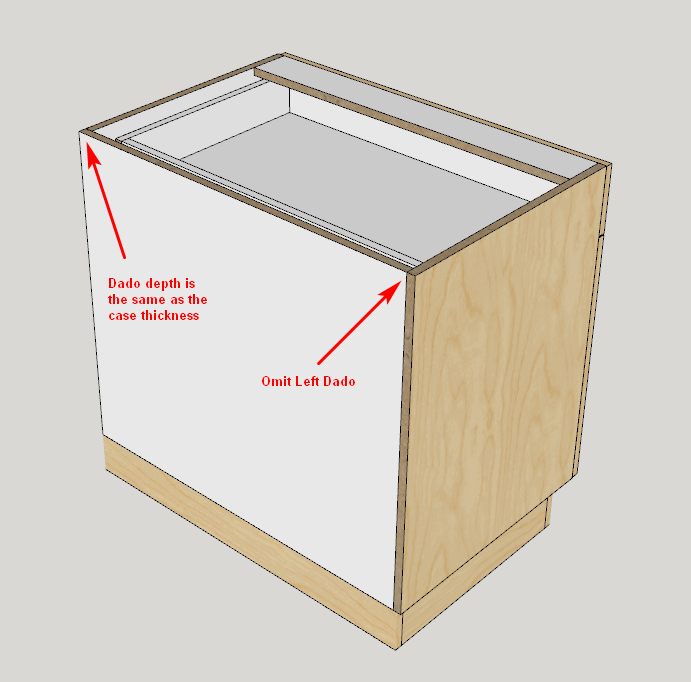
                          2. Added Omit Left Side Dado for cabinet backs on a cabinet by cabinet basis.
                          3. Added Omit Right Side Dado for cabinet backs on a cabinet by cabinet basis.
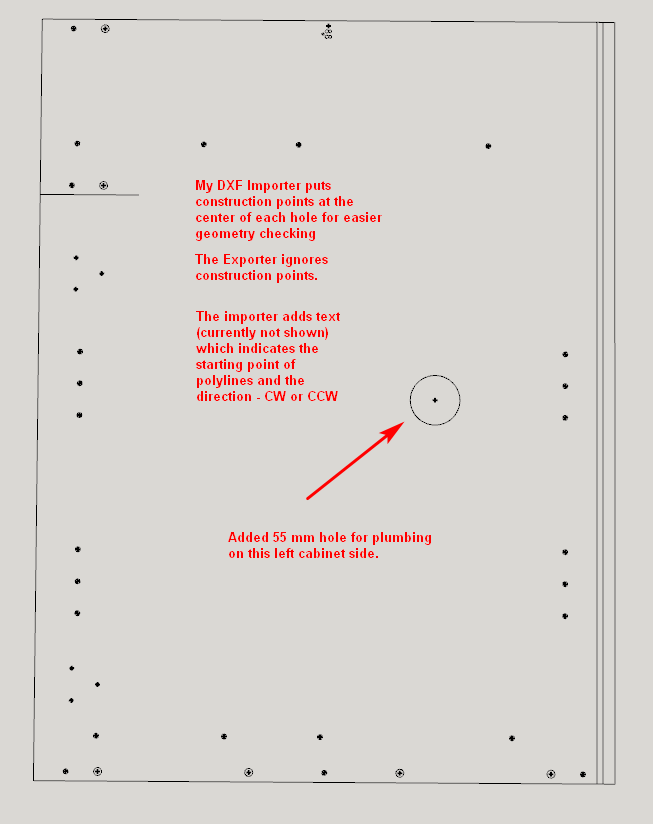
                          4. Added DXF Export. First import DXF files using the CabMaker DXF Import, then
                            perform simple edits in Sketchup and finally using CabMaker DXF Export write them
                            back to disk.

                          This example has the Omit Left Dado checked.
                          Omit Left Dado.png

                          DXF importer and exporter allows you to easily add cutouts etc. to cabinet parts.
                          exporter.png

                          1 條回覆 最後回覆 回覆 引用 0
                          • G 離線
                            Garry K
                            最後由 編輯

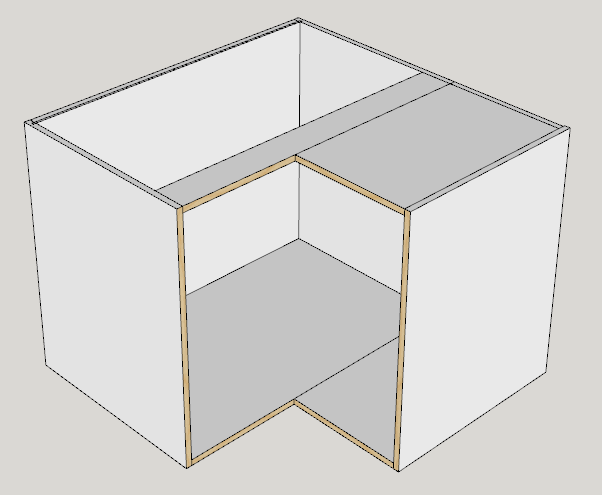
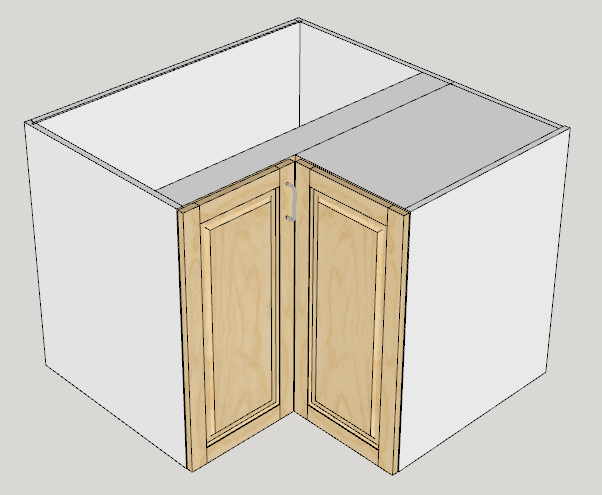
                            Here is a split corner cabinet which is made up of 2 cabinets.
                            split.png

                            One strategy is to have 1 door hinged on each cabinet using a Width adjustment.
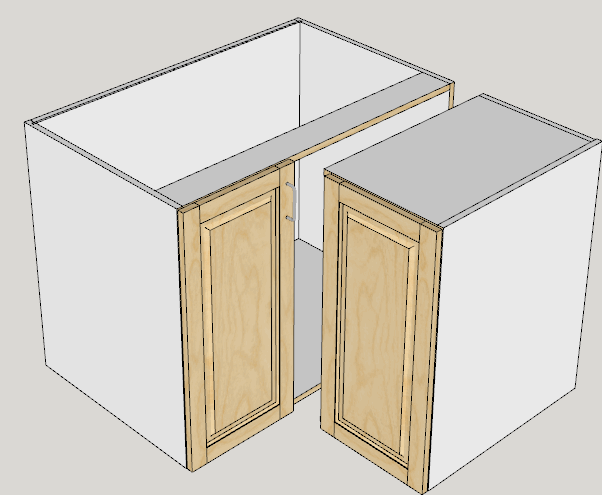
                            split 2.png

                            This is looking at the 2 cabinets pulled apart. The cabinet on the left is a straight forward standard cabinet with 1 door hinged left and a width adjustment of -623 mm

                            The cabinet on the right is a half cabinet with full back, full top and the left side is ommited. In this case there is a single door right hand hinged with a small width adjustment of -39 mm which takes care of the missing left side and the thickness of the door.
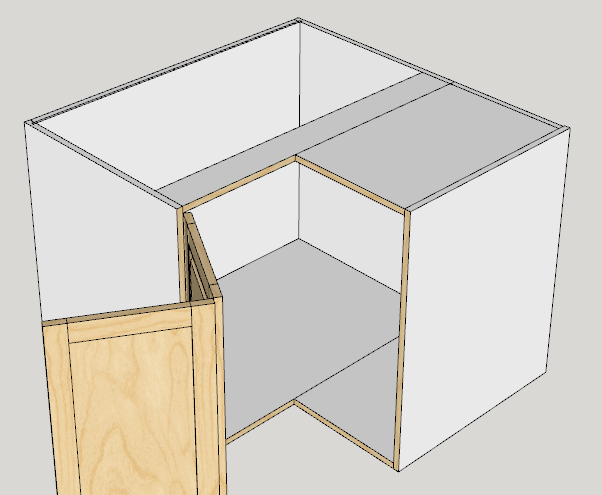
                            split 3.png

                            In this example we have 2 cabinets both with 0 doors and a third return cabinet that has 0 depth.
                            split 4.png

                            1 條回覆 最後回覆 回覆 引用 0
                            • G 離線
                              Garry K
                              最後由 編輯

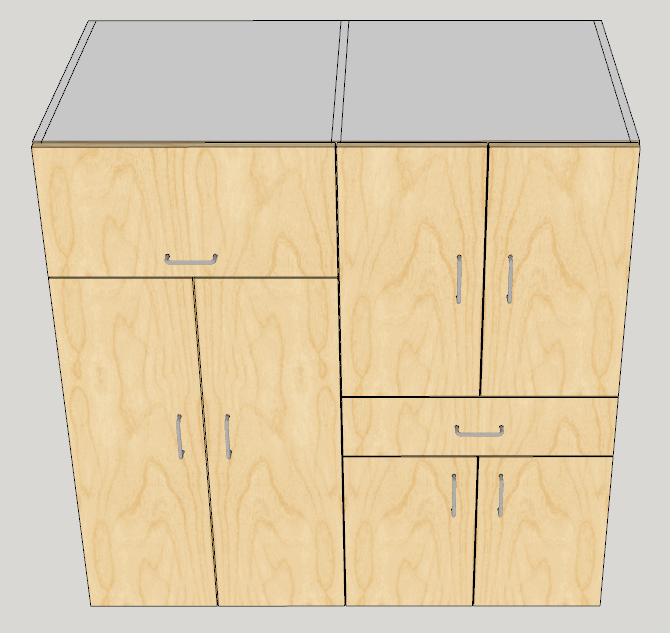
                              Some closet manufacturers save on cost and weight by having 2 side by side cabinets sharing a common side.

                              In CabMaker you can omit the left side of the second cabinet (right). Also set the Adjust Left Gap of the second cabinet (right) to half the thickness of the side. So set it to 9 mm for an 18 mm side. Likewise set the Adjust Right Gap of the first cabinet (left).

                              Here are 2 images with and without door / drawer fronts.

                              closet doors.png


                              closet doors off.png

                              1 條回覆 最後回覆 回覆 引用 0
                              • G 離線
                                Garry K
                                最後由 編輯

                                I am now adding the ability to merge certain styles of cabinets together providing they have the same height and depth and are either Standard, Sink or Tall cabinets.

                                There will be 2 types of merging - type 1 that will end up with double partitions which has a number of benefits and - type 2 that will end up with a single shared partition.

                                For double partitions you simply have the cabinets touching, select 2 or more cabinets and then click the merge button.
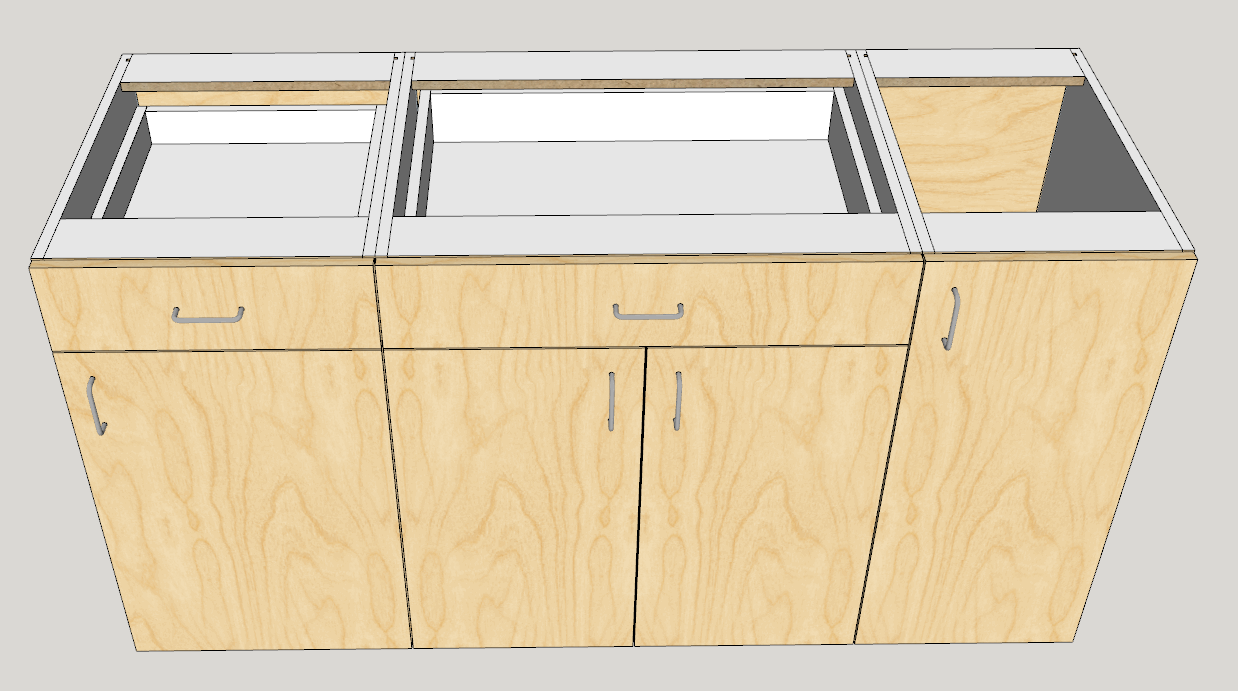
                                separate.png

                                After the merge

                                merged.png

                                1 條回覆 最後回覆 回覆 引用 0
                                • G 離線
                                  Garry K
                                  最後由 編輯

                                  With a single partition and overlay doors you first adjust the side gaps. In this example the case thickness is 18 mm so you adjust the gap by 9 mm for each cabinet.

                                  If afterwards you need to edit 1 of the cabinets then edit all of them which will undo the merge and then redo these steps.
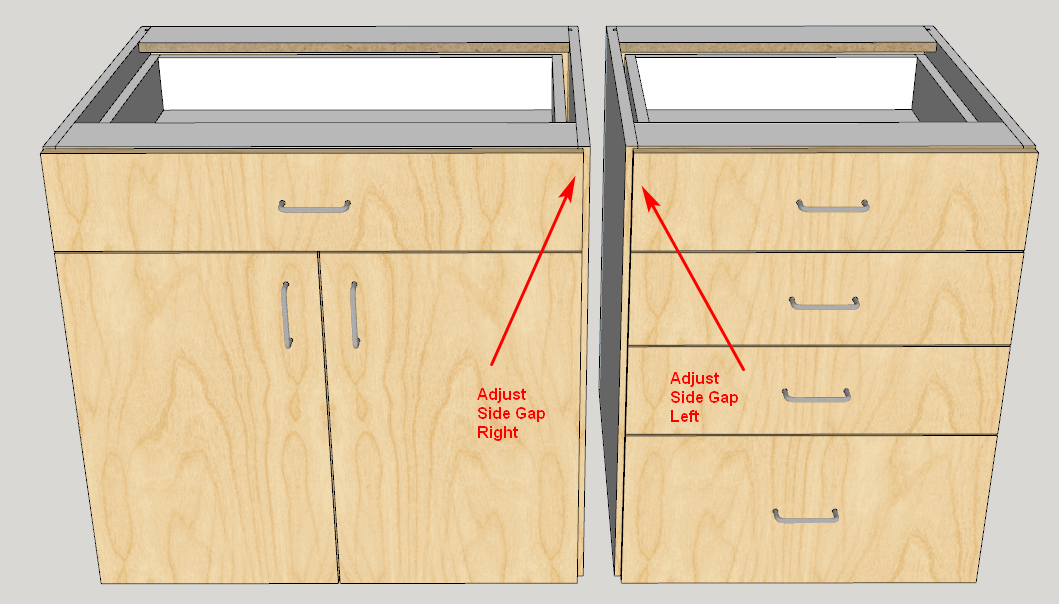
                                  mrege 2 cabinets.png

                                  For single partition you then position the cabinets so that the shared partition exactly overlaps.
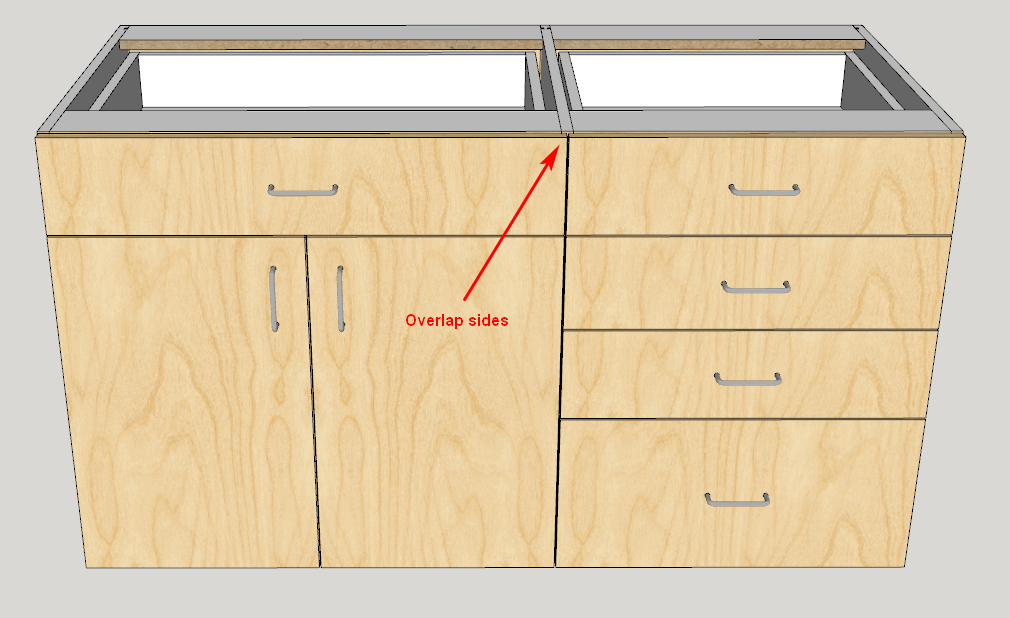
                                  overlap 2 cabinets.png

                                  Finally select both cabinets and click the new merge button. The back, bottom, hanger and split top (or standard top) merge.
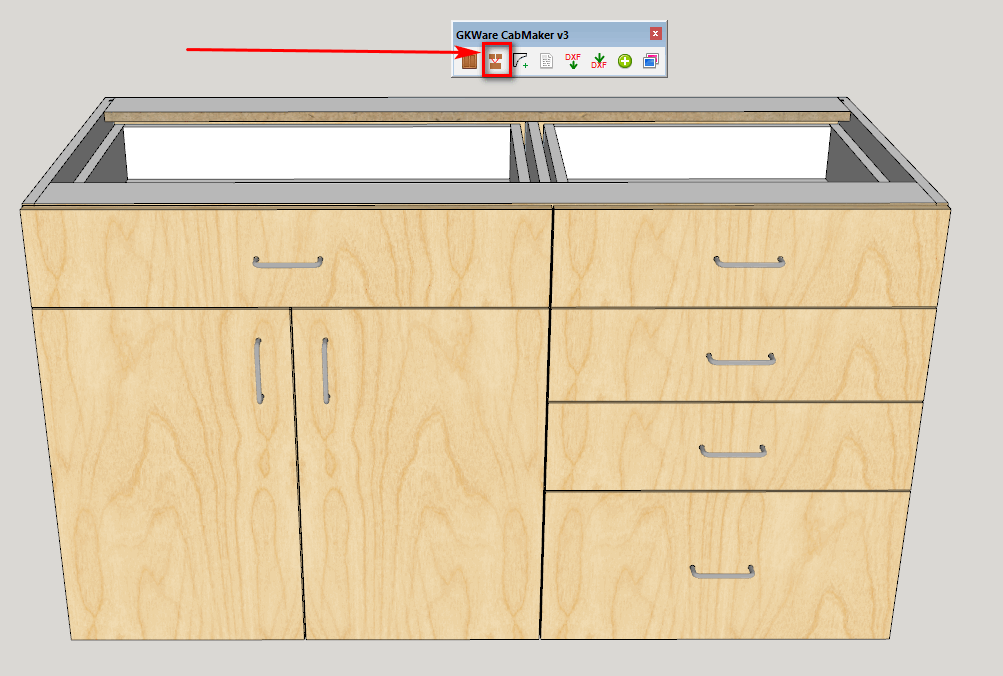
                                  complete the merge.png

                                  1 條回覆 最後回覆 回覆 引用 0
                                  • G 離線
                                    Garry K
                                    最後由 編輯

                                    New versions are now available on my website

                                    CabMaker 3.0.112
                                    CutMaster 3.0.1.67

                                    1 條回覆 最後回覆 回覆 引用 0
                                    • G 離線
                                      Garry K
                                      最後由 編輯

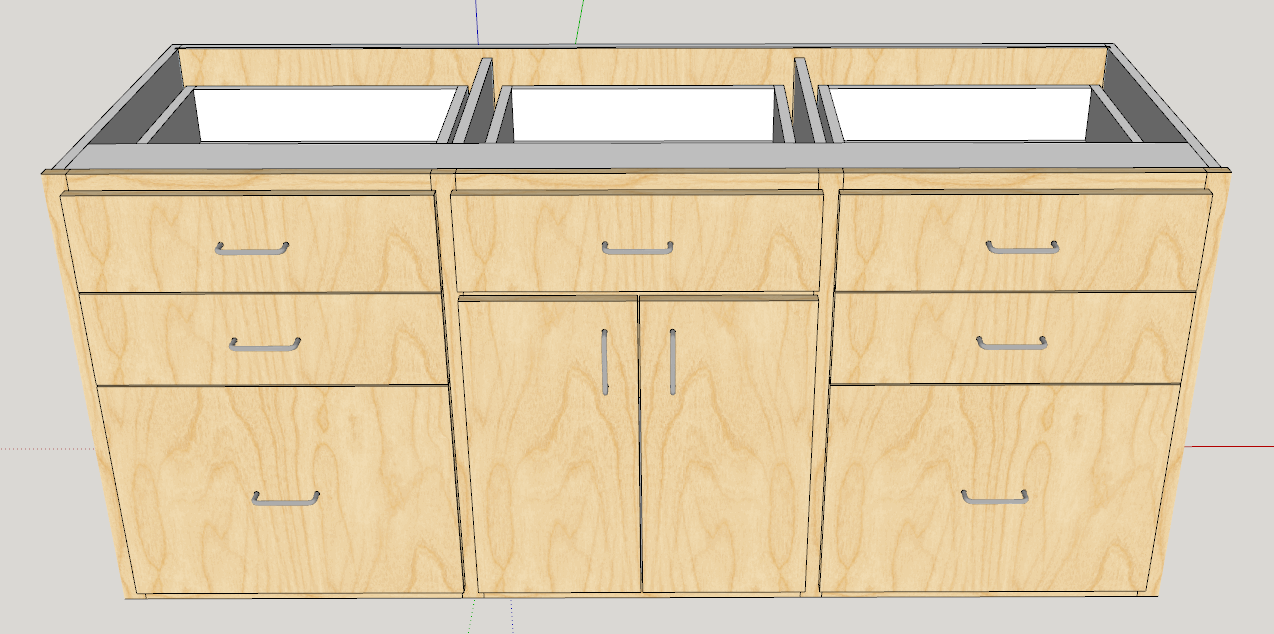
                                      I'm now working on merging face frame cabinets.
                                      merge face frames.png

                                      1 條回覆 最後回覆 回覆 引用 0
                                      • G 離線
                                        Garry K
                                        最後由 編輯

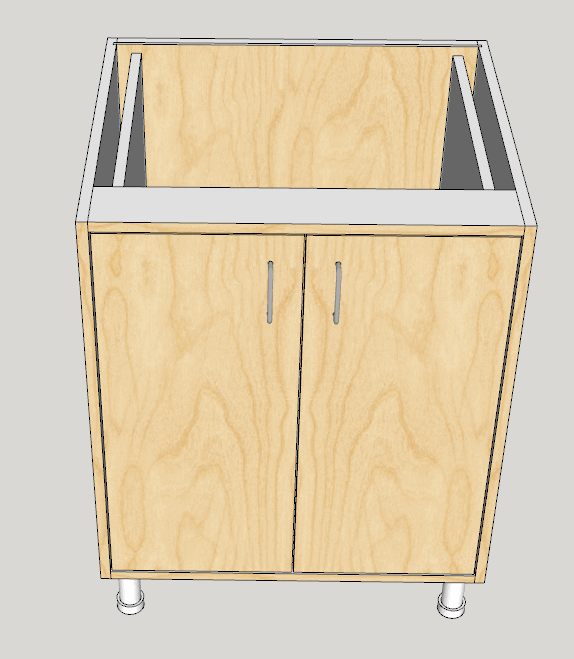
                                        With a little imagination you can put cabinet inside cabinet. Here is an appliance garage

                                        The outside cabinet has no doors and no drawers.
                                        The inside cabinet has no back, no top, no bottom and the rule adjusts the bottom gap.

                                        appliance garage.png


                                        appliance garage open.png

                                        1 條回覆 最後回覆 回覆 引用 0
                                        • G 離線
                                          Garry K
                                          最後由 編輯

                                          CabMaker 3.0.113 is now available for download.

                                          1. Added merging for face frame construction.
                                          2. Added Omit top rail, Omit bottom rail, Omit left stile and Omit right stile.
                                          3. Added Block Inserts for DXF export.
                                          4. CabMaker editor now honors SU locks.

                                          CutMaster 3.0.1.68 is now available for download.

                                          1. Cutmaster now supports Bottom Overlay.
                                          2. Modified how Cutmaster handles drilling for the back panel of split tops.
                                          3. Added drilling from underside for legs for bottom panels of base cabinets.
                                          4. Added Leg levelers for corner cabinets.
                                          1 條回覆 最後回覆 回覆 引用 0
                                          • G 離線
                                            Garry K
                                            最後由 編輯

                                            CabMaker 3.0.115 is now available for download

                                            1. Fixed bug where PROJECT settings aren't being read properly.
                                            2. Translations now look at storage folder first.
                                            3. Added Bottom Rail Overhang Override at the cabinet level.
                                            4. You can now use one of the other cabmaker features without having to first use cabmaker dialog.
                                            5. Changed all components to groups. This ends up with smaller files and quicker response times.

                                            CutMaster 3.0.1.69 is now available for download

                                            1. Fixed merging.
                                            2. Completed the Joinery editor.
                                            1 條回覆 最後回覆 回覆 引用 0
                                            • 1
                                            • 2
                                            • 22
                                            • 23
                                            • 24
                                            • 25
                                            • 26
                                            • 31
                                            • 32
                                            • 24 / 32
                                            • 第一個貼文
                                              最後的貼文
                                            Buy SketchPlus
                                            Buy SUbD
                                            Buy WrapR
                                            Buy eBook
                                            Buy Modelur
                                            Buy Vertex Tools
                                            Buy SketchCuisine
                                            Buy FormFonts

                                            Advertisement