[Plugin] GKWare Cabinet Maker
-
A user has found a bug and I've fixed it.
I will put out version 1.0.34 with the fix late tomorrow or early the next day.
The bug has to do with finished panels.
-
Hi Garry i understand we have some type of clash between Plusspec and Cabinet maker? I can send you a beta version or vice versa of that helps? .
I had a quick look at what you are doing and it's fantastic. Good job, sometimes it takes a tradesman to build site specific software. It looks like it would compliment what we are doing with Plusspec. -
@aadbuild said:
Hi Garry i understand we have some type of clash between Plusspec and Cabinet maker? I can send you a beta version or vice versa of that helps? .
I had a quick look at what you are doing and it's fantastic. Good job, sometimes it takes a tradesman to build site specific software. It looks like it would compliment what we are doing with Plusspec.Andrew.
Figured out it has nothing to do with Plusspec, just a coincidental timing thing. It has to do with my login.
-
I think Pete is correct.
Andrew - I am slowly trying to narrow this down.The crazy part is that the old version used to work on Pete's computer - now it doesn't.
Something has changed - just don't know what it is. What I mean is the old version no longer works.The other interesting thing is that no one else has reported this problem. That doesn't mean no one else has seen it - it just means no one has brought it to my attention.
-
That is good to know, we do have the PlusSpec 2016 beta version out to beta testers, it would be great if you joined Garry. PM me if keen, I understand that you have a lot on your plate so no hurry mate.
Getting close to beer o'clock down under. See you all at BaseCamp -
@aadbuild said:
That is good to know, we do have the PlusSpec 2016 beta version out to beta testers, it would be great if you joined Garry. PM me if keen, I understand that you have a lot on your plate so no hurry mate.
Getting close to beer o'clock down under. See you all at BaseCampDang! if y'all had a product that worked together it would be frigging awesome.
-
Version 1.0.34 is ready for download from my web site.
I fixed 2 bugs in this release.
- Finished panels were not working on the right side of cabinets.
- Solo (Pete) had a peculiar error that I tracked and fixed. To my knowledge only Pete's computer behaved this way - although other users may have experienced the same issue and simply choose not to report it. The work around shouldn't affect anyone else. I have tested this code on a number of different computers.
-
Hi Garry,
Thank you for great software .. great support .. and great document
I just purchased and tried Cabinet maker ver 1.0.34 using SU 2015
When I generate the reports all figures appeared in inch instead of metric
I tried to change every thing possible to metric include rules, material, default without success.Thanks,
Abdu -
The csv reports are now all in decimal inches. This is to simplify setting up Cut List plus and or Cutmaster. It is also to avoid the ~ that shows up where there isn't enough precision in model's units.
I will look at creating a second set of reports that use the model's units.
-
One of my users has made a suggestion that I group items together a bit better. Currently the first 2 tabs contain cabinet values and the 3'rd and 4'th tab contains rules.
His suggestion means mixing cabinet values and rules. Up to now I have been against mixing as I think it causes confusion. However, having kick information on 2 tabs and frame information on 2 tabs also causes confusion.
Batch editing currently ignores the first 2 tabs. When batch editing you can change rules, materials, or defaults and have the changes applied to an entire kitchen.
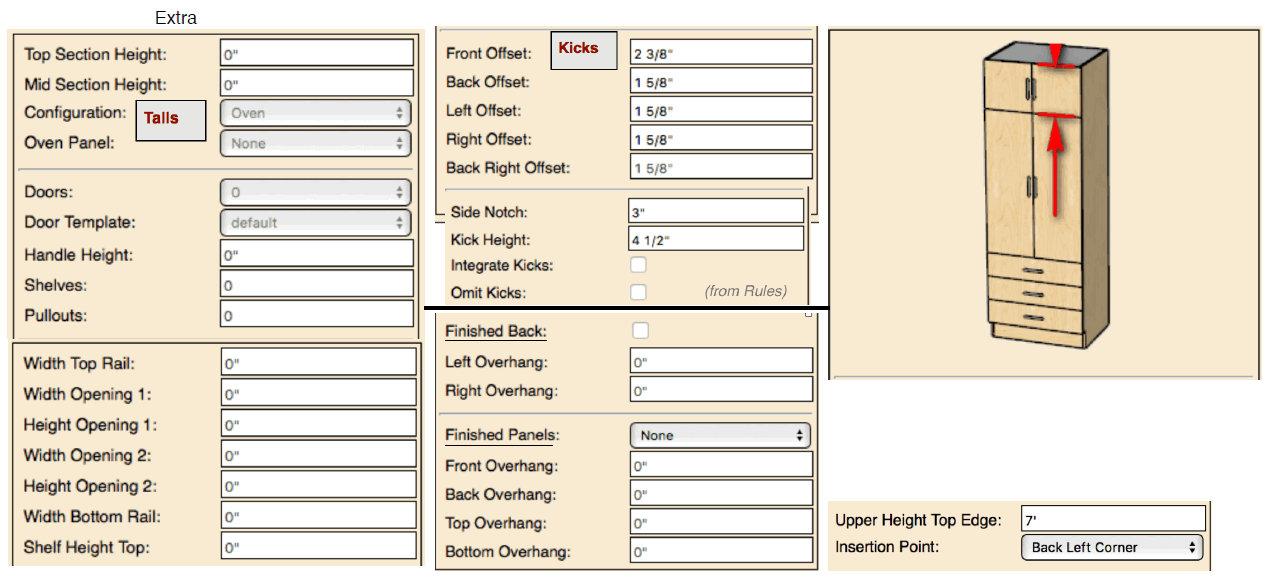
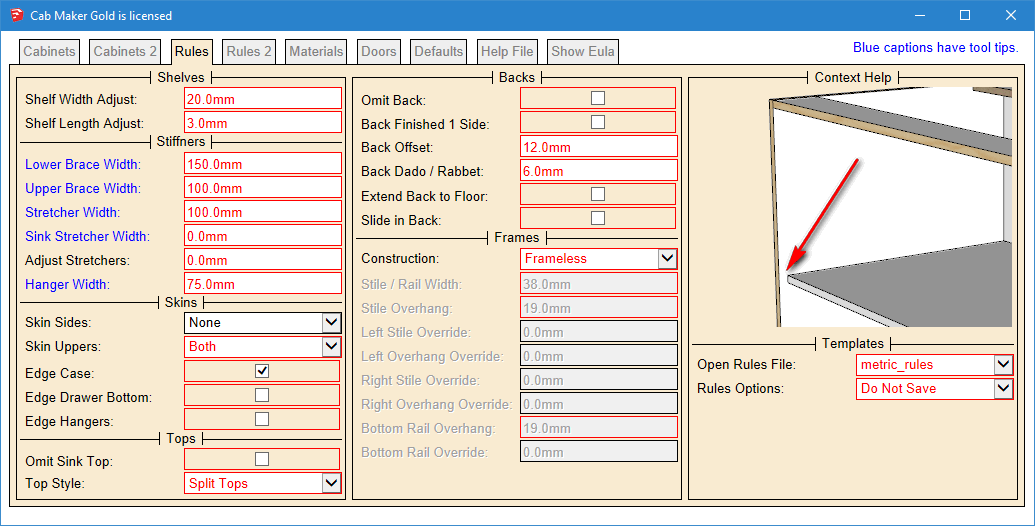
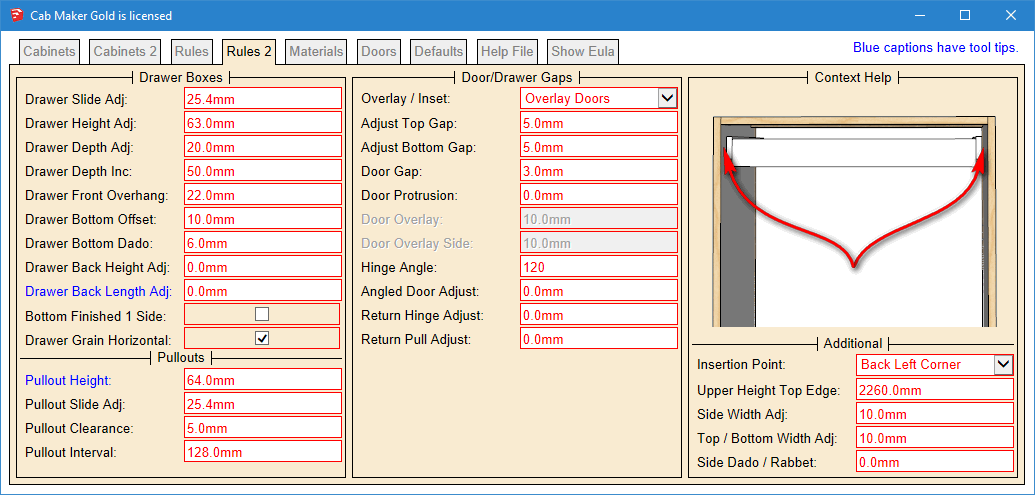
What I have come up with is a way to identify rules by changing the color to read for the border of each rule.
I would like user comments on these proposed changes. This mockup hasn't changed the organization of the rules but does show the borders as red even for a disabled control.
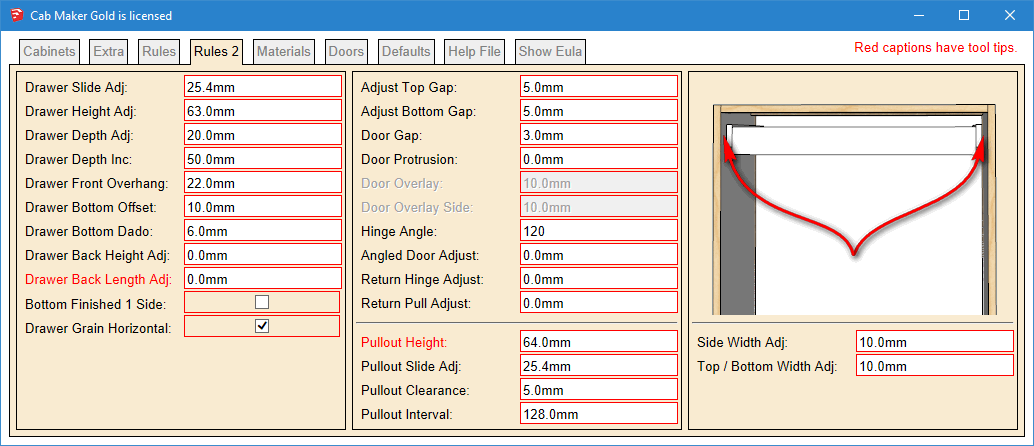
Here is the proposed change for the rules tab
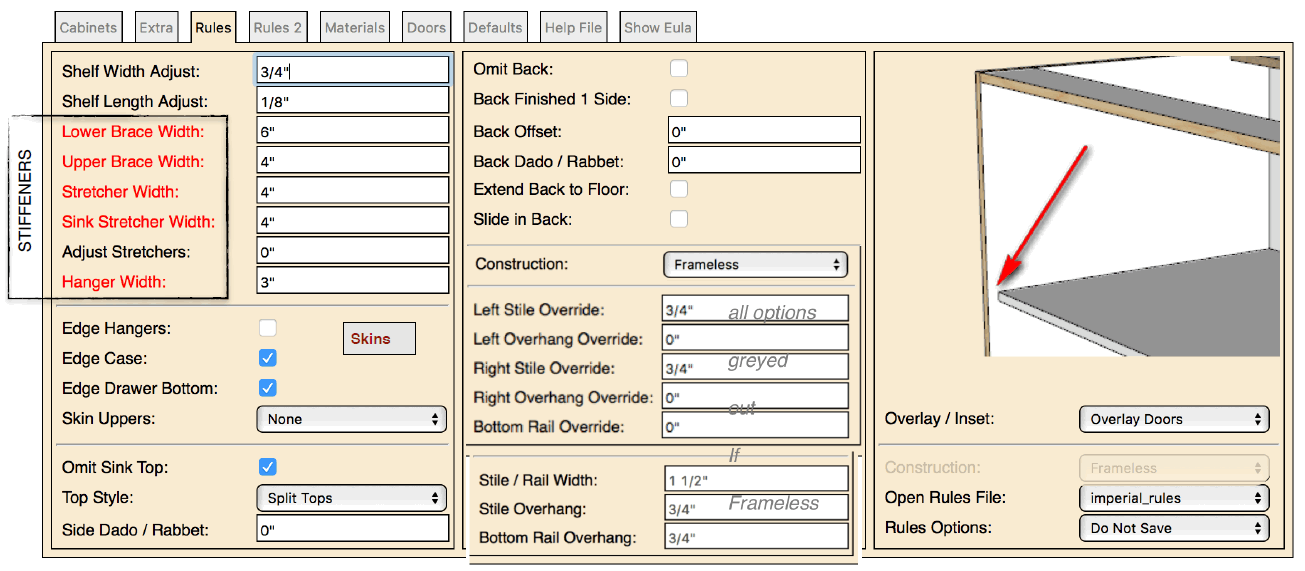
Here is the Extra tab and the proposed changes
-
I also like the settings for the "Talls" being on one column.
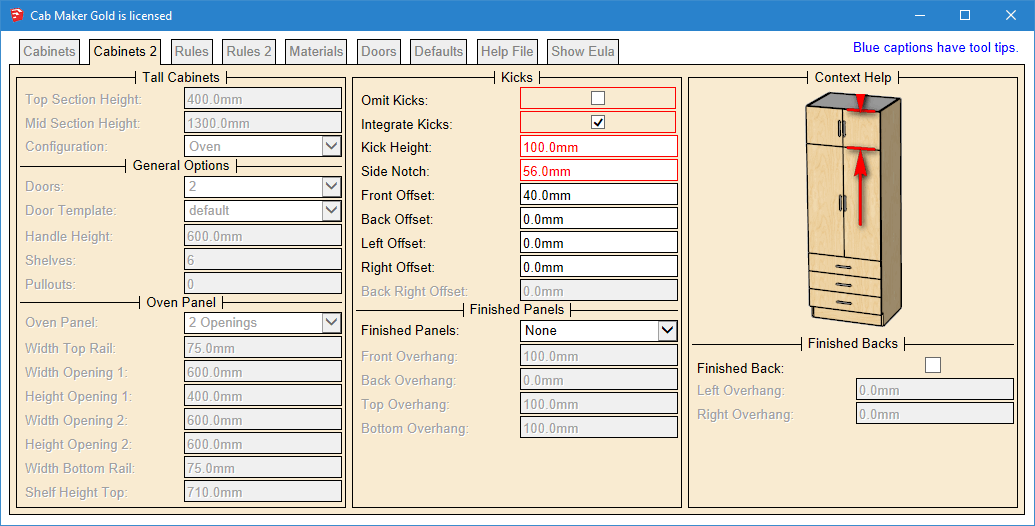
For the Kicks, maybe the top settings should be "Integrate" and "Omit", cause they affects many subsequent settings.
Oh, also, if the frames are red, maybe the texts having tips, which is red now, should adopt another color so that red is only associated to Rules.
-
Version 1.0.35 is now available from my web site.
- Added Drawer Handle Location to Defaults tab.
- Added 6 more reports which are the same as the original 6 but in your model's units.
-
Thank you Garry for great support

-
@garry k said:
One of my users has made a suggestion that I group items together a bit better. Currently the first 2 tabs contain cabinet values and the 3'rd and 4'th tab contains rules.
His suggestion means mixing cabinet values and rules. Up to now I have been against mixing as I think it causes confusion. However, having kick information on 2 tabs and frame information on 2 tabs also causes confusion.
Batch editing currently ignores the first 2 tabs. When batch editing you can change rules, materials, or defaults and have the changes applied to an entire kitchen.
What I have come up with is a way to identify rules by changing the color to read for the border of each rule.
I would like user comments on these proposed changes. This mockup hasn't changed the organization of the rules but does show the borders as red even for a disabled control.
[attachment=2:h5rb1bkh]<!-- ia2 -->rules red mockup.PNG<!-- ia2 -->[/attachment:h5rb1bkh]
Here is the proposed change for the rules tab
[attachment=1:h5rb1bkh]<!-- ia1 -->rules mockup.PNG<!-- ia1 -->[/attachment:h5rb1bkh]
Here is the Extra tab and the proposed changes
[attachment=0:h5rb1bkh]<!-- ia0 -->Extra mockup.PNG<!-- ia0 -->[/attachment:h5rb1bkh]
I have been using this plugin only for 1 day and I have the say that this is just great and price is reasonable!
As a totally new user I agree that the logic of different settings and rules could be improved to make the plugin even better. At least for beginner like me there is some confusion where different settings are made (Rules, Rules 2, Extra, etc.). For example, I managed to create the below Cabin but I don't have any idea how did I do it. Does anybody know how fix this because I am not able to change the Drawer type back to normal?
Hopefully I have enough time to experiment this plugin more in the coming weeks so I could give some meaningful feedback.

-
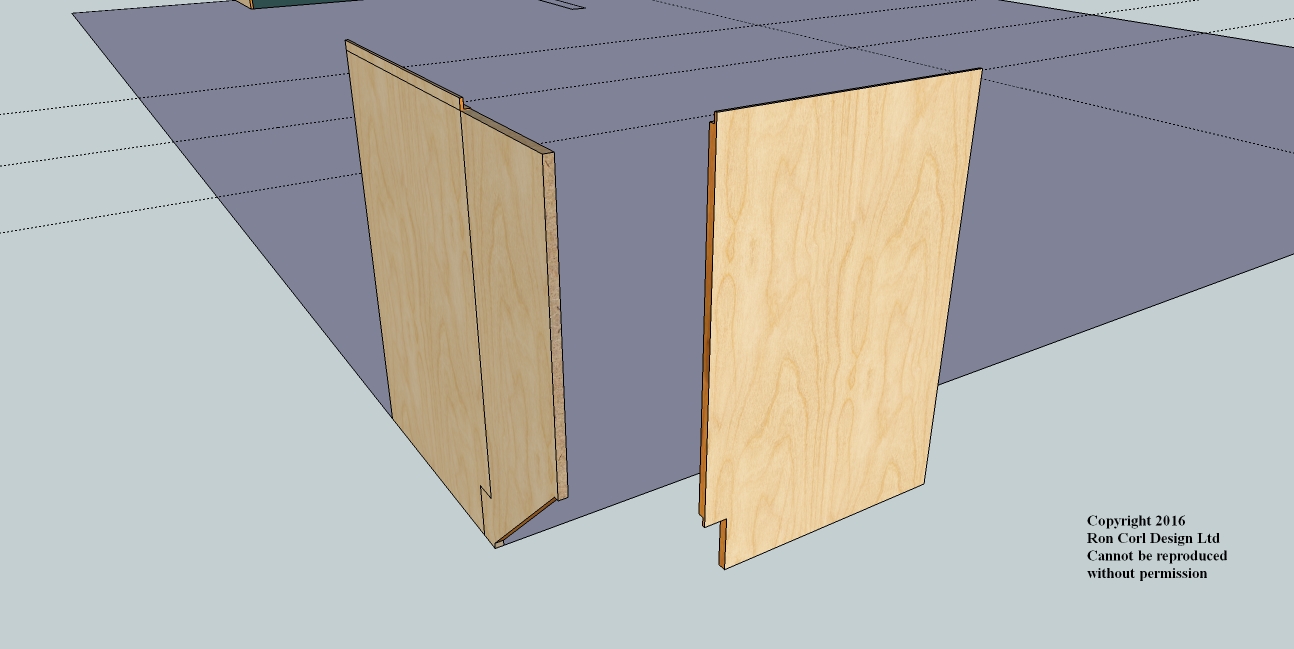
When I use the angled cabinet, it isn't rendering correctly? Only the sides render and those aren't correct. Help?
-
What's happening is there is an error somewhere and the process is not completed.
You can startup ruby console before you render the angled cabinet. It should show errors. Often this sort of thing happens when parameters have values that the plugin doesn't handle.
Please email me the contents of the ruby console.
http://cabmaker32.com/contact/ -
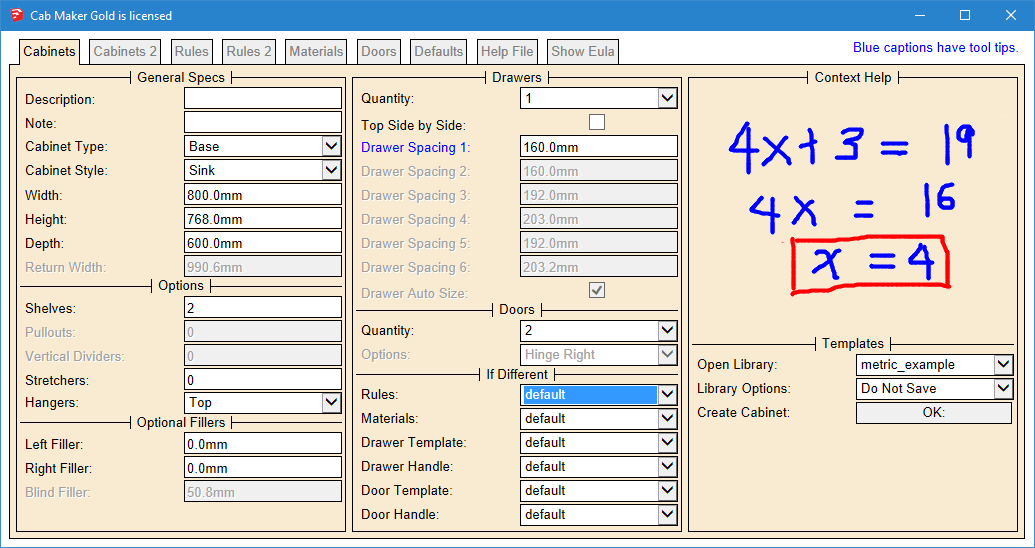
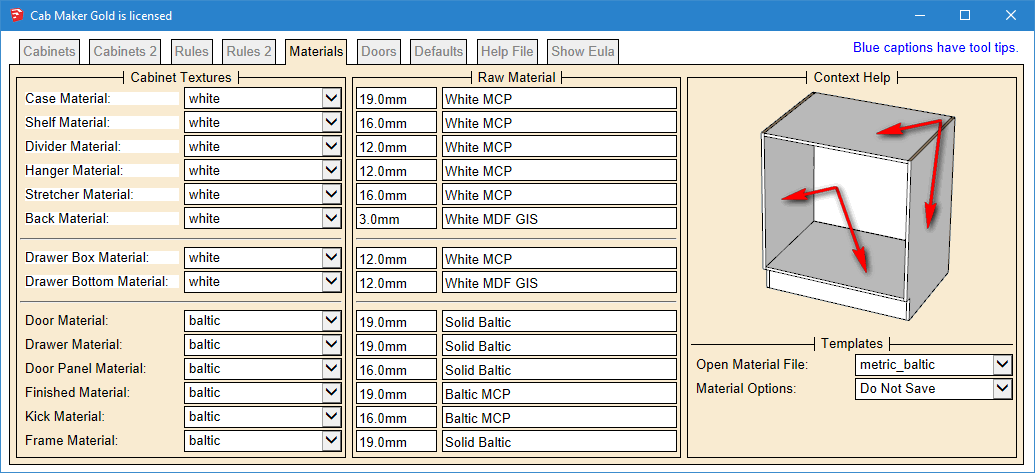
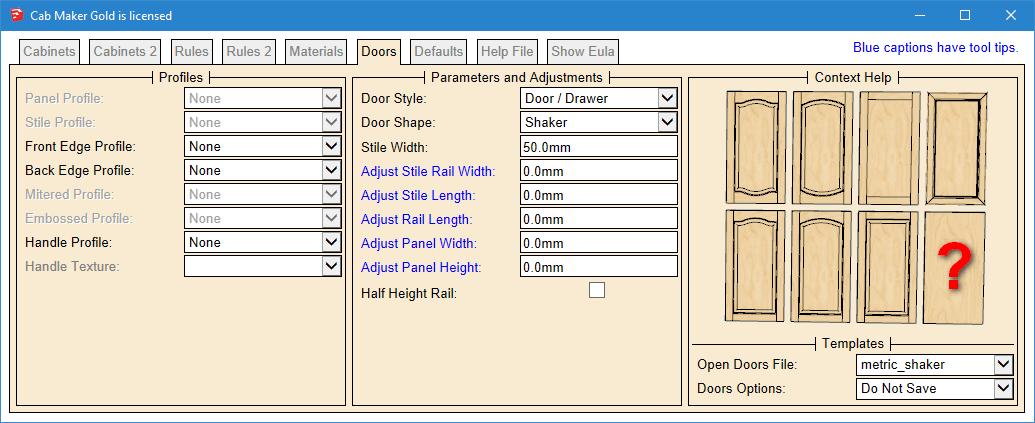
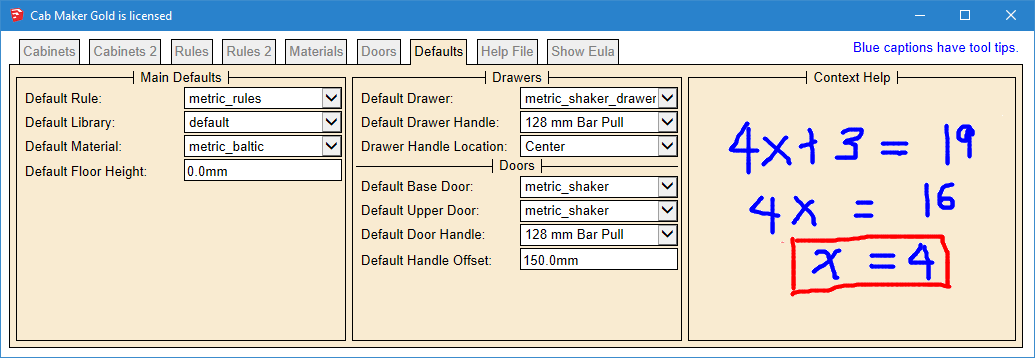
Version 1.0.36 will be ready later today. French Translation is complete. Web Dialog is reorganized.
-
The red borders identify rules. Notice that some rules and some cabinet parameters have been moved around. Hopefully this simplifies the work flow and reduces confusion.
-
This reorganization reduce confusion a lot
keep up the good work. -
Version 1.0.36 is now available for download from my website
Login to my web site
http://cabmaker32.com/login/Then go to download page (you need to be logged in to download.



Advertisement