GUYS! How do I Sketchup?
-
Hey everyone. I'm having a bit of trouble figuiring out where the question section is so I decided to have a drink at the Corner Bar with you.
The Issue I'm dealing with is related to making holes in objects. Say I have a circle - I copy it, scale it down, put the baby circle in the middle of papa circle - press delete - and papa circle has a hole in it.
BUT when I'm dealing with more complex objects it doesn't work (see attachment). I guess I need to get rid of the geometry lines inside. Is there a magic button which removes lines inner lines of the object leaving only the outline? Or something.

And while I'm here - Question 2 - how do I make an object manifold solid? Magic button pls. I want to make the heart a manifold solid (see attachment 2).
-
For the Clean : CleanUp 3 by Thomthom

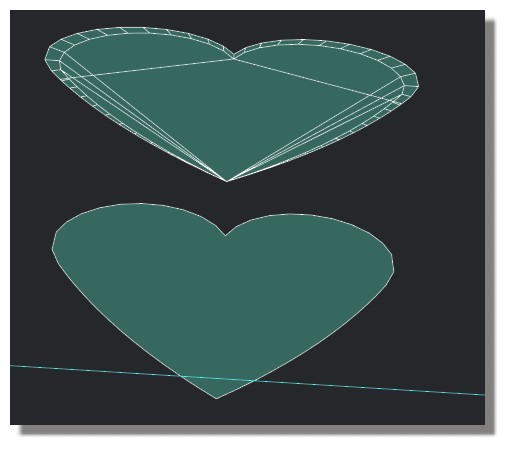
-
You can play with Extrude Tools by TIG (better if each curves 2 by 2 have same number of segments!
(weld each curve with Recurve by Diggsey
Just mirror copy / symmetry after
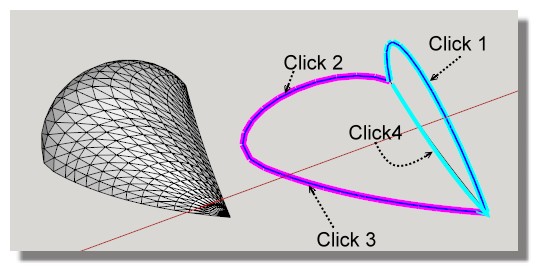
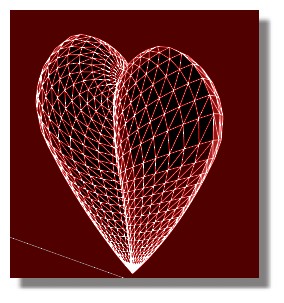
-
Thank you, Pilou.
I'll let you know how it went.

Hello! It looks like you're interested in this conversation, but you don't have an account yet.
Getting fed up of having to scroll through the same posts each visit? When you register for an account, you'll always come back to exactly where you were before, and choose to be notified of new replies (either via email, or push notification). You'll also be able to save bookmarks and upvote posts to show your appreciation to other community members.
With your input, this post could be even better 💗
Register Login


Advertisement