MSPhysics 1.0.3 (16 October 2017)
-
Hi, pabloarias,
Cloth and soft bodies (on the ToDo list) is something that I might implement in the long-term. The physics engine that I use doesn't have a functional cloth/soft-body system yet.
Other than that, I am writing a separate cloth simulation plugin (with my own physics engine). I've been working on it for quite a while now and I am looking forward to finishing it as soon as I can.
Regards,
Anton -
@anton_s said:
Other than that, I am writing a separate cloth simulation plugin (with my own physics engine). I've been working on it for quite a while now and I am looking forward to finishing it as soon as I can.
Whohoo! If you need someone to test it just let me know.

-
@pixero said:
@anton_s said:
Other than that, I am writing a separate cloth simulation plugin (with my own physics engine). I've been working on it for quite a while now and I am looking forward to finishing it as soon as I can.
Whohoo! If you need someone to test it just let me know.
And I could be a tester for that plugin, too.

-
Hi,
I'm having a problem with joining a group to a motor joint. I have a complex object, a tank...
I drill down to one of the wheels and draw a motor joint at it's center. Next step is id like to join the motor joint to the wheel group. Once I select the joint connection tool and attempt to select the wheel group, the whole tank reappears, i.e. I am no longer in the wheel group so I cant attach the wheel and the motor joint....help....in other words...once I click the joint connection tool and move close to my isolated group the view switches to all the levels above it regrouped without me having access to the relevant group...ive attached the file I'm working on..
-
Will your cloth sim plugin be available from your Google Drive archive?
Also, I've been eagerly yet patiently waiting for cloth and fracture/split features and know you are just one guy so I totally respect and appreciate all that you do. -
@anton_s said:
... I just made a demonstration of that in MSPhysics and free Twilight: https://drive.google.com/open?id=0B3qg8f4WrNdHZlp4NUd1N0FNXzg
Free Twilight also allows rendering in High+ mode and large resolutions. I used small resolution just to get it to render fast....Hello Anton,
thank's for the answers (and sorry for my poor english !).Ok for the light with Twilight (render = image); but for the movie with Msphysics like your example ? How to make this video ?
Patrick
-
Gday
Can I control the order in which the sliders appear in the MSPhysics Control Panel?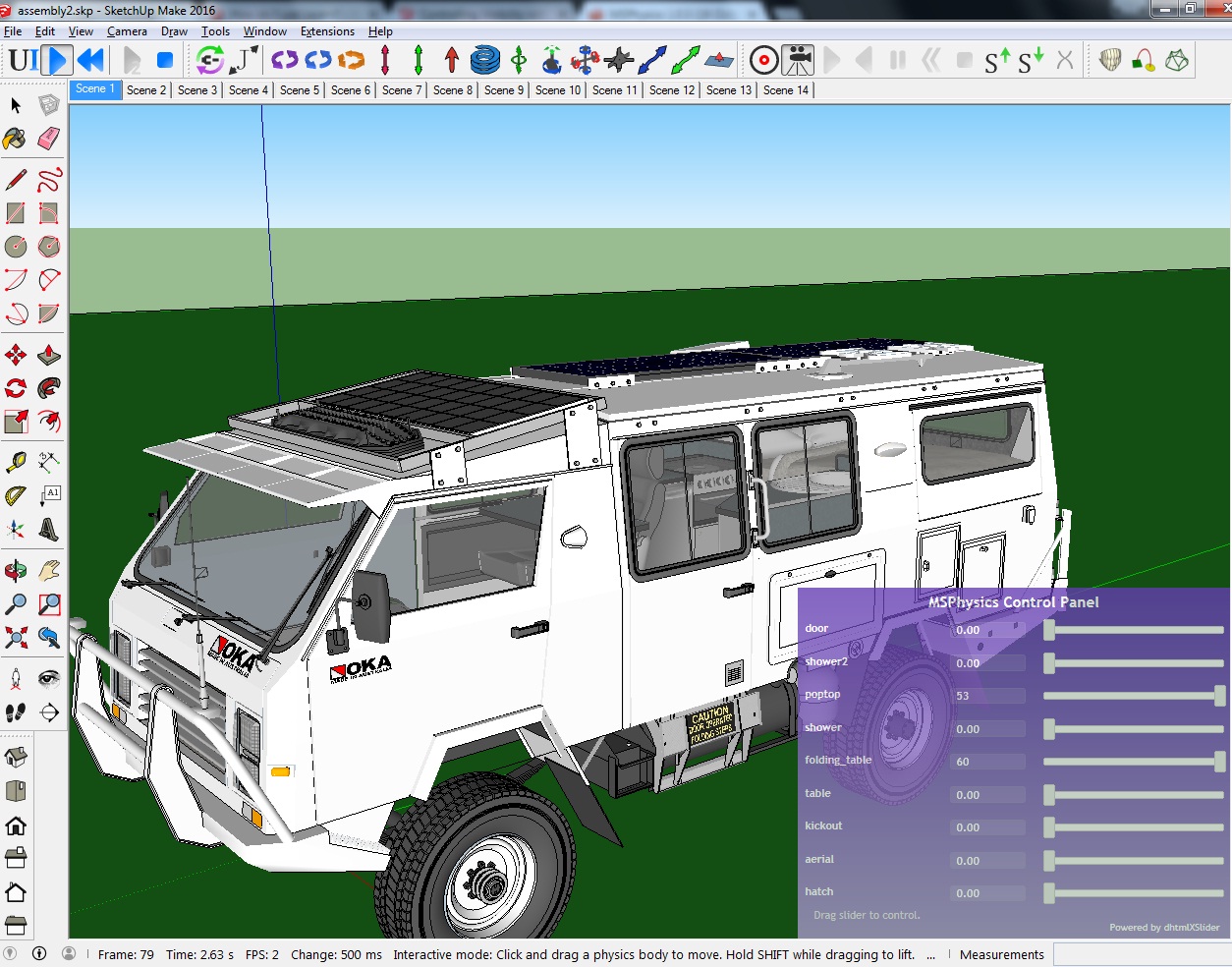
MSphysics is amazing.
This is an animated 3D model of my real homebuilt OKA 4WD truck modified as a go anywhere comfortable offroad motorhome. It has taken us to the isolated wilderness throughout Australia over the last few years: ...deserts, mountains, rivers and coast.
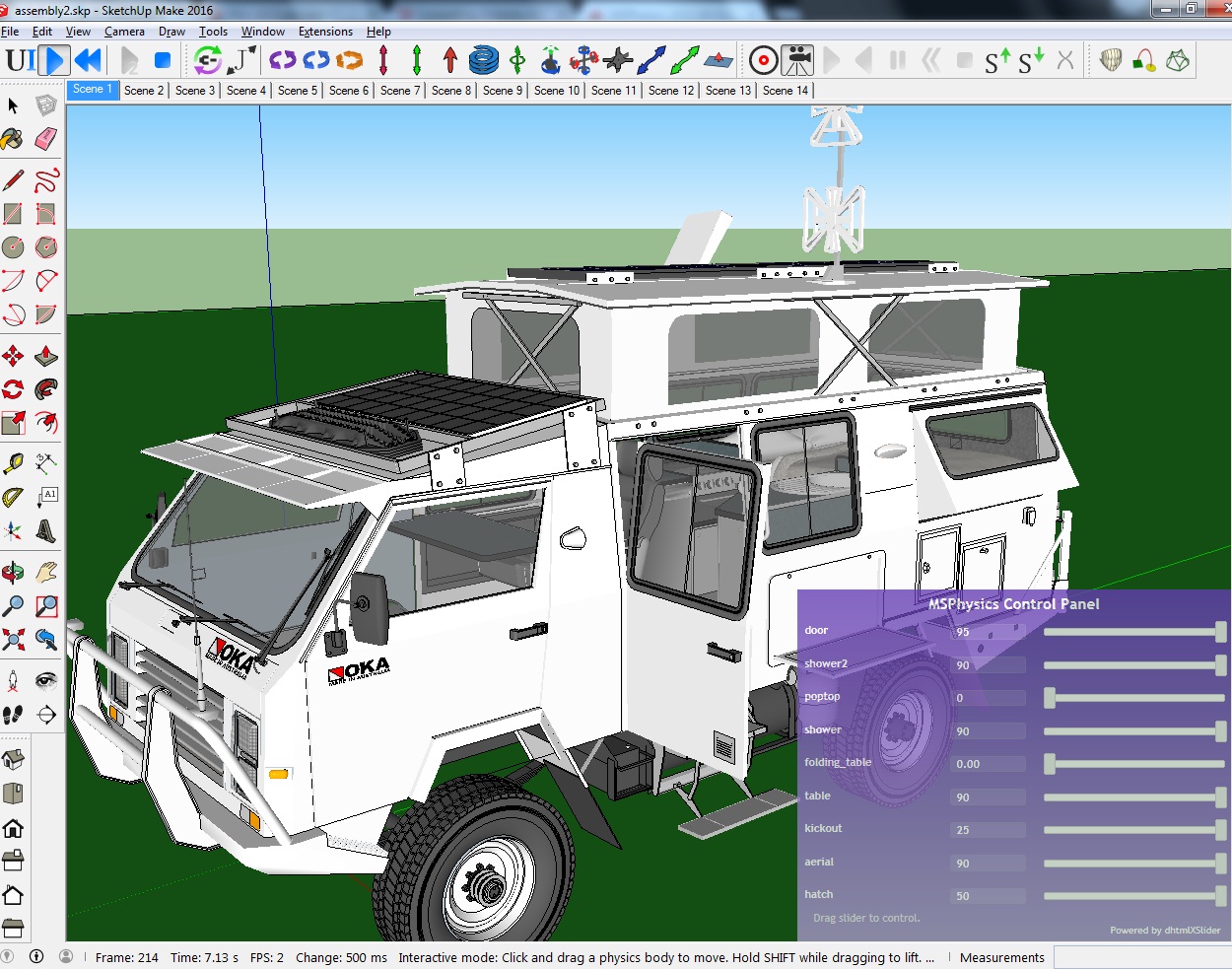
the model, thanks to MSPhysics is a true detailed representation of the truck with 4WD, steering and suspension that demonstate the capabilities of the real vehicle as a true earth cruiser well.

when i am finished I plan to put it all on an interactive website.
Thanks for the MSPhysics extension; ...with little doco, it has taken a lot to learn but learning all the different properties by suck it and see is better in the long run, especially after I found that once you know the various parts of the interface, they are very consistent and predictable.
When you get it right and learn its limits it is very stable makes animation and video production so easy and precise.
-
@Patrick: Twilight has an "Animation Editor" under "Twilight Render V2" in the extensions pull-down menu. There you can select quality, resolution, MSP Replay output etc. It could be helpful to test which scenes you include ore exclude into an animation in scene settings.
@rick149: great detailed model! Can't wait to see it in action.
-
Hi Anton,
Do you see a possibility that "non-collidable" set objects will be ignored by the Buoyancy Plane? -
Hi Anton, I'm hoping you may be able to diagnose an issue with recording MSphysics animations. With an evolved version of my model posted above containing a flat electrical cable that wraps around the interior of a hollow drum, SketchUp crashes (bug splat) when I click the Reset Simulation button after recording anything more than a few hundred to perhaps a thousand frames. My goal is to allow the simulation to run for about ten thousand frames (and then export 1920x1080 PNG frame files at a time scale of ~13, so that I end up with 700 to 800 actual PNG files). In order for the simulation to not encounter object penetration and collision problems the Update Timestep needs to be about 1/420 or smaller (which results in a large number of computed frames for a given real time sequence).
I would dearly love to be able to record a simulation where the drum (who's motor controller I activate manually right as the simulation starts) is allowed to rotate nearly 7 times, then the controller is set to zero and the simulation is allowed to settle for a bit. However, the MSphysics recorder seems to cause the extension and all of SketchUp to crash when resetting the simulation (clicking the "<<" button) after more than about 1/2 to 1 revolution of the drum.
I have tried SketchUp 2016.1 and 2017.3, with similar results. I am running this on an iMac with 32GB of memory. The SketchUp process grows to between 9GB and 10GB by the time seven rotations of the drum have occurred and 9700 to 10000 frames have been computed (and I'm ready to click the Reset "<<" button). The computer has sufficient memory to support this, though the simulation eventually runs quite slowly as the process expands memory bit by bit by bit, only doing a few frames every few seconds. My last run took about 2.5 hours of elapsed time to compute those seven rotations. That amount of compute time would be OK if the result was a usable recording.
By the way, a few weeks ago you had posted a revised version of my flexible cable model that uses fixed joints (between the ~250 cable segment objects) instead of hinges (as used in my versions of the model). I have tried that fixed-joint approach, but the resulting floppy behavior of the cable is not as appealing to me as the behavior that occurs with the hinge joints, so I prefer to use the hinges.
-
@rick149 said:
Gday
Can I control the order in which the sliders appear in the MSPhysics Control Panel?I find the order of controls varies when I edit/change joints but cannot see the logic behind it.
It does not always seem to be controlled by the order in which joints are created and/or when they are edited.
My model is managed as an evolving assembly of models and components including joints, some with controllers, some without and some with keyboard control.
I have the design of the assembled model and the assembly procedure down pat now so that when I change and re-import the different parts, all the joints and their controls work perfectly but I cannot consistently maintain their order in the panel after various changes are made.
Ideal would be... can I vary the panel order after the joint controllers are in place?
-
I need to create a very floppy long mattress/cushion and drape it realistically over the seat, arms, and back of a piece of furniture. There's a tutorial with french subtitles and no audio about cloth simulations, but my french isn't good enough and I am looking to learn more. If anyone can point me in the direction of some instruction, I'd appreciate it.
-
Hi Anton, I realized an unstable gyroscope. The rotor is controlled with the spacebar. Can we make it stable? thank you
episode 2
Hello Anton, I can not regulate MSphysique so that the bearings are not transparent. what to do. thank you
-
Would you please add ropes to your to-do list? Thank you
-
the link of (Compatibility and Requirements//AMS_Library 3.5.0+) say " The requested topic does not exist."
So go to link (http://sketchucation.com/forums/viewtopic.php?t=55067) to get it -
Hi all and Happy Christmas!
I have one issue to solve...
- I have one group of objects that shall move linear in one direction.
- I have another group of objects that shall move linear in 180° opposite direction simultaneously.
Is that possible to achive with just one slider controller?
Edit: I solved it myself. 2 pistons (one turned 180°) , same name, 1 controller.
-
Is it possible to create/script a hall sensor functionality detecting magnetism strength and direction?
-
I recently completed a detailed (nearly 18 minutes long) video animation that includes two sequences created with MSPhysics - the first at 8:00 into the video, the second at 14:00. The subject of the video is a description of some real space hardware, the surface sampler or "scoop" from the Viking '75 Mars lander of 40 years ago.
The first MSPhysics sequence uses about 250 short thin strips to represent a flexible cable winding and unwinding. The second sequence contains about 5500 little marbles to represent soil particles being dug by the Viking lander's sampler backhoe or shovel. (The remainder of the animations were created with the Animator beta extension.)
Thank you for such a nice MSPhysics extension, Anton!
https://youtu.be/4c5o6jaJOuI -
Absolutely great!
-
Incredible work, congratulations!!








Advertisement