sketchucation logo sketchucation
    • 登入
    Oops, your profile's looking a bit empty! To help us tailor your experience, please fill in key details like your SketchUp version, skill level, operating system, and more. Update and save your info on your profile page today!
    🔌 Smart Spline | Fluid way to handle splines for furniture design and complex structures. Download

    Between different Macs plugin works and doesn't work

    已排程 已置頂 已鎖定 已移動 Developers' Forum
    48 貼文 6 Posters 2.7k 瀏覽 6 Watching
    正在載入更多貼文
    • 從舊到新
    • 從新到舊
    • 最多點贊
    回覆
    • 在新貼文中回覆
    登入後回覆
    此主題已被刪除。只有擁有主題管理權限的使用者可以查看。
    • G 離線
      Garry K
      最後由 編輯

      Jeff and Walt

      I have now removed the trailing slash from cabmaker32.com on line 10

      Maybe this will work.
      Please try it


      cleaned up the domain address

      1 條回覆 最後回覆 回覆 引用 0
      • M 離線
        mwm5053
        最後由 編輯

        Got the same error, sorry wish I could be of more help

        2011 iMac
        SU 2015 Pro, 2017 Make
        V2 Twilight
        macOS Sierra 10.12.5

        1 條回覆 最後回覆 回覆 引用 0
        • S 離線
          slbaumgartner
          最後由 編輯

          @mwm5053 said:

          Got the same error, sorry wish I could be of more help

          Walt,

          Do you have the WebKit inspector activated? If not, please open a Terminal window and type

          defaults write <bundleid> WebKitDeveloperExtras -bool true

          where you replace <bundleid> with:
          com.google.sketchupfree8 for v8 Free
          com.google.sketchuppro8 for v8 Pro (what your info says you have)
          com.sketchup.SketchUp for 2013

          After doing that, please run Garry's test script and while the WebDialog labeled "connect to website" is still open, right-click on it and select "Inspect Element" from the popup menu. This will open the WebKit Inspector. The GUI of the WebKit Inspector has changed with version, but look for something labeled "Console" and click it. Please let us know if the Console displays any error or warning messages.

          Thanks
          Steve

          1 條回覆 最後回覆 回覆 引用 0
          • M 離線
            mwm5053
            最後由 編輯

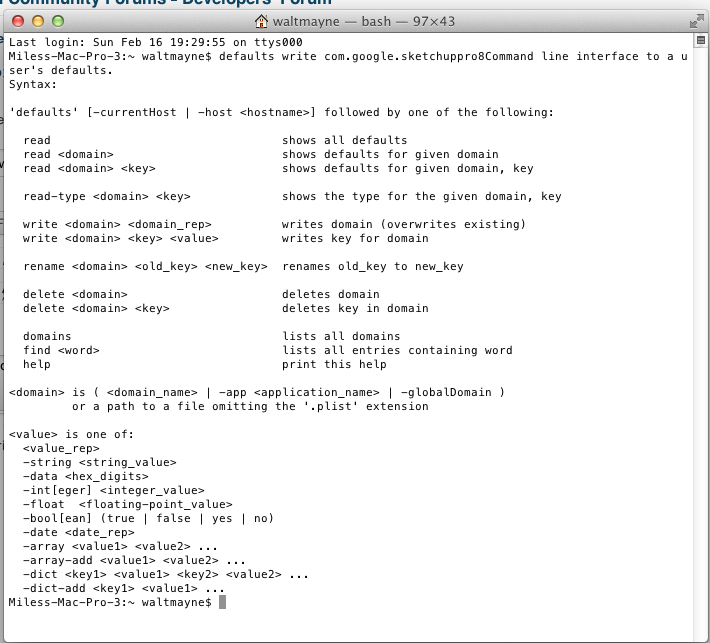
            @ Steve When I right click in Connect to Website all I get is "Reload" but this is what Terminal looks like after pressing return in terminal was that right?

            Screen Shot 2014-02-16 at 7.45.45 PM.png

            2011 iMac
            SU 2015 Pro, 2017 Make
            V2 Twilight
            macOS Sierra 10.12.5

            1 條回覆 最後回覆 回覆 引用 0
            • S 離線
              slbaumgartner
              最後由 編輯

              @mwm5053 said:

              @ Steve When I right click in Connect to Website all I get is "Reload" but this is what Terminal looks like after pressing return in terminal was that right?

              The Terminal screenshot looks as if you left off part of the command. Did you type the entire line

              defaults write com.google.sketchuppro8 WebKitDeveloperExtras -bool true

              I forgot to mention that before entering this command you should quit SketchUp and restart it afterward. Until the default takes hold the right-click menu will only contain "Reload".

              Steve

              1 條回覆 最後回覆 回覆 引用 0
              • M 離線
                mwm5053
                最後由 編輯

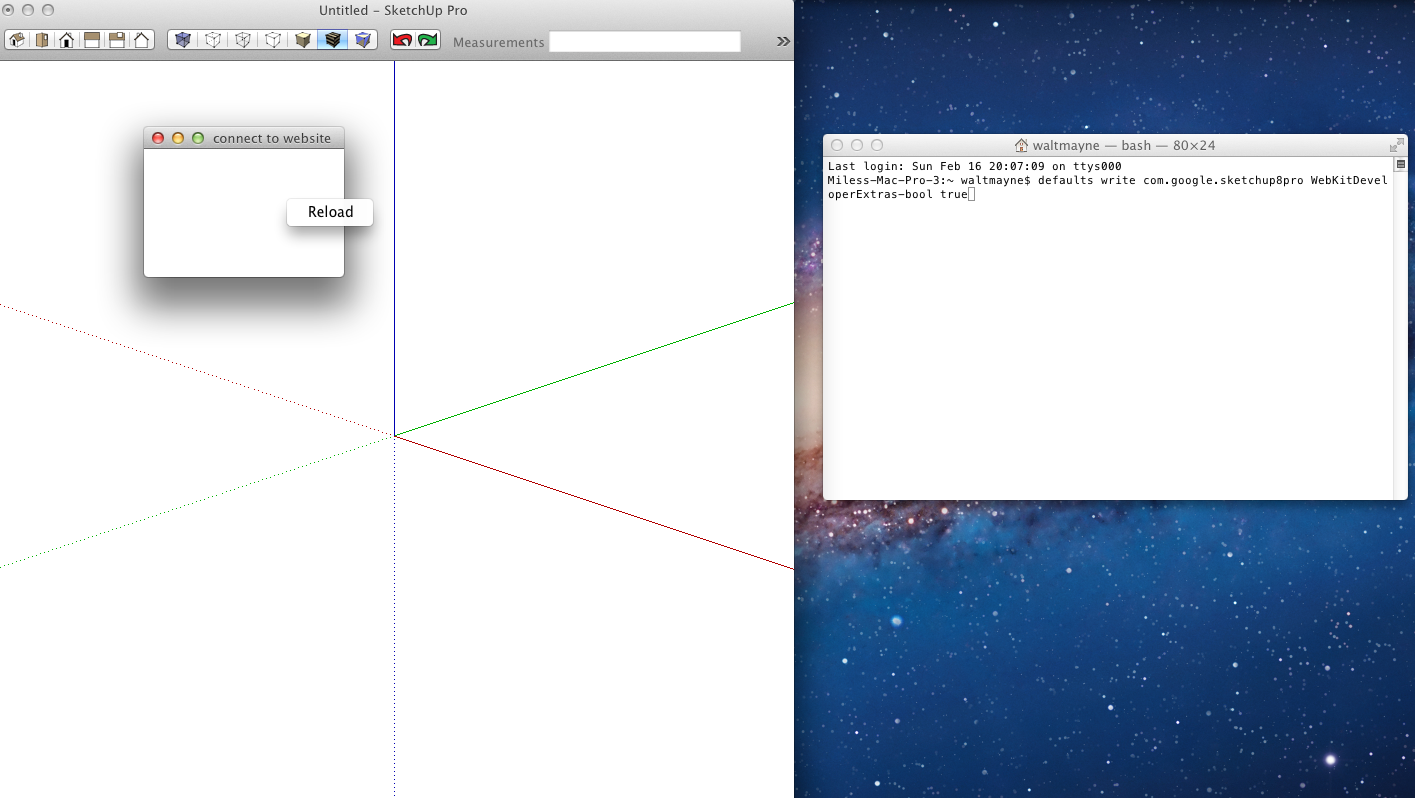
                I double checked the terminal and retyped and restated SU still no right click web inspector?

                Screen Shot 2014-02-16 at 8.19.17 PM.png

                2011 iMac
                SU 2015 Pro, 2017 Make
                V2 Twilight
                macOS Sierra 10.12.5

                1 條回覆 最後回覆 回覆 引用 0
                • S 離線
                  slbaumgartner
                  最後由 編輯

                  @mwm5053 said:

                  I double checked the terminal and retyped and restated SU still no right click web inspector?

                  Missed it again! You typed com.google.sketchup8pro, it should be com.google.sketchuppro8

                  Steve

                  1 條回覆 最後回覆 回覆 引用 0
                  • M 離線
                    mwm5053
                    最後由 編輯

                    👍

                    2011 iMac
                    SU 2015 Pro, 2017 Make
                    V2 Twilight
                    macOS Sierra 10.12.5

                    1 條回覆 最後回覆 回覆 引用 0
                    • M 離線
                      mwm5053
                      最後由 編輯

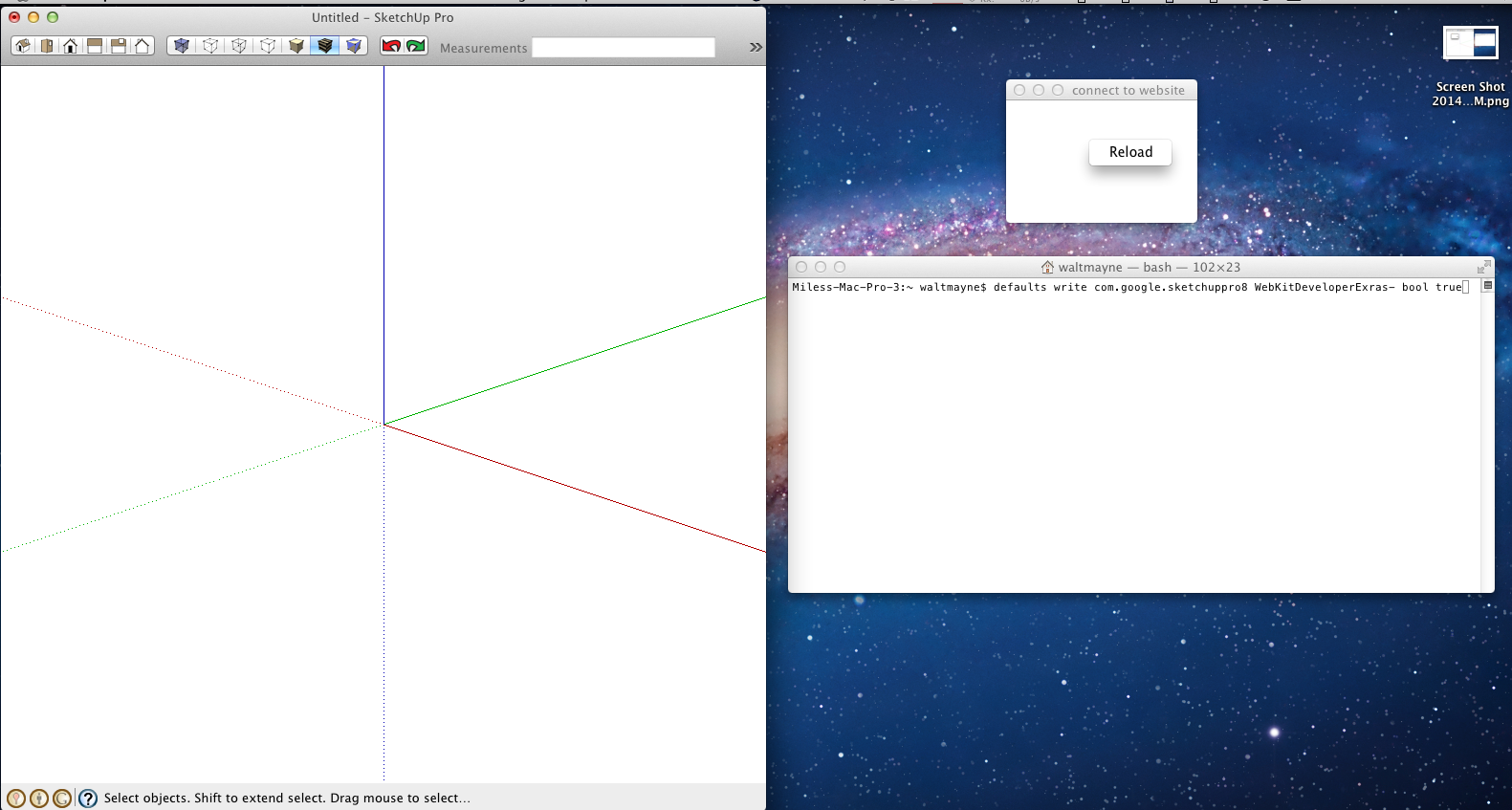
                      I don't understand why right click won't bring up Inspect Element?

                      Screen Shot 2014-02-16 at 8.33.40 PM.png

                      2011 iMac
                      SU 2015 Pro, 2017 Make
                      V2 Twilight
                      macOS Sierra 10.12.5

                      1 條回覆 最後回覆 回覆 引用 0
                      • S 離線
                        slbaumgartner
                        最後由 編輯

                        @mwm5053 said:

                        I don't understand why right click won't bring up Inspect Element?

                        Still typing the command wrong!

                        defaults write com.google.sketchuppro8 WebKitDeveloperExtras -bool true
                        ^ ^
                        t space between Extras and -bool

                        [edit] Ack, that didn't format right! You left the t out of Extras and attached the - to its end instead of to the front of -bool.

                        1 條回覆 最後回覆 回覆 引用 0
                        • M 離線
                          mwm5053
                          最後由 編輯

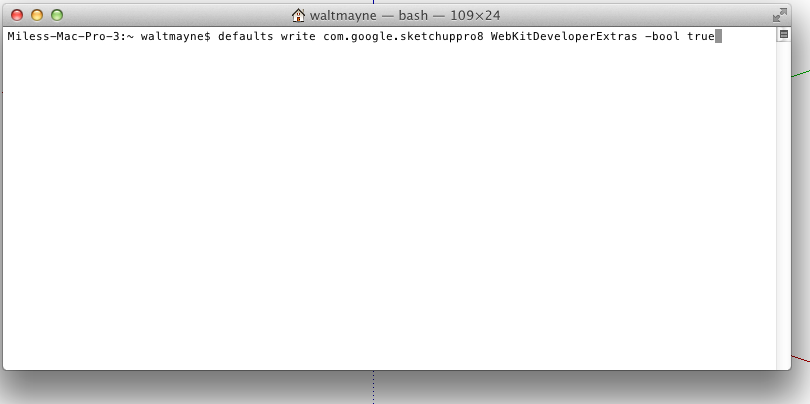
                          Ya not a very good typist sorry is this right

                          Screen Shot 2014-02-16 at 8.51.52 PM.png

                          2011 iMac
                          SU 2015 Pro, 2017 Make
                          V2 Twilight
                          macOS Sierra 10.12.5

                          1 條回覆 最後回覆 回覆 引用 0
                          • S 離線
                            slbaumgartner
                            最後由 編輯

                            @mwm5053 said:

                            Ya not a very good typist sorry is this right

                            That appears to be right. Did it work?

                            I'm turning in for the night in a minute. Will check back tomorrow.

                            Steve

                            1 條回覆 最後回覆 回覆 引用 0
                            • M 離線
                              mwm5053
                              最後由 編輯

                              still no inspect element on right click

                              2011 iMac
                              SU 2015 Pro, 2017 Make
                              V2 Twilight
                              macOS Sierra 10.12.5

                              1 條回覆 最後回覆 回覆 引用 0
                              • M 離線
                                mwm5053
                                最後由 編輯

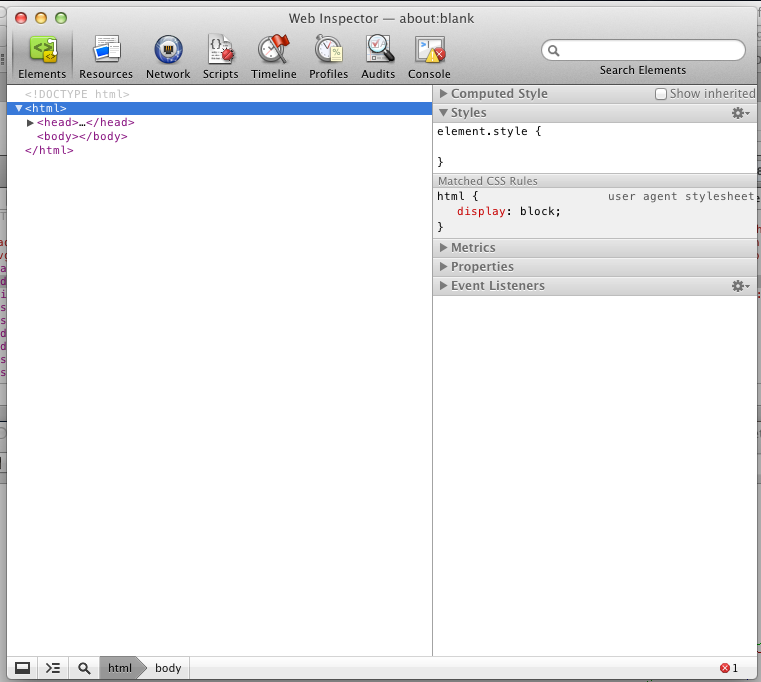
                                Ok this AM I had Safari open with Inspect Element open on a web page just to see what it did and opened SU and clicked on Web Dialog Test and right clicked on Connect to Website and Web Inspector popped up with this. Now what? I'll be here for a while then off to work for the day will check back.

                                Walt

                                Screen Shot 2014-02-17 at 7.31.12 AM.png

                                2011 iMac
                                SU 2015 Pro, 2017 Make
                                V2 Twilight
                                macOS Sierra 10.12.5

                                1 條回覆 最後回覆 回覆 引用 0
                                • S 離線
                                  slbaumgartner
                                  最後由 編輯

                                  @mwm5053 said:

                                  Ok this AM I had Safari open with Inspect Element open on a web page just to see what it did and opened SU and clicked on Web Dialog Test and right clicked on Connect to Website and Web Inspector popped up with this. Now what? I'll be here for a while then off to work for the day will check back.

                                  Walt

                                  That's more like it! I wonder what was wrong before...

                                  Anyway, click on the console button and show me what it displays then. In particular, if there are any warning or error messages. The little red symbol at the bottom makes me think there was a error reported.

                                  Steve

                                  1 條回覆 最後回覆 回覆 引用 0
                                  • M 離線
                                    mwm5053
                                    最後由 編輯

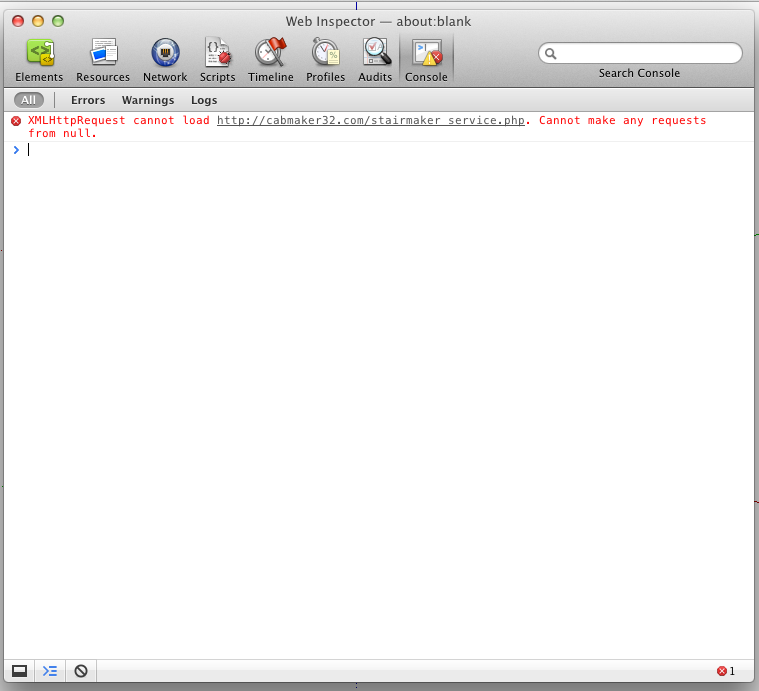
                                    Evidently Inspect needs to open in Safari eo get Web Inp. to popup but here it is.

                                    Screen Shot 2014-02-17 at 8.24.20 AM.png

                                    2011 iMac
                                    SU 2015 Pro, 2017 Make
                                    V2 Twilight
                                    macOS Sierra 10.12.5

                                    1 條回覆 最後回覆 回覆 引用 0
                                    • S 離線
                                      slbaumgartner
                                      最後由 編輯

                                      @mwm5053 said:

                                      Evidently Inspect needs to open in Safari eo get Web Inp. to popup but here it is.

                                      OK! My cross-domain security theory confirmed!

                                      What's happening is that when the html is loaded directly, the document's domain is empty (null). The XMLHttpRequest security won't allow load from some other domain. I can verify that the domain is also empty on my Mavericks box, so this implies that they added a special case for null domain in the security rules after the WebKit version that comes with Lion (or perhaps modified the domain to be an empty string instead of null).

                                      Steve

                                      [edit] The typeof document.domain on my Mavericks box is a string, "". They fixed it so that a locally loaded html gets an empty string domain instead of null.

                                      1 條回覆 最後回覆 回覆 引用 0
                                      • S 離線
                                        slbaumgartner
                                        最後由 編輯

                                        Garry,

                                        To fix this you will either need to load the html from your site instead of from Ruby (so the document's domain is your domain) or try the xml content technique described in the reference I posted previously (which requires some server settings as well). Your code can make the domain less specific (e.g. strip www off http://www.cabmaker32.com), but it cannot make it more specific (e.g. change the null to anything else).

                                        Steve

                                        1 條回覆 最後回覆 回覆 引用 0
                                        • G 離線
                                          Garry K
                                          最後由 編輯

                                          Steve,

                                          I'm not sure where to go next. I really don't want to have to load the html page from the server. But then I don't currently know how to do that.

                                          The hosting company that I use doesn't provide SSL unless I double my yearly payments. It is a WordPress site.

                                          My StairMaker_service.php is pretty simple. I do use JSON format. Currently I use the following to read the http POST coming from web dialog

                                          $raw = file_get_contents( "php://input" );
                                          $json = json_decode( $raw, true );

                                          // Then I do a bunch of validation, cleaning, testing etc.

                                          I use echo to send the information back to the web dialog.

                                          1 條回覆 最後回覆 回覆 引用 0
                                          • S 離線
                                            slbaumgartner
                                            最後由 編輯

                                            @Garry - You don't need SSL to address this. If you read the link I sent, there are ways to do it via javascript and server-side php. But if you don't want to do that, perhaps it would be enough just to trap the error and inform people that you don't support pre-10.8 versions of Mac OS X.

                                            @Walt, could you try the attached version and see if it pops up an alert about the error? I just added an error handler to the javascript, but since I don't get the error I don't know whether it works 😲 Thanks

                                            Steve


                                            dialog_test.rb

                                            1 條回覆 最後回覆 回覆 引用 0
                                            • 1
                                            • 2
                                            • 3
                                            • 1 / 3
                                            • 第一個貼文
                                              最後的貼文
                                            Buy SketchPlus
                                            Buy SUbD
                                            Buy WrapR
                                            Buy eBook
                                            Buy Modelur
                                            Buy Vertex Tools
                                            Buy SketchCuisine
                                            Buy FormFonts

                                            Advertisement