sketchucation logo sketchucation
    • 登入
    Oops, your profile's looking a bit empty! To help us tailor your experience, please fill in key details like your SketchUp version, skill level, operating system, and more. Update and save your info on your profile page today!
    🔌 Smart Spline | Fluid way to handle splines for furniture design and complex structures. Download

    Web dialog on a Mac

    已排程 已置頂 已鎖定 已移動 Developers' Forum
    69 貼文 9 Posters 8.4k 瀏覽 9 Watching
    正在載入更多貼文
    • 從舊到新
    • 從新到舊
    • 最多點贊
    回覆
    • 在新貼文中回覆
    登入後回覆
    此主題已被刪除。只有擁有主題管理權限的使用者可以查看。
    • D 離線
      driven
      最後由 編輯

      'that' error with updated txt file
      then
      deleted all and reinstall...

      show 1
      loaded 1
      cb1 complete
      closed 1
      Error; #<NoMethodError; undefined method `join' for #<Enumerator; ["Housed", "Sawtooth", "None"];collect>>
      /users/johns_imac/library/application support/sketchup 
      

      learn from the mistakes of others, you may not live long enough to make them all yourself...

      1 條回覆 最後回覆 回覆 引用 0
      • D 離線
        driven
        最後由 編輯

        @slbaumgartner said:

        Another thought - could this be a race condition? My MBPr is relatively fast, and once before driven and I got different results on another script evidently because his machine was slower than mine...

        and, another...

        could the server being a lot further away from London UK have an effect?...

        or are we all on the same WebKit version?

        navigator.userAgent
        

        < "Mozilla/5.0 (Macintosh; Intel Mac OS X 10_9_1) AppleWebKit/537.73.11 (KHTML, like Gecko) SketchUp/13.0 (Mac; Safari)"

        john

        learn from the mistakes of others, you may not live long enough to make them all yourself...

        1 條回覆 最後回覆 回覆 引用 0
        • jeff hammondJ 離線
          jeff hammond
          最後由 編輯

          @slbaumgartner said:

          I just tried using SU 2013 Make (still on Pro trial period) on MBPr, Mavericks, and that worked too. This was a clean (no other plugins) install of 2013 Make, but for my previous test on SU8 Free I hadn't disabled anything.

          For me, 1.0.6 was the first installation of the stair maker. Any chance previous installs left something behind that is interfering on your computer?

          Another thought - could this be a race condition? My MBPr is relatively fast, and once before driven and I got different results on another script evidently because his machine was slower than mine...

          probably not a race.. i've mostly been trying it on my mbp.. 2.66GHz i7.. i don't think apple makes a faster one.
          (albeit mine is arrandale and i guess i can't straight compare clock speed to ,say, 2.6 haswell but still...)

          also, when i tried 1.0.6 on lion last night, it was the first time i put stairmaker on that computer.

          dotdotdot

          1 條回覆 最後回覆 回覆 引用 0
          • D 離線
            driven
            最後由 編輯

            @Jeff,

            It's making the spiral here, after I manually deleted [ file and folder ] and then re-installed [ .rbz ] into v2013 and re-edited the text file...

            john

            learn from the mistakes of others, you may not live long enough to make them all yourself...

            1 條回覆 最後回覆 回覆 引用 0
            • jeff hammondJ 離線
              jeff hammond
              最後由 編輯

              @driven said:

              @Jeff,

              It's making the spiral here, after I manually deleted [ file and folder ] and then re-installed [ .rbz ] into v2013 and re-edited the text file...

              tried all that (manual deletion etc.) even made my own txt file from scratch (well- copy/paste) just to make sure no versioning info was sticking during the overwrites i'd done previously (and also realized by doing that, i could quit going to my emails to find my password for each new version 😉 )

              just tried something else on a whim.. switched my model units to decimal-meters instead of architectural-inches:
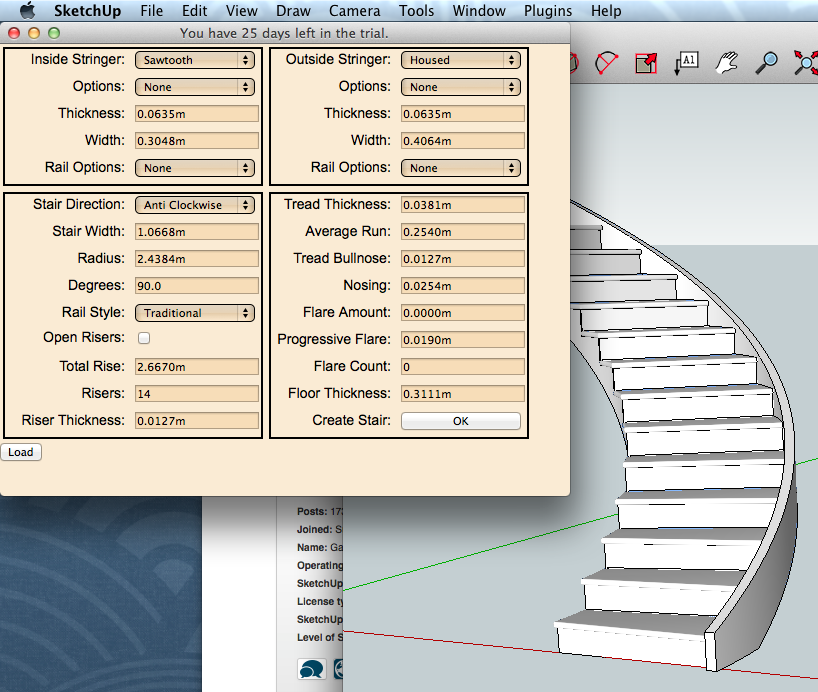
              Screen Shot 2014-02-07 at 11.05.11 AM.png

              switched the units back and tried again.. nothing.

              so i'm pretty sure the problem lies in this realm.. has all this testing been because of a typo of sorts?
              sigh 😉

              dotdotdot

              1 條回覆 最後回覆 回覆 引用 0
              • D 離線
                driven
                最後由 編輯

                maybe the test to change units is failing on Ruby other than 1.8.7, macs use 1.8.5

                learn from the mistakes of others, you may not live long enough to make them all yourself...

                1 條回覆 最後回覆 回覆 引用 0
                • G 離線
                  Garry K
                  最後由 編輯

                  I use decimal millimeters with 3 decimals of precision or greater
                  I have tested with decimal inches with 3 decimals of precision or greater
                  I have also tested with fractional inches at 1/64" precision.

                  But I haven't tested using all the different choices.
                  The defaults.txt file supports mm and decimal inches for defaults.
                  Sketchup should convert these values to the appropriate units.

                  There is a sketchup bug that will have trouble with fractions in inches.
                  This problem also exists with the built in inputbox.

                  1 條回覆 最後回覆 回覆 引用 0
                  • G 離線
                    Garry K
                    最後由 編輯

                    Also - Stair Maker doesn't support unit switching after you have used it in the session. However it should honor switching units prior to running the stair maker.

                    1 條回覆 最後回覆 回覆 引用 0
                    • jeff hammondJ 離線
                      jeff hammond
                      最後由 編輯

                      @garry k said:

                      Also - Stair Maker doesn't support unit switching after you have used it in the session. However it should honor switching units prior to running the stair maker.

                      all i know is this.

                      i open a fresh model with Beginning Template - Feet and Inches
                      stairMaker doesn't work

                      i open a fresh model with Beginning Template - Meters
                      stairMaker does work

                      dotdotdot

                      1 條回覆 最後回覆 回覆 引用 0
                      • S 離線
                        slbaumgartner
                        最後由 編輯

                        @jeff hammond said:

                        @garry k said:

                        Also - Stair Maker doesn't support unit switching after you have used it in the session. However it should honor switching units prior to running the stair maker.

                        all i know is this.

                        i open a fresh model with Beginning Template - Feet and Inches
                        stairMaker doesn't work

                        i open a fresh model with Beginning Template - Meters
                        stairMaker does work

                        Confirm that feet+inches does not work, mm does, meters does, fractional inches does. However, after returning to fractional inches from the others without restarting Sketchup, parts of the staircase don't get drawn (is that what you meant by "doesn't support after you have used it in the session"?):
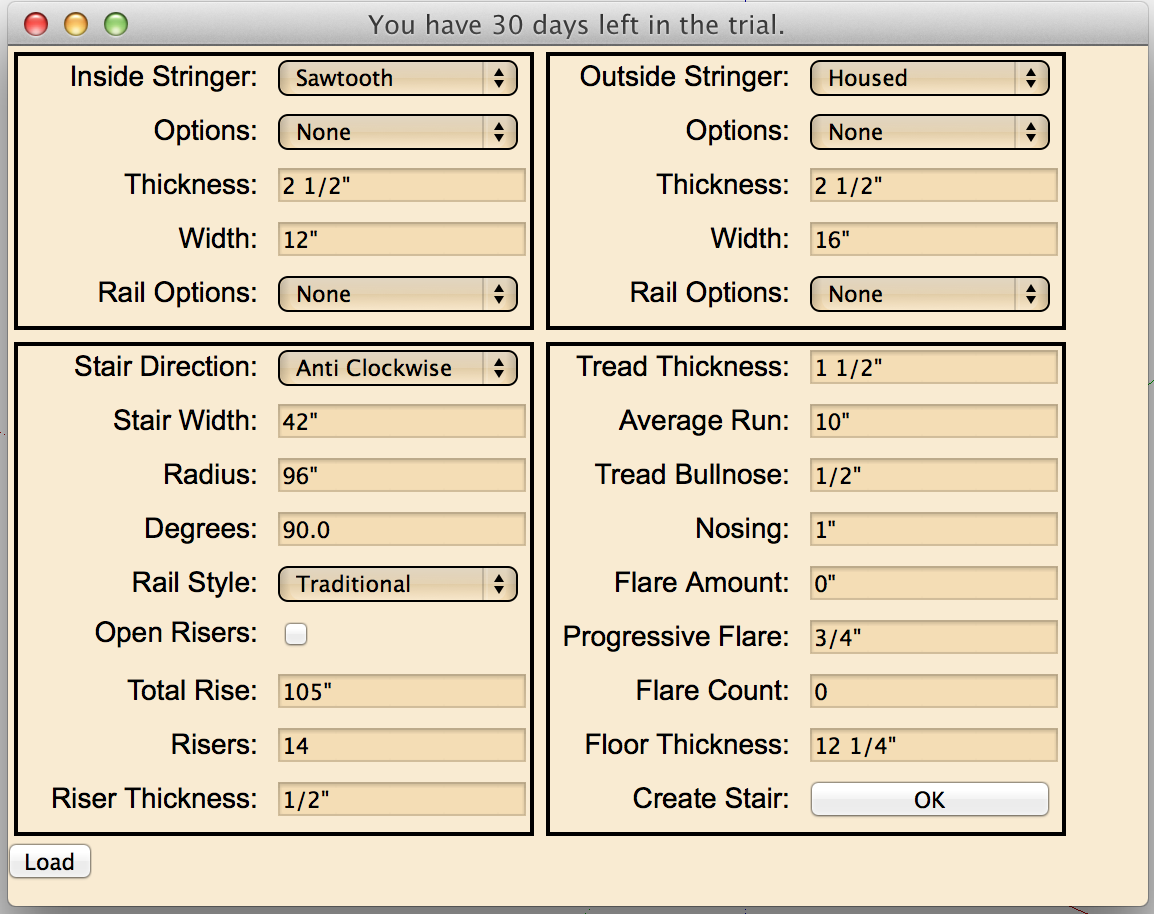
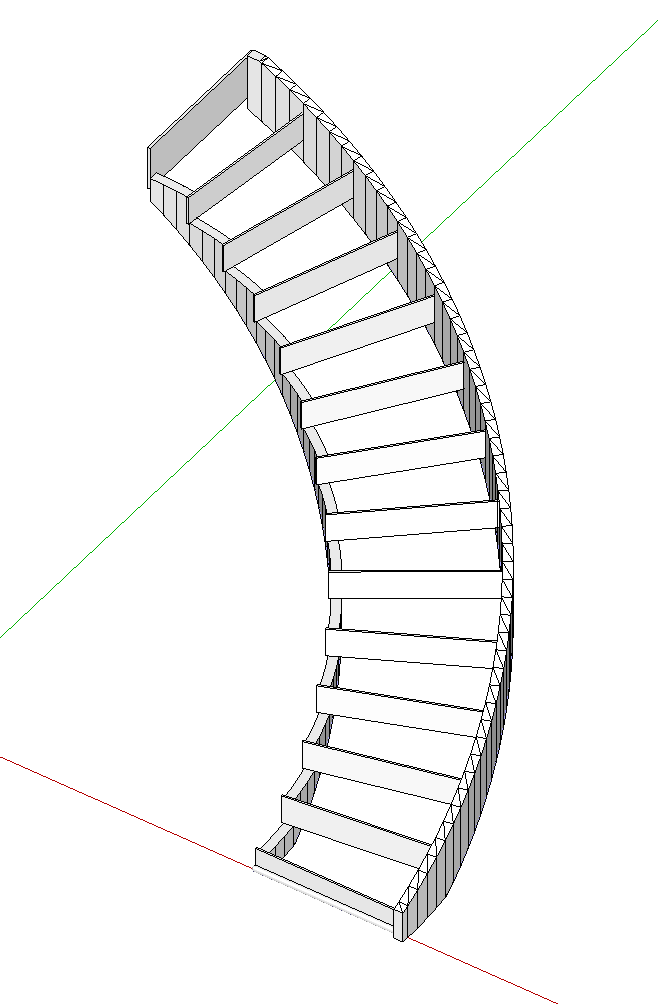
                        Screen Shot 2014-02-07 at 12.16.23 PM.png

                        Screen Shot 2014-02-07 at 12.16.40 PM.png

                        1 條回覆 最後回覆 回覆 引用 0
                        • D 離線
                          driven
                          最後由 編輯

                          I think @Jeff has found the issue... [ 10 points to you, good sir ]

                          Engineering Feet Template
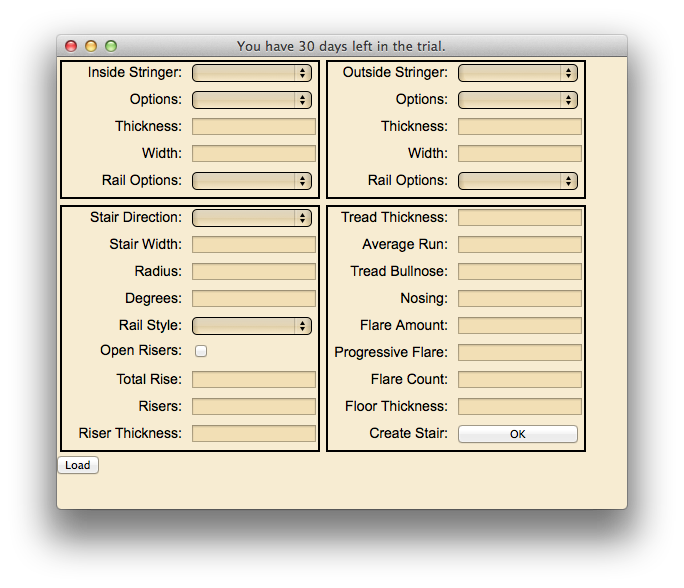
                          2014-02-07 05.23.33 pm.png

                          learn from the mistakes of others, you may not live long enough to make them all yourself...

                          1 條回覆 最後回覆 回覆 引用 0
                          • S 離線
                            slbaumgartner
                            最後由 編輯

                            This raises an interesting question: does feet&inches also fail on Windows? In other words, is this really a Mac issue at all, or did we just get unlucky (or, if you are trying to eliminate bugs, lucky)?

                            1 條回覆 最後回覆 回覆 引用 0
                            • jeff hammondJ 離線
                              jeff hammond
                              最後由 編輯

                              @driven said:

                              I think @Jeff has found the issue... [ 10 points to you, good sir ]

                              lucky find based around me thinking steve was british.. as in- what could be different on their computers compared to mine? units! 😆

                              dotdotdot

                              1 條回覆 最後回覆 回覆 引用 0
                              • G 離線
                                Garry K
                                最後由 編輯

                                Thanks guys

                                I have now tested with Decimal Feet, Engineering Feet and Architectural Feet.
                                All of the 3 models that are feet create an error.

                                All the rest of the models work.
                                This holds true for SU 7, SU 8 and 2013 for Windows.

                                The error is a bit misleading as it appears as a script error on line 1 char 416
                                The interesting part is that the html script doesn't have that many characters on line 1

                                This may be where I pass in a big string, and need to parse it. If that is the case then the defaults.txt file has a value that does not translate over to feet.

                                1 條回覆 最後回覆 回覆 引用 0
                                • D 離線
                                  driven
                                  最後由 編輯

                                  @garry k said:

                                  The error is a bit misleading as it appears as a script error on line 1 char 416
                                  The interesting part is that the html script doesn't have that many characters on line 1.

                                  I thought .rbs files where a single line?

                                  learn from the mistakes of others, you may not live long enough to make them all yourself...

                                  1 條回覆 最後回覆 回覆 引用 0
                                  • G 離線
                                    Garry K
                                    最後由 編輯

                                    this is a redirect from source to html.
                                    When you view source - the html looks properly formatted.

                                    It appears to be a script error for the web dialog.

                                    Regardless - I'll work on narrowing it down.

                                    1 條回覆 最後回覆 回覆 引用 0
                                    • D 離線
                                      driven
                                      最後由 編輯

                                      @Steve found the problem, days ago, but we didn't know what it was...

                                      with the Eng Feet template the [ " ] designator is attached to the body tag in 'view source' and I get a js error

                                      if I close the dlg, switch to metric [still same session ] I get no errors in the js and the body tag is normal...

                                      john

                                      learn from the mistakes of others, you may not live long enough to make them all yourself...

                                      1 條回覆 最後回覆 回覆 引用 0
                                      • G 離線
                                        Garry K
                                        最後由 編輯

                                        This issue has been resolved. I am now substituting single quote ' for back tick ` and then back again. This allows us to see the single quote in the web dialog controls.

                                        1 條回覆 最後回覆 回覆 引用 0
                                        • 1
                                        • 2
                                        • 3
                                        • 4
                                        • 2 / 4
                                        • 第一個貼文
                                          最後的貼文
                                        Buy SketchPlus
                                        Buy SUbD
                                        Buy WrapR
                                        Buy eBook
                                        Buy Modelur
                                        Buy Vertex Tools
                                        Buy SketchCuisine
                                        Buy FormFonts

                                        Advertisement