Rotate and Intersect a plane
-
I'm probably just too tired to see it - oh well.
I first create a face which is parallel to the Y axis and offset 1/2"
I then create a line and intersect the plane of the face.The line
10.000000",0.000000",5.000000"
10.000000",5.000000",5.000000"The plane
-0.0
1.0
-0.0
-0.5
the result of the intersect
(11", 0.5", 5.5")I was expecting ( 10", 0.5", 5" )
It appears that the the plane may have its point at the origin.Here is the code
y = 0.5.inch
face = grp.entities.add_face( [[0,y,-10],[0,y,200],[200,y,200],[200,y,-10]] )p1 = [ 10.inch, 0.inch, 5.inch ]
p2 = [ 10.inch, 5.inch, 5.inch ]
line = [ p1, p2 ]
p3 = Geom.intersect_line_plane( line, face.plane ) -
I should mention that I am planning on rotating the face. If there is a way to simply rotate a plane then that would even be better.
-
A plane is defined by:
plane = [a_point, a_normal_vector]
So you can rotate a vector using a rotation-transformation:
tr = Geom::Transformation.rotation(a_point, an_axis_vector, an_angle)
Remember that:
angle**.degrees**
allows you to specify it in degrees - no need to mess on with radians/PI etc.
Also there are built-in constants for:
ORIGIN [0,0,0], X_AXIS [1,0,0], Y_AXIS [0,1,0], Z_AXIS [0,0,1]
You can reverse any vector with:
vector.reverse
To transform a vector use:
vector.transform!(tr)
which rotates the vector from where it is currently.You can use:
entities.transform_entities(transformation, objects)
'objects' can be vertices, edges, faces, group, component_instance etc
These can move, scale or rotate.
Note that Points must be transformed with:
point.transform(transformation) -
Thanks TIG.
Ah - I see this could be handy if you have 2 lines and want to see where they would meet even if you have to extend one or both lines.
Essentially if I want to determine if the point returned from intersect_line_line is on both lines - which answers the problem that I need to solve - then I have to perform an additional check to see if the resulting point is not nil and lies on the line.
So I can rotate 2 points around the origin ( which is what I need to do ) and then convert the rotated edge to a vector.
cos_theta = Math.cos( angle )
sin_theta = Math.sin( angle )x3 = cos_theta * x1 - sin_theta * y1
y3 = sin_theta * x1 + cos_theta * y1x4 = cos_theta * x2 - sin_theta * y2
y4 = sin_theta * x2 + cos_theta * y2And since I want to rotate a vertical plane z stays as 0 and I simply pop in dx and dy of the edge for the vector and use the first point as is. Then I can use intersect_line_line
-
You are muddling 'edge' and 'line'.
In SketchUp anedgehas aline.
edge.line>>[point, vector]
To see if two lines intersect
geom.intersect_line_line(line1, line2)
returns a point if they do, or nil if they don't.
If you have apointit has 4 possible vertex matches: if it falls on the start or end of an edge, and there are 2 edges...
point==edge1.start.position point==edge2.start.position point==edge1.end.position point==edge2.end.position
returnstrueorfalse
If the point falls on an edge you test it thus:
point.vector_to(edge1.end.position)==edge1.line[1]
and
point.vector_to(edge2.end.position)==edge2.line[1]
Iftruethe intersect'spointfalls on the edge [between the start/end] and not on a vertex. -
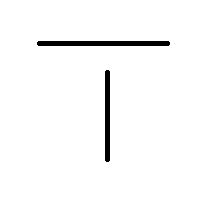
Sorry - I am not making myself clear. From a CAD point of view. What I have drawn are 2 lines that do not intersect.
I initially assumed ( at 2:00 in the morning ) that the intersect_line_line method took 2 CAD lines as arguments.
I now realize that the method wants 2 mathematical lines expressed as a ray and in this case will return a point because mathematically these CAD lines are simply 2 points on an infinite line and these 2 infinite lines do indeed intersect.
All I was trying to do was find a method that would give me a point if the 2 lines that I drew cross each other.
-
Please stop calling them 'lines'
 - I know that's the CAD name but in SketchUp Ruby code they are best called 'edges' - I know some SketchUp tools refer to drawing 'lines' and there's even an API method add_line() that adds an edge
  BUT when we are talking code - especially if we are taking about edge.line - it's a recipe for confusion to muddle up the two terms...
I tried to explain the difference between an edge and a line [edge.line]...
The two perpendicular edges you drew will only return a point with the intersect_line_line() IF they intersect - i.e. they are 'coplanar'... looking down 'in plan' does not mean they do intersect if their 'z' values not equal...
Assuming they do return a point, then my previous post explains how you can then tell if that point falls 'in space', or either of the edges' vertices, or on an edge in between its start/end...
It'd be quite possible to slide your example edges around so that they then return a point 'in space' that is on neither edge...

Hello! It looks like you're interested in this conversation, but you don't have an account yet.
Getting fed up of having to scroll through the same posts each visit? When you register for an account, you'll always come back to exactly where you were before, and choose to be notified of new replies (either via email, or push notification). You'll also be able to save bookmarks and upvote posts to show your appreciation to other community members.
With your input, this post could be even better 💗
Register Login


Advertisement