Thea Render v1.3 Technology Preview (Teaser Trailer)
-
oh...yes, i did mean the up to 1.9 of course....the curse of my low english skills

-
Sampling Improvements for Presto v1.3, read more at the related Thea Render Technology Preview forum topic.
@unknownuser said:
Dear friends,
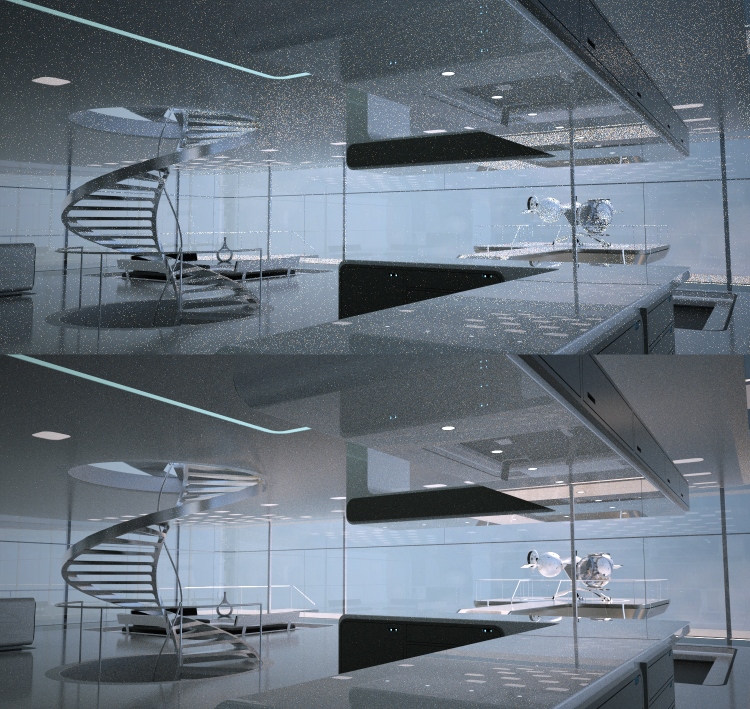
many of you have already experienced the raw power of Presto. It was and is our intention to deliver an engine that its raw performance is simply beyond comparison. For next edition v1.3, we are going one step further by making the engine also quite more sophisticated in terms of algorithmic design. These changes are mostly related to improving the sampling part of Presto leading to even faster convergence to a great number of scenes, while adding small to negligible computational overhead. This means that Presto maintains its fast interactivity but also delivers final renders sooner, at least in many scene types.
...
-
Improved Physical Sky Model with Thea Presto 1.3
@unknownuser said:
Dear friends,
we have made an improvement for all render engines, related to the physical sky. Thea's sky in v1.3 is much more accurate for spectral rendering and yields much better results in higher values of turbidity (which are usually wanted to give special mood to a render). The parameters for the new physical sky model are basically the same with similar influence on the image but more accurate response.
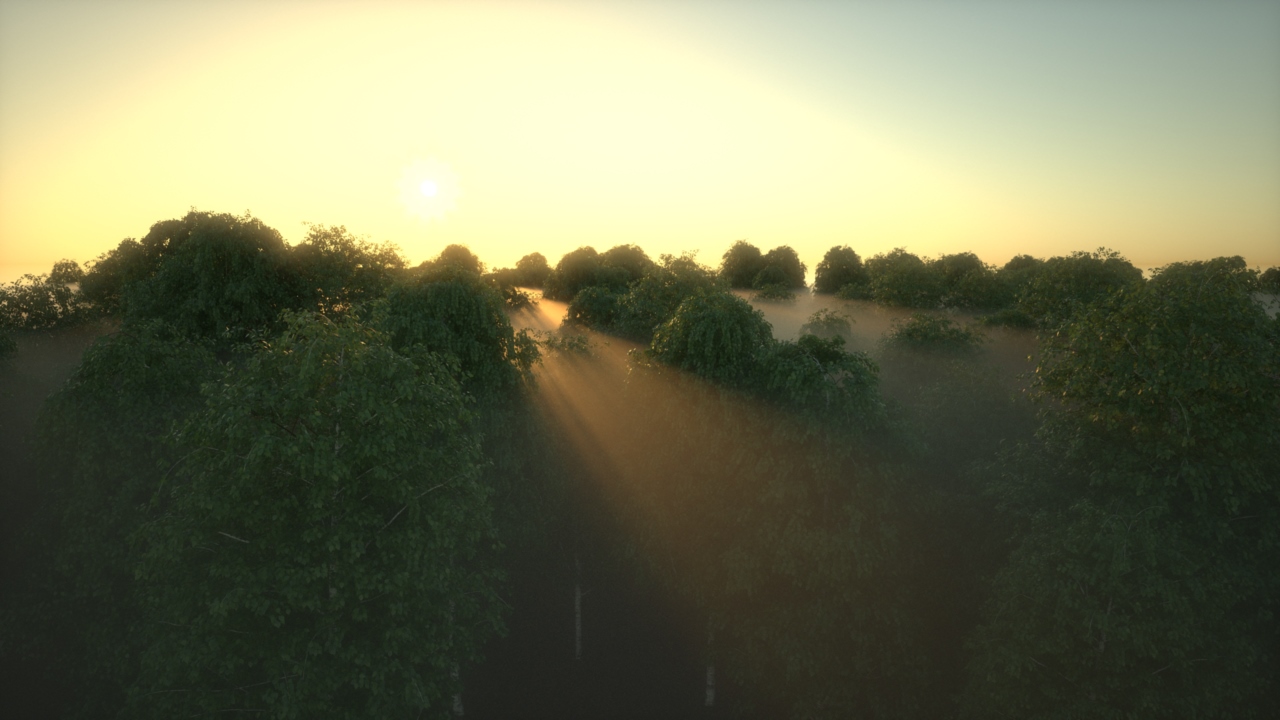
...More examples at the related topic http://www.thearender.com/forum/viewtopic.php?f=17&t=13622
-
Full instancing support for Presto 1.3

@unknownuser said:
Dear friends,
we are happy to say here that we have now full instancing support for Presto. In fact, we are very proud of all the small and big memory improvements that opened the way to instancing support on the GPU side! I admit that this was one of the most asked features once Presto v1.2 was out and even a feature that some could not live without.
It is time that you get some beautiful renders made with Presto, with all the geometric complexity you want!

And we have already prepared some nice renders to showcase this new feature.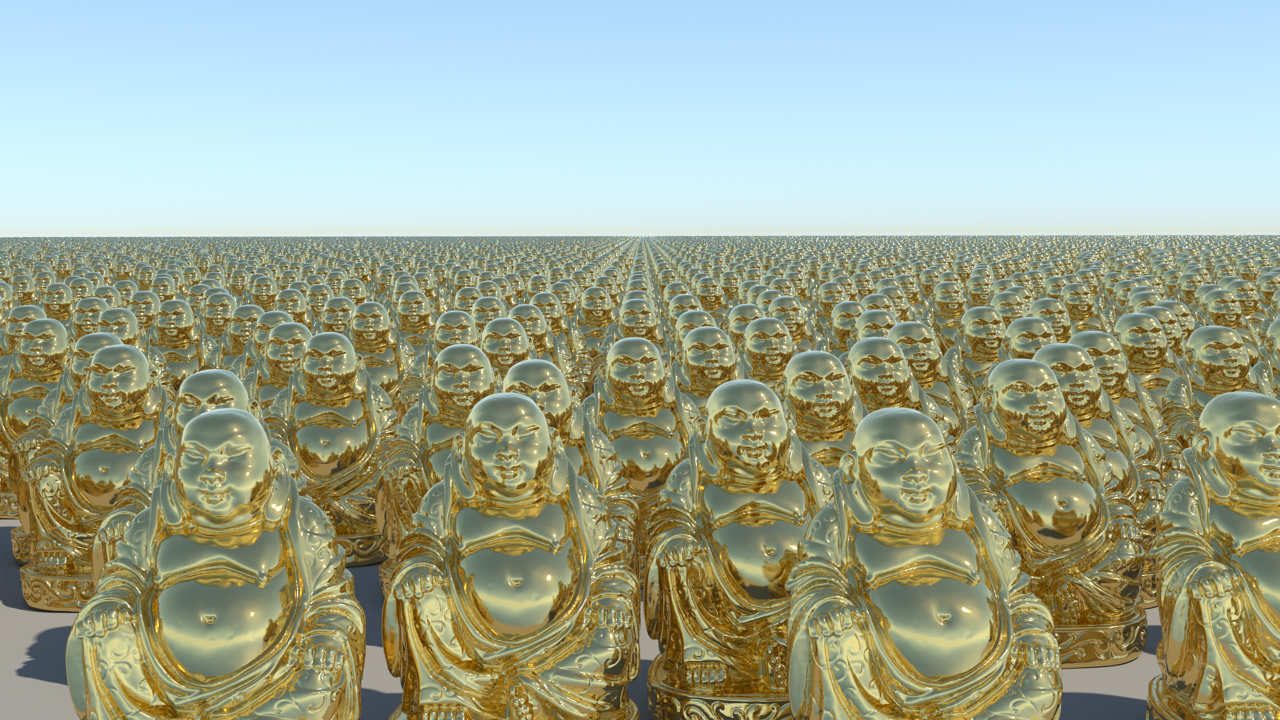
...Find out more at the related topic at Thea Render Technology Preview forum.
-
@solo said:
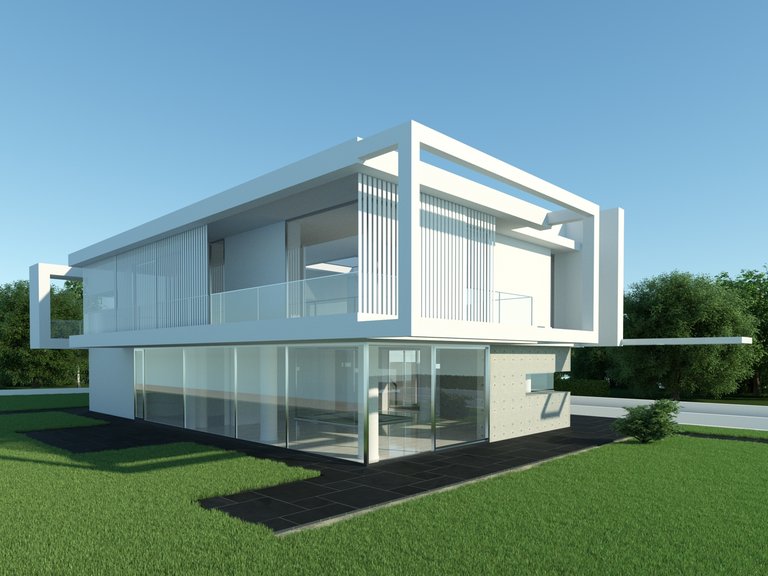
10 minutes gpu cpu, used radial blur 15% to get hazy look. BSD 25 tracing depth.
No post processing.Thea 1.3 is amazingly fast, this is an interior, and they are normally slow to render, exteriors render in seconds to a couple of minutes.
[attachment=0:1i75y28o]<!-- ia0 -->Presto gpu cpu 10 mins.jpg<!-- ia0 -->[/attachment:1i75y28o]
This is very great Pete... my problem is that i just dont know how to use thea.. i have downloaded the trial version but its like alien thing for me.. am using vray for sketchup.. but really wanted to try thea.. and tutorials/pdf mini tutorials are missing.. i wish they make a good tutorial for noobs like me that dont understand ABC of rendering

-
Here's a link to some tutorials to get you started:
http://www.thearender.com/cms/index.php/resources/tutorials/overview-tutorials.html -
@pixero said:
Here's a link to some tutorials to get you started:
http://www.thearender.com/cms/index.php/resources/tutorials/overview-tutorials.htmlthank you.. but the thing i dont understand is all the rendering setttings tr1 2 and options.. its very different from vray the approach and all.. i understand its material system but the rendering options/camera etc etc

-
The latest User manual (at the bottom) is quite good.
http://www.thearender.com/cms/index.php/downloads/thea-render.html -
@imabzeous said:
@pixero said:
Here's a link to some tutorials to get you started:
http://www.thearender.com/cms/index.php/resources/tutorials/overview-tutorials.htmlthank you.. but the thing i dont understand is all the rendering setttings tr1 2 and options.. its very different from vray the approach and all.. i understand its material system but the rendering options/camera etc etc
TR1/TR2 are unbiased render cores, cores with BSD are biased cores (similar to vray). You can find biased settings settings marked with blue text, you cannot use those with unbiased TR1/TR2. All explained in manual, if you have read it.
There are basic tutorials available at http://www.thearender.com/cms/index.php/resources/tutorials.html Take a look also on additional tutorials for 1.2 after you have read/watched older tutorials.
If you have questions about usage, dont hesitate to use Thea Render forums to ask questions http://www.thearender.com/forum/
-
A little heads up of soon to be released Thea Presto 1.3...
@unknownuser said:
Dear friends,
here it is, a feature asked for long time now, finally we have it working with all engines. It is about camera Z Clipping; near and far planes that cut the space giving us the possibility to "look inside" the models. We show below a comparison render to understand better how it can be used.
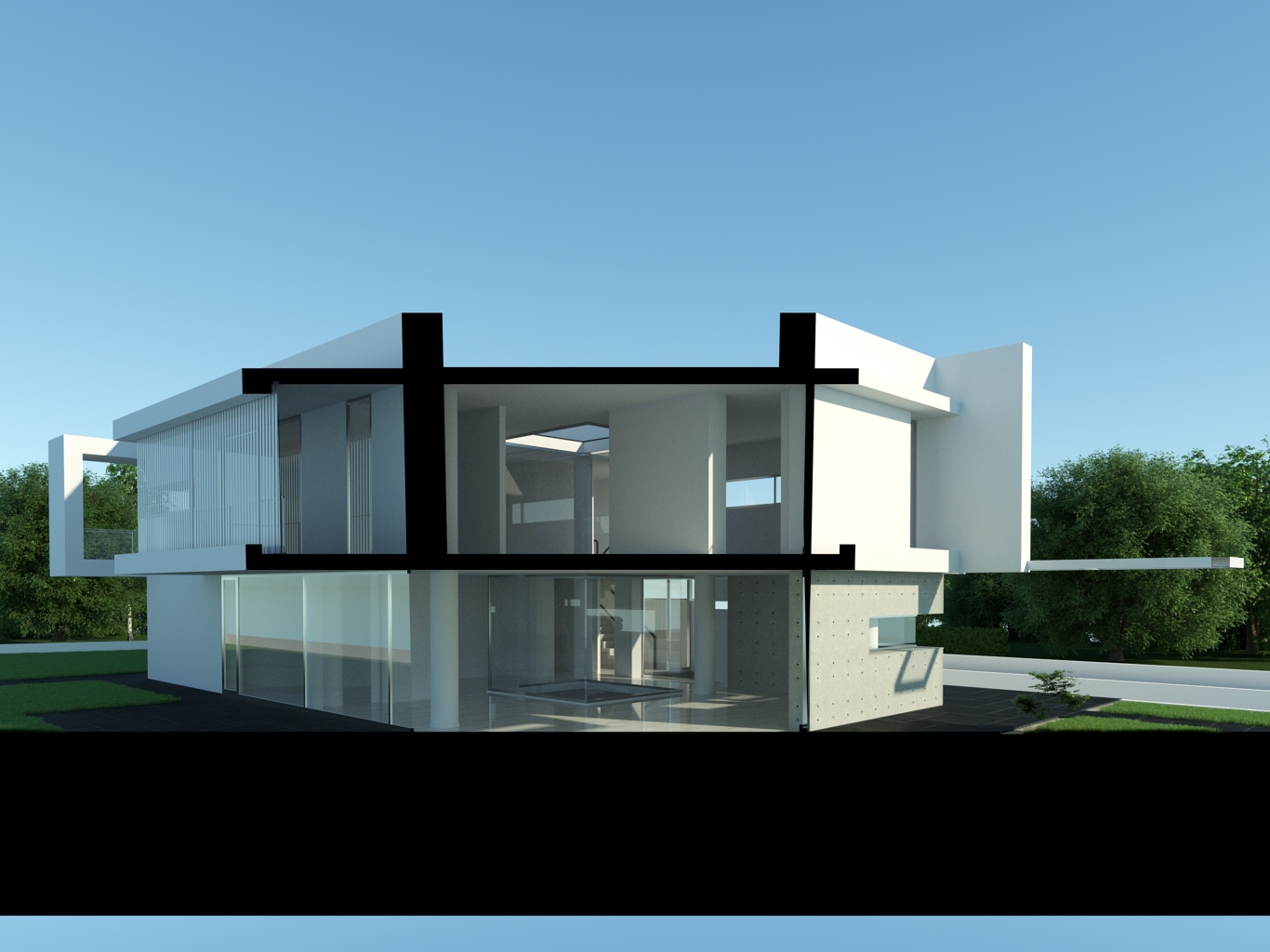
This feature was quite straightforward to implement, this is why we were wondering how we missed adding it in the first place!
Best wishes
PS. One last tech announcement pending.
You can follow Thea Render Technology Preview announsements at the related forum http://www.thearender.com/forum/viewforum.php?f=17
Section planes we know from SU are still a pending feature, but they are on a wish list.
-
With upcoming release v.1.3 Presto engine will use both GPU and CPU...
@unknownuser said:
Dear friends,
a lot of you have already guessed what our next tech announcement will be and indeed it is about Presto running on both GPU and CPU. This announcement is probably among the most important ones in Thea Render tech achievements. Unifying GPU and CPU under the same (render) framework is not an easy job. With Thea Presto being written from scratch, we had the ambition, right from the beginning, to harvest all the computer power that is available.
For coding Presto on the CPU, we didn't want just a "port" of the code from Nvidia CUDA architecture to x86/CPU architecture. We wanted to squeeze the CPUs to the max and see a real performance comparison between GPUs and CPUs. For this, we decided to adapt Intel's Embree library. What does this mean? with every GPU and CPU core running Presto, it means fast, very fast, rendering. And this fast rendering is coupled with Thea's material/light system. All in all, pure quality in the shortest render times!

What is also quite interesting is the performance comparison between GPUs and CPUs. We have modeled four scenes specifically for this purpose and ran the benchmarks on various machines (our own plus beta tester machines). It is very nice to see that CPUs stay up to their task and bring a significant speed boost. The actual relative performance between GPUs and CPUs depends heavily on the system and scene type.
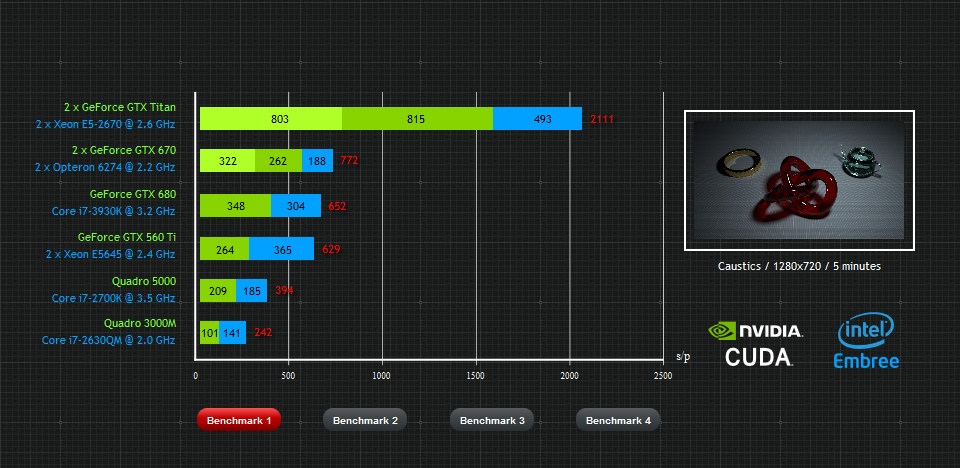
Actually, to our knowledge, Thea Presto is a unique engine that makes it possible to compare GPUs and CPUs under the same render framework with performance maxed out for both architectures, in a systematic way*. You are welcome to download the detailed benchmark pdf document attached with this post.Best wishes
- Disclaimer: the comparison between the GPUs and CPUs is only made within Thea Presto framework and does not imply any kind of general performance superiority of a specific processor/architecture.
More benchmarks and discussion at related topic http://www.thearender.com/forum/viewtopic.php?f=17%26amp;t=13779




Advertisement