[Plugin] Layers Panel 1.2.1
-
@jiminy-billy-bob said:
New version 1.2.1 !
Changelog :
- Fixed a major issue that could corrupt the model (Caused by SU14 and below)
- Fixed States dialog
- Added API methods
thank you
i give it a try to check if it solves the issues i had
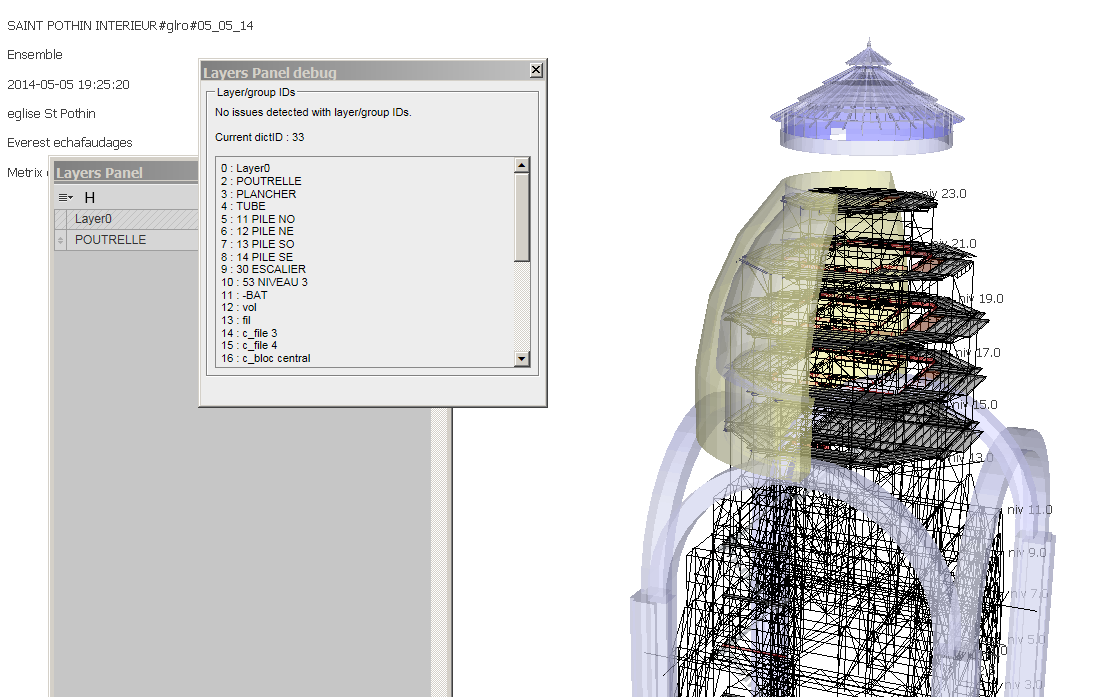
when i launch the plugin for the first time in a model made before the installation, an almost empty layers panel window opens, with only one layer, and i get a message "layers panel needs to be fixed"; i click "OK"
An html windows pops up, saying no issues are detected...
I close the pop up window and the empty layers panel window
The next time i open the layers panel window, all layers are shownclose the model, open it again ...
everything seems to be working fine...
-
This is normal behaviour. It is triggered by the fact that there are existing layers that need to be identified by LP. This is a one-time thing, and won't trigger again (unless there are layers created while LP is disabled).
Maybe I should change it to say that issues have been fixed, not only that there are no issues. It may be misleading as is.Do you guys still have issues with Eneroth's Rotate3D? I can't reproduce your errors.
-
@jiminy-billy-bob said:
This is normal behaviour. It is triggered by the fact that there are existing layers that need to be identified by LP. This is a one-time thing, and won't trigger again (unless there are layers created while LP is disabled).
Maybe I should change it to say that issues have been fixed, not only that there are no issues. It may be misleading as is.Do you guys still have issues with Eneroth's Rotate3D? I can't reproduce your errors.
yes, maybe the message is not totaly accurate ; there is no problem;it is just that the existing layers must be registered by layers panel plugin
somebody suggested that there was a conflict between Eneroth's Rotate 3D and your plugin, but gave no evidence; so i don't know about it; i shall be using layers panel in the coming daus, and i also run Rotate 3D code, so if i notice something wrong, i shall report it
-
@jiminy-billy-bob said:
This is normal behaviour. It is triggered by the fact that there are existing layers that need to be identified by LP. This is a one-time thing, and won't trigger again (unless there are layers created while LP is disabled).
Maybe I should change it to say that issues have been fixed, not only that there are no issues. It may be misleading as is.Do you guys still have issues with Eneroth's Rotate3D? I can't reproduce your errors.
I have been using your "layers panel.rb" for 2 or 3 days, it worked fine
but today, it proved to be not compatible with a plugin containing rotate3D codei am not skilled enough to say why, but it seems to confirm there is a problem...
too bad, it improves a lot the sketchup native layers panel -
Did you get an error message?
What happened exactly? -
@jiminy-billy-bob said:
Did you get an error message?
What happened exactly?sketchup stopped suddenly, and that was it
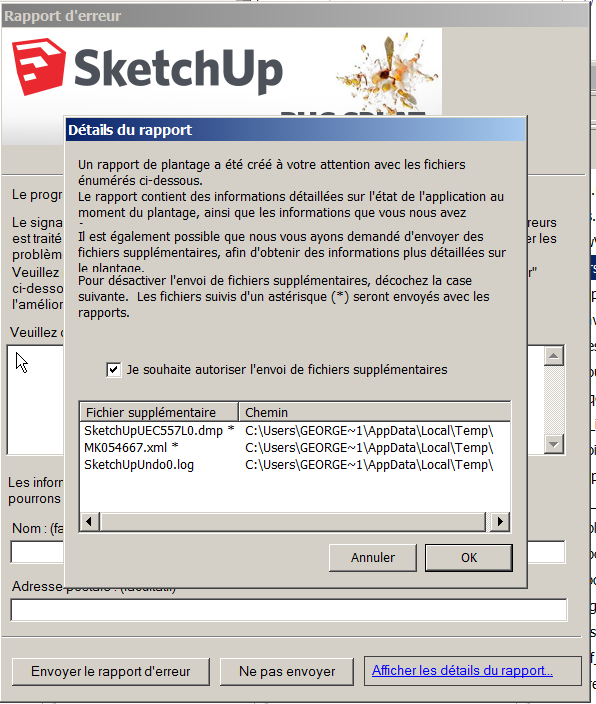
i tried to remove some newly installed extensions, and this way i found out that "Layers panel" was involved
I can't write more since i don't understand what's happening; your plugin might be perfect; i just know that if i remove it, i don't have the problem
-
Did you submit that BugSplat? Did you enter any info in the Description or Name field we can use to look it up by?
-
@tt_su said:
Did you submit that BugSplat? Did you enter any info in the Description or Name field we can use to look it up by?
No
but if you think it might help, i shall
-
We might be able to get some clues to what cause the crash.
Please always submit BugSplats - even if you do not fill in any info. It helps our statistic when we look for highest source of crashes. But it do helps if you enter some info the first time you experience a crash, and some contact info so we can reach out if we need more info. Then if you experience the crash again just keep submitting, but then there is less need for you to fill out details. -
I love it, great plugin.
Is there any way to sort the layers, perhaps alphabetically.
Thanks -
No, not for now, but it's on my todo list.
-
Hello !
Huge thanks for a great plugin !
I SUMake 2014 on Mac OS X 10.8.5 there is a problem:
- Toolbar Layers Panel disappears after you restart the program, it is necessary to re-run. If you add buttons to the toolbar after restart, SU they also disappear from the panel.
- On the panel Layers Panel toggle visibility is not clicking on the "eye" and slightly to the left of the separator (assuming off-panel renders) and Layer switching States of the active set is not pressing on the circle and also slightly to the left of the separator.
- The Panel Layer States every time you open appears in the same place (it does not remember its position).
- the Panel Layers Panel if it is to disable and enable the button from the toolbar Layers Panel every time you open becomes shorter height)) cool.
Sorry for machine translation)
-
running OS X 10.8.5, sketchup 14.
I updated the layer panel 1.2.1 from 1.2.0. but then the tool does not work anymore.It is clearly intalled. The icon is there. the Layer Status browser works, when clicking the icon. But the Layer Panel does not open when clicking the icon. The browser window of the Layer Panel sort of flashes once which clicking the icon. (open and closes in a 0.1 second)
dont know what to do.
Great tool! frustrated that cannot us it now…. arrrrghhh -
Can you open the Ruby Console, and tell me if there is any error message there when trying to open Layers Panel?
In the meantime, you can download older versions here: http://thomashauchecorne.com/layers/versions/
(Please try the above first, so I can fix it for future versions) -
Do I need to type anything in the ruby console?
there is no error message. Everything else (debug, option, status) works fine.
just when I click layer panel the window is not showing up (it flashed up then its gone)
I tried to uninstall 1.2.1 and reinstall 1.2.0. same thing happens.
maybe is the sketchup itself has a problem? -
@ckho1985 said:
I tried to uninstall 1.2.1 and reinstall 1.2.0. same thing happens.
This is weird. To uninstall, you completetly deleted the file
jbb_layers_panel.rband the folderjbb_layers_panelinC:\Users\USERNAME\AppData\Roaming\SketchUp\SketchUp 2014\SketchUp\Plugins?
If so, I really don't understand where it can come from. Try an even older version. -
Working in 2015 set up a bunch of groups etc. closed the drawing and come back later and all groups are gone and every time open Layer Panel it says it need to be fixed. I am also using Skalp and 2D tools I mention this because both do some background layer functions.
Thoughts?
-
Does the same thing happen when disabling all the other plugins?
-
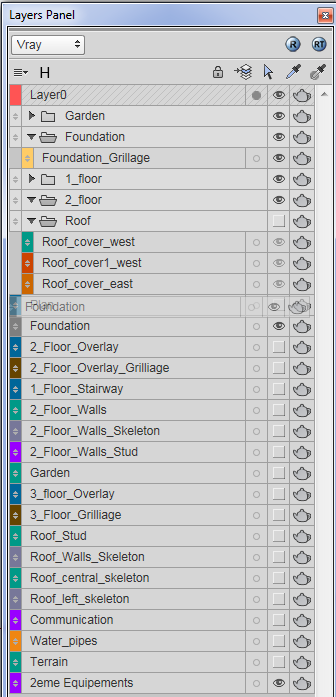
Hello. I had a trouble with moving layers in the list. Sometimes when I try to move layer up/down and drop it on the half of the way this layer freeze in the list. As example layer Foundation on the picture.
-
What happens if you close the dialog and reopen it?





Advertisement