Scrapbook line weights
-
So how does one make line weights work? I don't find much discusion about them. I see many use for them. Copy/Paste, use the style picker

-
Select the Pencil tool from the main toolbar and sample one of the Line Weights directly from the Scrabbook, no need to drag it into your workspace, the line weight sampled is then applied to the pencil. Any line, rectangle, arc etc. will then have this thickness.
-
Thanks that was easy, but any way to use that to change line weight for model lines from SU
-
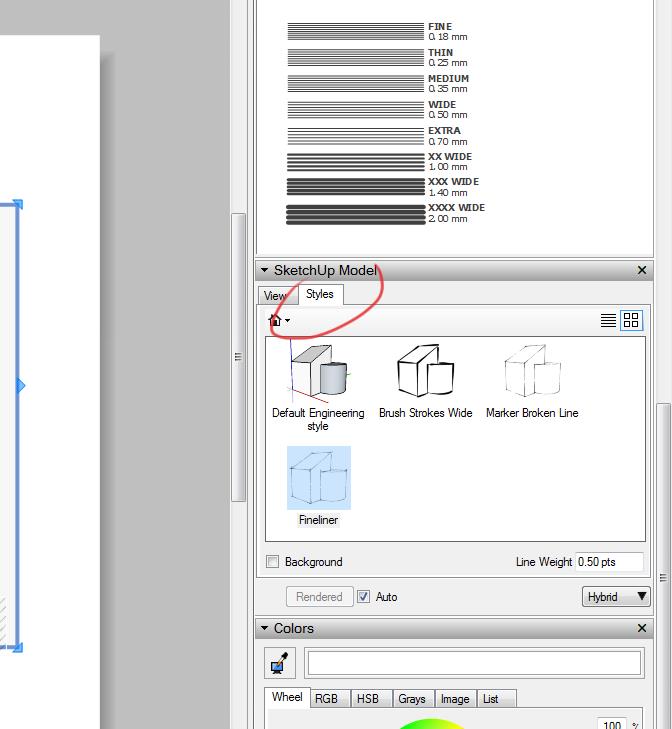
In Layout, go to the Sketchup Model panel and pick the Styles tab, here you can change the style of the active viewport to any of the saved styles. I haven't tried it but it should work. You can create a style in SketchUp to suit your needs (Line Thickness, Colour etc) or download a style.
-
Forgot to add a screen pic of the last post...
-
The top line in elevation in SU is the same as rest only edges ticked, no profiles or otheryet it exports in PDF and jpg as heavier line not sure why a graphics thing probably but would like it match rest of model.

-
I figured it out when I drew the roof I had it setup for a section view to show roof sheeting, paper felt and shingles all adding to the heavier line. Thanks rodman100
-
You're welcome!
Hello! It looks like you're interested in this conversation, but you don't have an account yet.
Getting fed up of having to scroll through the same posts each visit? When you register for an account, you'll always come back to exactly where you were before, and choose to be notified of new replies (either via email, or push notification). You'll also be able to save bookmarks and upvote posts to show your appreciation to other community members.
With your input, this post could be even better 💗
Register Login


Advertisement