Blanked out Submit button in Reply editor
-
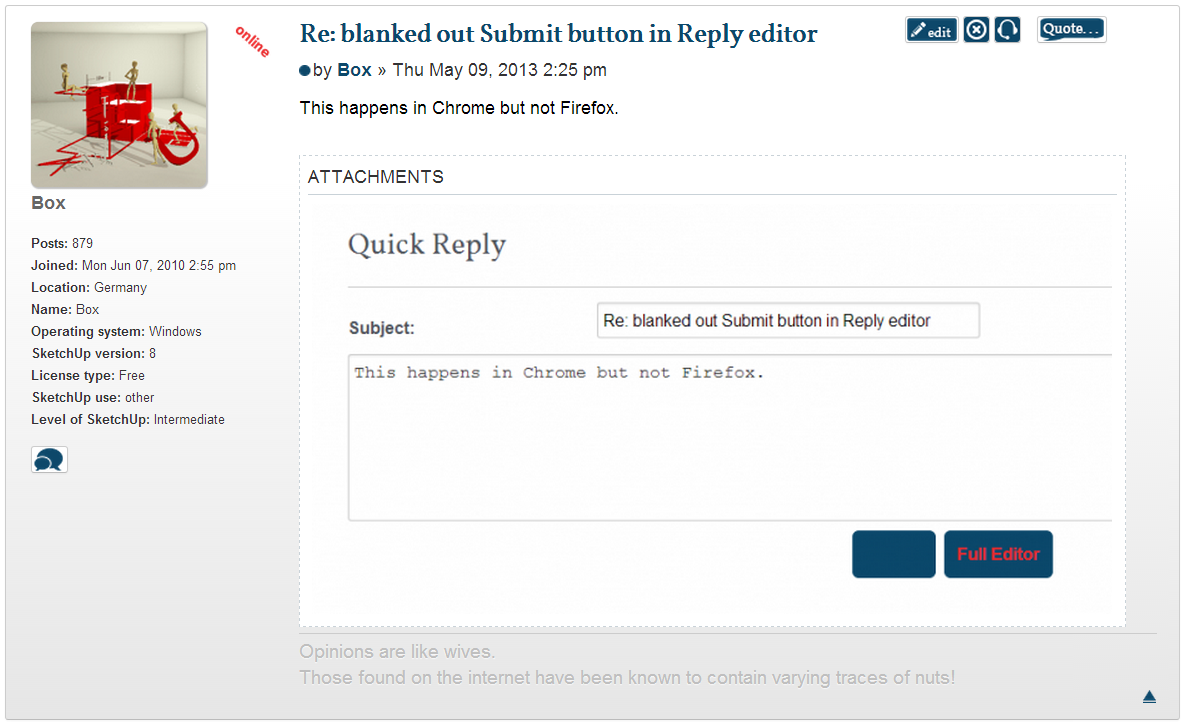
I noticed today that while replying to a post, the Submit button text is not visible until mouseover. It is also occurring here as I write.
-
This happens in Chrome but not Firefox.
-
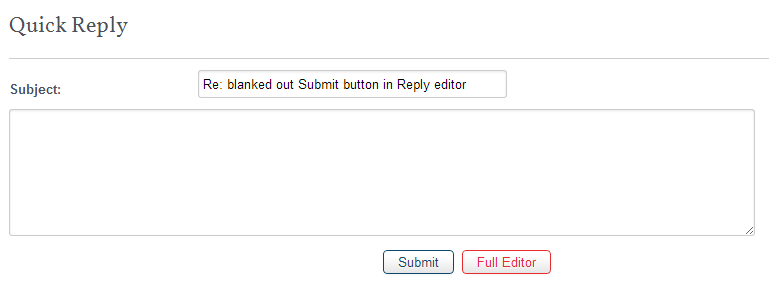
Can you clear your cache?
-
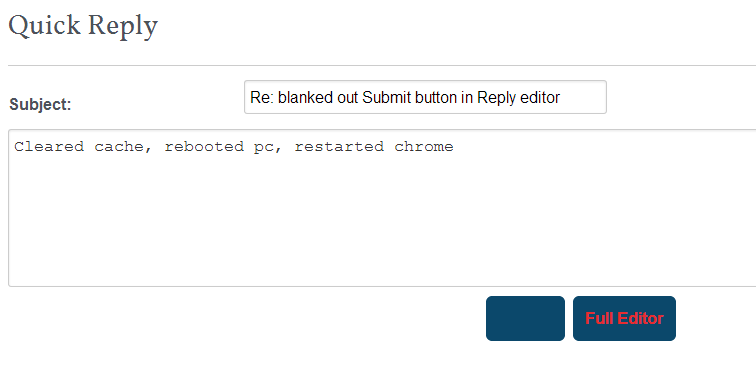
Cleared cache, rebooted pc, restarted chrome
-
On further study I have found it's not chrome or FF. it's different on two different PCs.
Both running win7 64, but one does it on both browsers and the other does it on neither. -
Yesterday we tweaked some buttons elsewhere so this might be creeping into the quick reply area.
We'll look into it
-
Happens to me in FF
-
I think you'll find it's not just the quick reply area, all my buttons have become thick, blank and unsubtle. I suspect they may have developed a taste for Guinness too.
-
Bloody hell, took you long enough. Hope we aren't paying you by the hour.
-
the things we do for love.....
-
We pay by the hour for that too don't we.
-
no, but you tend to put a saddle on my back and ride me anyway
-
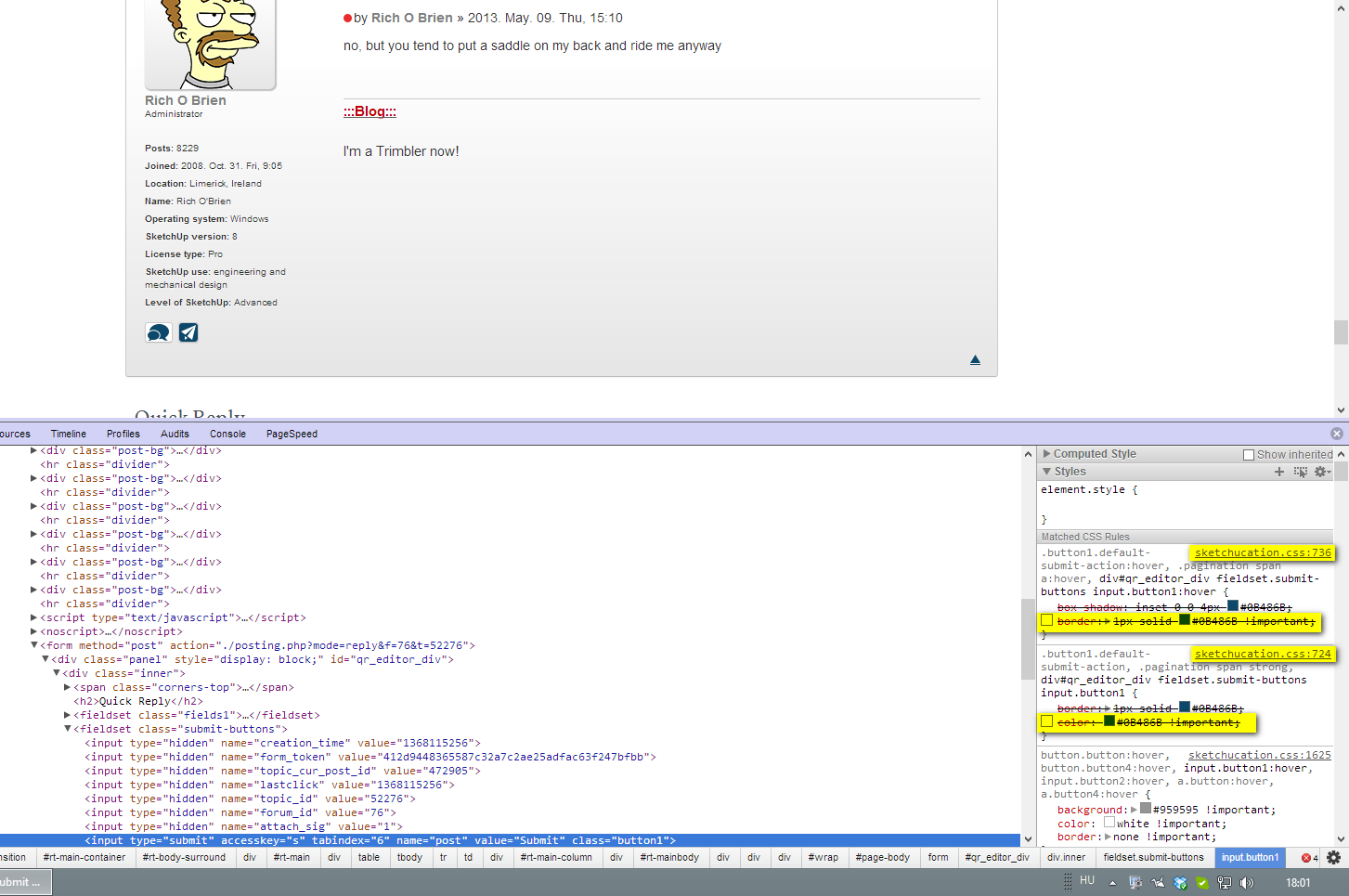
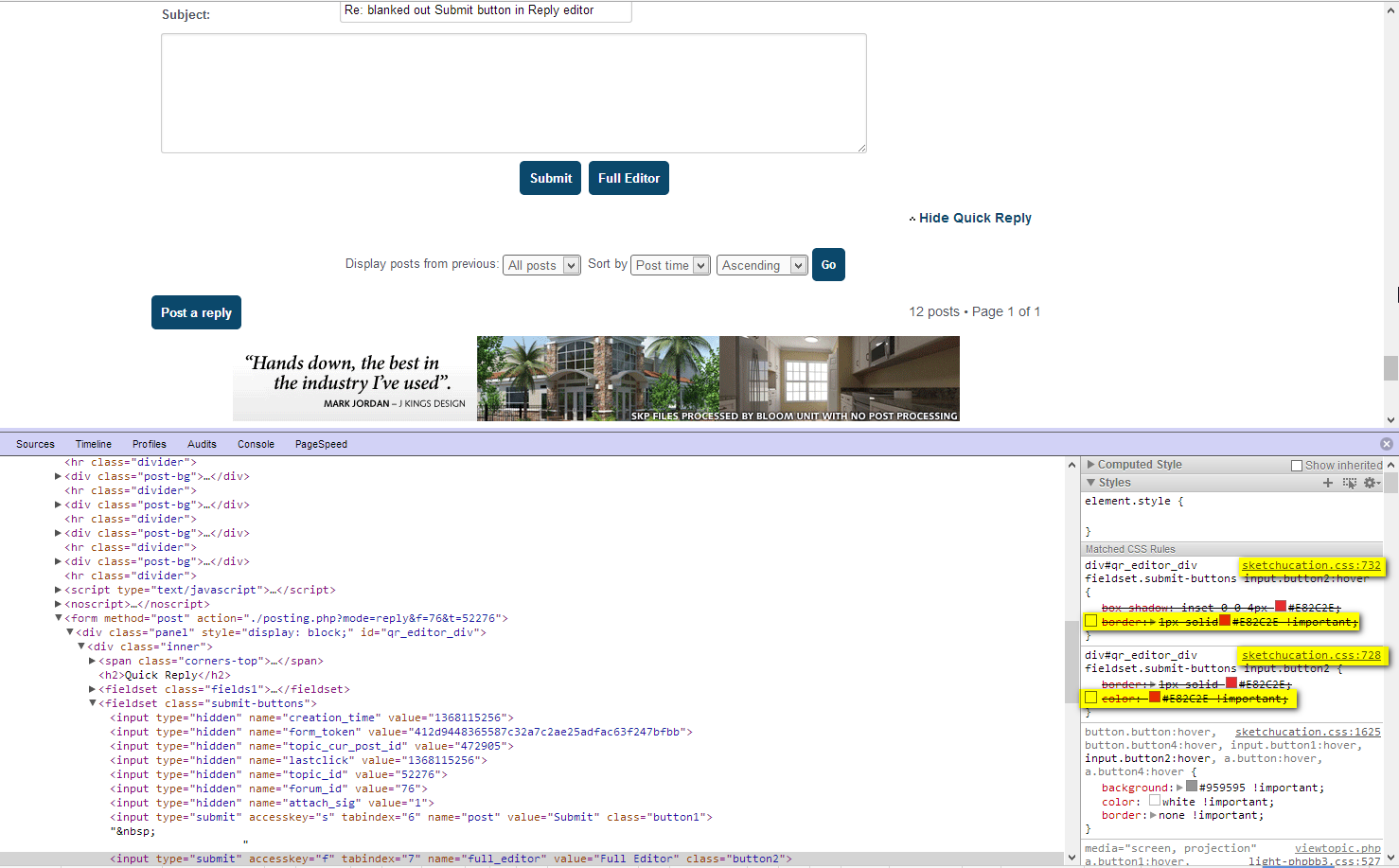
These lines need to be deleted in the marked lines of sketchucation.css (or else an overriding rule given - but it's more economical top delete not used css rules). Borders should also be deleted on-hover as the whole area starts dancing when a border appears.
-
Problem appears to be solved. I am on Firefox. I cleared my cache. Back to the white buttons.
Thanks.




Hello! It looks like you're interested in this conversation, but you don't have an account yet.
Getting fed up of having to scroll through the same posts each visit? When you register for an account, you'll always come back to exactly where you were before, and choose to be notified of new replies (either via email, or push notification). You'll also be able to save bookmarks and upvote posts to show your appreciation to other community members.
With your input, this post could be even better 💗
Register Login


Advertisement