Hide/Show Objects
-
Hi
Sometimes when hide objects with contex menue they are not shown anymore when say "show all" again, they seams to be lost... Just sometimes. Anyone seen this also??
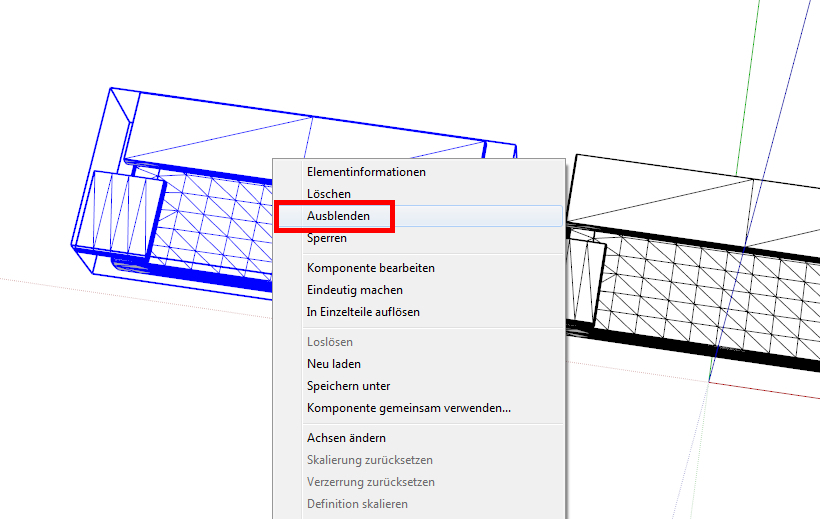
-
Maybe you had hide these in Groups or Components. You have to do the same steps as when hiding.
-
If you hide something while you are in a group or component for editing then you need to be in that group/component again to unhide it.
Turn on hidden geometry in the view menu and you will see hidden bits as ghost grids.
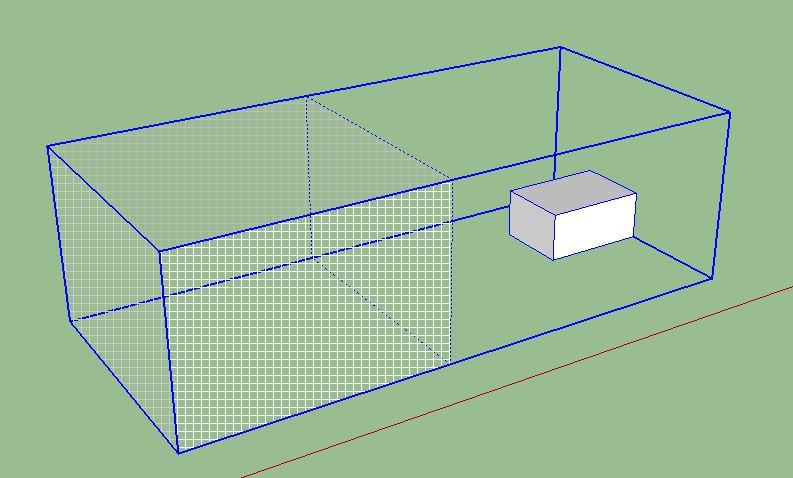
-
If you don't kwon where you lost one, open Window/Outliner an develop the hierarchy, works better if you have named them.
-
That's true gilles, but if it is ungrouped geometry it still wont show in outliner.
For example, while a hidden group will show as hidden in outliner, a single hidden face won't. -
Your right, this is why we have groups and components and use them.
-
Hi folks.
If loose geometry is not in a group or a component but is on a hidden layer, Edit Menu --> Unhide --> All will not reveal this geometry. The layer must be made visible.
Just ideas.
-
Thanks for answers!
I did not know the thing about hide inside a group/component... I understand now! Thanks!




Hello! It looks like you're interested in this conversation, but you don't have an account yet.
Getting fed up of having to scroll through the same posts each visit? When you register for an account, you'll always come back to exactly where you were before, and choose to be notified of new replies (either via email, or push notification). You'll also be able to save bookmarks and upvote posts to show your appreciation to other community members.
With your input, this post could be even better 💗
Register Login


Advertisement