Soften/Smooth problems with free Maxwell
-
Hi,
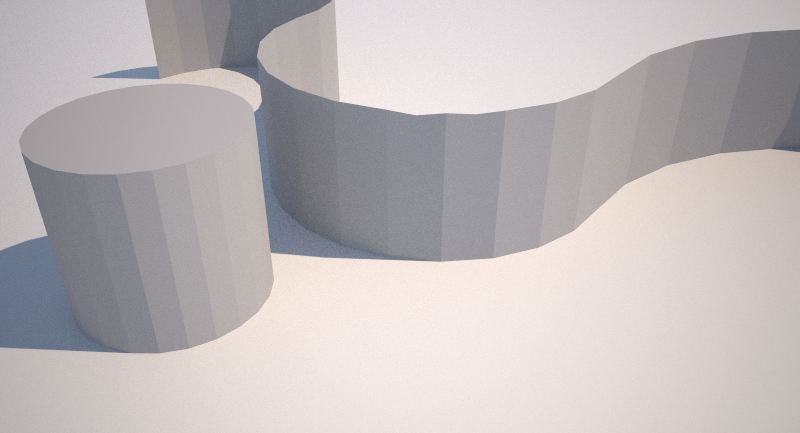
I made a simple wall(please look at the image) that is 1000 mm high and then I used soften/smooth edges to get the shape more soft, but despite that it's soft in sketchup, the renderings with Maxwell isn't soft, it's just as it was before I used the soften/smooth edges function. Why this and is there a way to improve this?
Perhaps there need to be more edges and and get a soft surface with turbo smooth like in 3ds max to get this kind of soft shapes with Maxwell? The soften/smooth in sketchup is perhaps a little bit "fake" and just looking nice in sketchup?
Another annoying thing while I'm writing is when I'm highlighting a object, it so slow and not respond to how fast I move the cursor and my computer isn't slow! In sketchup 7, I didn't had this problem. It's feel like it's animated in some way!? Is there a way to change this?
Preciate some feedback to my questions! Thanks!
-
I'm not sure what to tell you on this -- smoothing renders as it should on my machine.
Best,
Jason.

Hello! It looks like you're interested in this conversation, but you don't have an account yet.
Getting fed up of having to scroll through the same posts each visit? When you register for an account, you'll always come back to exactly where you were before, and choose to be notified of new replies (either via email, or push notification). You'll also be able to save bookmarks and upvote posts to show your appreciation to other community members.
With your input, this post could be even better 💗
Register Login


Advertisement