Changing distance by changing several dimensions at once
-
Hi
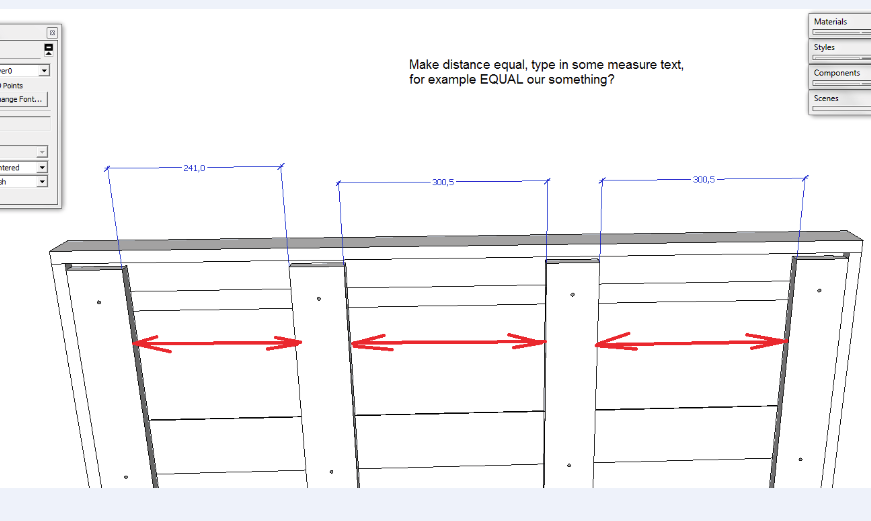
Is there any chance to make equal distance between several parts our components by changing dimension, saying for example EQUAL, like it is in Solid Works for example?
-
Dynamic Components will do exactly what you want. Open the DC Sampler in your component browser and load the sample picket fence. Make sure you have the Dynamic Component toolbar loaded (View menu > Toolbars > Dynamic Components). Then select the fence component and choose the Component Options on the DC toolbar. Change the default spacing from 5" to something longer, then stretch the fence section to a more realistic length using the Scale tool.
I see you are using the Pro version, so with a little reading you can make your own custom components.You can, of course, simply array a component along a path at equally spaced intervals...but I read your question as if you want to re-array elements that are already in place.
-
thank you Dynamic Components will be what I need


Hello! It looks like you're interested in this conversation, but you don't have an account yet.
Getting fed up of having to scroll through the same posts each visit? When you register for an account, you'll always come back to exactly where you were before, and choose to be notified of new replies (either via email, or push notification). You'll also be able to save bookmarks and upvote posts to show your appreciation to other community members.
With your input, this post could be even better 💗
Register Login


Advertisement