Adding mist
-
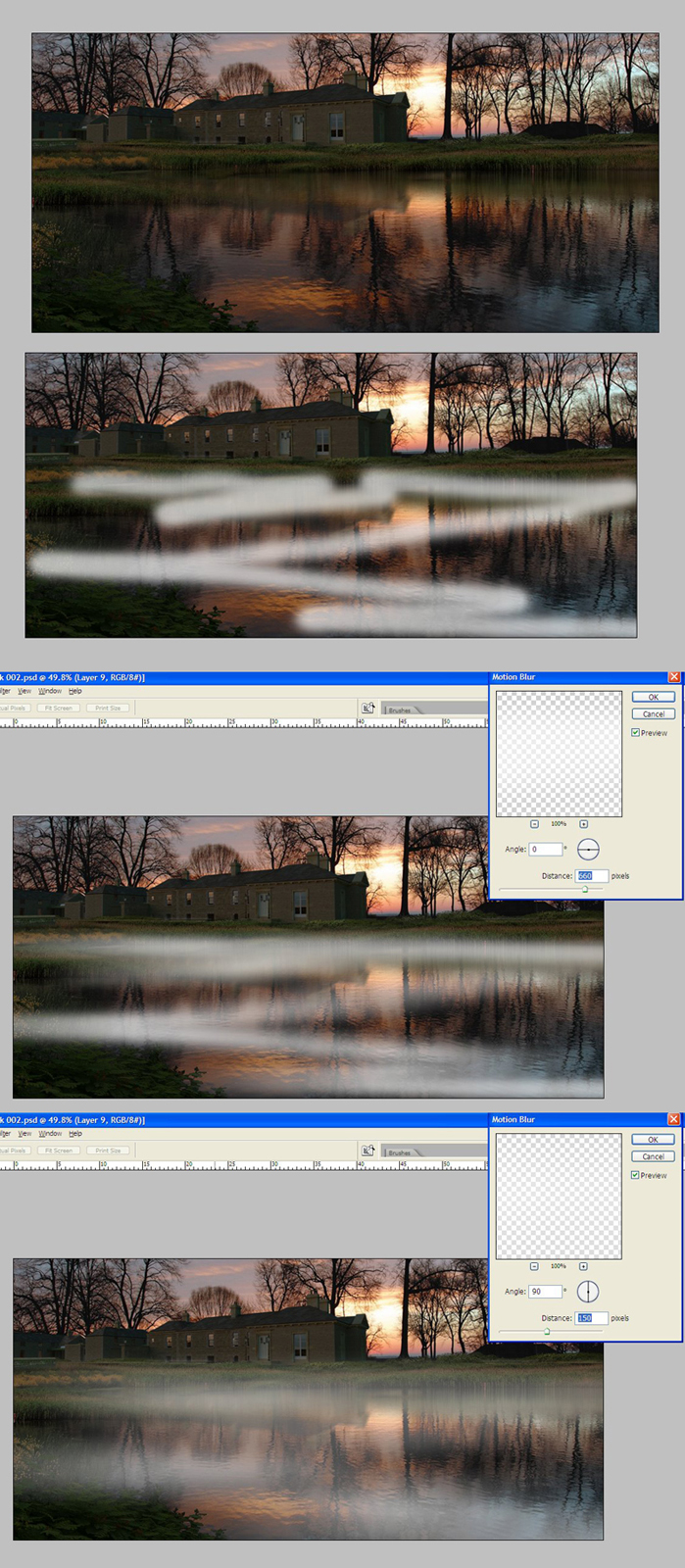
Attached is a step by step for creating mist:
1.create a new layer called mist and paint on with a white brush the extent of the mist
2.add a motion blur horizontally
3.add a motion blur vertically
4.duplicate the mist layer
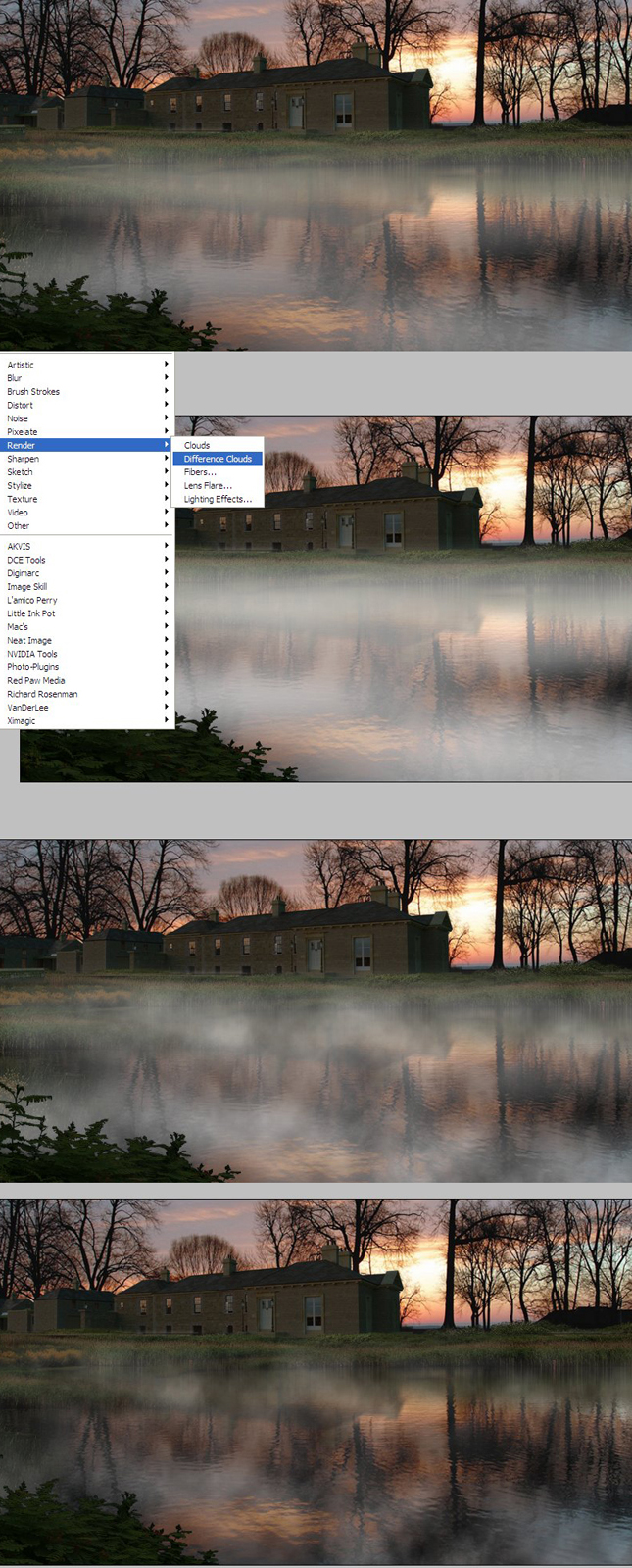
5.use filter render/difference clouds
6.the second last image shows the difference clouds layer and the mist layer turned on
7.the last image shows only the difference layer turned on.TIP:If you have added vegetation entourage by layers you can move the mist layer up or down to show the mist disappearing behind some elements and covering others.
-
That's an excellent technique

-
Just wanted to say how much I appreciate these tutorials. I use PS in post pro all the time, (usually due to time constraints) and your examples are really useful to me.
Thanks. -
Fantastic.
-
I like that one a lot David. I'll see if I can use it somewhere in the future and post an example.
I don't live in a snowy area or do much in the snow, so many of the snow tutorials are lost on me
 BUT I do get some awesome fog here in my town. Thanks!,
Chris
-
Much appreciated.
Indeed we do have fogon the California coast, but there are areas that are blessed with just mist -
Thanks David, I will have to repeat the process to actually understand what you did here. Here's a thought when I saw your image. I see the sun peaking out in the picture...a challenge would be to hit part of the mist with some color?
Here is a picture I took on vacation. Your sun is not so bright, but it's the same idea.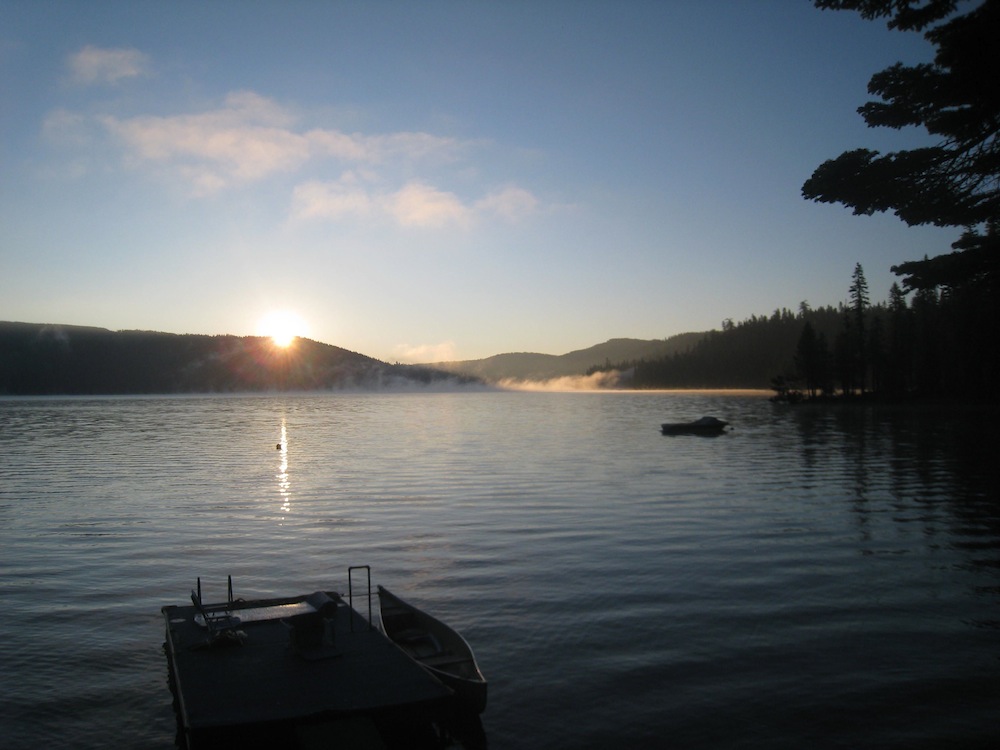
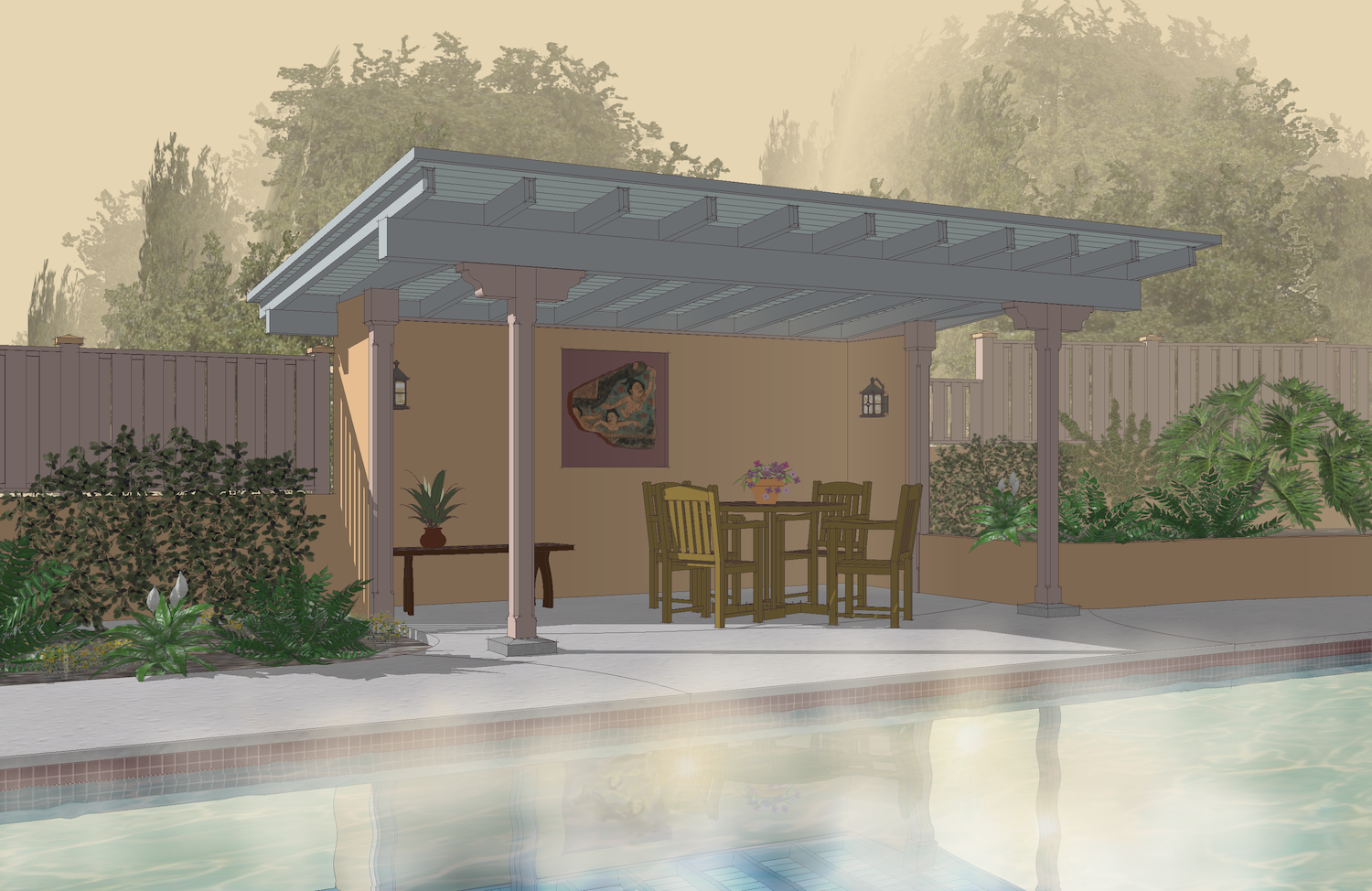
I'm a little embarrassed to share here but to play along, here is an attempt with a picture of mine. Not a rendering but only one I have that has water. I found that I had to paint in the colored mist as a second process, similar to the first. I couldn't get a shaft of light affect. Probably wouldn't work at this scale FOV anyway. Then I had to add some flares and make a quick effect into a great bother

-
WOWSER!
-
So perfectly simple. Great tutorial.






Hello! It looks like you're interested in this conversation, but you don't have an account yet.
Getting fed up of having to scroll through the same posts each visit? When you register for an account, you'll always come back to exactly where you were before, and choose to be notified of new replies (either via email, or push notification). You'll also be able to save bookmarks and upvote posts to show your appreciation to other community members.
With your input, this post could be even better 💗
Register Login


Advertisement