WebDialog Buttons
-
Jim, I was starting to make some good progress using jquery and making all my buttons draggable, and in tabs for multiple plugins within one window.
But then I got very sidetracked. I think its a worthy cause and its the way I'm headed as well. I'll probably use jquery or something similar to help with the button management.
-
I'm using a custom toolbar in BezierSurface. Since you are making an application UI and not a web app the semantics doesn't matter. Use Span or Divs - whatever. I think I use UL with LI - just because I'm used to do the semantics from webdev.
-
@jim said:
Initially, I want to try creating WebDialog "Toolbars" which behave in a familiar way to the native toolbars ...
It's possible (but these examples are likey to be MSIE only.)
[About the Toolbar WebControl](http://msdn.microsoft.com/en-us/library/ms529506(v)
[Toolbar Behavior Reference](http://msdn.microsoft.com/en-us/library/ms529497(v)Example
(Does NOT work in Chrome !)NOTICE that these toolbars can be moved (by grabbing their handle,) and then docked against any side of the window (top, bottom, left and right.)
-
hi Jim,
heres an old test page I was playing with for buttons at one stage, I added the border class to the divs so the buttons self center and you don't need display block as you do for spans [TT]
there also a bit of css for input boxes, but you'll have to add it , and a background image is needed for one button, Button #el11 is closest to SU's native on a mac.
you can do a lot with css, there's most of a link in the title to where I got the bits from.
john
<!DOCTYPE HTML PUBLIC "-//W3C//DTD HTML 4.01//EN" "http://www.w3.org/TR/html4/strict.dtd"> <html lang="en"> <head> <meta http-equiv="Content-Type" content="text/html; charset=utf-8"> <title>Styling button elements with CSS | 456 Berea Street</title> <style type="text/css" media="screen,print,projection"> body {background;url(.png)no-repeat center; margin;0; padding;0 ; font-size;90%;} img {display;block; margin;0; padding;0; border;0px solid #ddd;} #el01 {width;100%} #el02 {color;#00f;background-color;#ddd} #el03 {background;url(greyTran.png);height;54px;width;54px; } #el04 {border-width;6px} #el05 {border;2px dotted #00f} #el06 {border;none} #el07 {font-family;"Courier New", Courier} #el08 {font-size;2em} #el09 {font-size;0.5em} #el10 {font-weight;bold} #el11 {padding;0; height;54px;width;54px;} #el12 {text-align;right} .button_S {display;block; text-align;center;} .button {text-align;center;} /* cross browser inputbox*/ input[type="text"] { height;1.2em; padding;2px; border;1px solid #ddd; font;1em/1.2 "Helvetica neue", Arial, sans-serif; } </style> </head> <body> <div class="button"> <button id="el01">#el01</button> </div> <div class="button"> <button id="el02">#el02</button> </div> <div class="button"> <button id="el03">#el03</button> </div> <div class="button"> <button id="el04">#el04</button> </div> <div class="button"> <button id="el05">#el05</button> </div> <div class="button"> <button id="el06">#el06</button> </div> <div class="button"> <button id="el07">#el07</button> </div> <div class="button"> <button id="el08">#el08</button> </div> <div class="button"> <button id="el09">#el09</button> </div> <div class="button"> <button id="el10">#el10</button> </div> <div class="button"> <button id="el11">#el11</button> </div> <div class="button"> <button id="el12">#el12</button> </div> <br /> <span class="button_S"> <button type="button">Click me!</button> </span> <div class="button"> <button type="button">Click me, no, no, click me instead!</button> </div> </div> </body> </html> -
@unknownuser said:
Sure, Mover was the first webdialog I made, and also one of the first plugins. What I did worked, but there was not a lot of thought about it - it was just trial and error until I found what worked.
You could have fooled me
 I'm studying "Mover" hard, to learn stuff.
@unknownuser said:
I'm just frustrated at the depth of knowledge needed to do it well.
Tell me about it...
I find the interaction between Sketchup and dialog, the most hard to grasp.BTW: You're not thinking of making a "special" webdialog.class, like your inputbox.rb?
That would be awsome!If I'm not misstaking, I think ThomThom has something similar like that going on...
-
This is an example of a pure css toggle button with hidden checkbox and label.
<!DOCTYPE html>
<html>
<head>
<meta http-equiv=content-type content="text/html; charset=UTF-8">
<title>toolbar</title>
<meta charset=utf-8>
<style>

input.toggle{display; none}
input.toggle+label{
  cursor; pointer;
  display; block;
  position;relative;
  width; 32px;
  height; 32px;
  padding; 0px;
  background; url(data;image/png;base64,iVBORw0KGgoAAAANSUhEUgAAACAAAABACAYAAAB7jnWuAAAAAXNSR0IArs4c6QAABIhJREFUeJzEV9tO7DAMXEqBzwV+Ab6AF36LR0Difl3uryAEPTjL5EymdrplhYjkTZqM7YmbuN7J9vZ295fSTL7axsZGKOvr65PNzc1CbN56W8MY88CzPsaMsT41Y3F1ddU9Pj52T09PWez54eGhmLcxhLFYU4yHA8Z8mu9E4ODgoDs9Pe2Oj49Tf3JykoWfgQGOdSDAqq2jo6MCs7+//5+ALRojyPX1dXd5edmbw1jXsA6JMGzbfGYCxmo6nbpyc3OTxMZ3d3epv729zes8hgCHdQ9jPjOBs7Oz0BgbMMM2BiEPqwQie+azIHB/f5/ElK2HIZ6zHmLrvAZhArrGPgoC5+fnLgiixnU+0lMcb8R8ZgIXFxfFtcMYz+jVGeO9dQ8DnPnc2tqaEbBT6d1VU+a7DVJeflA9iIex+SIP2NV4fn7OwkTwbD0bxJwKHHgYtmc+MwE71Qx+eXnJQIzZQCSsN4TpEWCH7JTFwhiR9IjanJIBznz2CMAQG+Pn2voYHEegmVBbWlrKfdM0qec5xkXPGOuzZ99aw0a6rssgjK1Hwxg9sJ+fnxNtbIvta2uUtRrnNWPtRQa7YYeY82zxXEbZLjj07IidwDjvkPvl5eVeFNm5zRmmiIAy1iiwMe9MeNhojv0UBDxjXkijw8ZO+TwpTn30zkC0w4gY6/MzCBuRWvQKAgpUY8B4u1Md1tXo8dkoCKgjj5weTn5F3uH0bkwvAt5r6AG/jSuWcUWCcea9COcIaGg0nDDKTQl5Ldo9otqoISWkznS8iL7hWuxM84D3rPPRjj19PkecrBoQgLJeIT7JUFR8L71SytaxvqpMAMYBtOe2bXuKNm/PtsY3AvpYhw3eBPtCOs6v4PX1tXf9ao1xenj1q+rh8iv667/n7VeN7l6/aNcebhH99Ars/zoavwYo6YkeKjb4WTMj6+/s7MwIHB4eTlZWVkJgNKfNIx9h397eZnnAQHt7e2mXVpR497xmiHWiA6cHGxux1trk2tqae0ejsNZSt+fQax8fHzMCBjYCXCZFEYhSrPf9GMKAQKP312s1zKL6KQKW1RABb5fzONL3jiI30se5aTmVegQ4/GN2qN8TtZ1x9oPczN8BCHI+53hPsK44RNfD5XoAjiwXsGP0IIEx45kg1hWHsUracHoPgSIc1Mbe8zz6xdcQYfHyQHSXa19AGK/pF3kABKIc7yUenfM+yzV9i0TqUz7+Dg0nG/zjjbJeVJDq9fPK+94tUENe2cVjXee+pqP6KQcZyA7F6uqqm4T00xoVm9r0zvP/CiaWa8KINa9rXc/R+ol+jgAXoNy8UzymKkKaj3C5HuCqeEwbKsU05NxydPAdqKXZ35CciJAHNFS/3fL/BI1ALRrRms7Pg8uJiP+v8bvRhIJWu3bz1ANarrW4HlqM1kq0WlU8pM9XM/WJhfP59CT66s2rr5LrgaGdcehq+J/oF6mYwWNzgjob0s+fYxAw+YmhGr6WNeEv54HaoeM2tgxnnFe05Hrg/f19LgJsdJHXVJRku7u7ruFoXCMxVv8fAAAA//8DAOGI/mJ54IWnAAAAAElFTkSuQmCC);
  background-position; top;
}
input.toggle;checked+label{
  background-position; bottom;
}
input.toggle;disabled+label img{
  opacity; 0.5;
}

</style>
</head>
<body>
<div>

<input class="toggle" type="checkbox" id="pb0" title="test">
<label for="pb0">
  <img src="data;image/png;base64,iVBORw0KGgoAAAANSUhEUgAAACAAAAAgCAYAAABzenr0AAAABmJLR0QA/wD/AP+gvaeTAAAACXBIWXMAAAsTAAALEwEAmpwYAAAAB3RJTUUH2wsBCxoePTY4YQAAABl0RVh0Q29tbWVudABDcmVhdGVkIHdpdGggR0lNUFeBDhcAAAc2SURBVFjDpZdpbFTXFYC/+5Z5g+3xPl4aFmPH8QK2bMKeNKU4USkKaZa2YAJIaSBV1BRVUVIKJE0k1B+0lcryq1VFRaiKlLY2XWIQayGEJsiGYGMM9ti1Pd53Dx4vs73+MO/xxp5xg3qkp7nnzjnnnnv2K8rLy9F1HSEE/wui0f0//ArAnj17zA1JkgiFQmFMsiybeCgUmiVoJo8Vt9Ia+8bewYMHpxWoq6tDVVUkSQJACIGu64RCoTn3ZoJBY1U2Gu3k5CRCCBRd16murja1i8Qwl4mtPMbhhiIGj3XfwI09RQiBpmlIkjTrEOttrLezCooWE1a6SBAMBqcV0HUdTdPC/BzNAobA8rJXqL5yh/7OCVtcQlryoqIMf9bamMHFi5wc+PDILFdEUtRQQLL+YWWa6VsDdr76zOM3W4/90ue82Pr0ds9U3nOu7rvDv++7de/ETwO4eP/DN+bkn3mGous6iqKYFpjpN6uQ/Xu/s+7Pf3vpHwGHKy67GFILoM8NWg/SyDAHa+pq89YW/eItRVEmQqFQ2MEzlTDiRi4qKsLpdKIoCpIkmZ8QIux3377vyVfP7T/lnH9tQfEyWLgAmADbFGRlQmYyjPY1lo4E09zfffHNmn9f+zKiHGOt6zoDAwNIALIsI8uySWTgsiyjKArv7H2ZyYGTP+gfqiwuyIbkIKjdkDAEmTo8Ng9yk6A4B2quV272cc88zLCugRtrWZbRdX26DsiyjKqq0aM8OMK9pksHCorAMwCagBg/hHQQ/gdBJYNqB6+3Nt+H25RnmNpwiRDCLFJCiGkLqKqKoijmZ9zc2EdAW1dXuvMx0HWwOyGwCIgDNMAB2GEqBI4U0gVd6ltvfzNMbqS1WYoNs0SqA0IIkBLwTCmMeMHhAM8wSEGI1UC2Q2AS9CBIDkhOQRpnbI0N/xXDrXPVAcmo9UYWWAPR3COepjYZz/gaOnuhzwskg54ObT7wJEL9IIyrIIVWcefm6MsSybNkWtemBYQQpkmsxSbMT0E742Nx3B/LwanlIim3+eT0DZYUw+R9uOOCFWs2UXtjgp4WDX+ifY1SnD4rrozoN3qK6QIrgXnog94ghAA5gcXZKylZ+hyhTo3ErEQQhwnIo9yr9rJ9+weM9Pl4pjAVT+owjbd754sBR1hAW+Ubbtd1/WEQappmfqqqYrPZsNvtaJqGHhJkZecTr5bQ4dLBn0JuziauXGjHbp8P5DDYnIY0lEPm0nUkx6emo6MY/DabLUyusTazwAjAmdoa+L2Gm3S7XYx561lathzUCU5f2svKsi4m9BvAf8hZXci8fAfXzhylafBTmQxSrHOAtSBZm5sCmKkRLQsaW69trm+p4vynLrJjVlP35We032+hZLmdwZRMfv2rH7HxqZ109g1xu/U0/oDshx8OGXEVrbWb84AR8dFSxhv4/B2R0EDA0YCr3UVL0wBTQag5BefP1hKbABXju1n1LfhaPNxtoqXrfoVfljMj9gIrrgghwkplJAjg60mMhwwnXL9Qz7qyMpISi+lo72PXzizU2PucvXyRXjdk5IAsaNAJhsmbKdtIUbMbqqoadR7Y8fyRV/5+Vq298vHneQU5S1FiU+n2DBKISaNzZAwxOsWS/FI8Y/DJb8e823a8/uM0xwZUtSmqTFMBqwUizXUAVVU3fXHBwpt5CxPynEnzGOwfQdISkeU4UAI442MJeX34vQHmx8gTTz717lBV1ZlZt7bKNgqRZMSAtReoqmr2A0VR2LghL6W9pWNLmiONhHmZjPYGGO2CtjteGr/w0HlXMD6QREbiE4wPDab+8cDbJzd+o0CeKdOKG8op1j4dyUTPPluQumPTS1XNLS4OHXyX/e8f5txnnciACgQf0Gc44NAHb5AUZ+fUPytfOPKHYxXXay6Wn68ZGY8UfGEDSWlpKXa7fdYssH59nlayINeVFGt7IkZTsas6x05eRxWwMB0WZkJmCvgmJEa8OjHyMH09vTjsNuLjYvJ6e9zrv//6a6fc7sEJq1xZlgkGg9y6dethKZ6ZKmrn1a2b1+44sTQrXVpenE1Tm5v+vi7efC2fJ1ctJjc3naGeIWLsCl7PGLW3XWSnz8fbGSQ4pdLUO8BHxz5e09rWeee9A+99vbpZaYyUigpglkcD/nXi0JbLl899FGcLSS9++2n6R4fwTQ4TCE3xwrZi6hsucOaSB5np4SQhHlaWwerCHH7zk/MsSF5ORqxCyeOZuFta0p7fsPWvx4//bkV3IGPSTO1A4GEzstls2Gw2AL740/G8C5euHl5fku1J0KYYaG3GL6ZYsSSduvZaKiubKVwGW3fJpCYF6W8DRyL0DsLP9p6jyAG+4Q4am7tZsayE+o5R3BNex6vbdu2rqPjLzzsmHei6bp4ntmzZwu7du4mNjeWrwKOO8VY66yvK6/Vy9OjRh/OAz+fjUWCud99XAfMZUF5eHrVZRFvP9eJ5VP7/AiSUKPpcNa4nAAAAAElFTkSuQmCC"/>
</label>

</div>
</body>
</html>
Doh!
-
@jim said:
What I am thinking now is abandoning SketchUp native Toolbars (and Menus and UI::Commands.) I don't think the native UI will get the features I want - mainly customization; so I think WebDialog-based UI's are the way to go. Another reason is because I can't design meaningful button images for every plugin, so I want to use a simple text buttons. Initially, I want to try creating WebDialog "Toolbars" which behave in a familiar way to the native toolbars - inset/outset borders on hover, maintain the pressed state for a toggle button, collapse to fit content.
Jim,
If you release it as a public script, be aware that web dialog box on Mac requires 2 clicks, one to activate the window (give it focus) and one to click on the buttons / links.
This is really ennoying for a 'fast access'.
I think this is a matter on which OSX programming framework was chosen by the SU team to implement Web dialogs.Fredo
PS: I usually use image links for toggle buttons (or check boxes) and text links otherwise. Real buttons are just for launching actions
-
@unknownuser said:
If you release it as a public script, be aware that web dialog box on Mac requires 2 clicks, one to activate the window (give it focus) and one to click on the buttons / links.
This is really ennoying for a 'fast access'.
I think this is a matter on which OSX programming framework was chosen by the SU team to implement Web dialogs.Just an update on this item...
I've known and mentioned before that holding down Cmd key with a click works for web dialogs, and I have been searching for a means to do automatically 'on mouse over'.
I've found mac command line utility called MouseTool that has [-controlKey control key down, useful when performing a left-click event] so first question is...
does the API have a way of observing WD's for 'mouse over'?js 'mouse over' only works after focus, so that's out, there are applescript ways that would need streamlining.
It also dawned on me yesterday that nearly every plugin user has at least a three button mouse or trackpad modifying drivers, so they can set the middle button as Cmd-Click and use that for WD's.
I've used it a lot today with mover2 and it takes very little to get used to and easier than holding Cmd, for me at least.In one test I was drawing the path of a group I was moving using 'mover2' and 'line tool' and the 'line' stayed attached to the tool the whole time...
Two potential solutions for WD toolbars... auto would be best
john
-
But John, the middle mouse button is the pan/orbit button. It was also that way in AutoCAD, I could not do without it myself.
-
Orbit still works, hold to orbit and I hold down shift for 'Pan' always have... So is there a ruby way to tell if your over a WD...
or do I keep digging
john -
for MSIE, in JS, there is onMouseEnter and onMouseLeave, but webdialogs do not always act like the real browser.
feel free to dig: [Events](http://msdn.microsoft.com/en-us/library/ms533051(v)
The Ruby API does not have a
WebDialogObserver class. -
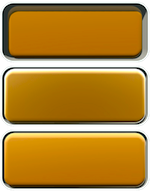
And remember you must model your buttons in SketchUp. Its the SU code...
Here's the ones I did for http://light-up.co.uk (lit and rendered with LightUp of course!):
-
I model the virtual keyboard I type on to code my plugins! The model off course generated with ruby code. Oh what a fine conundrum.






Hello! It looks like you're interested in this conversation, but you don't have an account yet.
Getting fed up of having to scroll through the same posts each visit? When you register for an account, you'll always come back to exactly where you were before, and choose to be notified of new replies (either via email, or push notification). You'll also be able to save bookmarks and upvote posts to show your appreciation to other community members.
With your input, this post could be even better 💗
Register Login


Advertisement