What's the best way to flatten some geometry lines
-
@tig said:
Right!
Do it by hand by moving the vertices down.
You could pre-divide the edge below the mesh into 8 so it's easier to snap the vertex to it without worrying about inferences/axiality etc...It would be relatively easy to code - I don't think there's anything existing - perhaps Vertex Tools by thomthom ??
Doing it by hand is pretty cumbersome. If SU has no solution I may just do it in 3ds max in the future.
I'd wondered if Vertex tools might have an option. Does anyone know for sure? In 3ds Max, what I would probably do is select the border vertices, apply a soft selection, scale down in the z direction until the border is pretty much flat, then move up/down to where I'd need to be.
I'll have to take a look at stamp for the plateau, I haven't used it in a long time. I can use sandbox or curviloft as you mention but the way the polygons come out, it's hard to get good undulation.
I could go through the process of using some TIG tools to create a point cloud and then creating some good topology from that perhaps but it's a pretty large grass area so it may take awhile.
-Brodie
-
@unknownuser said:
I'd wondered if Vertex tools might have an option. Does anyone know for sure?
I'll have to take a look at stamp for the plateau, I haven't used it in a long time. -BrodieI use Vertex Tools quite often. It can solve your plateau need. You select all of the vertices to be involved in the plateau, then select the "put all vertices onto the same plane". Unfortunately, the resulting plane may not be horizontal. In that case you use the rotate function of VT. (TT said at one time he was thinking of making that a choice automatically).
Seems like you could also select all of the grass edge vertices, put into the same plane and then move them all down to match the sidewalk. (Which will become easier when TT adds a gizmo )
) -
Bob, thanks. Is it possible within VT to select a group of vertices and use the scale tool on them? In effect, scaling them down in the Z axis by .00001?
-Brodie
-
You can select each row of edges and use ThomThom's Edge tools to make them colinear on the Z axis. Or using Vertex tools, select the whole mesh and use Make Planar. Or Artisan's Make Planar and choose the XY axis. Also ThomThom's Flatten Script will do it on click as well.
Select all the verts and using VT to scale them down on the Z will decrease the overall size.
-
@earthmover said:
You can select each row of edges and use ThomThom's Edge tools to make them colinear on the Z axis. Or using Vertex tools, select the whole mesh and use Make Planar. Or Artisan's Make Planar and choose the XY axis. Also ThomThom's Flatten Script will do it on click as well.
Select all the verts and using VT to scale them down on the Z will decrease the overall size.
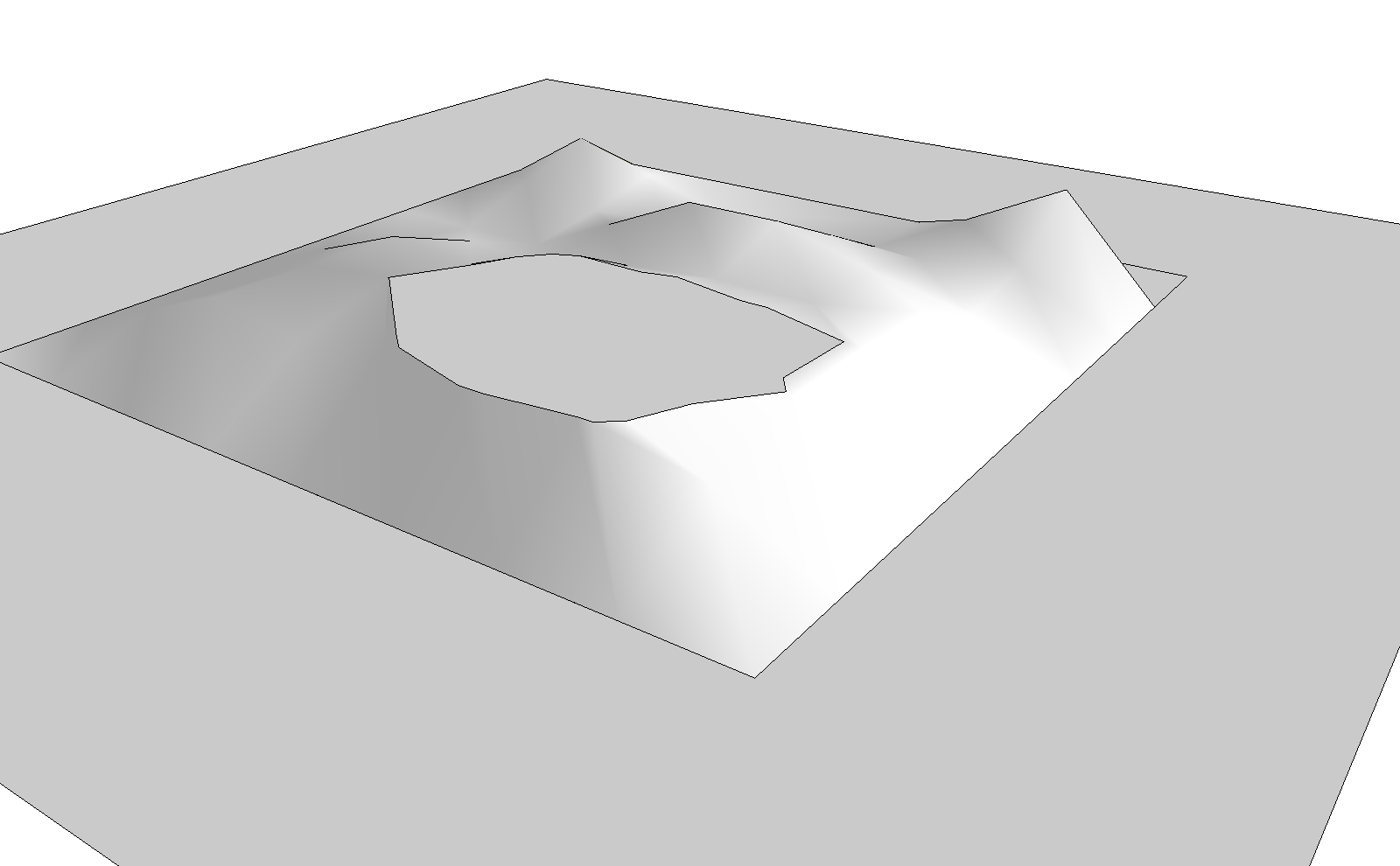
ThomThom's flatten script would create extra geometry which isn't what I'm going for (see images above).
Edge tools seems to make the lines planer but not on a horizontal plane which is quite important. It also only seemed to work on one straight segment at a time (ie. for the image above I had to run the script 4 times, once for each side). I end up with the same problem I had originally.
From what I can tell Vertex tools works the same way, however maybe it allows me to scale those edge vertices in the Z direction to make them on the same horizontal plane?
I don't know anything about Artisan's tools. Anyone familiar with it that can confirm that it does what I'm looking for?
-Brodie
-
Just downloaded the Artisan trial. It does indeed do what I was looking for. Vertex Tools might be better though if I could make the points along the edge horizontal along with it's soft selection so there would be a nice easy transition.
-Brodie
-
Seems to me that the Move tool can bring the edges down to the level of the sidewalk and Sandbox tools would handle the plateau.
You don't even need the Sandbox tools. You could create the plateau with Intersect.
-
I think Brodie's aim is to select the boundary edge and snap them all to another boundary that lies level with Z.
I notice that Thomthom's edge tool work to a point. They don't level the straightened edges. But that only leaves a quick rotation on each edge.
I'm gonna look at more plugins to see if this is hidden somewhere?
-
You could be right. Still it took little time to just do it and get it over with.

-
The move tool works but on a large grass area it becomes cumbersome. On my project I had a patch which contained about 60 vertices which needed to be moved. Not insurmountable but certainly a good opportunity for some ruby help.
The intersect tool would work except I'm also trying to maintain some good topology as I'm considering running a noise modifier over the object in 3ds max (so the plateau would start flat in SU but end up being slightly wavy after the noise modifier - if the geometry is made of a single large plane rather than a bunch of small quads or triangles then that becomes difficult.
-Brodie
-
I think I misunderstood what you wanted to do. I thought you just wanted to flatten it out.
Are you trying to do something like this?
[flash=800,600:1twzfjd5]http://www.youtube.com//v/9J-GMg1t9e0[/flash:1twzfjd5]
What would interesting is if someone could write a plugin that would do a "Vert Drop" Essentially letting you drop all verts in a selection to a specified z plane.
-
@earthmover said:
Are you trying to do something like this?
Looks like a winner to me: as I understand the need.
-
Here is my new 'dropverts.rb' http://forums.sketchucation.com/viewtopic.php?p=346754#p346754
You can drop the vertices of selected edges to the 'Nearest Object', 'Lowest'[in selection], 'Highest'[in selection] and to 'Z=? [specified in a dialog]
-
My jsAlign script can also do this: http://forums.sketchucation.com/viewtopic.php?f=323&t=20080&p=166929
-
Inundated with help! That looks to be just the thing. I'll give it a shot on monday. Thanks for the help.
-Brodie







Hello! It looks like you're interested in this conversation, but you don't have an account yet.
Getting fed up of having to scroll through the same posts each visit? When you register for an account, you'll always come back to exactly where you were before, and choose to be notified of new replies (either via email, or push notification). You'll also be able to save bookmarks and upvote posts to show your appreciation to other community members.
With your input, this post could be even better 💗
Register Login


Advertisement