Arc tool help
-
Hi,
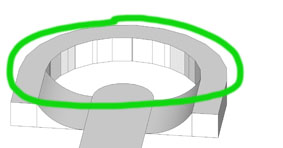
I was wondering if someone could come with an advice how to finish this ramp the quickest way. I don't think using the arc tool for every singel segment like I'm doing is best way.
I was trying to use the follow me function but it's stops because of the edges.Thank's for any help : )
-
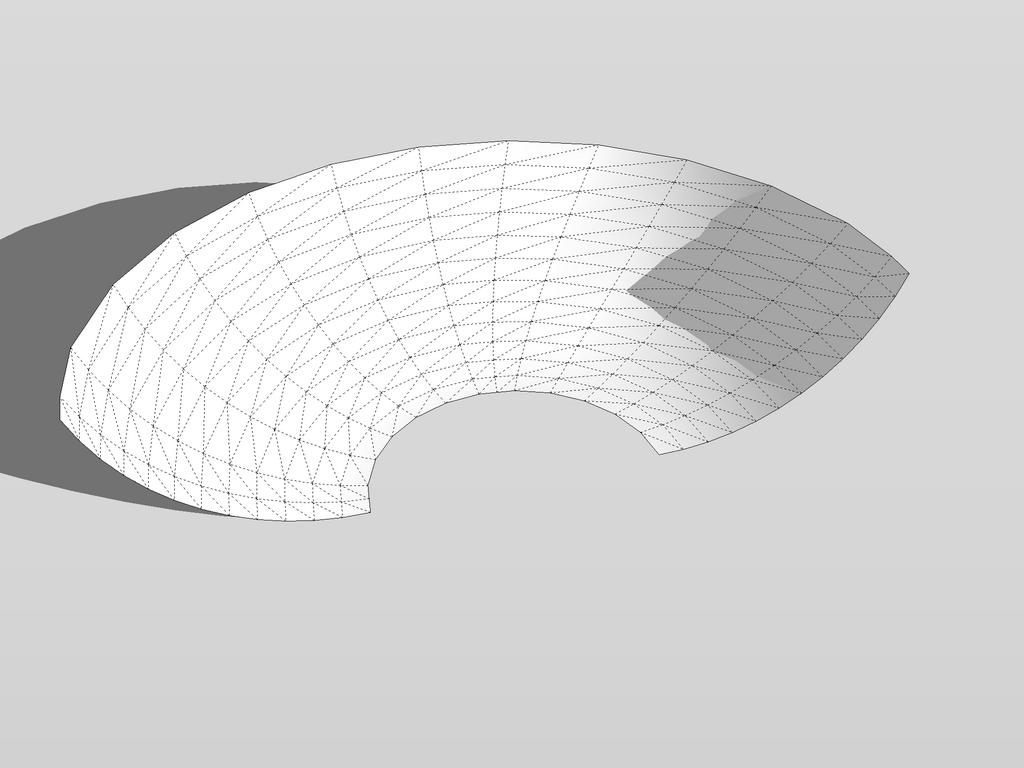
I did this with EEBR plugin (later about it) but yours seems to be so regular that IMO a simple follow me could do it. Any chance to attach the model, too?
-
Yes of course!! here is the model... Your example looks really good. With the plugin is it as easy as straight forward?
-
No need for that plugin there. See instructions in the file itself. However that plugin (and other railing/lofting plugins are of extreme help when you want to create some more irregular shape)
-
Well thank you very much, with your superb explanation this was much easier than expected.
Much appreciated

-
Will it be the same on the other side, too? In that case, just delete the line I drew in the middle and instead of selecting that curve, select the whole middle face with a single (or double) click before running the tool.

Hello! It looks like you're interested in this conversation, but you don't have an account yet.
Getting fed up of having to scroll through the same posts each visit? When you register for an account, you'll always come back to exactly where you were before, and choose to be notified of new replies (either via email, or push notification). You'll also be able to save bookmarks and upvote posts to show your appreciation to other community members.
With your input, this post could be even better 💗
Register Login


Advertisement