Match camera problem
-
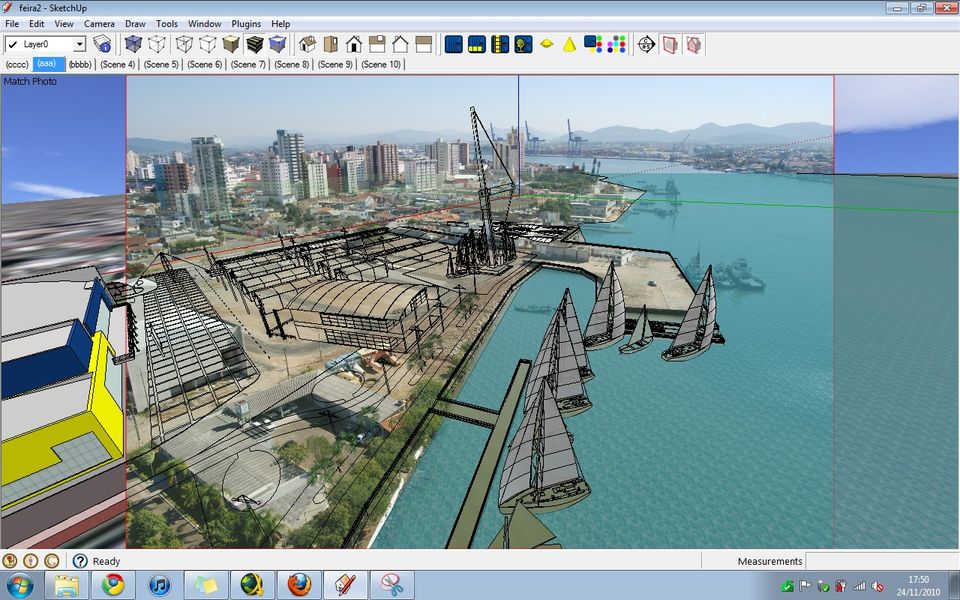
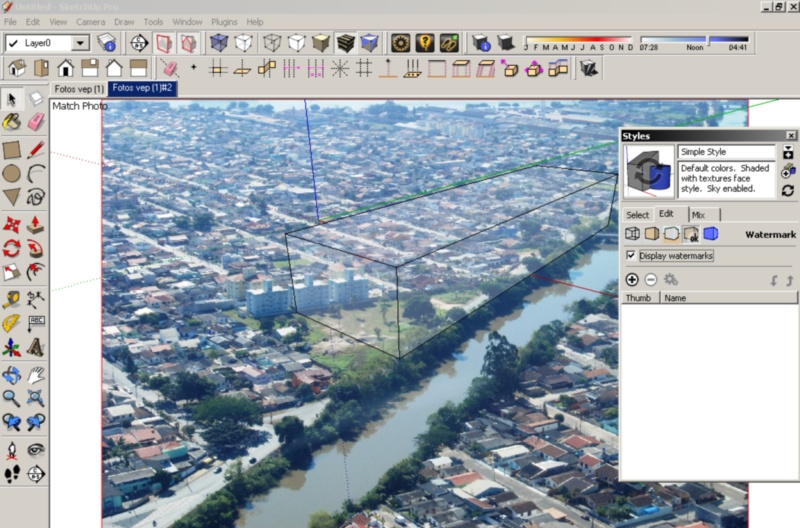
Hi, I´m having trouble in using the Match New Photo feature, it starts after the update do sketchup 8, The matched photo seems to apear in front of the model, and only transparent materials seems to appear. I´ll attach some images to show the problem. Initialy I was thinking of a video card problem, but it only happend with sketchup8, my video card is a geforce 8400gs.
-
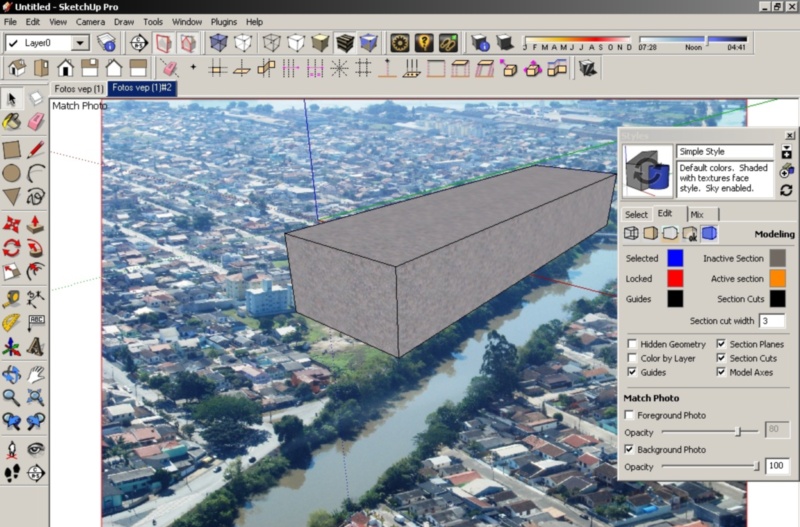
In the Window/Styles, you need to uncheck the box next to "foreground photo" while
leaving "background photo" checked. -Phil -
I can´t find any options inside window/styles. The problem happends as soon as I start Match New Photo.
-
Find it, thanks for the first response.
Hello! It looks like you're interested in this conversation, but you don't have an account yet.
Getting fed up of having to scroll through the same posts each visit? When you register for an account, you'll always come back to exactly where you were before, and choose to be notified of new replies (either via email, or push notification). You'll also be able to save bookmarks and upvote posts to show your appreciation to other community members.
With your input, this post could be even better 💗
Register Login


Advertisement