SketchUp::Image transforms
-
Anyone had any success extracting the local transform for a SketchUp::Image?
-
-
Whoa. Great catch Alex - its the
Vector3d#axesmethod I was missing.Be great to have the code behind the method (pretty please?) - the problem is that while you can generate orthogonal vectors from a normal easily enough, there is some ambiguity regarding orientation; this method obviously captures how Google chose to resolve it - but be good to know what rule they chose.
LightUp too can now handle Images - they're great for adding surface details to models. Water stains, scratches, rubbish etc.
[And thankyou Thomthom for the link.]
Adam
-
I wonder why Image elements don't have a regular transformation property but instead expose a separate set of methods.
-
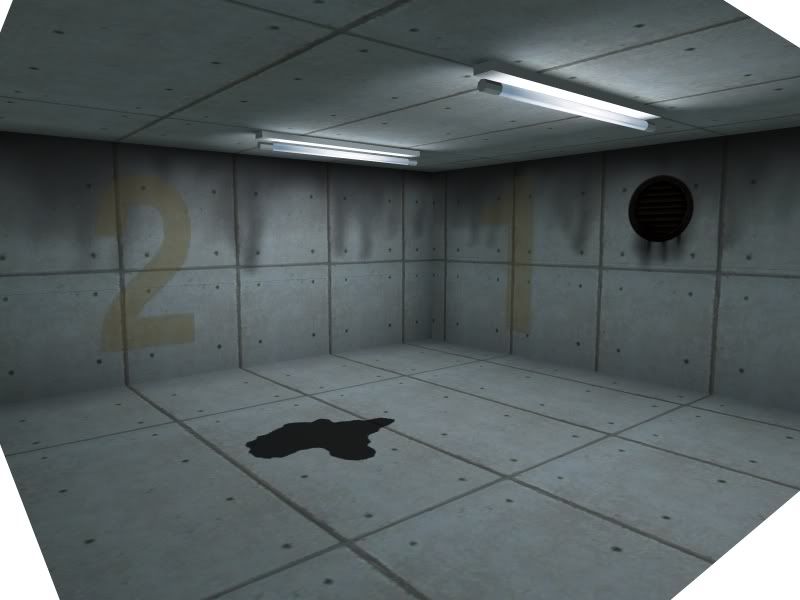
BTW Using decals in SketchUp is pretty cool:
-
How do you deal with images glued to faces like that?
Is the actual Image transformation slightly offset the faces, or is that something SU only does internally to avoid Z-Fighting?
How are you avoiding Z-Fighting? -
LightUp processes the SketchUp::Image objects and marks their material with some internal flags which changes how they're handled to ensure you don't get z-fighting. Basically uses the machinery in LightUp that is there anyway to handle transparency etc.
-
I do like that approach though. Using Images for advanced material compositing.


Hello! It looks like you're interested in this conversation, but you don't have an account yet.
Getting fed up of having to scroll through the same posts each visit? When you register for an account, you'll always come back to exactly where you were before, and choose to be notified of new replies (either via email, or push notification). You'll also be able to save bookmarks and upvote posts to show your appreciation to other community members.
With your input, this post could be even better 💗
Register Login


Advertisement