[Plugin]Group in Component
-
Hi Giro
I agree with you , when you tell "... must have been made into a group and then duplicated, before the plugin is used "
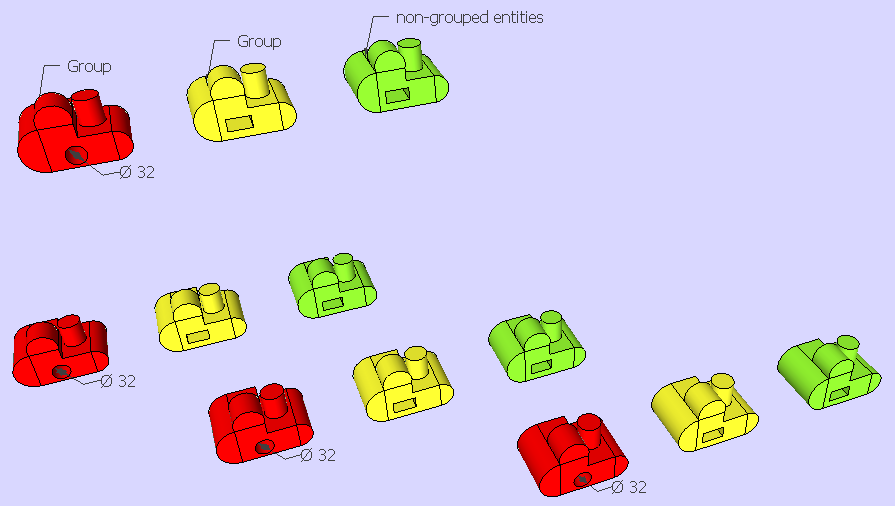
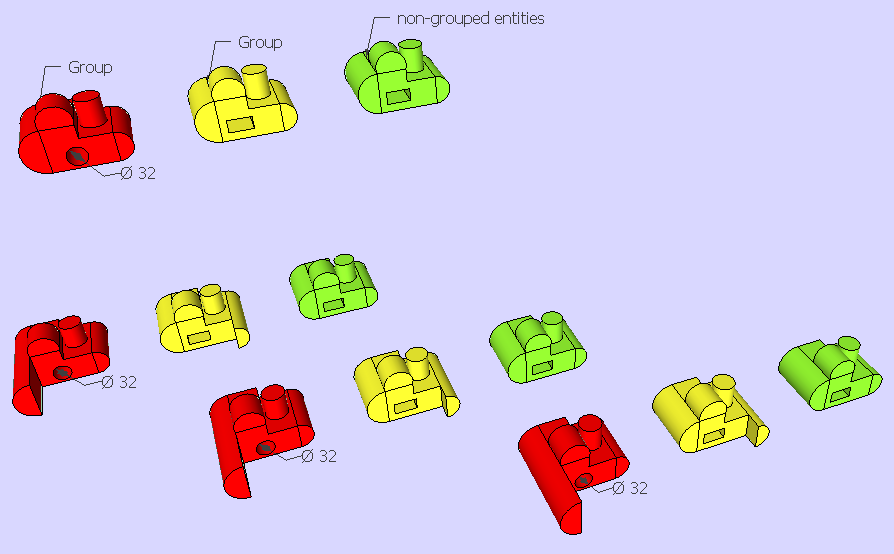
... but, i don't understand the meaning of "square boxes" and "other types of groups"for me, there are only 2 possibilty; a group and non-grouped entities!
Sincerely
Chri
-
@chri said:
Hi Giro
I agree with you , when you tell "... must have been made into a group and then duplicated, before the plugin is used "
... but, i don't understand the meaning of "square boxes" and "other types of groups"for me, there are only 2 possibilty; a group and non-grouped entities!
Sincerely
Chriyou are right
i mixed the 2 condition, but only one is true: ""... must have been made into a group and then duplicated, before the plugin is used "
this is very limitating, though
I was planning to use this plugin on a sketchup model imported from solidworks using SIMLAB converter
SIMLAB converts components into groups, and i was planning to use "components.rb" to convert them back to components
it doesn't work; i shall try to tweak the plugin to make it work, using the position of the bounding box corners
-
Hi Giro
I have made a test with parts imported from STEP files ( using Moment Of Inspiration ).
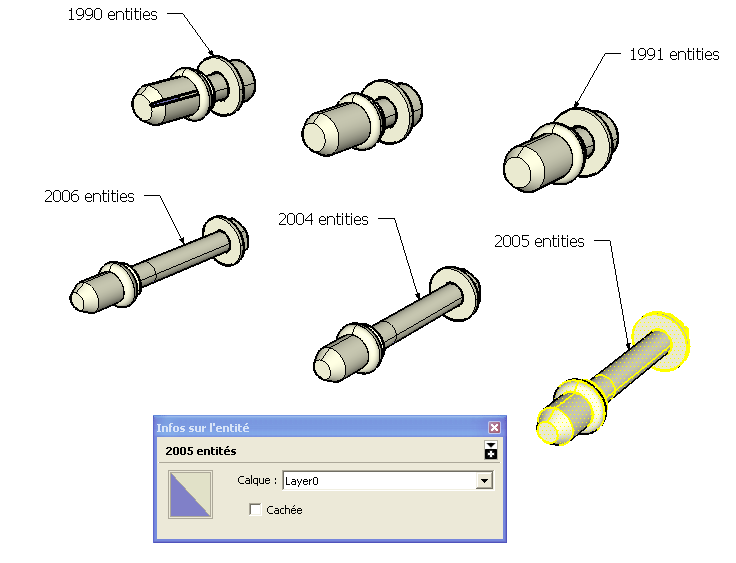
I noticed that when parts contains a lots of entities , it's common to have small differences after import
Perhaps , you have this kind of problem with your file .
... so , the plugin cound not recognize almost similar components .Chri
-
@chri said:
Hi Giro
I have made a test with parts imported from STEP files ( using Moment Of Inspiration ).
I noticed that when parts contains a lots of entities , it's common to have small differences after import
Perhaps , you have this kind of problem with your file .
... so , the plugin cound not recognize almost similar components .Chri
interesting
It might be an explanation, but not in any casei make a cube, grouping the faces
i duplicate it
i launch the plugin: they are both turned into instances of the same componentnow, i explode them
turn again each one of them into a group
and finally i launch the plugin: they are turned into instances of 2 different components -
Hello
Here a little trick that can help you
The use of the cool plugin by Thomthom Components Comparison
As there are not yet system of instancied Objects / Group in Moi3D for export to Sketchup we must make a little tricky thing!

Say I have 2 Objects (here a cube duplicated) in Moi3D, I export them in 3DS Format
Import in Sketchup / Explode one time
so we have 2 Components triangulated named OBJ1, OBJ2
Launch the Components Comparaison and Bingo we have now instancied Components!
Triangulation can be cleaned by plugin Clean Up by Thomthom again!
Result will be the same with 2 different cubes but with the sames dimensions!

With more complex objects there is something more to make!
That is failing or one object is rotated!
Failed ?

Rotated ?

For resolve this you must just find the good tolerance inside the Thomthom pluging! Don't hesitate to push it!

Of course many object can be treated in the same time as Shown in this Chri's Video!
The start Moi3D objects (fixed image)
Process in Sketchup!


Advertisement