Request: dashed lines in sketchup?
-
Posted this over on another thread. Made a few dashed styles for you
guys...http://sketchucation.com/forums/viewtopic.php?f=12%26amp;t=46703%26amp;start=30
See how you go for now. Its as good as it gets for time time being.
-
@heyitsmekyle said:
Hi Guys -
For the last year or so I've been incorporating dashed lines into my construction drawings that show dashed lines for roof overhangs and overhead beams/ceiling items. These are automatically generated from the SketchUp model and require no modification inside of LayOut. I also don't need to apply any special plugins or filters to my model or the roof geometry.
Hi Kyle & all,
I've been looking for a dashed lines extension for an age that you can control spacing/gaps between & save as a line type & just change individual lines. I found one a long time ago from SMUSTARD called dashedlines, but it never got updated to recent SU versions.,, H'mmm

I've not used style builder before, as the tutorials & explanation of use is very poor in my opinion. Anyway, with your dashed lines styles, can you tell me how to implement/load these in SU-Pro. I may be wrong, but styles to me suggests all lines on mass will be changed to dashed lines..!! I just would like to change the odd line here & there to dashed lines, is this possible..?
-
The dashed line plugin from smustard doesn't need updating to work in current versions of SketchUp. It works just fine as it is.
As for using a style to create dashed lines, it will change all edges that are displayed to the same look. That's the whole point of styles. There are ways to work with that requiring multiple scenes and image exports but it's a lot to go through to create a few dashed lines. Much easier to use the plugin or better, use LayOut.
To install new styles, put them in a folder on your machine. Then, just like opening a local component collection go to the Styles details menu and open that folder.
-
So check this out. This is sketchup not layout. Thank you Slalp. Thank you Fredo Ghost. Thank you Profile Builder 2. I made the line types with Profile Builder 2. They are not perfect but I really like them. and you can set them so you just draw them on the floor and they wind up @ 3'-6" above the floor so looks cool in plan. If anybody interest I can give you the sketchup files but you have to have Profile Builder 2 to make it work.
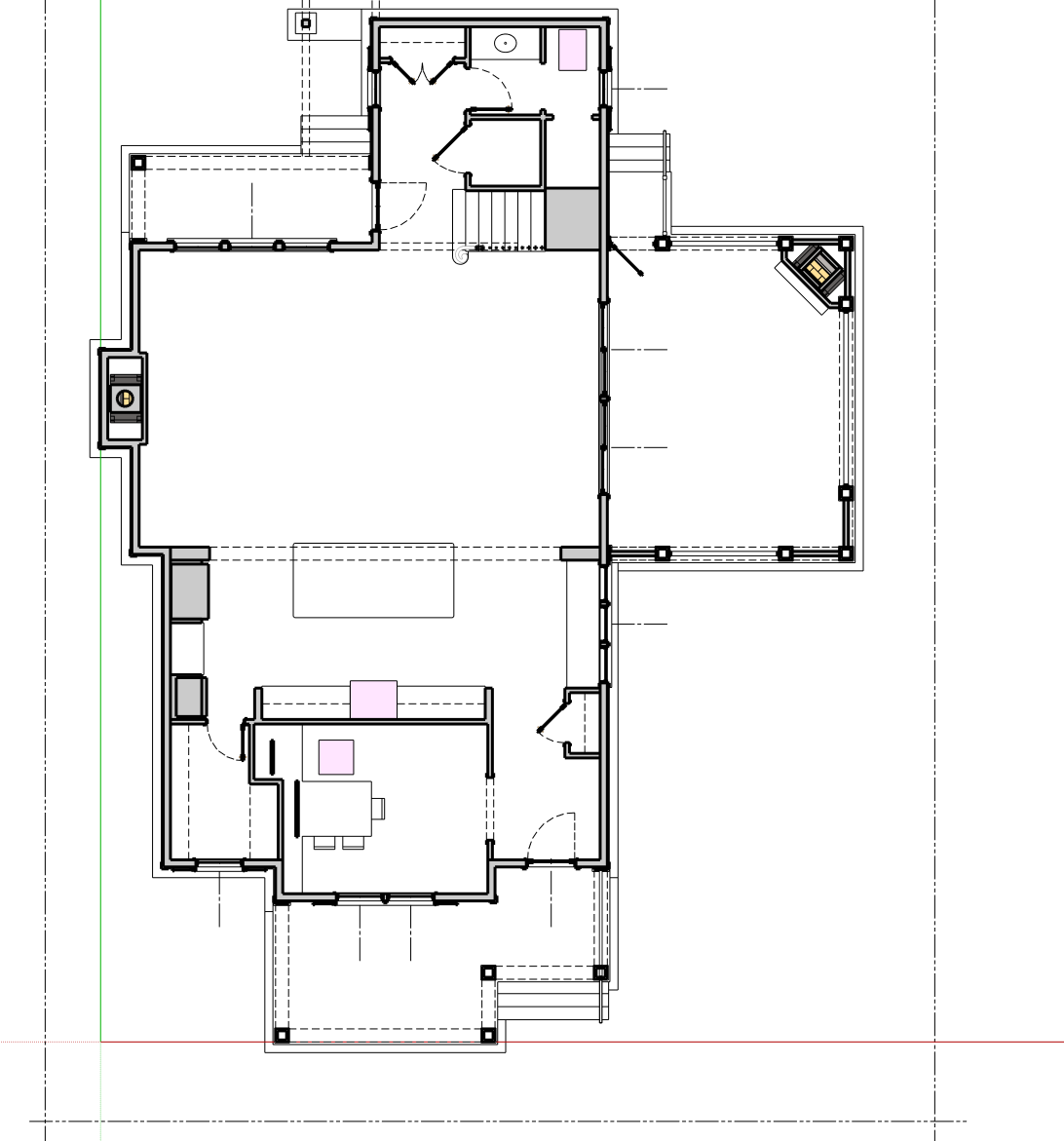
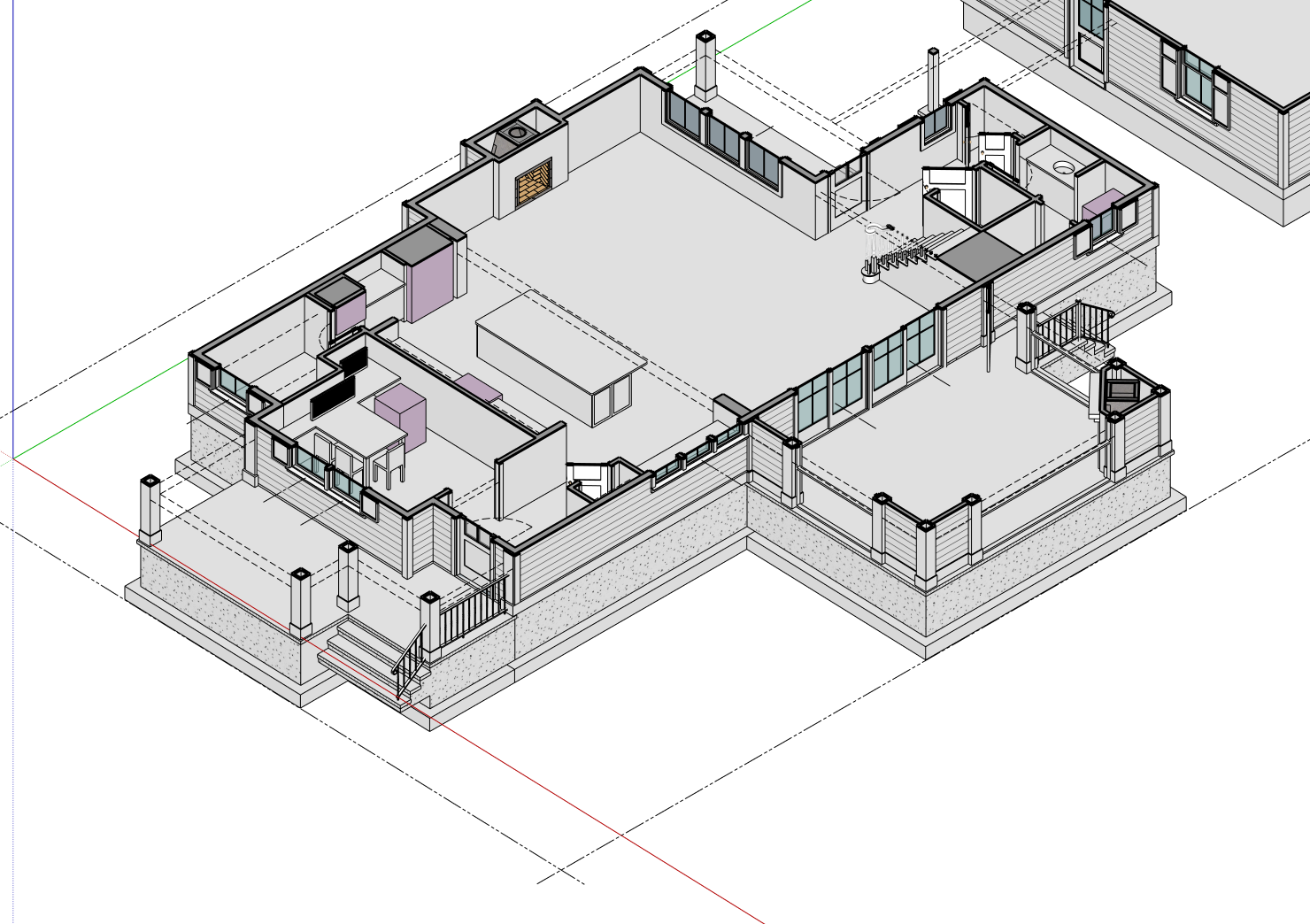
-
I quite like that!! Could you share the SU file? I've tried making dashed lines with Profile Builder too but never perfect...
-
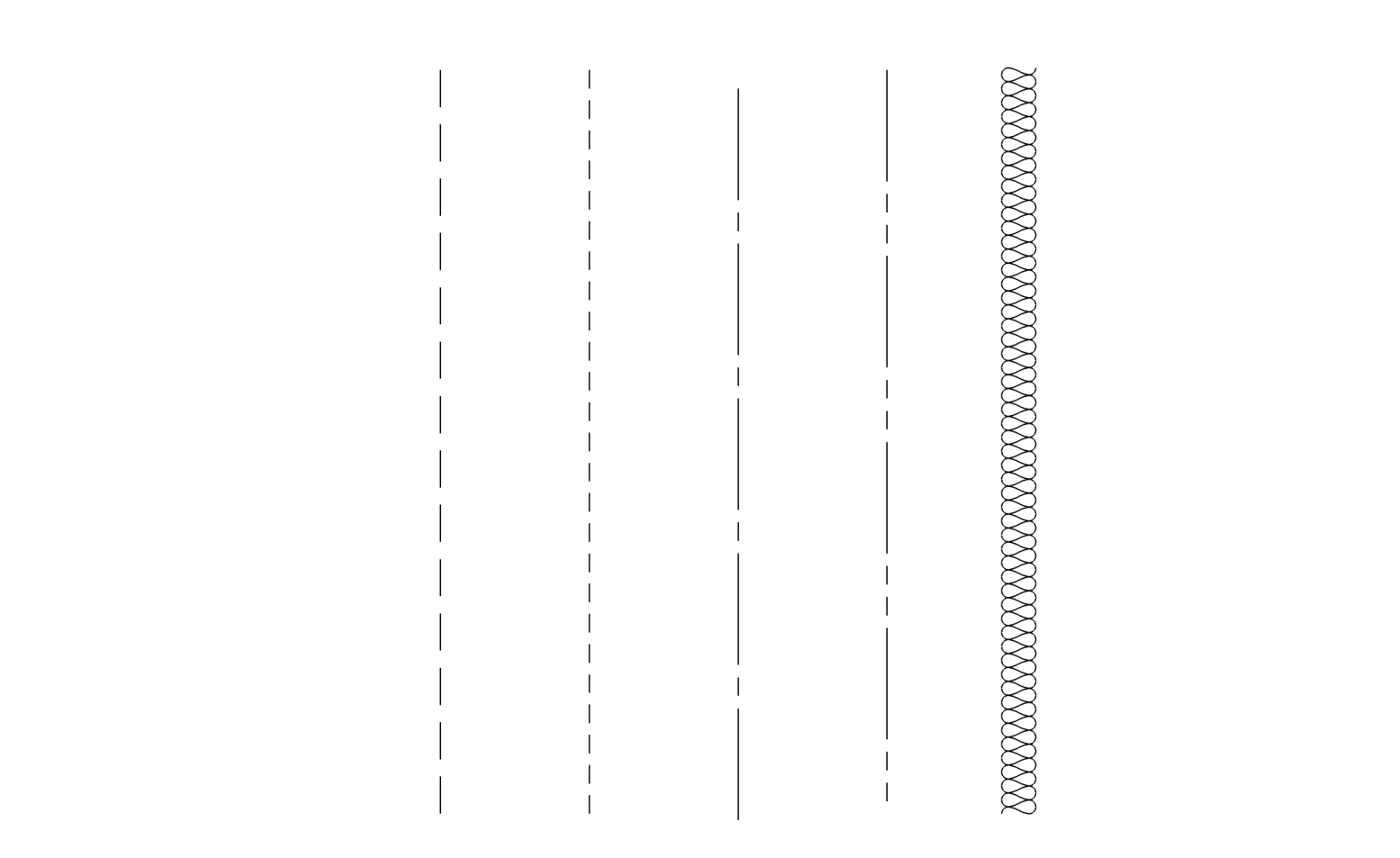
So here are the .skp files. This only works with Profile Builder 2 Assembly tool.
I made dashed, hidden, center, phantom and even batt insulation.
They only use a couple components and just repeat them so I'm guess not much in terms of computer load.The center and phantom have to be a specific length or they will finish short or long of the definition line.(I'm going to work on this some more. I really spent very little time trying to tweak them. But for me being able to keep things coordinated right in sketchup is worth a little fuss. I was really surprised at how easy the batt insulation was.
I also like dropping in center lines on my openings so I know exactly what I'm snapping to in layout.
-
Thanks mate I'll give them a go.
-
Hi i just bought profile builder but have not yet learned to do diddly squat with it.
how do you use these profiles to make lines?@ccaponigro said:
So here are the .skp files. This only works with Profile Builder 2 Assembly tool.
I made dashed, hidden, center, phantom and even batt insulation.
They only use a couple components and just repeat them so I'm guess not much in terms of computer load.The center and phantom have to be a specific length or they will finish short or long of the definition line.(I'm going to work on this some more. I really spent very little time trying to tweak them. But for me being able to keep things coordinated right in sketchup is worth a little fuss. I was really surprised at how easy the batt insulation was.
I also like dropping in center lines on my openings so I know exactly what I'm snapping to in layout.
-
@hectormc said:
Hi i just bought profile builder but have not yet learned to do diddly squat with it.
how do you use these profiles to make lines?@ccaponigro said:
So here are the .skp files. This only works with Profile Builder 2 Assembly tool.
I made dashed, hidden, center, phantom and even batt insulation.
They only use a couple components and just repeat them so I'm guess not much in terms of computer load.The center and phantom have to be a specific length or they will finish short or long of the definition line.(I'm going to work on this some more. I really spent very little time trying to tweak them. But for me being able to keep things coordinated right in sketchup is worth a little fuss. I was really surprised at how easy the batt insulation was.
I also like dropping in center lines on my openings so I know exactly what I'm snapping to in layout.
They are not profiles but assemblies. Use the assembly tool in the same manner you would any assembly. Draw with the path tool or select a path and apply the assembly. I should say I have switched to doing all my linework in Layout. The new make scale drawing has made it soooo much easier.






Advertisement