sketchucation logo sketchucation
    • 登入
    Oops, your profile's looking a bit empty! To help us tailor your experience, please fill in key details like your SketchUp version, skill level, operating system, and more. Update and save your info on your profile page today!
    🔌 Smart Spline | Fluid way to handle splines for furniture design and complex structures. Download

    [Plugin] Make Fur v.2.1.0(20140323)

    已排程 已置頂 已鎖定 已移動 Plugins
    650 貼文 255 Posters 1.1m 瀏覽 254 Watching
    正在載入更多貼文
    • 從舊到新
    • 從新到舊
    • 最多點贊
    回覆
    • 在新貼文中回覆
    登入後回覆
    此主題已被刪除。只有擁有主題管理權限的使用者可以查看。
    • T 離線
      tak2hata
      最後由 編輯

      Hi,All.
      I update to v2.0.5.
      Include new language file for Spanish and Chinese.
      Thanks Oxer and Hebeijianke!

      Enjoy!


      by TAK2HATA

      1 條回覆 最後回覆 回覆 引用 0
      • M 離線
        meoa
        最後由 編輯

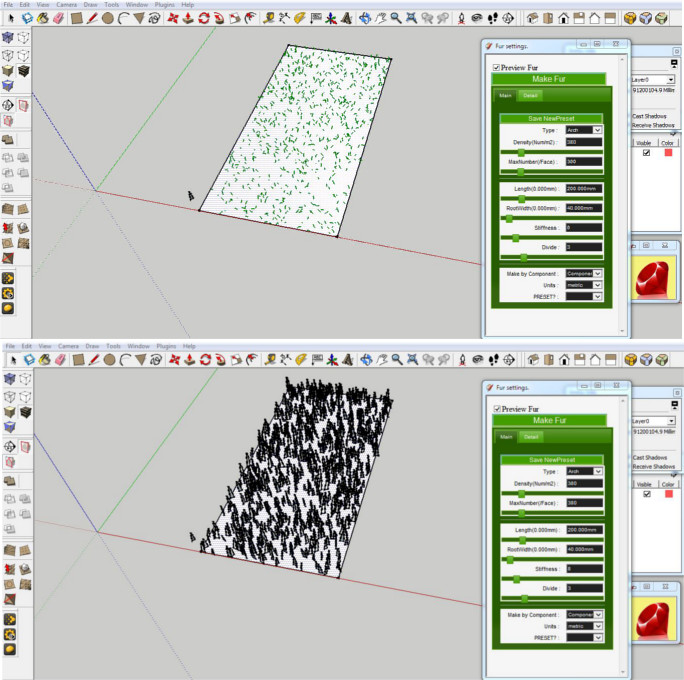
        Preview shows fur on the selected face but after clicking make fur, quite a number of it go off the selected face. The ones on the face are also scattered unevenly unlike the preview.

        Is this what should happen or am i doing something wrong ?

        Ok, sketchup just crashed. I tried it again and it seems to be fine now. Fur stays on the faces. I stil don't know what happened before and the cause.

        1 條回覆 最後回覆 回覆 引用 0
        • T 離線
          tak2hata
          最後由 編輯

          Hi,meoa.
          I need more information for your problem.
          I can not know what happened, too.

          Please upload your model and the picture of the fur setting and selected face.

          Thanks.


          by TAK2HATA

          1 條回覆 最後回覆 回覆 引用 0
          • M 離線
            meoa
            最後由 編輯

            @tak2hata said:

            Hi,meoa.
            I need more information for your problem.
            I can not know what happened, too.

            Please upload your model and the picture of the fur setting and selected face.

            Thanks.

            Sorry tak2hata, it was my mistake.

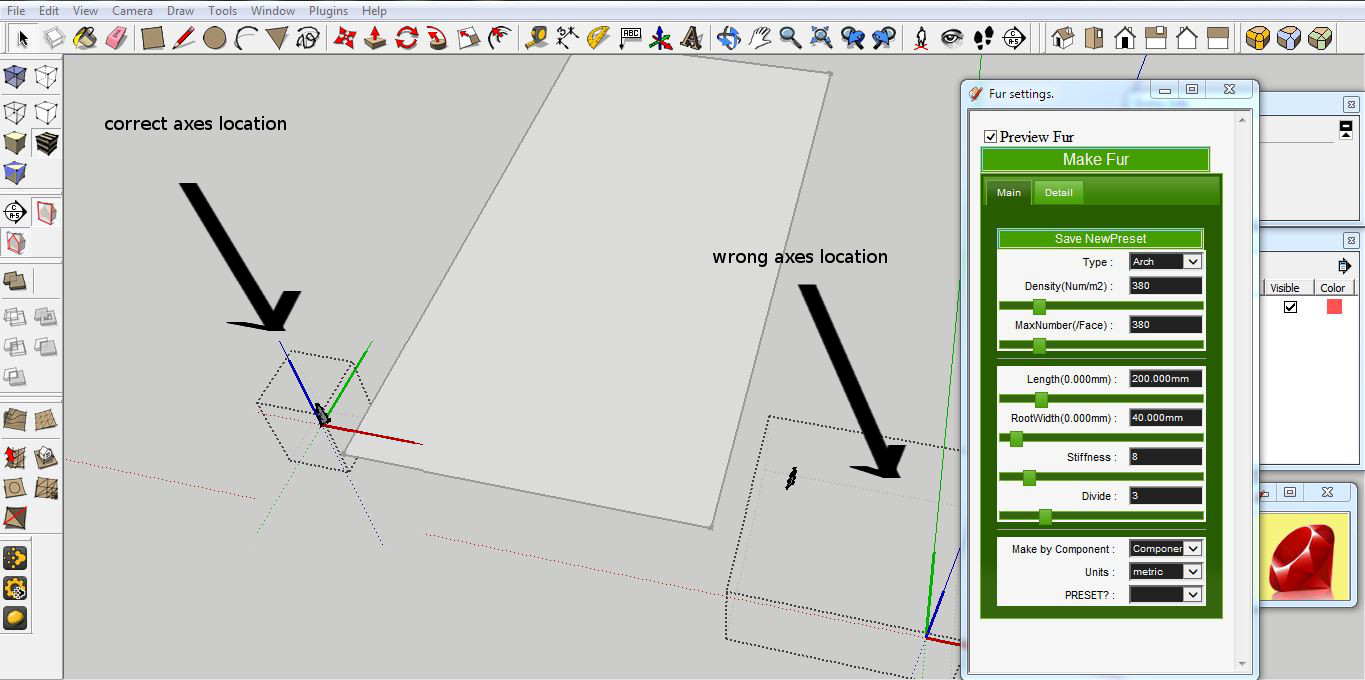
            I deleted geometry in a component and for some reason it did not rescale or i may have moved the axes by mistake so the component size was far larger than the content(space when you edit the component). Thus, the make fur moved the components further away than the size of the content which explains why they were off the face.


            make fur on the rectangle's surface using the component beside it


            make fur on the rectangle's surface using the component beside it
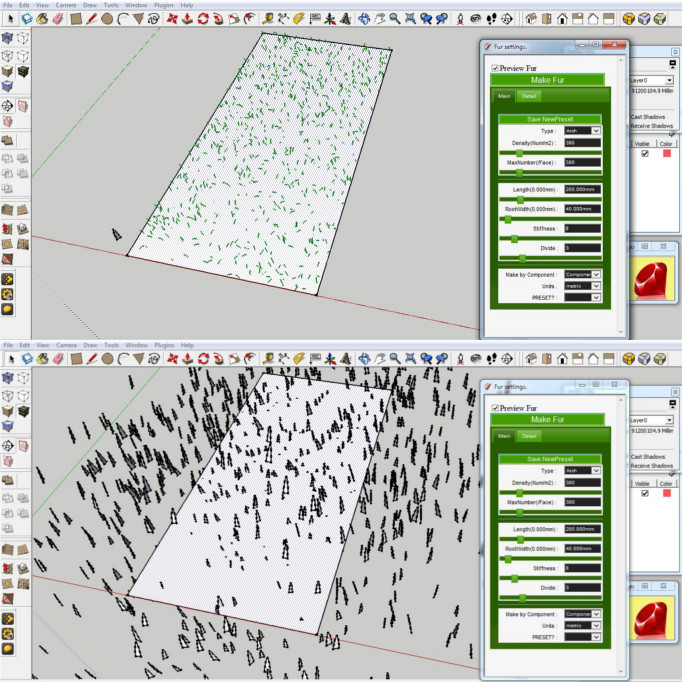

            larger than content.JPG


            same size.JPG


            issue.JPG

            1 條回覆 最後回覆 回覆 引用 0
            • T 離線
              tak2hata
              最後由 編輯

              @meoa said:

              @tak2hata said:

              Hi,meoa.
              I need more information for your problem.
              I can not know what happened, too.

              Please upload your model and the picture of the fur setting and selected face.

              Thanks.

              Sorry tak2hata, it was my mistake.

              I deleted geometry in a component and for some reason it did not rescale or i may have moved the axes by mistake so the component size was far larger than the content(space when you edit the component). Thus, the make fur moved the components further away than the size of the content which explains why they were off the face.

              Hi,meoa.

              This problem is solved by yourself.

              Thanks!


              by TAK2HATA

              1 條回覆 最後回覆 回覆 引用 0
              • M 離線
                menes
                最後由 編輯

                Hello there,
                First thanks tak2hata for the wonderful plugin.
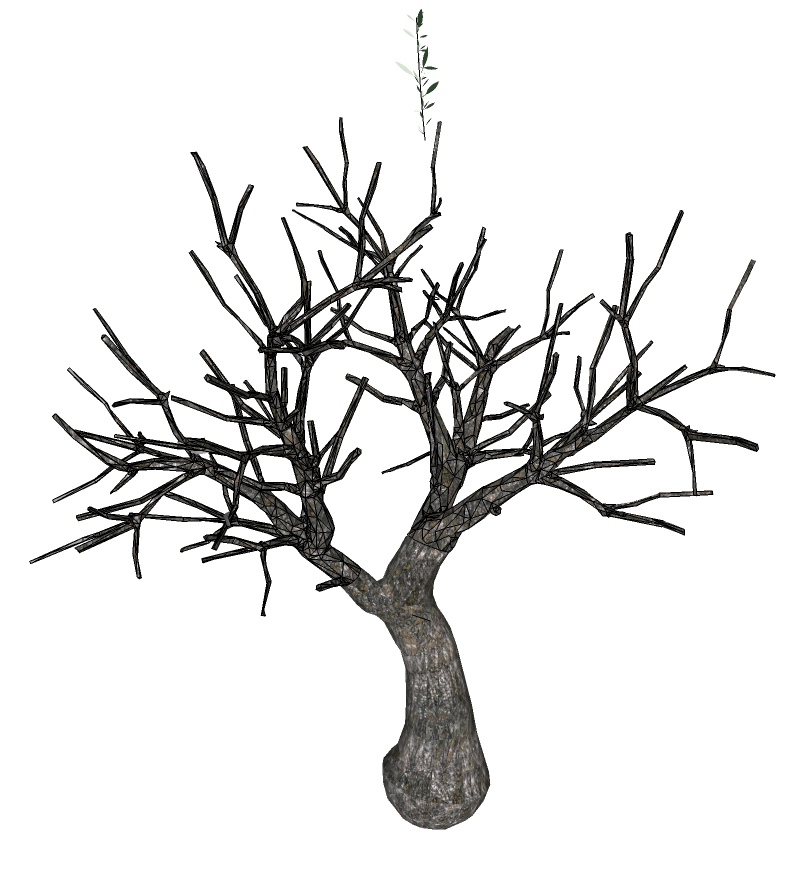
                I'm trying long time now to use this for create a nice Olive tree.
                While the plugin work perfectly for create the single element.
                I can not in any way create the proper effect randomizing the element using the "leaf" mode.
                any suggestion?

                thanks


                olive leaves.jpg


                olive tree trunk.jpg


                olive tree FUR TEST.jpg

                1 條回覆 最後回覆 回覆 引用 0
                • srxS 離線
                  srx
                  最後由 編輯

                  Wonderful plugin. Here is Serbian translation. Just to feel the excitement of taking part in an international project 😄 .


                  fur_lang_srb.txt

                  www.saurus.rs

                  1 條回覆 最後回覆 回覆 引用 0
                  • T 離線
                    tak2hata
                    最後由 編輯

                    Hi,
                    I upload to v2.0.6.
                    Include the language file for Serbian by SRX.Thanks!

                    Hi,menes.
                    I try it!

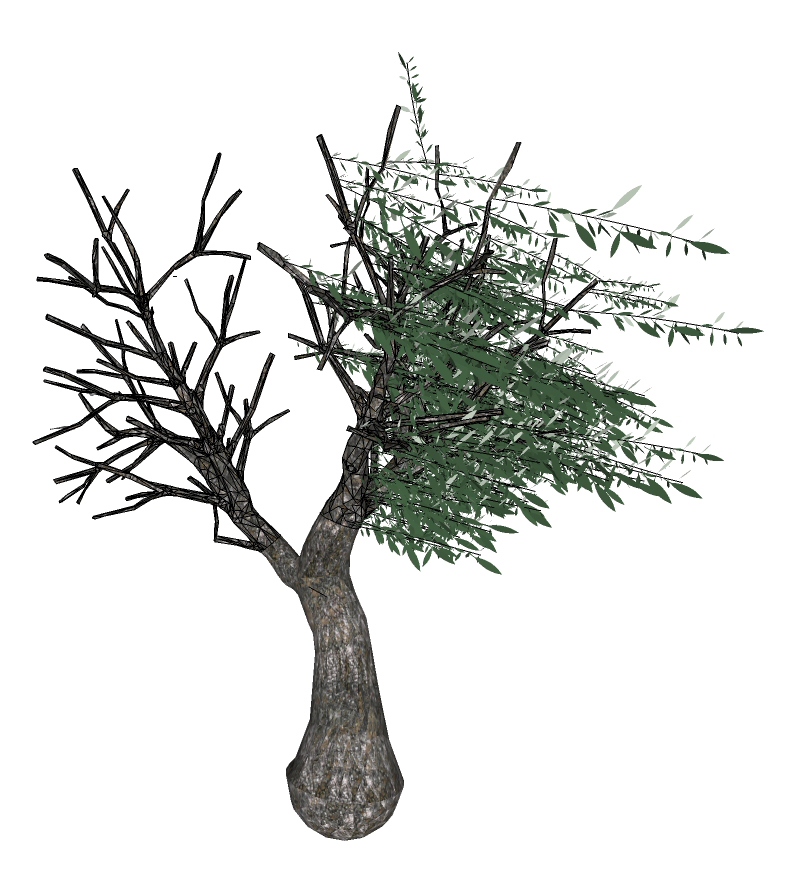
                    finished
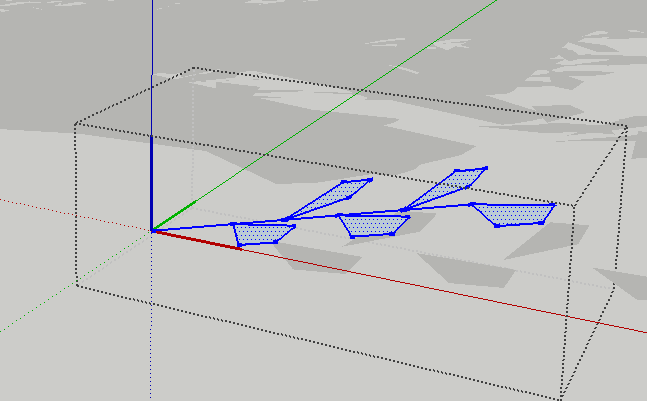
                    component for leavs

                    Component for leaves lay along to X-Axis(RED) with litte slope.
                    And place it with large Z value of "direction" and "force" in fur dialog.
                    It make like this placement.

                    Thanks.


                    by TAK2HATA

                    1 條回覆 最後回覆 回覆 引用 0
                    • N 離線
                      nektares
                      最後由 編輯

                      i loved this plugin already, and now it´s even better! Arigato Gozaimasu Tak2Hata

                      1 條回覆 最後回覆 回覆 引用 0
                      • M 離線
                        menes
                        最後由 編輯

                        Thank you very much indeed! TAK2HATA

                        Will try and let you know

                        1 條回覆 最後回覆 回覆 引用 0
                        • M 離線
                          menes
                          最後由 編輯

                          Thanks TAK2HATA
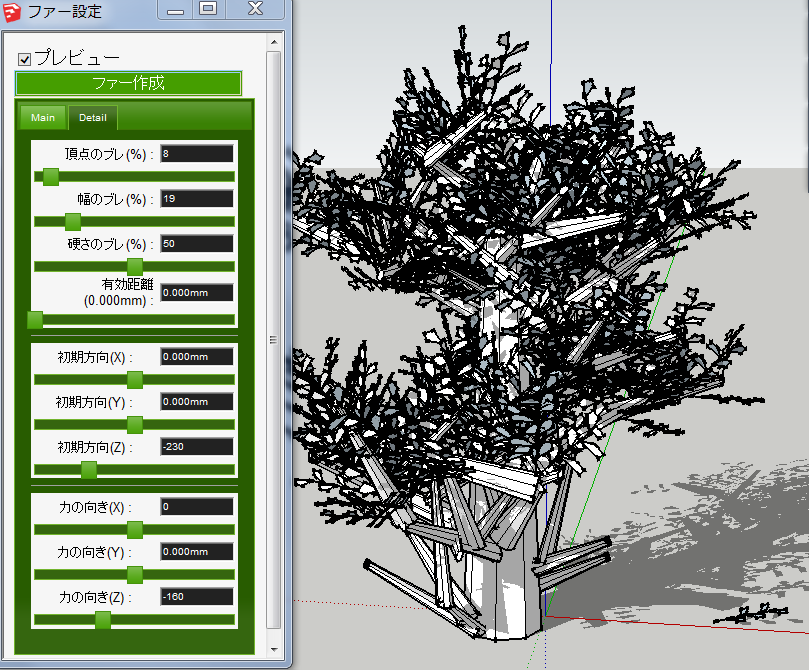
                          You put me in the right way 😍 thank you!
                          My values were different
                          Main Detail
                          type : leaf top jitter :8
                          Density: 60.000 width jitter: 19
                          Max n. :60.000 stiffness jitter : 50
                          length :1 valid distance: 0,000
                          rootwidth : 0,200 direction (x): 0,000
                          stiffness : 1 direction (y): 0,000
                          divide :2 direction (z): 1
                          force (x):0
                          force (y):0,000
                          force (z):-30

                          now the only thing to try ,it's to avoid many leaves at the bottom of the branches and have more on the top.
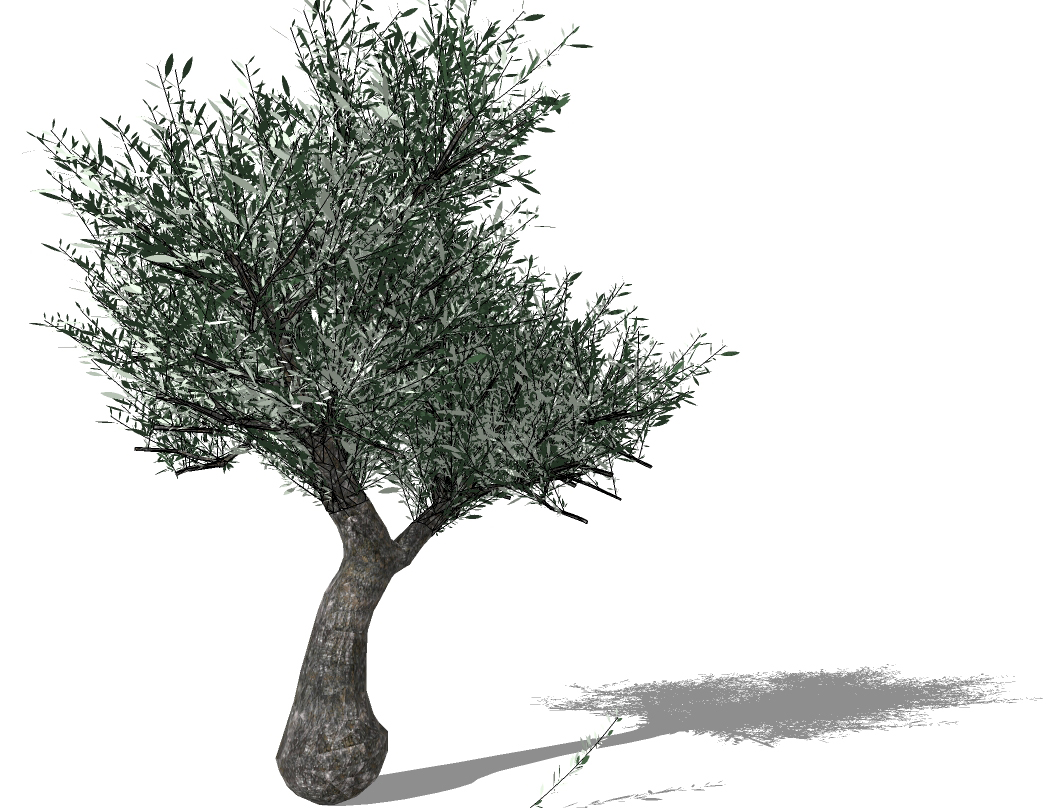

                          OLIVE TREE#1.jpg

                          1 條回覆 最後回覆 回覆 引用 0
                          • thkian92T 離線
                            thkian92
                            最後由 編輯

                            Hi,
                            Thanks for the plugin! But I have a problem. It seems that I can't get v2.0.6 to work on the new Sketchup 2013. Am i doing something wrong? As usual I've placed the plugin in C:\Program Files (x86)\SketchUp\SketchUp 2013\Plugins.

                            1 條回覆 最後回覆 回覆 引用 0
                            • M 離線
                              mwm5053
                              最後由 編輯

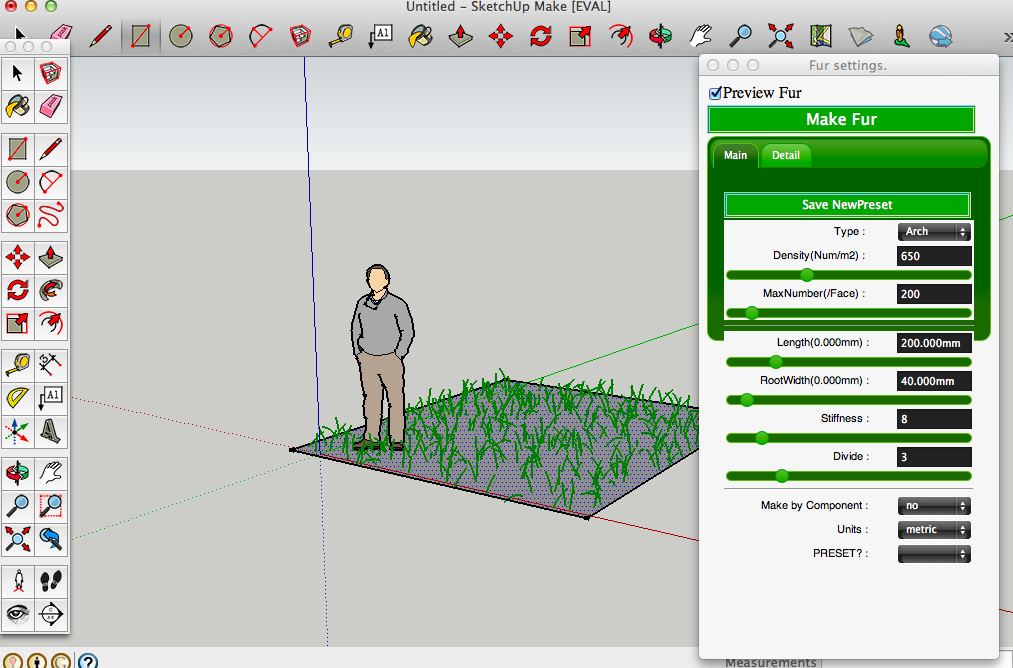
                              Great plugin 👍 I updated to 2.0.6 but not getting sliders or realtime preview like video shows I get the older dialog style. I'm using latest SU8 Pro on Mac 10.7.5
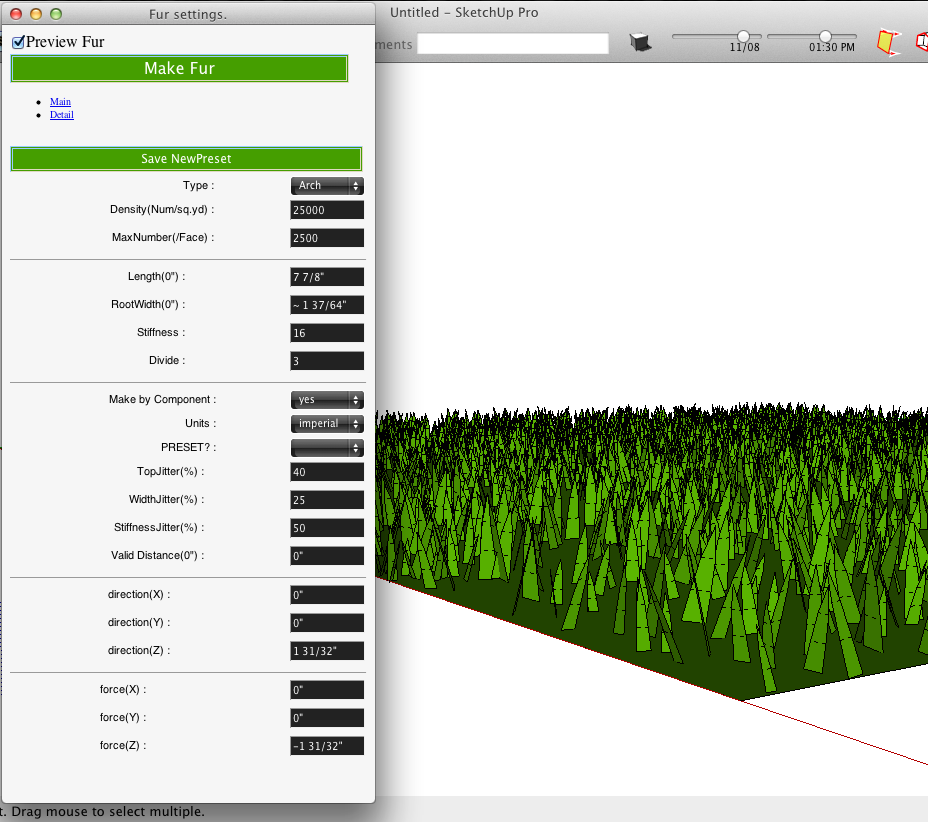
                              Screen Shot 2013-06-24 at 1.21.13 PM.jpg


                              Screen Shot 2013-06-24 at 1.23.45 PM.png

                              2011 iMac
                              SU 2015 Pro, 2017 Make
                              V2 Twilight
                              macOS Sierra 10.12.5

                              1 條回覆 最後回覆 回覆 引用 0
                              • T 離線
                                tak2hata
                                最後由 編輯

                                Hi,Walt.
                                I will test it on Mac.

                                Please wait.

                                Thanks.


                                by TAK2HATA

                                1 條回覆 最後回覆 回覆 引用 0
                                • M 離線
                                  mwm5053
                                  最後由 編輯

                                  Thanks

                                  2011 iMac
                                  SU 2015 Pro, 2017 Make
                                  V2 Twilight
                                  macOS Sierra 10.12.5

                                  1 條回覆 最後回覆 回覆 引用 0
                                  • T 離線
                                    tak2hata
                                    最後由 編輯

                                    Hi,Walt.
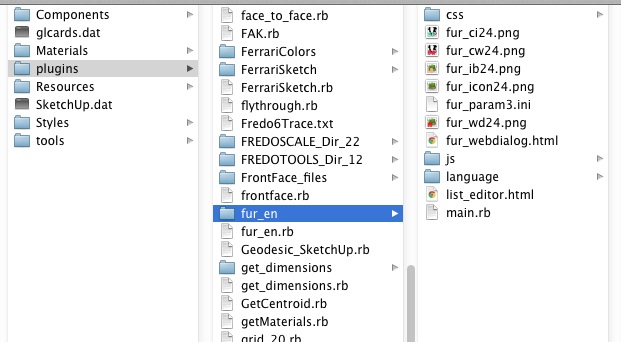
                                    I tested on mac.
                                    Screen shots here.
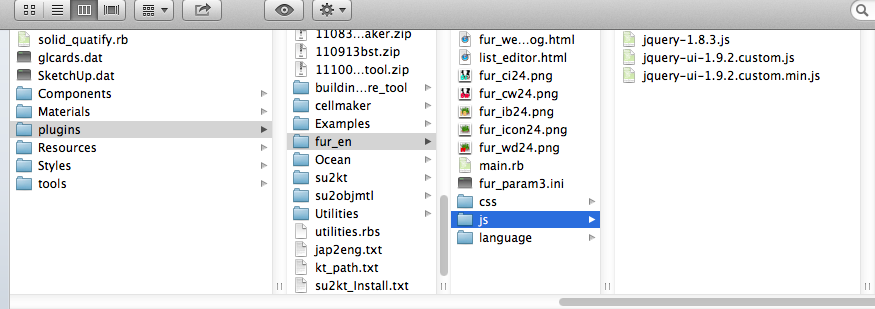
                                    files in plugin folder
                                    work fine on mac.

                                    I think the problem is folder.

                                    The webdialog lost the sight of "JS" folder or "CSS" folder.

                                    But I think no problem about the non-alphabetical character file names on mac.

                                    So please tell me your plugin folder.

                                    Thanks.


                                    by TAK2HATA

                                    1 條回覆 最後回覆 回覆 引用 0
                                    • M 離線
                                      mwm5053
                                      最後由 編輯

                                      Path can be seen at bottom of screen shot.
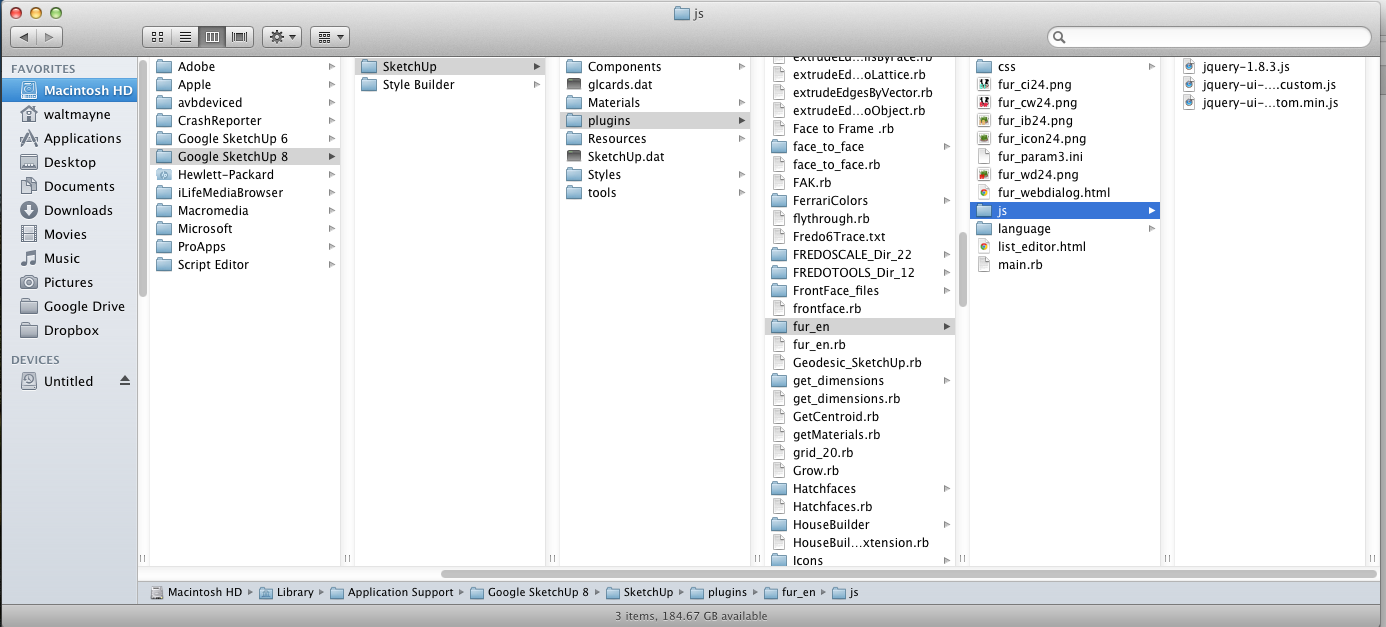

                                      Screen Shot 2013-06-26 at 7.43.48 AM.png

                                      2011 iMac
                                      SU 2015 Pro, 2017 Make
                                      V2 Twilight
                                      macOS Sierra 10.12.5

                                      1 條回覆 最後回覆 回覆 引用 0
                                      • T 離線
                                        tak2hata
                                        最後由 編輯

                                        @mwm5053 said:

                                        Path can be seen at bottom of screen shot.

                                        I think there is no problem.....

                                        The problem becomes the mystery.

                                        I will create test code for you.

                                        Please wait.


                                        by TAK2HATA

                                        1 條回覆 最後回覆 回覆 引用 0
                                        • Z 離線
                                          Zacchia
                                          最後由 編輯

                                          Hi tak2hata
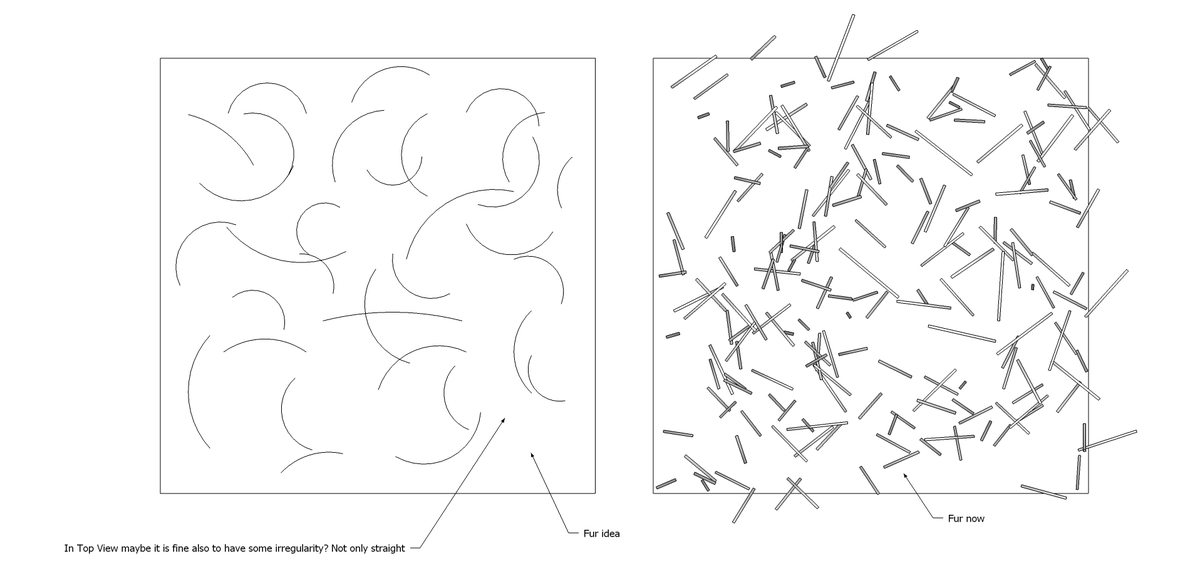
                                          Many thanks for your wonderful plugin! See attached an idea, hope you can understand 😒 It is just an idea.


                                          fur_idea.jpg

                                          1 條回覆 最後回覆 回覆 引用 0
                                          • T 離線
                                            tak2hata
                                            最後由 編輯

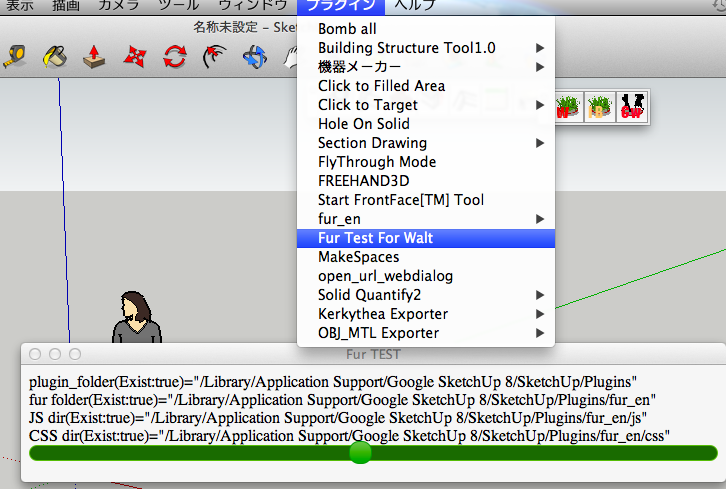
                                            Hi,Walt.

                                            I create the test ruby for you.
                                            test ruby
                                            It shows the folders for fur and Test Slider on Webdialog.

                                            Select from menu bar.
                                            Plugins -> Fur Test For Walt

                                            It will show like this.
                                            Show like this

                                            Hi,Zacchia.
                                            I understand your idea.

                                            But It will add new many properties.

                                            They take long time.

                                            Wait for Fur v3.0.

                                            Now I must sleep soon for tomorrow.
                                            Thanks.


                                            by TAK2HATA

                                            1 條回覆 最後回覆 回覆 引用 0
                                            • 1
                                            • 2
                                            • 26
                                            • 27
                                            • 28
                                            • 29
                                            • 30
                                            • 31
                                            • 32
                                            • 33
                                            • 28 / 33
                                            • 第一個貼文
                                              最後的貼文
                                            Buy SketchPlus
                                            Buy SUbD
                                            Buy WrapR
                                            Buy eBook
                                            Buy Modelur
                                            Buy Vertex Tools
                                            Buy SketchCuisine
                                            Buy FormFonts

                                            Advertisement