Useful curved tree line
-
Sorry but I don´t find the download link
-
@joão de afonsos said:
Sorry but I don´t find the download link
You will find the downloadlinks at the end of the first posting of this thread
-
Yeah page 1.
@unknownuser said:
Would it be presumptuous to ask what technique you use. I would like to make a contribution.
Of course, please contribute.
masking tutorials (cheers Fletch):
http://www.adobe.com/designcenter/photoshop/articles/phs8kbhairmask.html BEST TUTORIAL
http://layersmagazine.com/masking-hair-in-photoshop-cs3.html VIDEO
http://www.creativepro.com/files/story_images/ExtractHair.pdf PDF
http://www.photoshopsupport.com/elements/tutorials/extract-hair/masking-tutorial.html NICE EASY METHOD
-
Wow! Thank you! This is a huge timesaver! "meticulously deleted all the sky"is an understatement... Laboriously... PAINSTAKINGLY... ouch! I've done this sort of thing in photoshop before(for single shrubs) and it is a huge pain! Thank you for sharing this!! especially for sharing the PNGs!
I hope the thank yous have caught up with the download numbers.... (on ShareCG my average is 900 - 1 or something like that.)
Thanks! -
thanks oli. very useful
-
Thanks Oli, Native English trees are very much appreciated, I tend to use tropical plant components far too much!
-
im glad you guys are happy with them

tell me about it linea! it's all I seem to find on the net! bloody palm trees in manchester!


I'll do some more when I got some free time. Urban backdrop and hills/valleys in the pipeline.
-
These are superb Oli, thanks for being so generous and sharing them.
-
it looks very good! thank you!
DONT FORGET TO CHECK THIS IN VRAY MATERIAL SETTINGS TO GET TRANSPERANCY
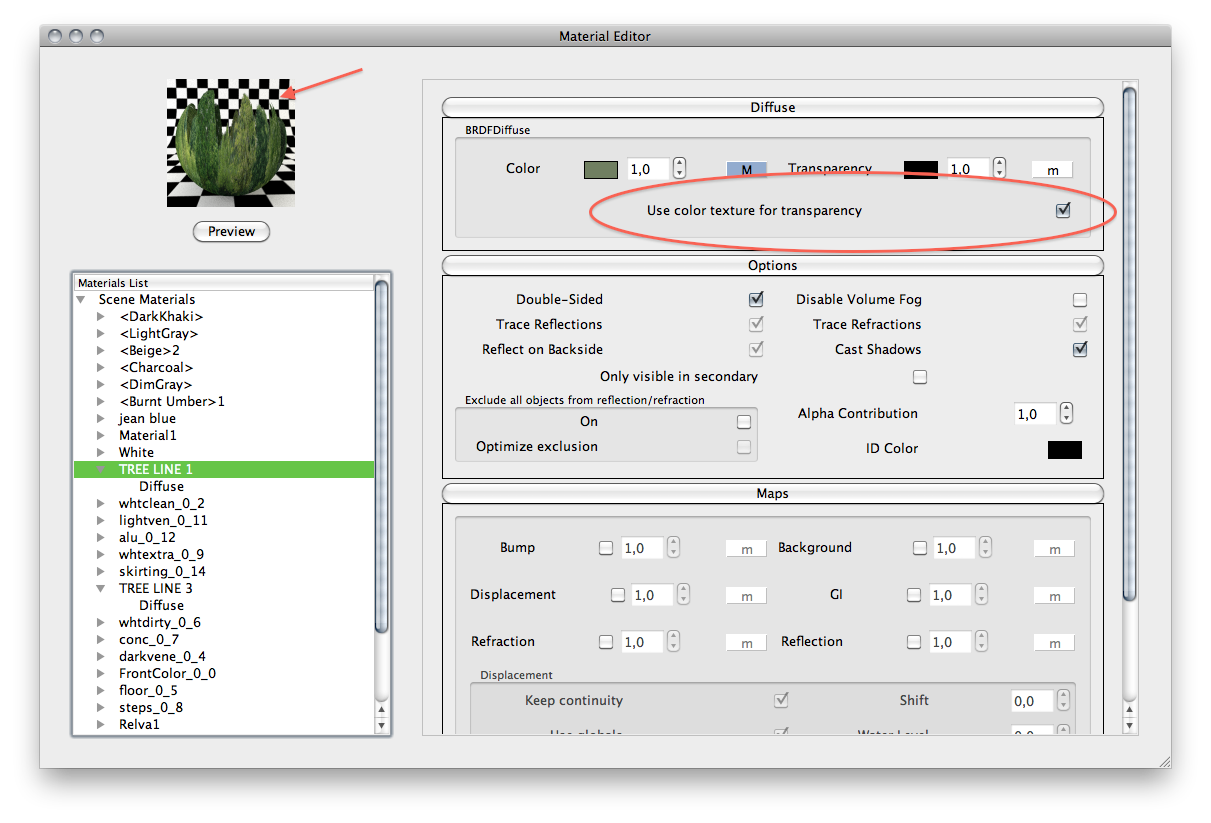
-
Bravo Oli, thanks for your generosity
regards,
-
Oli,
Thanks for the images. They are fantastic.
I haven't used png's in a while, could someone point me to a tutorial that shows how to create the shadow effect shown for the treeline? That's what happens when you don't use a technique for a few years...sigh.
Thanks,
O2bwln -
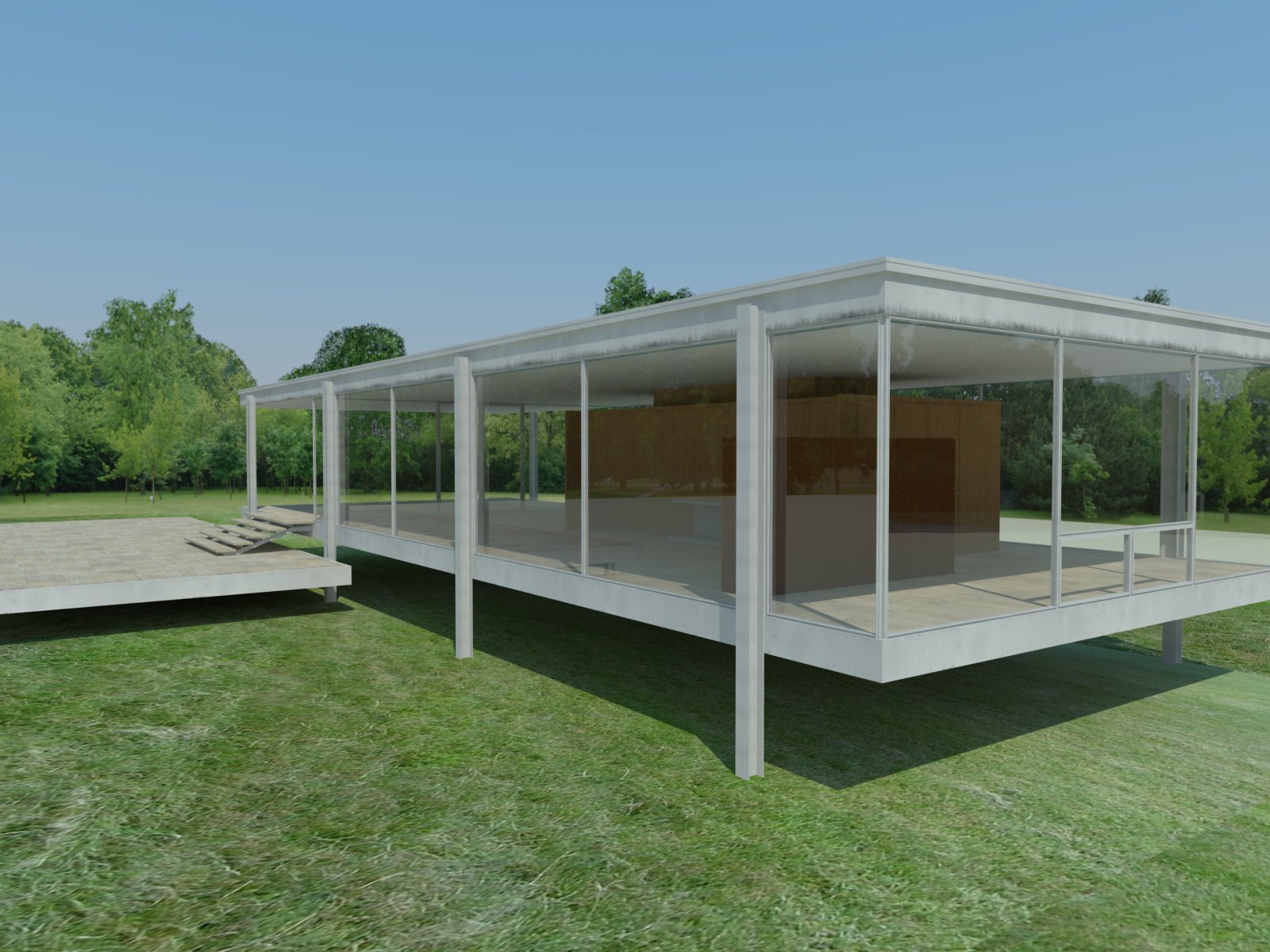
the image is rendered.
you can not achieve shadows like this in sketchup....sketchup will just give a rectangular shadow.
unless you trace around every single leaf, twig, branch etc!!
so get rendering!!
-
You can make a very rough tracing for SU as these are really in the background and do not need to be very exact/detailed...
-
U are so nice~~
-
very nice. playing with them now in a cabin project.
-
wow... thank you very much... these will come in very handy.
-
Thanks a lot. These are very useful.
-
Very usefull ! Thx a lot !
-
@marcocapela said:
it looks very good! thank you!
DONT FORGET TO CHECK THIS IN VRAY MATERIAL SETTINGS TO GET TRANSPERANCY
Hello Marcoapela,
Here is a noob question
:Do you know where is that option in the previous version of SU/Vray ? I use SU 7.1 and Vray 1.05.30 and I dont got this option in the diffuse tab

-
Wow these are great! I use a similar method where I import a jpeg and project it on to a curved face for my background. I leave the sky in, may I ask why you removed it other than the obvious you can change the sky.
Do you add your sky in photoshop? Anyway thanks a bunch as I'll use these a lot.







Hello! It looks like you're interested in this conversation, but you don't have an account yet.
Getting fed up of having to scroll through the same posts each visit? When you register for an account, you'll always come back to exactly where you were before, and choose to be notified of new replies (either via email, or push notification). You'll also be able to save bookmarks and upvote posts to show your appreciation to other community members.
With your input, this post could be even better 💗
Register Login


Advertisement