PushPul not removing faces.
-
I was trying to make the simple chair model shown in one of the tutorials run from a program and ran into a problem with PushPull.
I started with a rectangular cube based on the overall dimensions.
- Pushed the seat down from the cube top. Okay.
- Pushed the space between the legs side view through the cube. Okay.
- Pushed the space between the legs front view to the intersecting space from step 2. Fail.
It creates the projected rectangle but does not remove it.
My numbers look correct. I am creating faces for the PushPull.How do I do this?
#pseudo code
wt = width
dp = depth
ht = height
stht = seat height
ss = stock material size (Leg side)cube = wt x dp x ht
Top cube face
face_1 = [0,0,ht], [0,dp-ss,ht], [wt,dp-ss,ht], [wt,0,ht]
push face1 -(ht-stht)Right side cube face
face_2 = [wt,ss,0], [wt,ss,stht-ss], [wt,dp-ss,stht-ss], [wt,dp-ss,0]
push face_2 -(wt)Front side cube face
face_3 = [ss,0,0], [ss,0,stht-ss], [wt-ss,0,stht-ss], [wt-ss,0,0]
push face_3 -(ss)#Fails to remove space at this point.
-
Screenshot?
-
Actually I found I could duplicate the problem manually.
Create a cube.
The push manually entered the right distance does not go through the wall.
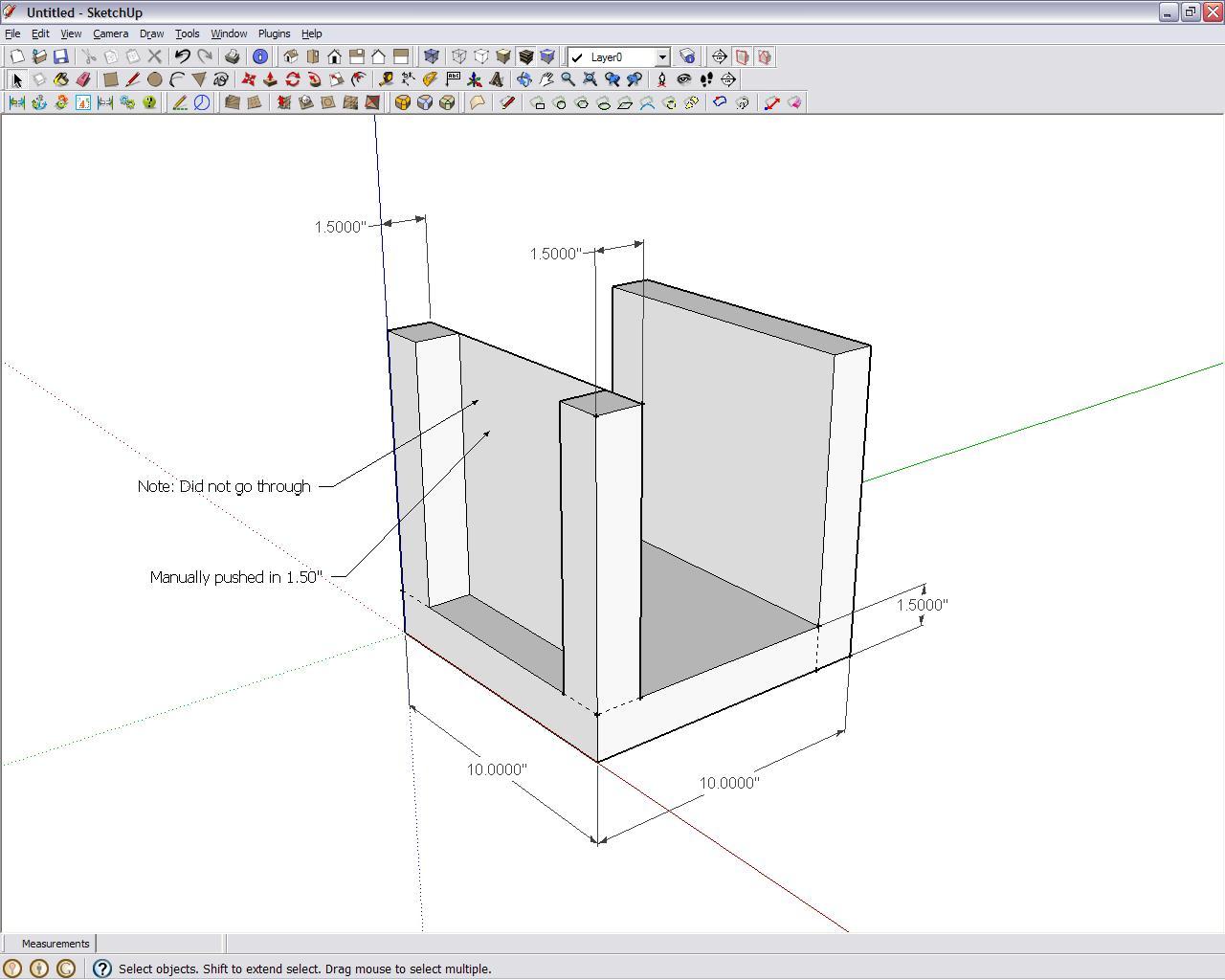
-
Interesting, I did it manually with no problems. Perhaps this is yet again coming back to SU tolerance issues?
Chris


Hello! It looks like you're interested in this conversation, but you don't have an account yet.
Getting fed up of having to scroll through the same posts each visit? When you register for an account, you'll always come back to exactly where you were before, and choose to be notified of new replies (either via email, or push notification). You'll also be able to save bookmarks and upvote posts to show your appreciation to other community members.
With your input, this post could be even better 💗
Register Login


Advertisement