I can't "blend", can you help me please?
-
Hello to all,
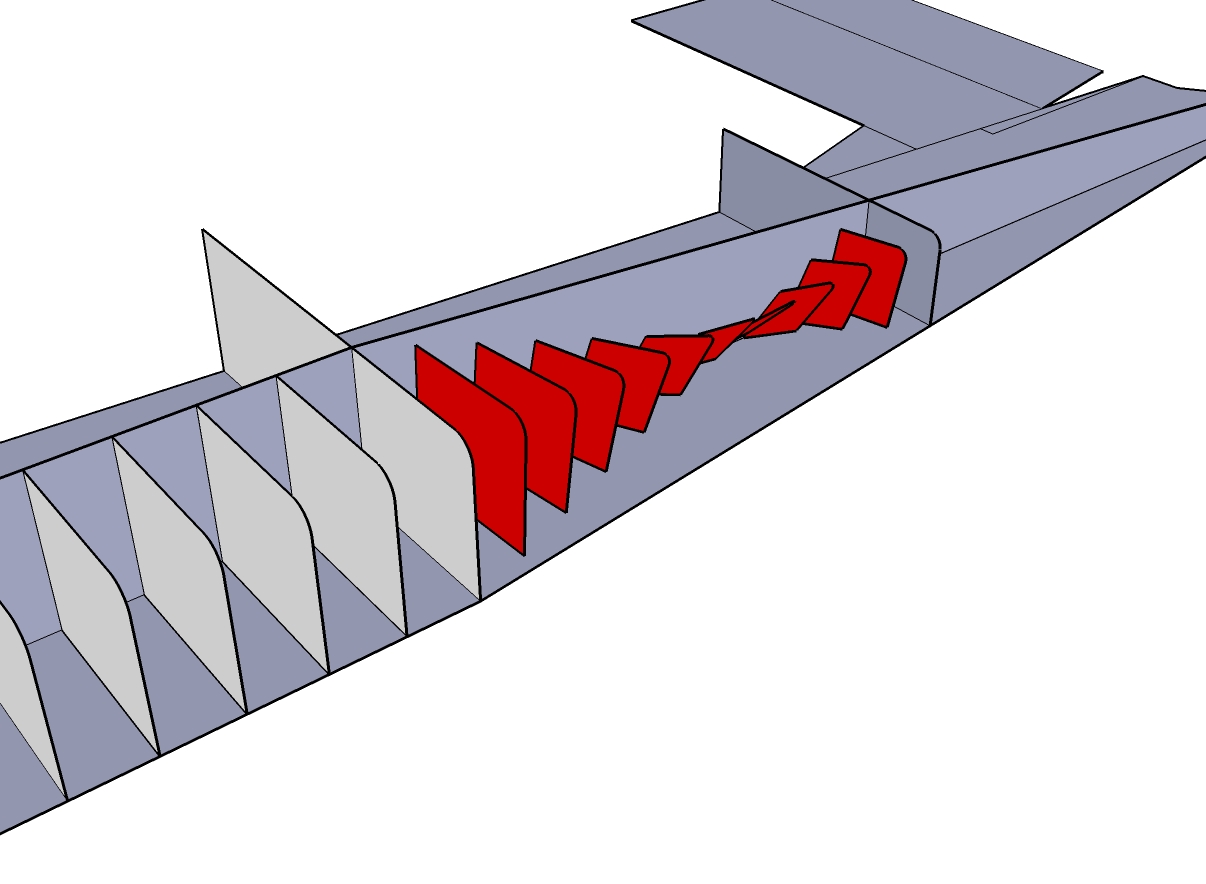
I apprecite your efforts here to share the knowledge about sketcup.I need to know how to use blend tool. For similar shapes it can connect and creates a outer skin( i did not use the setting to creste a surface to show the reason). but if size are different it rotates ribs and creates something weird. plese check attachment. I am a model airplane builder and what you see is the fuselage of a pilatus porter airplane. as you can see formers, tail part is tight and formers are getting smaller at back. but look at the result. why is it acting weird? i do not want it to twist, what can be wrong? previous part of fuselage, done correctly as seen on gray part in front. i am using default settings of blend plugin to show you my problem.
-
Hi Windman,
I have not used this plugin much myself yet - just follow what's happening with its development with big interest.
As you say, when size gets smaller, it starts to act weirdly.
Now SU often has problems with sizes (too small or too big) and in your case, a general workaround is to scale the model up by (say) 10x, do the modelling and when done, scale it back.
Please, try if this method helps.
-
im sorry to tell you that it wont work. i oversized my model 40 times. same thing happens. it starts to twist if one of two formers on fuselage are getting smaller.
is there any way to cover my formers to create a complete aircraft fuselage? blend plugin wont help to me.
-
You could do it manually, with the scale tool.

Hello! It looks like you're interested in this conversation, but you don't have an account yet.
Getting fed up of having to scroll through the same posts each visit? When you register for an account, you'll always come back to exactly where you were before, and choose to be notified of new replies (either via email, or push notification). You'll also be able to save bookmarks and upvote posts to show your appreciation to other community members.
With your input, this post could be even better 💗
Register Login


Advertisement