MODO 401 thread
-
Okay so the new Modo has finally been released, and along with it came the hype, or was it hype?
I do not have it (trial version unavailable at moment) nor the previous version (I have played with the 302 trial once), so if I may get some input from users here that have upgraded or purchased the new version.
I have done the tour and seen the videos and it all looks brilliant, but those marketing tools can make anything look great so I'd like to hear from y'all what you think, some links to tutorials, sample images, etc.
So far all I've heard from a few users was the huge content download (1.5Gb) which was very slow.
-
all i can say, is if you get through the modo learning curve, which is relatively short, you will find yourself opening SU less and less. I did not even install SU on my new machine. its a bit sad for this great program, but to be honest, modo is extremely powerful, easy to use, and fast....so there is just no reason to use SU. In addition, as a pipeline tool, SU is almost useless. As a tool to illustrate over, or produce still images and design ideas its great, but if you want to hand the model off to anyone, its more of a headache for them than anything else. Also, no more managing countless brilliant plugins that make SU only half the app. that modo is out of the box.
the content library and new preview renderer are awsome. its new 'slash and burn' work flow is awsome:
http://www.luxology.com/training/video.aspx?id=219
buy it.
great tutorials to get you up to speed from digitaltutors.com
i don't mean to be down on SU. I've loved my SU ride and this community is supportive and great. Its just time to move on.

(edit: i'm not an architect, and am speaking from the view point of someone designing and illustrating a wide variety of environements, vehicles and props.)
-
Does any one knows how to set the navigation keys/mouse to move exactly as in Sketchup?
-
I wish navigation in Modo was a little more like Sketchup also. Any way to at least set a "Pan" function on the mouse in Modo?
-
Thanks Stinkie....that's where that is. Been playing with 401 all morning. So far so good!
Anyone know how to achieve softer shadows in Modo?
-
@earthmover said:
Thanks Stinkie....that's where that is. Been playing with 401 all morning. So far so good!
Anyone know how to achieve softer shadows in Modo?
Nope!

Although, if you're using a directional light, the 'spread angle' may be worth looking into. I think.
You might wanna check out the 401 rendering training over at http://www.vandigital.com.
-
I changed the default key combo (I've even forgotten what it was) for panning to alt + MMB.
There's a couple of 'presets' here: System > Preferences > Input > Remapping > Mouse Input Presets. I chose the Silo preset, but there's also some for Max, C4D, Lightwave etc.
-
switch to an area light. or use a different spread angle with a spot light. the default directional light will give you pretty harsh shadows.
-
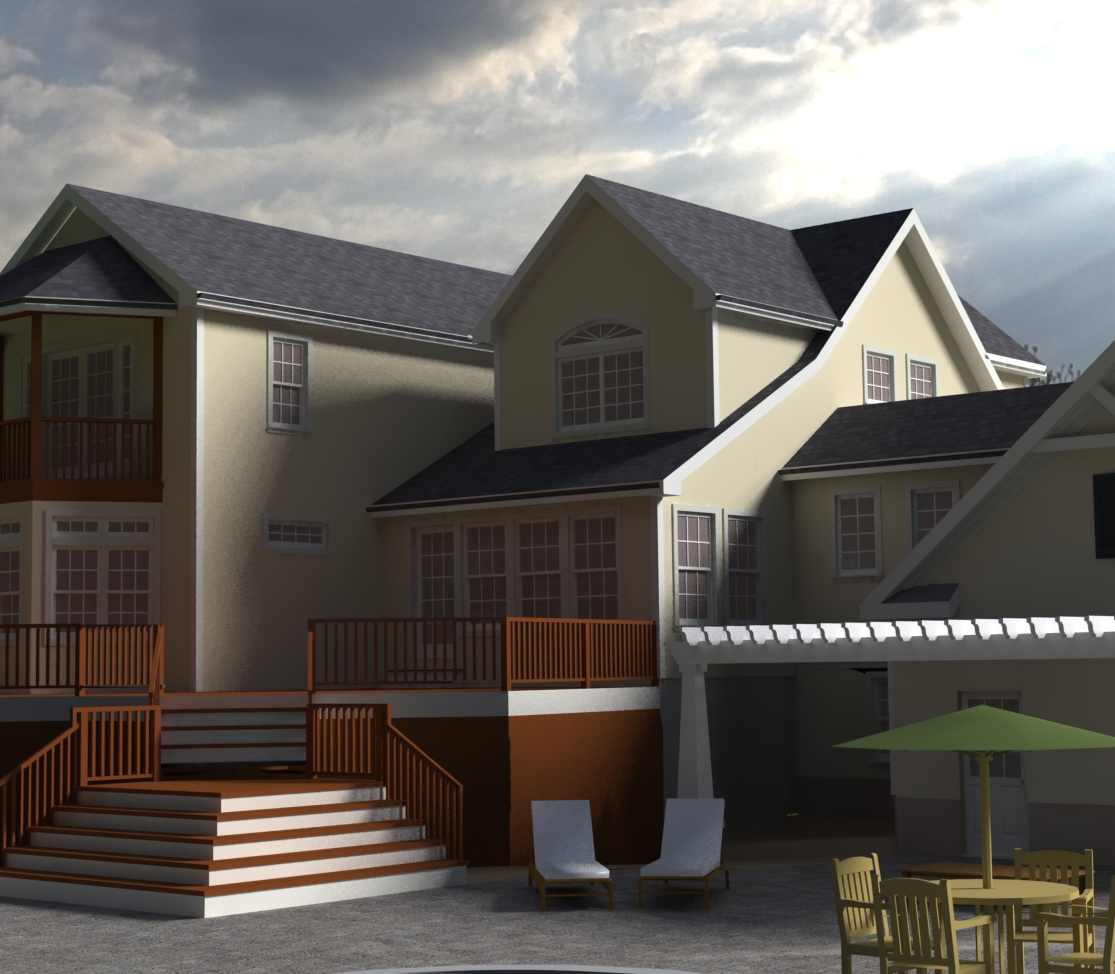
Thanks guys. Changing the spread angle worked pretty well. Here's a quick test of a sketchup model in 401, exported as an .obj. Just a shadow test and I didn't adjust the sketchup materials in any way. Added an HDRI and increased the spread angle on the directional light, which I assume is the sun and the shadows softened a lot.
How do you get to the physical sky properties to adjust the time of day?
-
in the shader tree click on environemtn materials - then go below in the properties tab you'll see places to adjust the sky and physcially based sunlight/environment.
-
Stinkie, you posted a link to some pay tutorials, I was looking for the one that does the series of this bathroom with different light setups, is it a Modo render?

-
Pete, I saw the same image on one of the luxology site banners, so it must be a modo render. Vandigital seems to be solely a Modo guy.
-
He isn't solely a Modo guy, but that is a Modo render, yes. I've watched those tutorials - fiddly process to get an interior render that good out of Modo, though! With 401, and the render presets script Seth Richardson's gonna release, that may change. Dunno for sure, obviously.
general musing Right now, if you got, say, VfSU, and needn't drop lots of high poly stuff into your scenes often, I'd not jump on the Modo train just yet. Good app, but you may not need it.
-
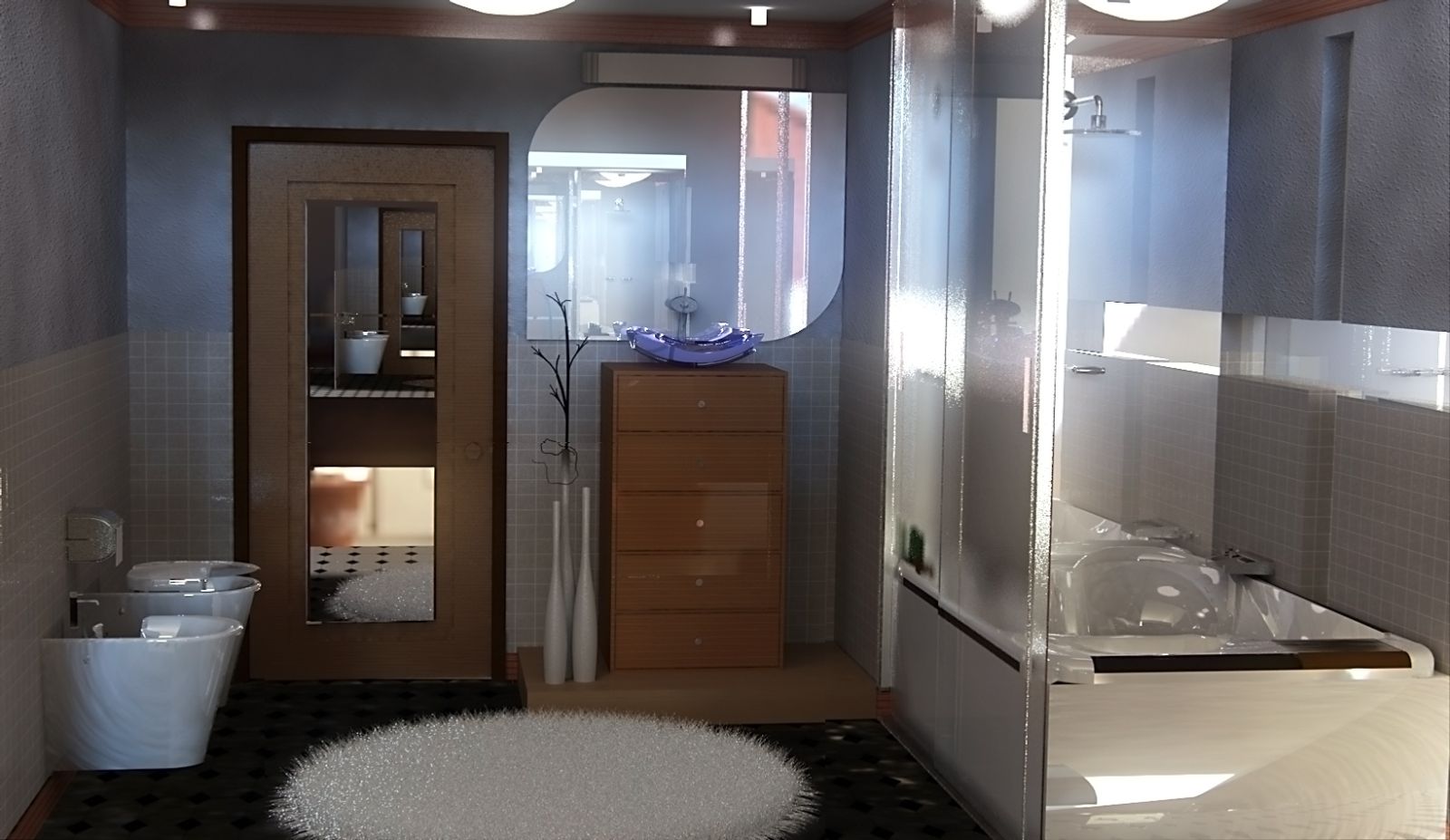
A quick play with this bathroom scene from the warehouse - http://sketchup.google.com/3dwarehouse/details?mid=4936e712353888f61ca120bfa3a01528
Some weird reflection in the mirror, but the fur worked really well for the rug. I just used the drag and drop preset materials for everything. Render time was a hair over 2 hours on my dual core laptop, but I pumped up the AA and interpolation sample settings (probably way to high).
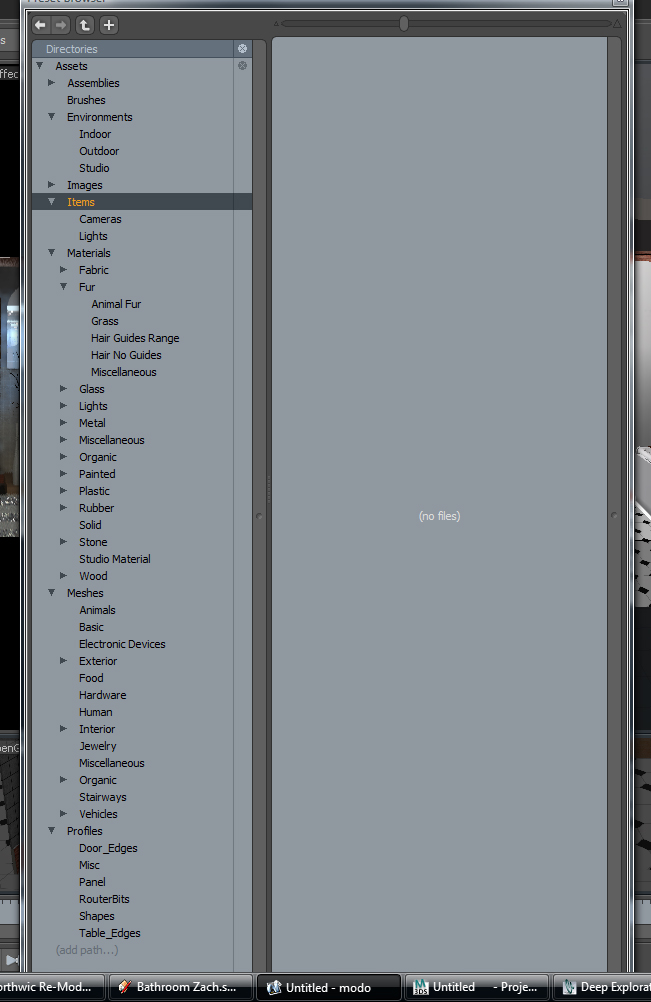
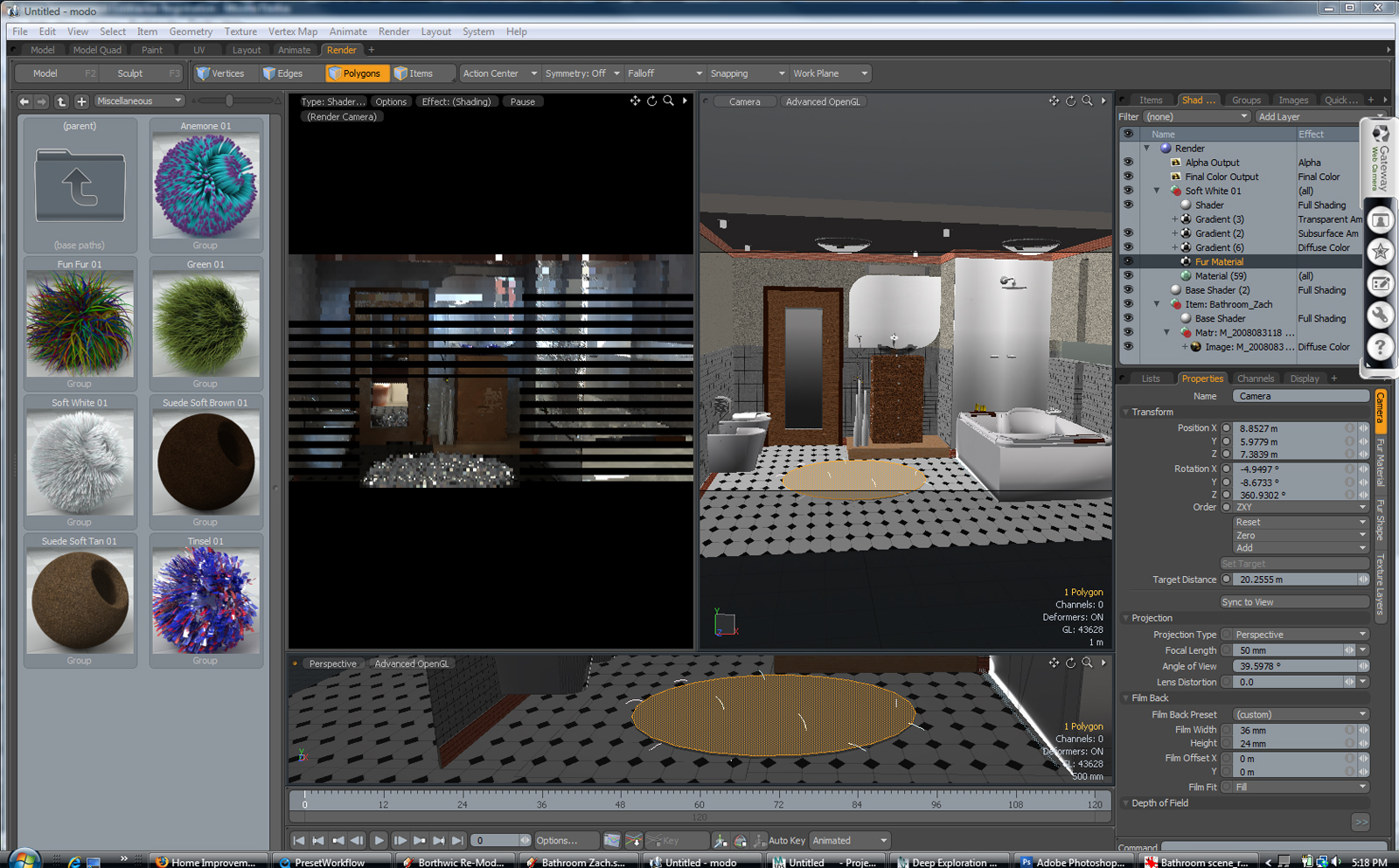
EDIT- Here's a Modo 401 screen grab of the presets that come with 401 and how the render window looks. The easiest way I found to use the presets on an imported SU model (.obj) in Modo, is to use the Lists window. Choose Polygons>By Material & click on the + sign to select all the faces with that material. Then you can just drag the preset material into the render preview window and it will apply it to all the selected faces and replace the sketchup material. You can also just drag and drop an environment preset into the render window to add a quick HDRI change. It's very easy! Now if only I can work out some good settings for exterior renders.
-
Some general thoughts after playing around with modo 301 for a few months, and 401 for only a couple of hours:
The render engine in 401 is a major upgrade, bringing it up to the level of Vray. Renders in the various previews are spectacular.
The program is quite complex, with hundreds of options for modeling, UVing, rendering etc etc. Yes, the basic interface is well-done, but it is not something that one is going to master in a couple of weeks (unless you have substantial experience with similarly complex programs like Max, Maya...)
Perhaps to counter this, a number of "presets" have been included in 401 to make things easier: there are rendering presets, all sorts of nice textures (and a modo version of the 3d warehouse to upload/download others), some useful content for arch viz. You just open your assets folder, click on what you go, and that's it.
The things that SU does well remain clunky in modo for architectural work. There is no inferencing (a major shortcoming), using real world dimensions is annoying, and most importantly, just playing around with masses (ie drawing out shapes and push/pulling them, cutting holes for doors and windows and so on) is much less intuitive. The many options you have in modo are often the source of the problem: when you create a square in modo, for example, you can enter dimensions, location and number of segments into a mega version of the VCB. So you could, if you wanted, make one big square consisting of 9 smaller squares by specifying 3 segment in the X axis, and 3 segments in the Z axis. Great, but the problem is next time you use the tool to create a rectangle/square, you will have to reset the tool or you will get a 3x3 square. Apart from the big problems like the lack of inferencing and useful dimensions, the continual need to set tool options before use can really get in the way. In SU, of course, you have no such complications because in general tool options are quite limited. In these circumstances, less is more.
The opposite is true too, of course: once you have beveled the corners of objects, or used subdivision, SU feels extremely primitive. Organic modeling is the real strength of modo (and the weakness of SU) so I can see why modo can feel magical, but SU's abilities are also quite "magical" in their own way.
There is also nothing like dynamic components (a major drawback).
What I can imagine is the workflow that has been mentioned earlier: do base work in SU, export to modo for detailing and (theoretically) modeling. But...modo (while a cheap alternative to Max etc) still costs $$$, so I am beginning to think that the ideal toolbox (for Arch Viz interiors) for me would consist of:
-SU Pro for base modeling rectilinear and regular curved forms
-MoI for modeling non-organics/hard surface
-Silo ($129; simpler interface than Modo, more "usable" for many people) for details, organics
-Thea Render (if it lives up to its hype and isn't too expensive)For me, I find it really frustrating (although sometimes challenging and interesting) to use software for things it's not designed for, so I would rather use multiple programs, using each of them to do what they are best at. All of the above should actually "play nice" together as well.
Modo 401 appears to be both quirky and demanding about hardware specifications, at least at this point, so using it might mean an upgrade.
The modo community is great. However, for people like me who started modeling using SketchUp, I have found it challenging to find training/info about a lot of little details related to polygon modeling, UVing and other processes. For similar people, I would stress that modo (and Silo and any other polygonal modeling programs) employ an entirely different modeling paradigm that you may not find easy to grasp. If you can, great-I envy you! But don't expect that this will be the case. (Pete, you will have no problem!)
So: if you're interested in the modeling capabilities, I would suggest downloading ANY polygonal modeling program and try it out. Some of the best introductory tutorials are found at nevercenter.com, where you can also get a 30 day trial for Silo, I think. As mentioned, ease of use is high for silo, and hardware requirements low. The fundamental processes and tools are essentially identical to what you'd see in modo. There's no render engine built into Silo, btw.
If you're interested in modo for rendering? It can produce stunning results, like VRay, and you'd get a full-fledged modeler and lots more for only an extra $100. But that's still out of my price range, and Thea is promising to be affordable while offering great features even its first version. Fingers crossed for that. The few samples they released look quite promising.
Intangibles: Luxology, the people producing modo, interact with the userbase almost daily on the forums, are extremely responsive, provide excellent customer service and are obviously extremely committed to their product and are not owned by a multi-national conglomerate.
So there you go...
-
I think lots of people, like myself, who come to modo from arch or archviz are not actually clear about what a sub-d program is and how it's different from a program like Rhino or SolidWorks.
This short video is a good introduction - http://www.guerrillacg.org/home/3d-polygon-modeling/subdivision-surfaces-overview
It's important to understand that you can't really export data from a sub-d program. You can model a perfume bottle and you can render and animate the model but you can't hand off drawings to a fabricator. It's not that kind of a program.
I love modo, but I also love SketchUp. I can do incredible things in modo but I had to get some drawings up to the shop in a hurry today and the drawings had to be dimensionally accurate. Speed and accuracy, with dimensions? That's not modo, that's SketchUp. Modo is opening whole new areas for me but it's not replacing SketchUp at all. When I get up to speed with modo I expect I'll be using both programs, working side by side, serving different purposes.
-
Here are 3 tuts relevant to archvis.
http://www.vimeo.com/album/105076 -
I just watched the first of these three videos. Very very good. Helpful to anyone working in between CAD, SK, and modo.
-
Thanks for the vids chaps, very interesting watching

-
Awesome find. I learned more in these videos than the previous 15 hours of other tutorials I watched. All tutorials should be so precise.






Advertisement