[Plugin] UV Toolkit
-
Hi, I'm using UV toolkit with FredoScale for game modelling.
I've noticed that when I export the model(to dae), I get one texture for each quad face. I'm making a city model and this results in thousands of textures... Is this just how the plugin works or is it something I can do about it?
Edit: Never mind, Just found out that the faces has to be triangels... -
If I open a model made with skp 2013 and an earlier version of UV toolkit(and TT_lib) and try to edit the UV-mapping in Skp 2015 with the most recent UV-toolkit and TT lib , will the UV-mapping get messed up?
-
No - should act the same. Are you seeing otherwise?
-
Hi Thom,
I was playing with UV Toolkit on a model from warehouse:
https://3dwarehouse.sketchup.com/model.html?id=1c056259336d676cf69f18f886bbb404I tried to copy come textures from one face to another and get next error:
@unknownuser said:
Could not compute valid matrix from points
C:/Users/Marija/AppData/Roaming/SketchUp/SketchUp 2016/SketchUp/Plugins/tt_uv_toolkit2/clipboard.rb:230:inposition_material' C:/Users/Marija/AppData/Roaming/SketchUp/SketchUp 2016/SketchUp/Plugins/tt_uv_toolkit2/clipboard.rb:230:inblock (2 levels) in paste_uv'
C:/Users/Marija/AppData/Roaming/SketchUp/SketchUp 2016/SketchUp/Plugins/tt_uv_toolkit2/clipboard.rb:197:ineach' C:/Users/Marija/AppData/Roaming/SketchUp/SketchUp 2016/SketchUp/Plugins/tt_uv_toolkit2/clipboard.rb:197:inblock in paste_uv'
C:/Users/Marija/AppData/Roaming/SketchUp/SketchUp 2016/SketchUp/Plugins/TT_Lib2/simpletask.rb:59:inblock in run' C:/Users/Marija/AppData/Roaming/SketchUp/SketchUp 2016/SketchUp/Plugins/TT_Lib2/simpletask.rb:58:ineach'
C:/Users/Marija/AppData/Roaming/SketchUp/SketchUp 2016/SketchUp/Plugins/TT_Lib2/simpletask.rb:58:inrun' C:/Users/Marija/AppData/Roaming/SketchUp/SketchUp 2016/SketchUp/Plugins/tt_uv_toolkit2/clipboard.rb:188:inpaste_uv'
C:/Users/Marija/AppData/Roaming/SketchUp/SketchUp 2016/SketchUp/Plugins/tt_uv_toolkit2/clipboard.rb:34:inblock in <module:UV_Toolkit>' SketchUp:1:incall'Surfaces I'm talking about are rectangles, below arches
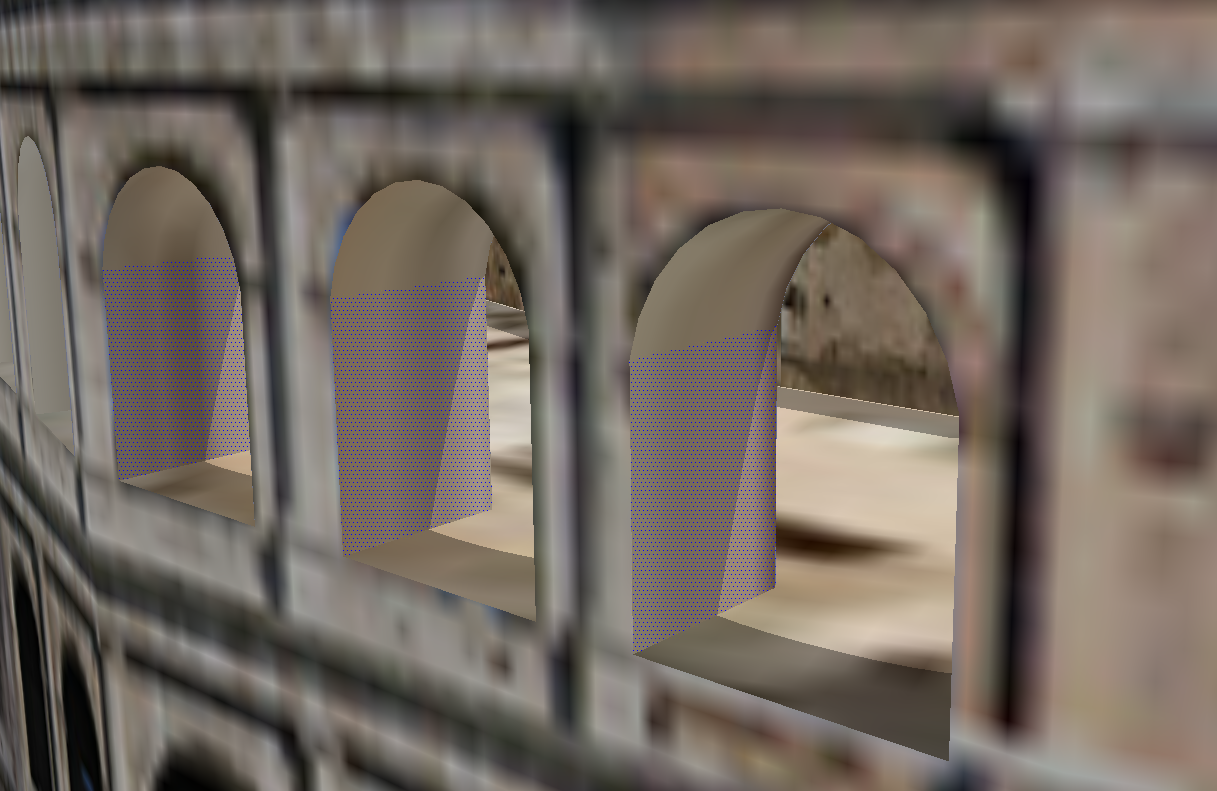
I've inspected them a bit, it is definitely rectangle, and seems problem is that for UVQ coordinates we get 2 pairs of identical coordinates.
` face=Sketchup.active_model.selection[0]
face.vertices.each{|v| puts v.position}
(-81.244783m, 48.236298m, 29.144603m)
(-81.244783m, 48.236298m, 25.126711m)
(-78.64126m, 46.296916m, 25.126711m)
(-78.64126m, 46.296916m, 29.144603m)tw=Sketchup.create_texture_writer
uvh = face.get_UVHelper( true, false, tw )
uvq = face.vertices.collect { |v|
uvh.get_front_UVQ( v.position )}
[Point3d(-0.77926, 0.615652, 1.07232), Point3d(-0.77926, 0.615652, 1.07232), Point3d(-0.770337, 0.611328, 1.07188), Point3d(-0.770337, 0.611328, 1.07188)]`Is there some solution for surfaces with such coordinates?
I've tried slight change in plugin code: removing of duplicates (and their corresponding vertices coordinates) and then position_material -> no error, but final texture not positioned as original one.
Thanks in advance,
Marija -
Hm... I think this relate to projected textures. The API doesn't have good support for that type of mapping.

-
@thomthom said:
Hm... I think this relate to projected textures. The API doesn't have good support for that type of mapping.
You are right. I've checked and these are projected textures.
I know not much useful things in API on mapping of projected textures.Do you think there is some possibility to 'extract' that info and use it for pasting. Something with get_texture_projection() and set_texture_projection().
Marija
-
get_texture_projection and set_texture_projection was an attempt to add support for that. It was added close to a release a while back. Though it didn't really fully solve things. (and should probably be deprecated.) As things are right now there aren't any good info to go by.
-
I noted when you save UVs data and then you save the .skp file the size of the file increases notably, is there any way to cleanup that data after it has been used?
It would be fantastic to add a feature to clean the data.Example: UVs data of 6000 faces, the file increases about 4mg, if you have saved the UVs of various objects the increment can be immense.
-
Excuse me but I'm waiting an answer, please I need a solution, I use the plugin many times in my personal projects.
-
thank you





Advertisement