sketchucation logo sketchucation
    • 登入
    Oops, your profile's looking a bit empty! To help us tailor your experience, please fill in key details like your SketchUp version, skill level, operating system, and more. Update and save your info on your profile page today!
    🔌 Smart Spline | Fluid way to handle splines for furniture design and complex structures. Download

    [Plugin] Shape Bender Beta

    已排程 已置頂 已鎖定 已移動 Plugins
    1.3k 貼文 331 Posters 1.8m 瀏覽 329 Watching
    正在載入更多貼文
    • 從舊到新
    • 從新到舊
    • 最多點贊
    回覆
    • 在新貼文中回覆
    登入後回覆
    此主題已被刪除。只有擁有主題管理權限的使用者可以查看。
    • A 離線
      ayieartwork
      最後由 編輯

      Hi.im new here.why i cant download the plugin.help2!

      Intel Core i7-3930k with 16gb G.Skill Ripjaws

      1 條回覆 最後回覆 回覆 引用 0
      • GaieusG 離線
        Gaieus
        最後由 編輯

        @ayieartwork said:

        Hi.im new here.why i cant download the plugin.help2!

        Hi Fadhli,

        The plugin is attached to the first post of this topic. If you have problems, please, have a look at this announcement and delete your browser cookies:
        http://forums.sketchucation.com/viewtopic.php?f=323&t=19797

        Gai...

        1 條回覆 最後回覆 回覆 引用 0
        • D 離線
          driven
          最後由 編輯

          Hi Chris,
          great tool, again...

          I'm working on a font stringer idea for 3D stainless steel printing and this does 90% of the basic component build beautifully, but as I need to now do this to a full character set, I'm was wondering if a few features could be added.
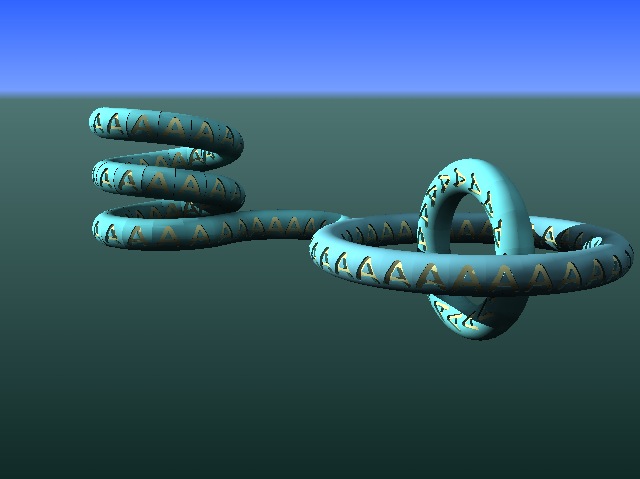
          the concept

          and this is just 'CopyRotate' version, but I have also done some test's with 'ComponentStringer' following more complex curves.
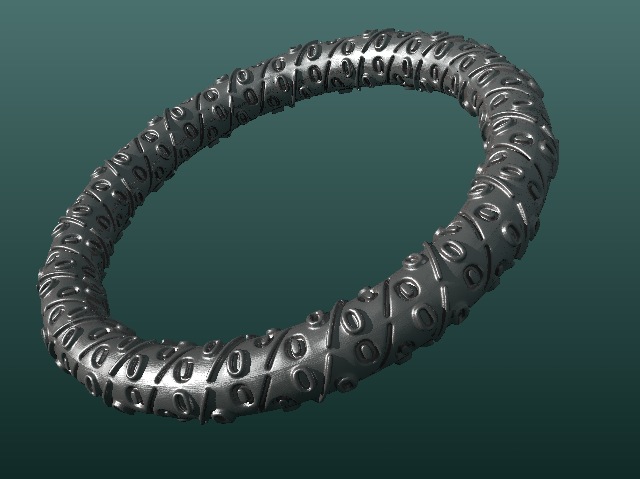
          the '%' are component (place holders)

          one of the steps that may be improved is after the second bend, of the 'letter' component, both ends need to be rotated back to the arc centre, I can't think of an easy way to do this and was thinking that being able to choose the arc centre as part of the parameters would be useful, or better still if "FindArcCentrePoint" could be utilized to find it's own on a multi-arc line.
          another is stipulating which is start and end on both lines (it changes from character to character even though I'm using locked templates and Copy-PastseInPlace' to generate them)

          To be honest I'm really just throwing some quick early ideas out there for any comments

          john
          EDIT
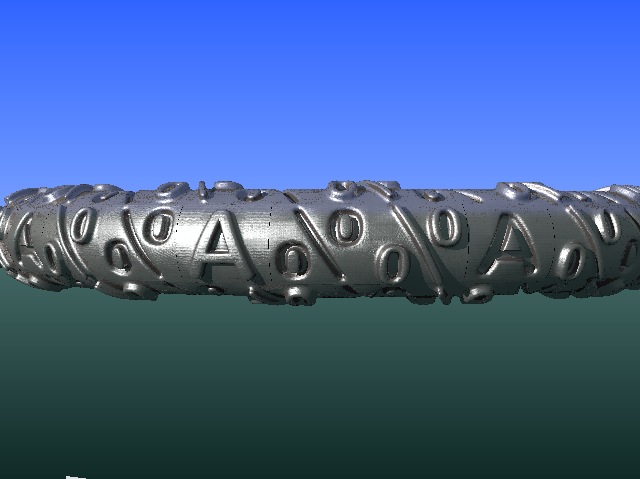
          with 'A' character replacement (not fully tweaked)

          learn from the mistakes of others, you may not live long enough to make them all yourself...

          1 條回覆 最後回覆 回覆 引用 0
          • D 離線
            driven
            最後由 編輯

            Hi Chris,

            I had to do a job today using Shapebender to put text on tubes, as above, but more refined.

            to my surprise, I actually had all the dialogs, option to select ends ,ect before running, I really didn't know they were there.

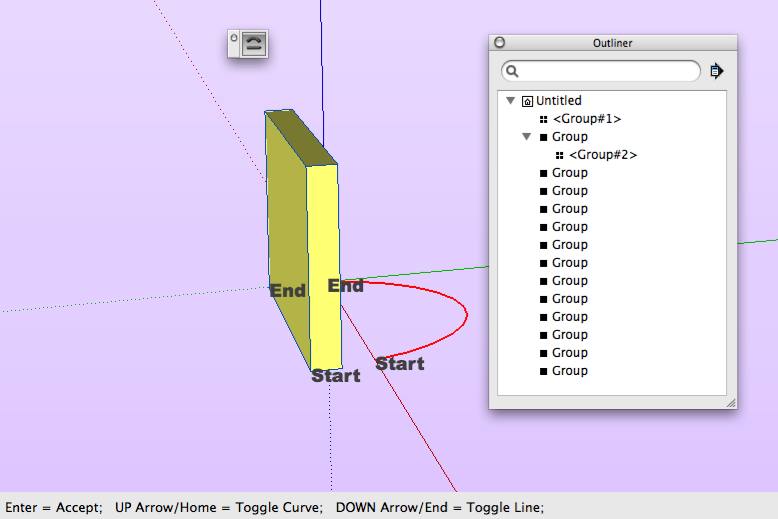
            however, instead of making curved fonts, when I switched ends all it did was make an empty group, click again, another empty group, hit return another group.

            I had outliner on, which is how I saw the groups, but suspecting it might be the problem, tuned it off, same thing.

            working backward through my ruby instals, functionality returned when I removed the new VitrualWindSim ruby but without the end switching bits. because I really had a lot to do and the switching ability would speed it up, I stripped out all the rubies from my MacBook and only put what was needed for SB back in.

            No extra bits, added VWS got all the whistles , but no Bells, so I just thought I'd let you know. I'll grab the Mac console log when I finish up and see if it shows anything.

            john

            learn from the mistakes of others, you may not live long enough to make them all yourself...

            1 條回覆 最後回覆 回覆 引用 0
            • Chris FullmerC 離線
              Chris Fullmer
              最後由 編輯

              Very interesting. I'll try to look at the code and see if I can find anything that might conflict. Thanks for the notice,

              Chris

              Lately you've been tan, suspicious for the winter.
              All my Plugins I've written

              1 條回覆 最後回覆 回覆 引用 0
              • D 離線
                driven
                最後由 編輯

                Chris,

                Does this help Mac Logs

                john

                without VWS log
                with VWS log
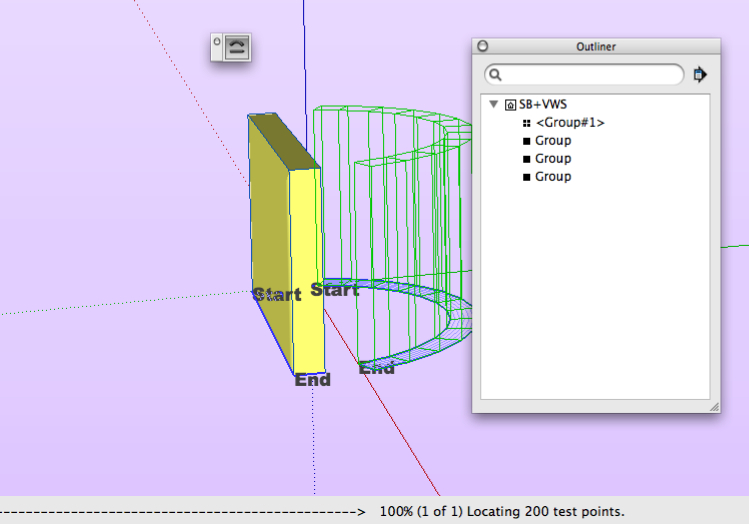
                with VBS can't get passed this point
                I can change ends at this stage, on complex models it can take time if you have 4 goes at it
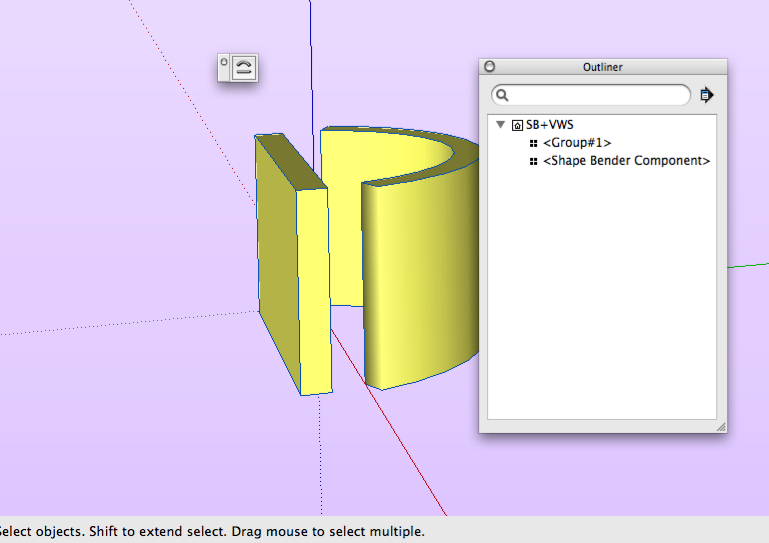
                result

                learn from the mistakes of others, you may not live long enough to make them all yourself...

                1 條回覆 最後回覆 回覆 引用 0
                • C 離線
                  Comedie
                  最後由 編輯

                  rather new to playing with SketchUp. I've been trying to bend a cone to a bezier curve (bezierspline + shape bender). Think .bent fishing rod'. Not being too successful. Might be easier if the straight line choice could be the centerline, but shape bender is looking for an external straight line only?

                  1 條回覆 最後回覆 回覆 引用 0
                  • D 離線
                    driven
                    最後由 編輯

                    @comedie said:

                    Might be easier if the straight line choice could be the centerline,?

                    Lines can be anywhere you want, but will effect the outcome, because it's a group you can put it's centre on a line, or directly above or below. keep your curve on the same plane as the control line, it's less confusing, even when you get use to it.... This is a sectional view to show you it's symmetrical, just in case...
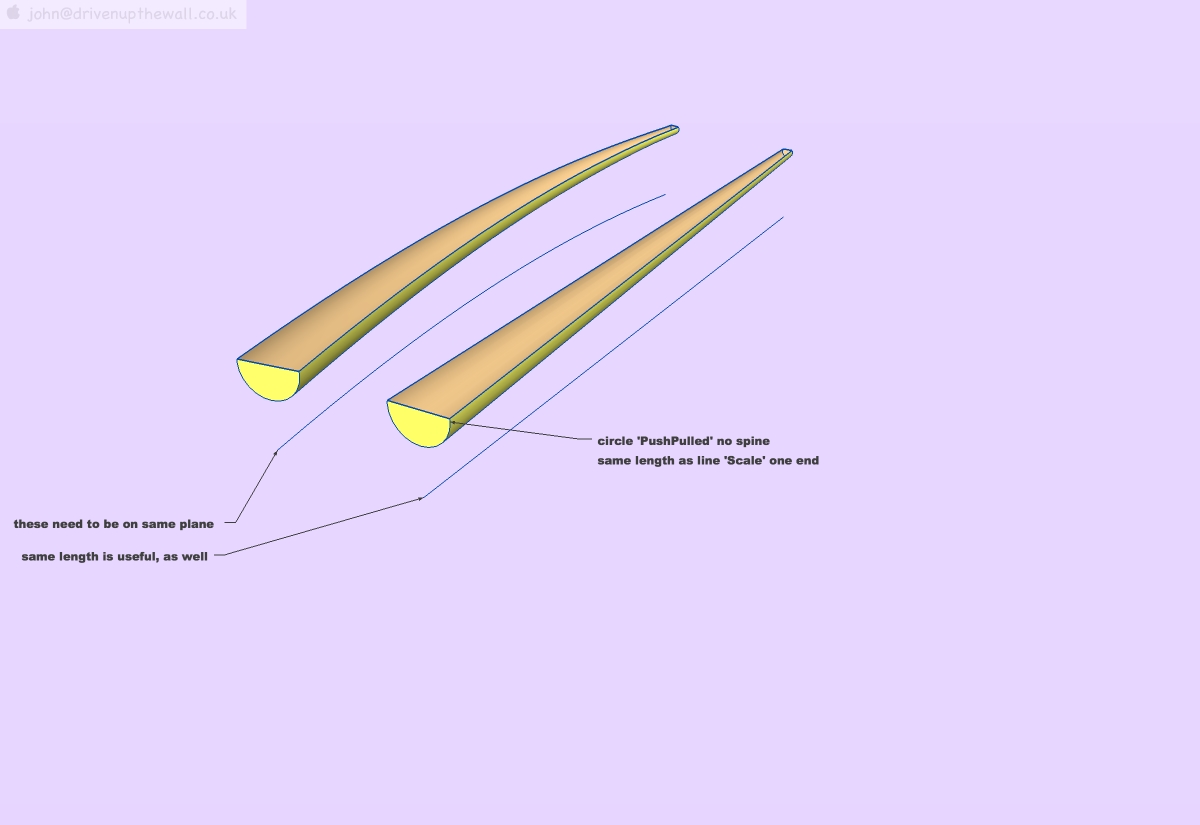
                    one way

                    learn from the mistakes of others, you may not live long enough to make them all yourself...

                    1 條回覆 最後回覆 回覆 引用 0
                    • W 離線
                      wangkb
                      最後由 編輯

                      It is very helpful to make a curcular ramp or staircases...
                      Great plugin.

                      1 條回覆 最後回覆 回覆 引用 0
                      • C 離線
                        Comedie
                        最後由 編輯

                        @driven said:

                        @comedie said:

                        Might be easier if the straight line choice could be the centerline,?

                        Lines can be anywhere you want, but will effect the outcome, because it's a group you can put it's centre on a line, or directly above or below. keep your curve on the same plane as the control line, it's less confusing, even when you get use to it.... This is a sectional view to show you it's symmetrical, just in case...
                        [attachment=0:7ow9pgot]<!-- ia0 -->ShapeBender.jpg<!-- ia0 -->[/attachment:7ow9pgot]

                        Not sure why, but after watching the video I had some assumptions in my head for what was required in the setup. Line in conact with the object, and object oriented to the axis. Setup was painful (for me) and the results pretty weird at times.
                        Jettisoned those asusmptions and tried as you showed. Much better. Guess I should have take a step back and thought about the setup. In restrospect I should have remembered orthographic projection I did in a drafting class 25+ years back. Now it makes some sense to me.
                        Thanks!!!!

                        1 條回覆 最後回覆 回覆 引用 0
                        • B 離線
                          bobpang725
                          最後由 編輯

                          it looks great! thanks! 😄 😄 😉

                          1 條回覆 最後回覆 回覆 引用 0
                          • U 離線
                            Ulsterhound
                            最後由 編輯

                            Help Please with Shape Bender Issue

                            This looks like a great plugin but I can't seem to get it to work. I installed ProgressBar.rb and then dropped in all the files for Shape Bender into /Plugin and followed your instructions on how to use it. BUT, with the group selected, and clicking Shape Bender I cannot select the straight or curved lines. The status bar at the bottom does say taht I should "Select a single line that lies on the red axis," but the cursor does not change and I am unable to select anything.

                            Any help is appreciated,
                            Ulsterhound

                            1 條回覆 最後回覆 回覆 引用 0
                            • D 離線
                              d12dozr
                              最後由 編輯

                              Have you watched the videos in this post? http://forums.sketchucation.com/viewtopic.php?p=147395#p147395 Are you missing any of the steps Chris does?

                              I just installed and used it last week and it works fine.

                              Thanks for the great plugin, Chris!

                              3D Printing with SketchUp Book
                              http://goo.gl/f7ooYh

                              1 條回覆 最後回覆 回覆 引用 0
                              • Chris FullmerC 離線
                                Chris Fullmer
                                最後由 編輯

                                Notice also that the cursor "hotspot" is really poorly placed. You don't place the tip of the cursor over the line, its just below the tip of the cursor a bit. The line should highlight when you get the cursor positioned correctly.

                                Chris

                                Lately you've been tan, suspicious for the winter.
                                All my Plugins I've written

                                1 條回覆 最後回覆 回覆 引用 0
                                • D 離線
                                  driven
                                  最後由 編輯

                                  turn on colour by axis to see if your line is red and also make sure your clicking a 'single' straight line,

                                  I often redraw a fresh line if I can't get it first click,

                                  I am using it on a Mac and only get half the dialogues, but it still works.

                                  learn from the mistakes of others, you may not live long enough to make them all yourself...

                                  1 條回覆 最後回覆 回覆 引用 0
                                  • U 離線
                                    Ulsterhound
                                    最後由 編輯

                                    Thank you everyone, especially Chris.

                                    I had not completely extracted the folder and separate .rb file, instead I had just opened the zip file and dragged them all into the /Plugin folder so it didn't create the shape bender folder.

                                    It works great now. Thank you agian for the help and such a great Plugin.

                                    Ulsternound

                                    1 條回覆 最後回覆 回覆 引用 0
                                    • M 離線
                                      make.GQ.china
                                      最後由 編輯

                                      This is indeed a very good plug-in, thank you share.

                                      1 條回覆 最後回覆 回覆 引用 0
                                      • S 離線
                                        suzid6050
                                        最後由 編輯

                                        How do you download this pluggin and make it work with sketchup 7 i have only just started using sketch up. 😞 ps i am using windows vista

                                        1 條回覆 最後回覆 回覆 引用 0
                                        • GaieusG 離線
                                          Gaieus
                                          最後由 編輯

                                          Hi Suzi,

                                          The plugins on this forum are generally attached to the very bottom of the first post (by the author). As for installing them; simply extract the files/folders from the archive directlyunder your C:\Program Files\Google\Google SketchUp 7\Plugins folder (this is for my XP). Make sure NOT to let Windows create a separate subfolder of all the extracted files but copy them directly above.
                                          When it is a single file with a simple rb extension, you just need to save it above.

                                          Restart SU and enjoy. (And welcome)

                                          Gai...

                                          1 條回覆 最後回覆 回覆 引用 0
                                          • S 離線
                                            suzid6050
                                            最後由 編輯

                                            why wont it let me select the line even though its on the red axis? 😕 I have tried redrawing the line several times but it still wont let me select it.

                                            1 條回覆 最後回覆 回覆 引用 0
                                            • 1
                                            • 2
                                            • 5
                                            • 6
                                            • 7
                                            • 8
                                            • 9
                                            • 63
                                            • 64
                                            • 7 / 64
                                            • 第一個貼文
                                              最後的貼文
                                            Buy SketchPlus
                                            Buy SUbD
                                            Buy WrapR
                                            Buy eBook
                                            Buy Modelur
                                            Buy Vertex Tools
                                            Buy SketchCuisine
                                            Buy FormFonts

                                            Advertisement