Scrapbooks Items
-
Is it possible to change the colors of the Scrapbooks Items ?
I need to place a white arrow over a black floor.
I just could not find a way to do it.
Thanks
agrazdi
-
Hi Agrazdi,
Note that Scrapbook ites are "simple" Shape items - just colleted into a layout file saved as a scrapbook.
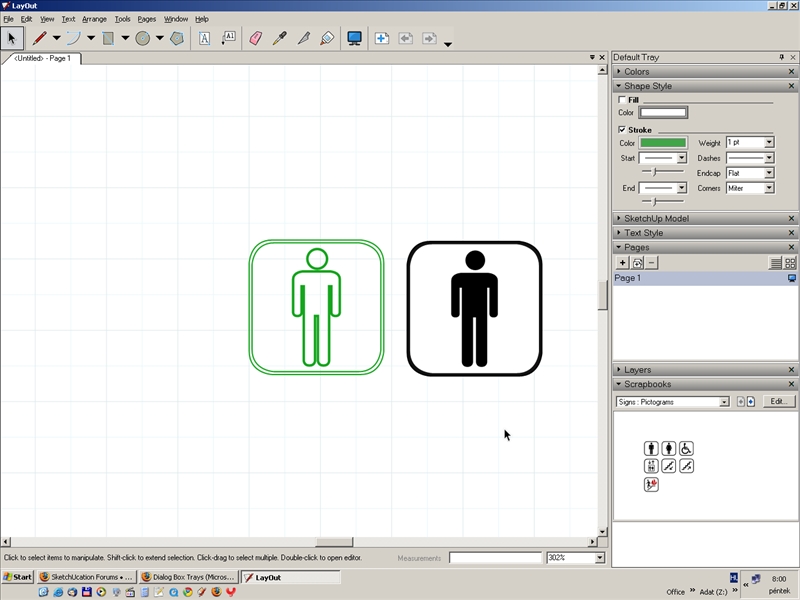
When you insert them, you can (after selecting) manipulate them the same way as say a simple rectangle and change the shape style and colour via the Shapes and Colour dialogs of the Tray.
See an example attached (I painted it green instead of white so that you can see the two side by side)
-
Gaieus
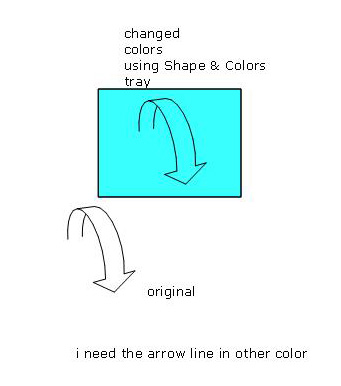
I tried with many of the scrapbook items, and some work fine as you mentioned.
But with others like arrows, they don't, any idea why the difference ?
Thanks
agrazdi
-
@agrazdi said:
Gaieus
But with others like arrows, they don't, any idea why the difference ?
agrazdiThe difference is, the arrows are actually Sketchup models. I think
they come in as vector renderings, so you would have to right click on them
to explode them into LO entities and then you can color them.
You might be able to create your own arrows with different colors by
editing the SU model and changing the edge color. -
Works fine
Thanks

-
Yup, that's it. They are SU models (and thus can even be orbited in 3D). Make sure to explode them at the final stage as you will lose this orbiting feature after exploding.

Hello! It looks like you're interested in this conversation, but you don't have an account yet.
Getting fed up of having to scroll through the same posts each visit? When you register for an account, you'll always come back to exactly where you were before, and choose to be notified of new replies (either via email, or push notification). You'll also be able to save bookmarks and upvote posts to show your appreciation to other community members.
With your input, this post could be even better 💗
Register Login


Advertisement