sketchucation logo sketchucation
    • Login
    Oops, your profile's looking a bit empty! To help us tailor your experience, please fill in key details like your SketchUp version, skill level, operating system, and more. Update and save your info on your profile page today!
    ⚠️ Update | Sketchucation Tools 5.0.8 released with licensing improvements and bugfixes Download

    Barn WIP

    Scheduled Pinned Locked Moved Newbie Forum
    sketchup
    56 Posts 5 Posters 4.5k Views 5 Watching
    Loading More Posts
    • Oldest to Newest
    • Newest to Oldest
    • Most Votes
    Reply
    • Reply as topic
    Log in to reply
    This topic has been deleted. Only users with topic management privileges can see it.
    • M
      Mannie
      last edited by

      Good tip Solo, thanks. These textures where the free low res ones from arroway, i'm looking at my budget and maybe buy that disc cause good textures will do alot to the model. πŸ‘

      1 Reply Last reply
      Reply Quote 0
      • M
        Mannie
        last edited by

        I'm getting all kinds of weird shapes but nothing like a barrel lol

        1 Reply Last reply
        Reply Quote 0
        • soloS
          solo
          last edited by

          try this quick tut.

          basic barrel.skp

          http://www.solos-art.com

          If you see a toilet in your dreams do not use it.

          1 Reply Last reply
          Reply Quote 0
          • M
            Mannie
            last edited by

            Thanks, i'll try that tomorow. Tonight i'm not doing anything on the pc

            1 Reply Last reply
            Reply Quote 0
            • M
              Mannie
              last edited by

              Ok , im halfway thru the tut, now i am stuck at the step where you copy it 24 times around the rim. How does that work do i have to copy it manually 24x and rotate each or is there a fast way to do this ?

              1 Reply Last reply
              Reply Quote 0
              • GaieusG
                Gaieus
                last edited by

                Hi Mannie,

                That's done with the Rotate tool and the Ctrl button. This way you don't only copy the thng but by typing the number of copies and hitting enter you can make multiple copies.

                Rad more srolling down to "Radial arrays" here:
                http://download.sketchup.com/sketchuphelp/gsu6_win/Content/D-Modification_Tools/ModTool-Rotate.htm

                Gai...

                1 Reply Last reply
                Reply Quote 0
                • M
                  Mannie
                  last edited by

                  That's what i was trying but what i be getting each time is weird stuff like this πŸŽ‰


                  ehmm.jpg

                  1 Reply Last reply
                  Reply Quote 0
                  • GaieusG
                    Gaieus
                    last edited by

                    Because you are rotating those pieces around a corner of them. You should select the one you make first then get the centerpoint of the circle and rotate them around the centre of the circle. Right click on the circle line and select Centerpoint to get a guide point in the centre.

                    Gai...

                    1 Reply Last reply
                    Reply Quote 0
                    • M
                      Mannie
                      last edited by

                      Well i just don't get it, call me stupid lol πŸ˜‰

                      1 Reply Last reply
                      Reply Quote 0
                      • GaieusG
                        Gaieus
                        last edited by

                        No, I don't want to call you stupid.
                        Now you have one piece of that barrel nicely aligned along one segment of the circle, right?

                        1. select the piece with the Select tool (the piece is highlighted)
                        2. Place the Rotate tool onto the centerpoint of the circle
                        3. Press Ctrl (to make copies)
                        4. click onto one endpoint of the piece to start the rotation
                        5. click on the other side of it to finish the rotation (now you have made one copy)
                        6. now type 23 (don't click into the box to type just type) and hit enter (no need to type 24 since the original piece is the one to which we aded 23 now)
                          So just try it again! πŸ‘

                        Gai...

                        1 Reply Last reply
                        Reply Quote 0
                        • M
                          Mannie
                          last edited by

                          Thanks, will try that, made a ladder instead just now in the meantime πŸ˜‰

                          1 Reply Last reply
                          Reply Quote 0
                          • soloS
                            solo
                            last edited by

                            Csaba, I normally type x23.

                            Anyway, mannie I hope this helps:


                            http://img399.imageshack.us/img399/5838/circlearrayvl3.gif

                            http://www.solos-art.com

                            If you see a toilet in your dreams do not use it.

                            1 Reply Last reply
                            Reply Quote 0
                            • M
                              Mannie
                              last edited by

                              Ah, that is easier to follow thanks Solo, gonna give this a try in a few mins πŸ˜‰
                              just finnished the ladder πŸ˜‰


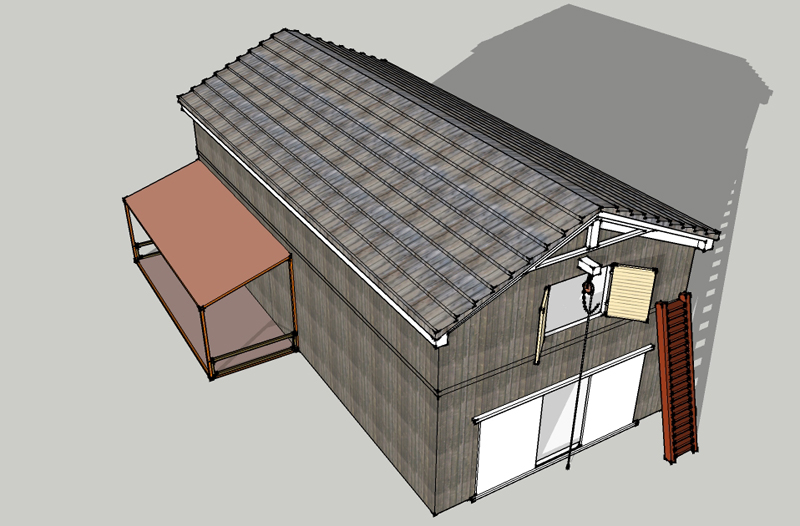
                              barn-10.jpg

                              1 Reply Last reply
                              Reply Quote 0
                              • GaieusG
                                Gaieus
                                last edited by

                                @solo said:

                                Csaba, I normally type x23...

                                😳 Yes, exactly. Sorry Mannie for misleading you! 😳

                                Gai...

                                1 Reply Last reply
                                Reply Quote 0
                                • M
                                  Mannie
                                  last edited by

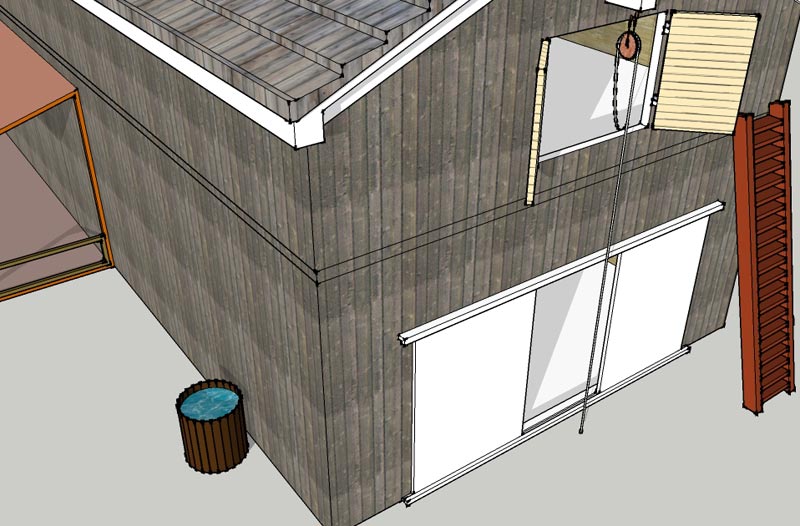
                                  Almmost i guess, except for the openings betweeen the planks that is. πŸ˜‰
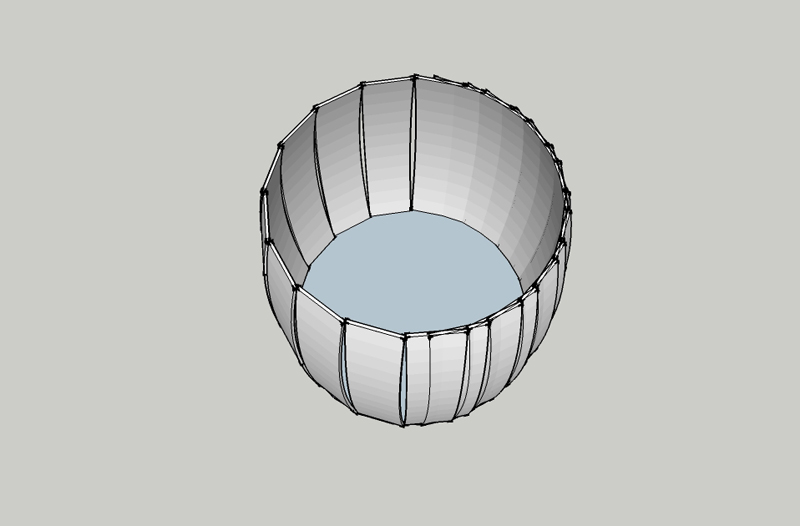

                                  barrel.jpg

                                  1 Reply Last reply
                                  Reply Quote 0
                                  • M
                                    Mannie
                                    last edited by

                                    with straight planks i can do it now πŸ˜‰


                                    barn-11.jpg

                                    1 Reply Last reply
                                    Reply Quote 0
                                    • GaieusG
                                      Gaieus
                                      last edited by

                                      I think an easier way is to use the follow me tool.

                                      Attached is a file. When you open it,

                                      1. click on the surface of the circle with the Select tool (note that I exploded the circle to get the pieces to be faceded instead of softened but it could have been done by lowering the softening angle as well)
                                      2. then click on the face of the piece with the Follow me tool
                                        If you still want to assemble it from pieces, now turn one of them into a component, delete the rest and do the radial array with this component (they will obviously fit nicely).

                                      Barrel.skp

                                      Gai...

                                      1 Reply Last reply
                                      Reply Quote 0
                                      • M
                                        Mannie
                                        last edited by

                                        Thanks that is easier indeed, however i learned both ways now so that is allways a good thing 😎

                                        1 Reply Last reply
                                        Reply Quote 0
                                        • GaieusG
                                          Gaieus
                                          last edited by

                                          Yes, exactly, that's the main point. πŸ‘

                                          Gai...

                                          1 Reply Last reply
                                          Reply Quote 0
                                          • M
                                            Mannie
                                            last edited by

                                            Good morning πŸ˜‰
                                            One last question about this, i think i calling it done, but i noticed when i did the test render in vue to see how it would look like the materials on the inside became the same as i stick on the outside in vue. Is this normal ? or do i have to do something to it so that won't happen ?

                                            Thanks in advance
                                            M.

                                            1 Reply Last reply
                                            Reply Quote 0

                                            Hello! It looks like you're interested in this conversation, but you don't have an account yet.

                                            Getting fed up of having to scroll through the same posts each visit? When you register for an account, you'll always come back to exactly where you were before, and choose to be notified of new replies (either via email, or push notification). You'll also be able to save bookmarks and upvote posts to show your appreciation to other community members.

                                            With your input, this post could be even better πŸ’—

                                            Register Login
                                            • 1
                                            • 2
                                            • 3
                                            • 2 / 3
                                            • First post
                                              Last post
                                            Buy SketchPlus
                                            Buy SUbD
                                            Buy WrapR
                                            Buy eBook
                                            Buy Modelur
                                            Buy Vertex Tools
                                            Buy SketchCuisine
                                            Buy FormFonts

                                            Advertisement