Weird cutouts after save
-
im quite new to SU.
I got this problem with a model. Ive got an ashtray with a logo on it.
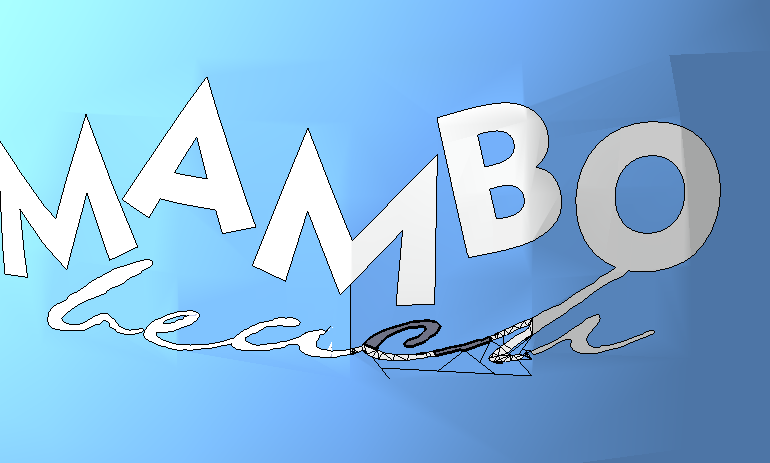
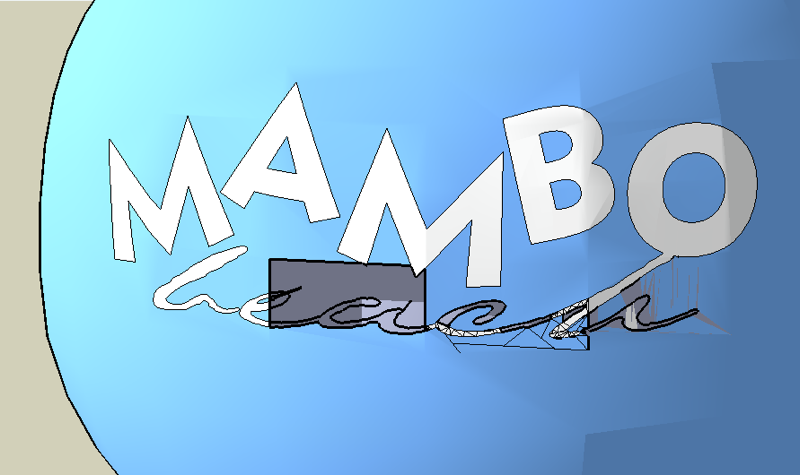
At first when i selected the model and let the logo interfere with the ashtray and than intersected some weird stuff happened. so i scaled the model to 8 times it normal size to get away from the blotches!! helped a bit. When i save the model after the saving i got these weird cutouts of the model
-
I think you need to switch on the hidden lines and that should show up an lines that intersect with the logo.
Post the model and so we can see if its anything more complicated
-
I'm wondering if you had some invalid geometry that was automatically fixed upon saving the file, thereby deleting it. I am guessing this because the first screenshot is not perfect, looking like there could be something invalid there. And the missing box has happened to me before where SU descided a line is invalid and it deletes it, there by leaving a hole.
Its easy to fix by redrawing the needed lines.
Chris



Hello! It looks like you're interested in this conversation, but you don't have an account yet.
Getting fed up of having to scroll through the same posts each visit? When you register for an account, you'll always come back to exactly where you were before, and choose to be notified of new replies (either via email, or push notification). You'll also be able to save bookmarks and upvote posts to show your appreciation to other community members.
With your input, this post could be even better 💗
Register Login


Advertisement