sketchucation logo sketchucation
    • Login
    Oops, your profile's looking a bit empty! To help us tailor your experience, please fill in key details like your SketchUp version, skill level, operating system, and more. Update and save your info on your profile page today!
    Mac User? | Join the Rayscaper Beta for Mac Learn More

    [Plugin] Align tool 3D (bug fix)

    Scheduled Pinned Locked Moved Plugins
    58 Posts 38 Posters 159.2k Views 38 Watching
    Loading More Posts
    • Oldest to Newest
    • Newest to Oldest
    • Most Votes
    Reply
    • Reply as topic
    Log in to reply
    This topic has been deleted. Only users with topic management privileges can see it.
    • S
      seebe
      last edited by

      Thank you so much for this tool. You have saved me so much time.

      1 Reply Last reply
      Reply Quote 0
      • Didier BurD
        Didier Bur
        last edited by

        @seebe: you're welcome

        DB

        1 Reply Last reply
        Reply Quote 0
        • T
          Trogluddite
          last edited by

          D'oh moment for me! 😳
          I spent so long trying to align things using the rotate/protractor tools - when all I needed to do was type "Align" into the search box and intall this super plugin!

          Many thanks Didier, you have made my Sketchuping so much easier!

          1 Reply Last reply
          Reply Quote 0
          • B
            bonzi_ses
            last edited by

            Thank you very mauch

            1 Reply Last reply
            Reply Quote 0
            • Z
              ZyberCool
              last edited by

              thanks bro..

              1 Reply Last reply
              Reply Quote 0
              • R
                redgray
                last edited by

                i like align tool just like in autocad command, thanks a lot for this tool.

                1 Reply Last reply
                Reply Quote 0
                • D
                  desunvn
                  last edited by

                  @didier bur said:

                  Hi,
                  Here is an updated version of my align tool with a bug fix (components were deformed when non orthogonal axis were clicked). User guide also added.
                  Regards,

                  thank for sharing

                  1 Reply Last reply
                  Reply Quote 0
                  • R
                    rv1974
                    last edited by

                    Didier, could you please add 'multiple copy' and 'preserve original instance' options (may be with say CNTRL key pressed once)?
                    P.S. I hope I post in the right topic: is it Tools\Align command?
                    (Align, align tool, align 2D, align 3D.. I'm confused a bit).

                    1 Reply Last reply
                    Reply Quote 0
                    • irwanwrI
                      irwanwr
                      last edited by

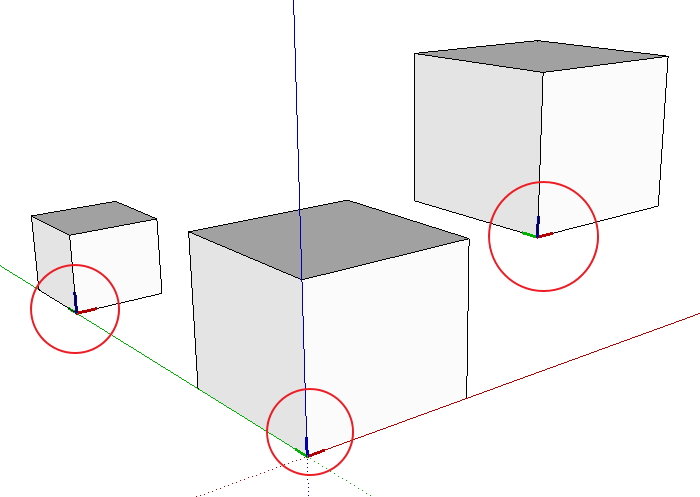
                      Anyone experienced groups/components axes that cannot be hidden or erased?
                      I've this plugin for quite long. But lately just realise that axes cannot be hidden or removed from the groups/components on the screen.
                      How should i clear those axes after aligning groups/components?
                      Thank you.

                      align plugin test.jpg

                      1 Reply Last reply
                      Reply Quote 0
                      • cottyC
                        cotty
                        last edited by

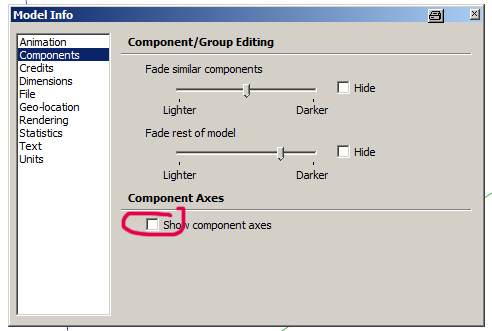
                        You can change the visibility of the component axes here:

                        caxes.jpg

                        my SketchUp gallery

                        1 Reply Last reply
                        Reply Quote 0
                        • irwanwrI
                          irwanwr
                          last edited by

                          I forgot to check that 😳
                          Checked Window - Preference only several times.
                          Seems that I forgot how to read and use SketchUp.

                          Thanks a lot, Cotty.

                          1 Reply Last reply
                          Reply Quote 0
                          • J
                            JPC2j3
                            last edited by

                            I recently down loaded and installed the plug-in in the zip file. I have been experimenting with the plug-in to learn how it works. When I try to use the tool, my SketchUp crashes every time. Let me explain as best as I can what happens.
                            I create two objects (usually two cubes or rectangles; I’m just experimenting). I pick a corner of one object and create an X and Y axis (should there be a Z axis showing at this point?). When I try to connect the origin point of the first object to the corner of the second object, I get a crash.
                            I have viewed the training video numerous times so I believe I am using the plug-in correctly. I’m seeking some help in understanding what I am doing wrong.
                            Thanks

                            1 Reply Last reply
                            Reply Quote 0
                            • robertWanR
                              robertWan
                              last edited by

                              Could you add an option to copy (Ctrl) for plugin ALIGN 3D? Now objects are moved.

                              Robert

                              1 Reply Last reply
                              Reply Quote 0
                              • kuponoK
                                kupono
                                last edited by

                                Align tool 3D doesn't want to work with SU 2014. Is this a ruby version thing? I miss being able to use it.

                                1 Reply Last reply
                                Reply Quote 0
                                • O
                                  otb designworks
                                  last edited by

                                  Can anyone confirm that this is not working in Su14 on a mac mavericks?

                                  I installed the plugin both through the sketchucation plugin store and also through Didier's thread here.

                                  Neither plugin appears in TOOLS and there is no align choice in the context menu when something is selected.

                                  It's like the plugin doesn't exist, though it shows up in the plugin manager, and is in the user/library.../plugins location.

                                  Thoughts?

                                  Cheers, Chuck

                                  OTB Designworks is on Youtube

                                  6 core nMP, 32 gig RAM, (2) D700 GPU's, dual monitors

                                  1 Reply Last reply
                                  Reply Quote 0
                                  • BoxB
                                    Box
                                    last edited by

                                    This might get it going for you. On the appropriate file, this is copied from the lines to tubes thread.

                                    @tig said:

                                    Didier needs to rework his rb file for v2014 compatibility and republish it...

                                    BUT you can do it temporarily for your own use, even though his script is 'packed'.
                                    Open the file lines2tubes.rb in Notepad, and go to the end:
                                    Change
                                    ...}.unpack("m")**.to_s**
                                    to read
                                    ...}.unpack("m")**[0]**
                                    Save the changes.
                                    Restart SketchUp.

                                    The script will then load and work in v2014 !

                                    This simple fix can be applied to any of Didier's 'packed' scripts that aren't working in v2014.

                                    These edited scripts will also load and work in earlier SketchUp versions too... πŸ€“

                                    1 Reply Last reply
                                    Reply Quote 0
                                    • kuponoK
                                      kupono
                                      last edited by

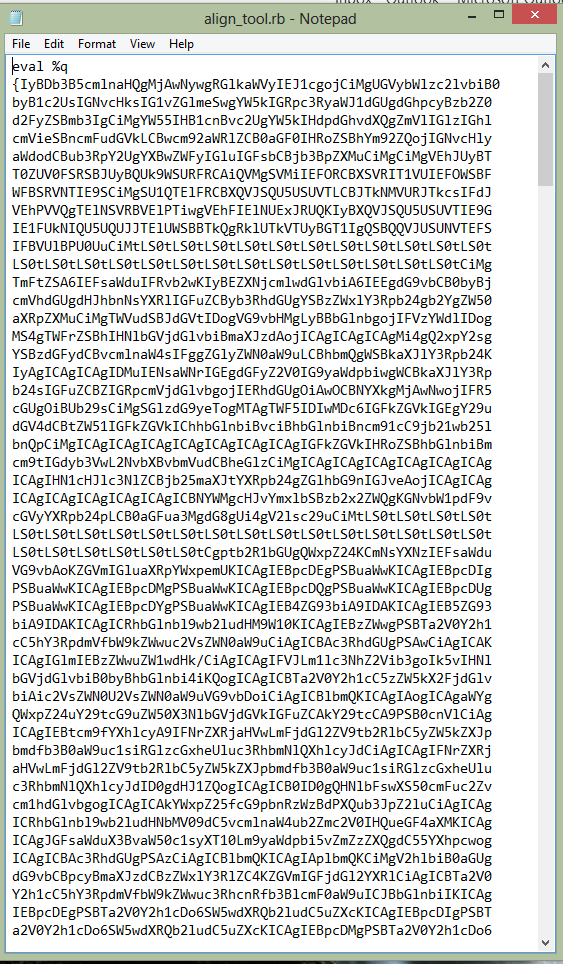
                                      This is what I get when opening align_tool.rb in notepad.Bytecode?
                                      Capture.PNG

                                      1 Reply Last reply
                                      Reply Quote 0
                                      • BoxB
                                        Box
                                        last edited by

                                        And if you scroll to the end as Tig says do you not see the bit that needs to be changed.

                                        1 Reply Last reply
                                        Reply Quote 0
                                        • O
                                          otb designworks
                                          last edited by

                                          Thanks for the response!

                                          I changed the code to read as TIG said it should (image 1). I also tried it with a space between the ) and the [ with no difference

                                          Now, when I start SU, I get this error message (image 2)

                                          thoughts?
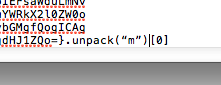

                                          Screen Shot 2014-03-28 at 6.47.47 AM.png


                                          Screen Shot 2014-03-28 at 6.47.32 AM.png

                                          Cheers, Chuck

                                          OTB Designworks is on Youtube

                                          6 core nMP, 32 gig RAM, (2) D700 GPU's, dual monitors

                                          1 Reply Last reply
                                          Reply Quote 0
                                          • BoxB
                                            Box
                                            last edited by

                                            Sorry, I only know it works on windows.

                                            1 Reply Last reply
                                            Reply Quote 0

                                            Hello! It looks like you're interested in this conversation, but you don't have an account yet.

                                            Getting fed up of having to scroll through the same posts each visit? When you register for an account, you'll always come back to exactly where you were before, and choose to be notified of new replies (either via email, or push notification). You'll also be able to save bookmarks and upvote posts to show your appreciation to other community members.

                                            With your input, this post could be even better πŸ’—

                                            Register Login
                                            • 1
                                            • 2
                                            • 3
                                            • 2 / 3
                                            • First post
                                              Last post
                                            Buy SketchPlus
                                            Buy SUbD
                                            Buy WrapR
                                            Buy eBook
                                            Buy Modelur
                                            Buy Vertex Tools
                                            Buy SketchCuisine
                                            Buy FormFonts

                                            Advertisement