sketchucation logo sketchucation
    • Login
    Oops, your profile's looking a bit empty! To help us tailor your experience, please fill in key details like your SketchUp version, skill level, operating system, and more. Update and save your info on your profile page today!
    Mac User? | Join the Rayscaper Beta for Mac Learn More

    SketchUpBBS-Subdivide&Smooth piugins test

    Scheduled Pinned Locked Moved Gallery
    27 Posts 9 Posters 4.2k Views 9 Watching
    Loading More Posts
    • Oldest to Newest
    • Newest to Oldest
    • Most Votes
    Reply
    • Reply as topic
    Log in to reply
    This topic has been deleted. Only users with topic management privileges can see it.
    • soloS
      solo
      last edited by

      um, okay!

      So let me try it too.

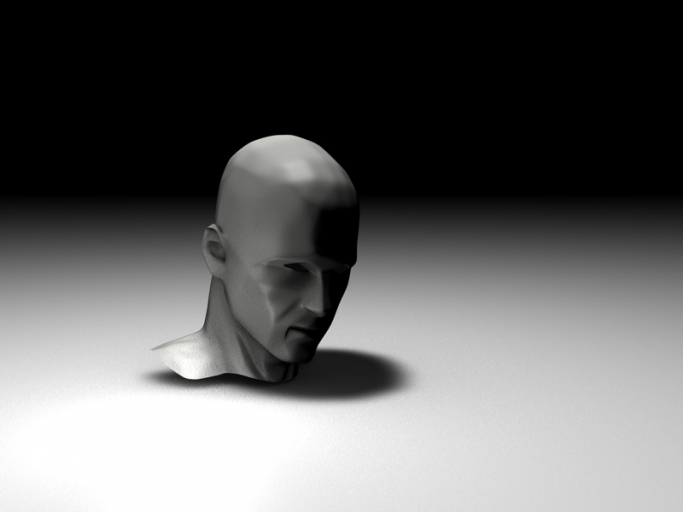
      Attached is a .skp (very low poly) that if you explode it and apply 2 iriterations will produce a wonderfully smooth perfect face as shown in image below.


      http://img112.imageshack.us/img112/5897/headtestqjg0.jpg


      Solohead.skp

      http://www.solos-art.com

      If you see a toilet in your dreams do not use it.

      1 Reply Last reply
      Reply Quote 0
      • B
        bianhai
        last edited by

        GOOD!solo!

        1 Reply Last reply
        Reply Quote 0
        • soloS
          solo
          last edited by

          Thanks but I have to be honest and say it's reverse engineered, it is in fact a Poser head that I reduced then imported into SU and used the sub-smooth tool to recreate the mesh.
          I wanted to reduce further and make a series of in progress screen grabs but decided against it.

          http://www.solos-art.com

          If you see a toilet in your dreams do not use it.

          1 Reply Last reply
          Reply Quote 0
          • B
            bianhai
            last edited by

            Uses this plug-in
            http://www.smustard.com/script/subdivideandsmooth
            usage Installation
            1.jpg
            2.jpg
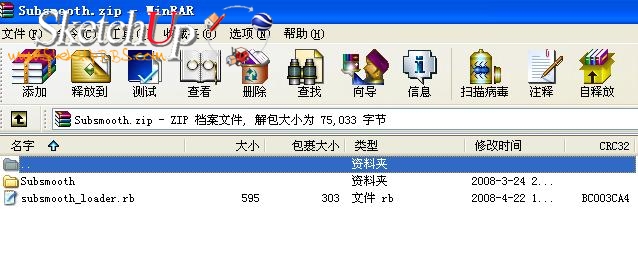
            Unzip the file you downloaded.
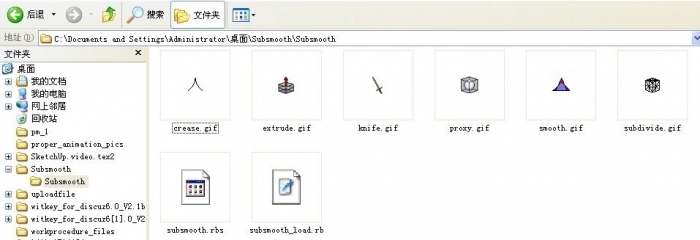
            You should now have a file named 'subsmooth_loader.rb' and a folder named 'Subsmooth'.
            Copy both the file and folder to your SketchUp/Plugins directory.
            Close SketchUp if you have it open.
            Run SketchUp
            If you do not see the Subdivide and Smooth toolbar, go to Window->Preferences->Extensions and make sure that 'Subdivide and Smooth' is checked.
            A new menu item will be created under your 'Tools' menu and you will see a new toolbar.
            Known Issues

            Bug splats can occur when using other plugins such as SketchyFFD, JointPushPull, Offset On Surface, etc. while editing a subdivision proxy. It is recommended to only use the standard SketchUp tools (and the tools included with this plugin) while editing a subdivision proxy.
            Bug splats can occur while using the 'Extrude' tool when multiple faces are selected on a proxy.
            Bug splats can occur when using the 'Knife Tool'
            Using the 'Subdivide Selection' tool may cause bugsplats or SketchUp to hang in rare situations.
            If you 'Undo' an operation while editing a subdivision proxy, you will not be able to use the 'Redo' command.
            If you cut and paste a proxy, it will no longer behave as a proxy. You must select it and then click the 'Subdivide and Smooth' icon to re-create the proxy.

            1 Reply Last reply
            Reply Quote 0
            • plot-parisP
              plot-paris
              last edited by

              thanks a lot, bianhai.

              I think most of us are already messing arround with Subdivide&Smooth.

              but your modeling-tutorial looks really inspiring! has something of a sculptor.
              I definitely have to try this sometime!

              1 Reply Last reply
              Reply Quote 0
              • B
                batas senja
                last edited by

                wow....it so wonderful... 👍

                1 Reply Last reply
                Reply Quote 0
                • pilouP
                  pilou
                  last edited by

                  You can use the free "Make Human" and make any anatomy and then introduce it in SU 😉

                  Frenchy Pilou
                  Is beautiful that please without concept!
                  My Little site :)

                  1 Reply Last reply
                  Reply Quote 0
                  • K
                    kwistenbiebel
                    last edited by

                    I still can't understand why someone would want to present alien mesh as Sketchup geometry...

                    1 Reply Last reply
                    Reply Quote 0
                    • pilouP
                      pilou
                      last edited by

                      @unknownuser said:

                      as Sketchup geometry

                      Maybe for full compatibilty?

                      Frenchy Pilou
                      Is beautiful that please without concept!
                      My Little site :)

                      1 Reply Last reply
                      Reply Quote 0
                      • plot-parisP
                        plot-paris
                        last edited by

                        @unknownuser said:

                        @unknownuser said:

                        as Sketchup geometry

                        Maybe for full compatibilty?

                        I think kwistenbiebel meant that it doesn't make sense, if someone imports a mesh and then tells everyone he has created it in SketchUp... 😉

                        1 Reply Last reply
                        Reply Quote 0
                        • B
                          bianhai
                          last edited by

                          Solohead render
                          1.jpg

                          1 Reply Last reply
                          Reply Quote 0
                          • H
                            hugoyu
                            last edited by

                            室内设计师 :Nice to see you here.You did a wonderful job. 👍

                            1 Reply Last reply
                            Reply Quote 0
                            • urgenU
                              urgen
                              last edited by

                              ...thanks ,Bianhai and Solo!good topic 👍

                              --pupil forever...------

                              1 Reply Last reply
                              Reply Quote 0

                              Hello! It looks like you're interested in this conversation, but you don't have an account yet.

                              Getting fed up of having to scroll through the same posts each visit? When you register for an account, you'll always come back to exactly where you were before, and choose to be notified of new replies (either via email, or push notification). You'll also be able to save bookmarks and upvote posts to show your appreciation to other community members.

                              With your input, this post could be even better 💗

                              Register Login
                              • 1
                              • 2
                              • 2 / 2
                              • First post
                                Last post
                              Buy SketchPlus
                              Buy SUbD
                              Buy WrapR
                              Buy eBook
                              Buy Modelur
                              Buy Vertex Tools
                              Buy SketchCuisine
                              Buy FormFonts

                              Advertisement