Making Cartoon characters
-
Daffy Duck. The beak was not easy, even though it looks pretty simple getting the right curve was essential in the overall likeness.

-
 Wow Solo. Truly impressive.(ya, i'm sure you've heard stuff like that a million times already.
  ) how DID you do the beak?
 -
Thanks, yes I do hear it a lot and I love it, thats the whole reason for posting

The beak was done using Subdivide and smooth, FFD and a lot of close up mesh manipulating. The beak took longer than the rest of model combined, but now it's saved and I hopefully never have to make another.

-
please make the TAZ

-
During the forum downtime I seemed to have some extra time to play so here is Taz.


-
....


-
Haha, your Taz is briliant!
-
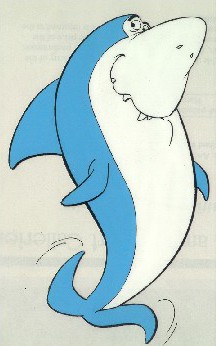
If you are still taking requests how about making...Jabberjaw
-
whoa!
Solo you are beyond mastery... you are a sketchup grandmaster -
TOM + JERRY
ASTERIX + OBELIX???

-
Thx a lot!!May i have the taz?!


-
Thanx guys.
LOL@Biebel, never seen that one before.
Actually not sure I know Jabberjaw (unless he is part of the Mermaid thing.)
jenjacob, I have done Asterix and Obelix, infact I did the entire Gaul village, the Roman outpost and a few legionares (Max, z-brush, SU). However I cannot even display them as it was done on contract and I waived my rights to them on sale (would not wanna p*ss my client off as they give me lots of work)
ely862me, I will send it to you later in PM (it may be a little large as fine mesh was used on detail areas)


This easier that I thought to make, 20 minutes.
-
Requests?
This is my favorite Belgian toon (made by Marc Legendre).
You'll probably see why

-
Another masterpiece SOLO
Here is some info on Jabberjaw who's just a small piece of my childhood, but he was funny.
http://en.wikipedia.org/wiki/Jabberjaw -
How about Darkwing Duck?
-
Oh yea, I used to watch Jabberjaw too.
Nice work Pete. -
Solo, these are really amzing

I use sketchup daily, but obviously I have missed the release of these plugins that you are using. I will have to update my ruby collection, because I use simillar workflow as you do, but I do my organic modeling in max. I hope that it is as easy and fast to use as in max?
Keep it up, I really like your work
-
pete, cann your write us a easy to use tutorial as works correctly with the sub smooth?

thats perfect.
-
Ely, check your Pm for model.
Coen & reymond, I will get to a tut later (attempt another video one)
Had a few other things to finish this morning so here is a fast darkwing duck, still needs detailing.

-
Okay here is a fast tutorial, I believe this will help folk understand my process better.
In the .skp provided below are two components/models, one is the basic head shape and the other is a basic ear shape, both are rather simple.
Use these two shapes to understand how Sub-smooth works, now! Explode and group each model/component seperately. Click on on group and then on the subsmooth icon (and select 2 Iterations. Once both are smoothed, resize and position ear (make a copy of the one you smoothed for other side) and rhen using shapes (sphere) create eyes and nose.
It should look like this when completed.:







Hello! It looks like you're interested in this conversation, but you don't have an account yet.
Getting fed up of having to scroll through the same posts each visit? When you register for an account, you'll always come back to exactly where you were before, and choose to be notified of new replies (either via email, or push notification). You'll also be able to save bookmarks and upvote posts to show your appreciation to other community members.
With your input, this post could be even better 💗
Register Login


Advertisement