sketchucation logo sketchucation
    • Login
    Oops, your profile's looking a bit empty! To help us tailor your experience, please fill in key details like your SketchUp version, skill level, operating system, and more. Update and save your info on your profile page today!
    Mac User? | Join the Rayscaper Beta for Mac Learn More

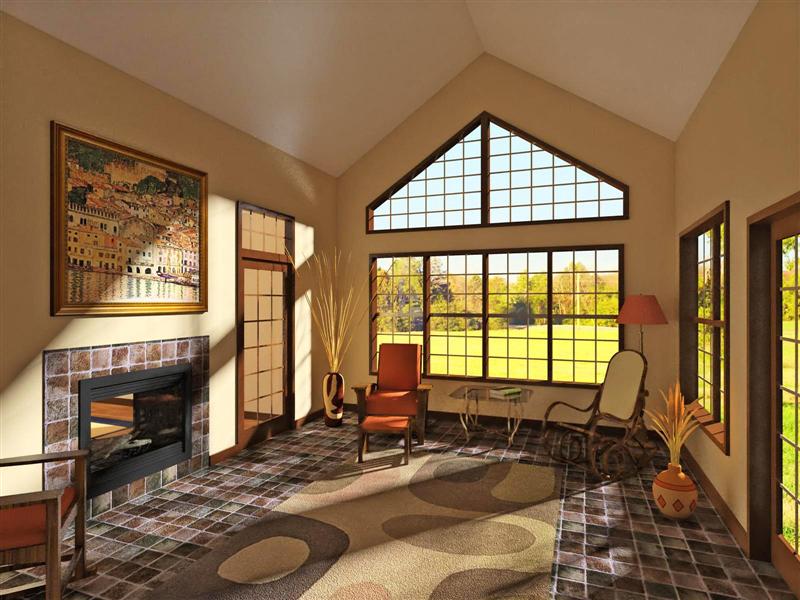
    Sun room rendered in Kerkythea

    Scheduled Pinned Locked Moved Gallery
    15 Posts 9 Posters 2.2k Views 9 Watching
    Loading More Posts
    • Oldest to Newest
    • Newest to Oldest
    • Most Votes
    Reply
    • Reply as topic
    Log in to reply
    This topic has been deleted. Only users with topic management privileges can see it.
    • GaieusG
      Gaieus
      last edited by

      @tinanne said:

      ...My only 2cents... to soften the light coming in from the windows and something seems out of scale in the background scene? Maybe the grass?

      That's what he was told over the KT Forums, too... πŸ˜„

      Definitely, that would enhance the whole thing. I like it, too!

      Gai...

      1 Reply Last reply
      Reply Quote 0
      • david57D
        david57
        last edited by

        Looks nice, calm, and relaxing.

        1 Reply Last reply
        Reply Quote 0
        • boofredlayB
          boofredlay
          last edited by

          I can feel the warmth from my computer. Nice!

          http://www.coroflot.com/boofredlay

          1 Reply Last reply
          Reply Quote 0
          • DanielD
            Daniel
            last edited by

            That looks great, Nick.

            My avatar is an anachronism.

            1 Reply Last reply
            Reply Quote 0
            • ithilI
              ithil
              last edited by

              Very good to Kerkythea render!
              Very nice!

              1 Reply Last reply
              Reply Quote 0
              • N
                Nick W
                last edited by

                Thanks everyone. πŸ˜„

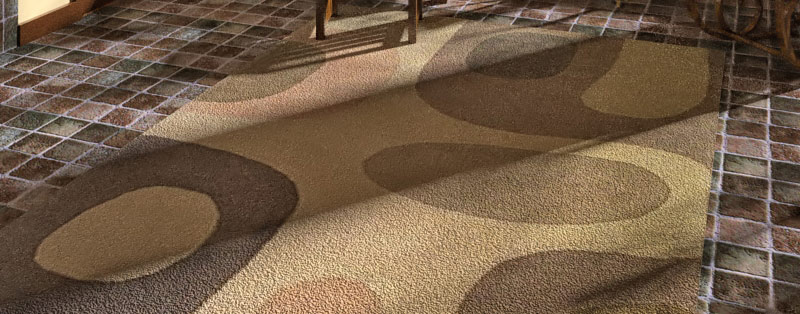
                Here's another go at it. I took a shot at bump maps, etc. in KT. I was pleased with the result of the rug, but still working on the tile. Back to basics - I'm reading the Material Editor Guide - or just "to basics" I guess... πŸ˜„

                added details to model (trim, baseboard, fireplace, logs), changed bg, softened light... I'm learning πŸ‘


                touched up a bit (Custom).jpg


                the-rug-yo.jpg

                http://www.nrwiesneski.com

                1 Reply Last reply
                Reply Quote 0
                • tinanneT
                  tinanne
                  last edited by

                  Nick, that is gorgeous! Sooo warm and inviting, I want to snuggle with my hubby in that room πŸ˜„

                  Executive Director : American Society of Architectural Illustrators
                  AIP 30 Competition opens soon. ASAI.org

                  Architectural Rendering

                  1 Reply Last reply
                  Reply Quote 0
                  • GaieusG
                    Gaieus
                    last edited by

                    Nick,

                    Nice advance, really!

                    The soft shadows and the bumps on the rug are now great.
                    Maybe you should set the bump on the tiles reverse (or inverse? - I'm not sitting at Kerky now). This way the whites would be "deeeper" rather than "higher" as are now.

                    Gai...

                    1 Reply Last reply
                    Reply Quote 0
                    • N
                      Nick W
                      last edited by

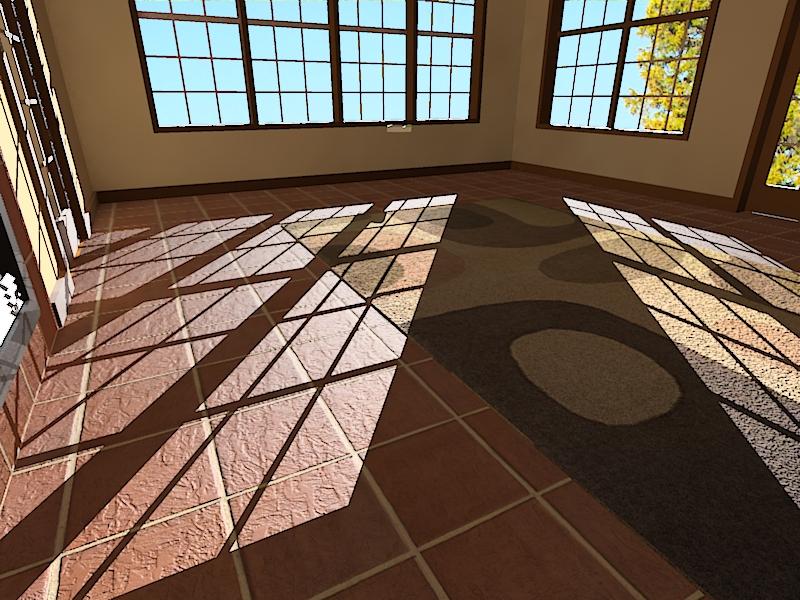
                      working on new tile. got a nice high res base from Solo - a converted Maxwell tex.

                      I thought I'd give this landsat image texture a whirl superimposed over the smooth tiles to add some "earthiness".
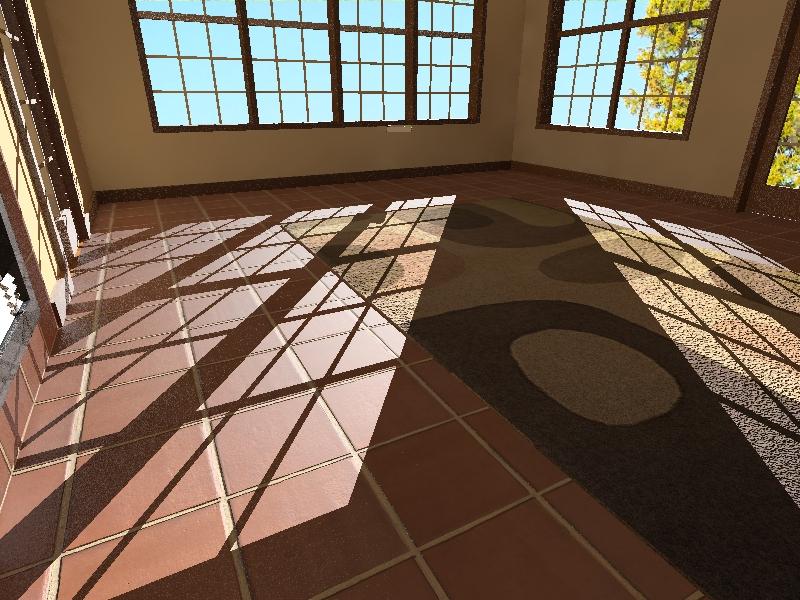
                      new tile.jpg


                      new tile w-bumps.jpg

                      http://www.nrwiesneski.com

                      1 Reply Last reply
                      Reply Quote 0
                      • N
                        Nick W
                        last edited by

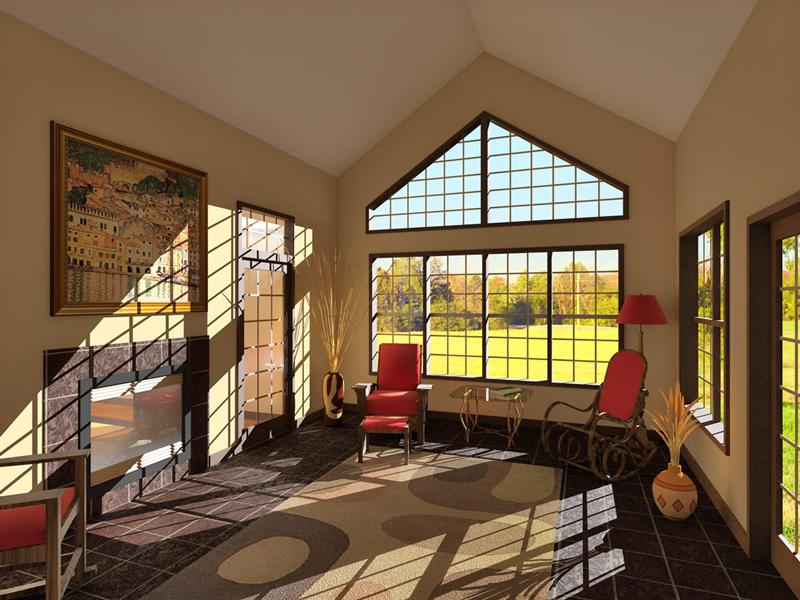
                        Here's what I cooked up over the weekend. Unfortunately, I forgot to enable the soft shadows before rendering... oops. Oh well, I can do better yet before I call it done. The reflectivity experiment with the fireplace glass doesn't look great and the tiles are much darker and flatter looking than I had hoped. Oh, and the adjustments I made to the tile mapping position got lost somewhere in the fray - I had lined it up to evenly frame the fireplace - I've lined that up once again.

                        With the color of the tiles it seems either something changed between my last test and this render, or Photon Map and MLT mode interpreted it differently.

                        I'm setting the glass back to straight-up TG and I'm not sure yet what I'll do to try getting the tile to look better. I guess some prelim test in MLT would be appropriate since my final render will be in that mode.

                        7g-lg-MLT-mod.jpg

                        http://www.nrwiesneski.com

                        1 Reply Last reply
                        Reply Quote 0
                        • DanielD
                          Daniel
                          last edited by

                          That looks great, Nick.

                          My avatar is an anachronism.

                          1 Reply Last reply
                          Reply Quote 0
                          • N
                            Nick W
                            last edited by

                            Thanks for the tips and encouraging words, everyone. πŸ˜„

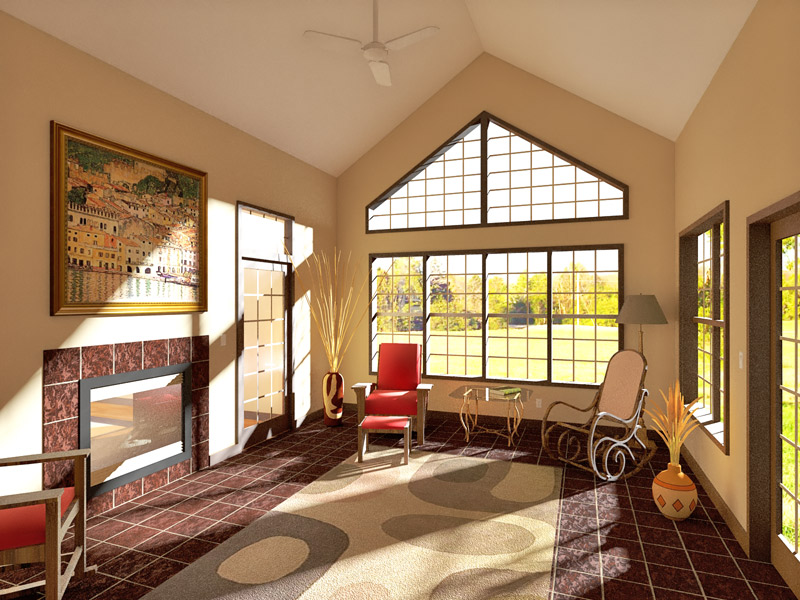
                            Here's the "final" version. Changed since last posting: some colors & textures, tweaked tile color/position/bump map, softened shadow, ceiling fan, light switches, outlets, tone mapping.

                            I experimented with HDR on this - output 5 Gamma tonemap exposure steps (1.00, 2.00, ...), merged them in PS, then Shadow/Highlight adjusted. I liked this version better than the product of my previous process (HSV or Linear tonemapping, PS Shadow/Highlight adjustment). It produced a more realistic image; though highlights are more overexposed than with just Shadow/Highlight adjustment, it appeared more like a real photograph for that very reason.


                            KT MLT 62h - tonemap exposure series - HDR PS - PS PP

                            http://www.nrwiesneski.com

                            1 Reply Last reply
                            Reply Quote 0

                            Hello! It looks like you're interested in this conversation, but you don't have an account yet.

                            Getting fed up of having to scroll through the same posts each visit? When you register for an account, you'll always come back to exactly where you were before, and choose to be notified of new replies (either via email, or push notification). You'll also be able to save bookmarks and upvote posts to show your appreciation to other community members.

                            With your input, this post could be even better πŸ’—

                            Register Login
                            • 1 / 1
                            • First post
                              Last post
                            Buy SketchPlus
                            Buy SUbD
                            Buy WrapR
                            Buy eBook
                            Buy Modelur
                            Buy Vertex Tools
                            Buy SketchCuisine
                            Buy FormFonts

                            Advertisement