sketchucation logo sketchucation
    • 登入
    Oops, your profile's looking a bit empty! To help us tailor your experience, please fill in key details like your SketchUp version, skill level, operating system, and more. Update and save your info on your profile page today!
    🔌 Smart Spline | Fluid way to handle splines for furniture design and complex structures. Download

    Useful MAC Apps and Hardware [Ongoing Updates]

    已排程 已置頂 已鎖定 已移動 Hardware, Software & Gadgets
    288 貼文 34 Posters 190.5k 瀏覽 34 Watching
    正在載入更多貼文
    • 從舊到新
    • 從新到舊
    • 最多點贊
    回覆
    • 在新貼文中回覆
    登入後回覆
    此主題已被刪除。只有擁有主題管理權限的使用者可以查看。
    • M 離線
      mwm5053
      最後由 編輯

      Mike- I like that very cool. How do you like Lion? To find everything open on desktop have you used the F3 function to see everything you got open. You may know about this but Docker a pretty neat app to customize the dock. My favorite is Moom presets and customize windows very useful if you have several apps on desktop at same time. When i got my mac it was a hand me down had SL but upgraded to lion in a week and Loving every minute of it.

      Walt

      2011 iMac
      SU 2015 Pro, 2017 Make
      V2 Twilight
      macOS Sierra 10.12.5

      1 條回覆 最後回覆 回覆 引用 0
      • Mike LuceyM 離線
        Mike Lucey
        最後由 編輯

        Walt, I'm okay with Lion and learning about the bits and pieces. I was disappointment that I could not run Canvas X (for Ma) on it, now I have to use Parallels to use the app in Win!

        At least Isolator covers up my messy BumpTop desktop ... not a pretty sight!

        Support us so we can support you! Upgrade to Premium Membership!

        1 條回覆 最後回覆 回覆 引用 0
        • EdsonE 離線
          Edson
          最後由 編輯

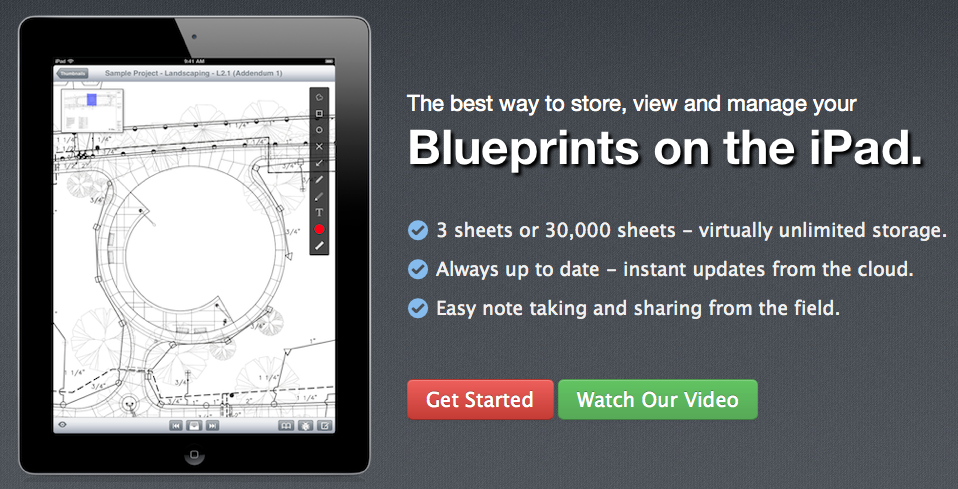
          I have just come across PlanGrid, an amazing iPad app to take blueprints with you on the road, but not only that, it allows you to annote them for reference when you go back to the office. it has a free plan and a couple of paid ones. the upload is done through your mac. you can find at http://www.plangrid.com
          Screen shot 2012-03-10 at 9.25.59 AM.png

          edson mahfuz, architect| porto alegre • brasil
          http://www.mahfuz.arq.br

          1 條回覆 最後回覆 回覆 引用 0
          • Mike LuceyM 離線
            Mike Lucey
            最後由 編輯

            Looks useful Edson, thanks for headsup.

            Support us so we can support you! Upgrade to Premium Membership!

            1 條回覆 最後回覆 回覆 引用 0
            • pbacotP 離線
              pbacot
              最後由 編輯

              @edson said:

              I have just come across PlanGrid, an amazing iPad app to take blueprints with you on the road, but not only that, it allows you to annote them for reference when you go back to the office. it has a free plan and a couple of paid ones. the upload is done through your mac. you can find at http://www.plangrid.com

              [attachment=0:3cewiqxa]<!-- ia0 -->Screen shot 2012-03-10 at 9.25.59 AM.png<!-- ia0 -->[/attachment:3cewiqxa]

              Now we're talking! THANKS Edson! What I'm looking for. Looks easier than just using pdfs via standard iPad modes.

              Also looking at good flexible presentation modes. Peter

              MacOSX MojaveSketchUp Pro v19 Twilight v2 Thea v3 PowerCADD

              1 條回覆 最後回覆 回覆 引用 0
              • EdsonE 離線
                Edson
                最後由 編輯

                @pbacot said:

                @edson said:

                I have just come across PlanGrid, an amazing iPad app to take blueprints with you on the road, but not only that, it allows you to annote them for reference when you go back to the office. it has a free plan and a couple of paid ones. the upload is done through your mac. you can find at http://www.plangrid.com

                [attachment=0:2ue5ninx]<!-- ia0 -->Screen shot 2012-03-10 at 9.25.59 AM.png<!-- ia0 -->[/attachment:2ue5ninx]

                Looks easier than just using pdfs via standard iPad modes.

                yes, I agree 100%. you can always put the pdfs in your ipad and take them with you but PlanGrid offers you tools to annotate the pdfs and share them with other people on the fly.

                EDIT: Besides the above reasons, PlanGrid allows one to switch images much more easily.

                edson mahfuz, architect| porto alegre • brasil
                http://www.mahfuz.arq.br

                1 條回覆 最後回覆 回覆 引用 0
                • EdsonE 離線
                  Edson
                  最後由 編輯

                  I was thinking how nice it would be to take a model on the road to show to clients, students, family or whatever. after a brief search I found 3dVia Mobile HD, a cheap iPad app that allows one to do just that. you save your model in one of several formats (dae and kmz preferable), upload them to 3dVIA's site (for free up to 1GB) and open it in your iPad. this is all for $5!

                  Screen shot 2012-05-18 at 5.25.15 PM.png

                  edson mahfuz, architect| porto alegre • brasil
                  http://www.mahfuz.arq.br

                  1 條回覆 最後回覆 回覆 引用 0
                  • Mike LuceyM 離線
                    Mike Lucey
                    最後由 編輯

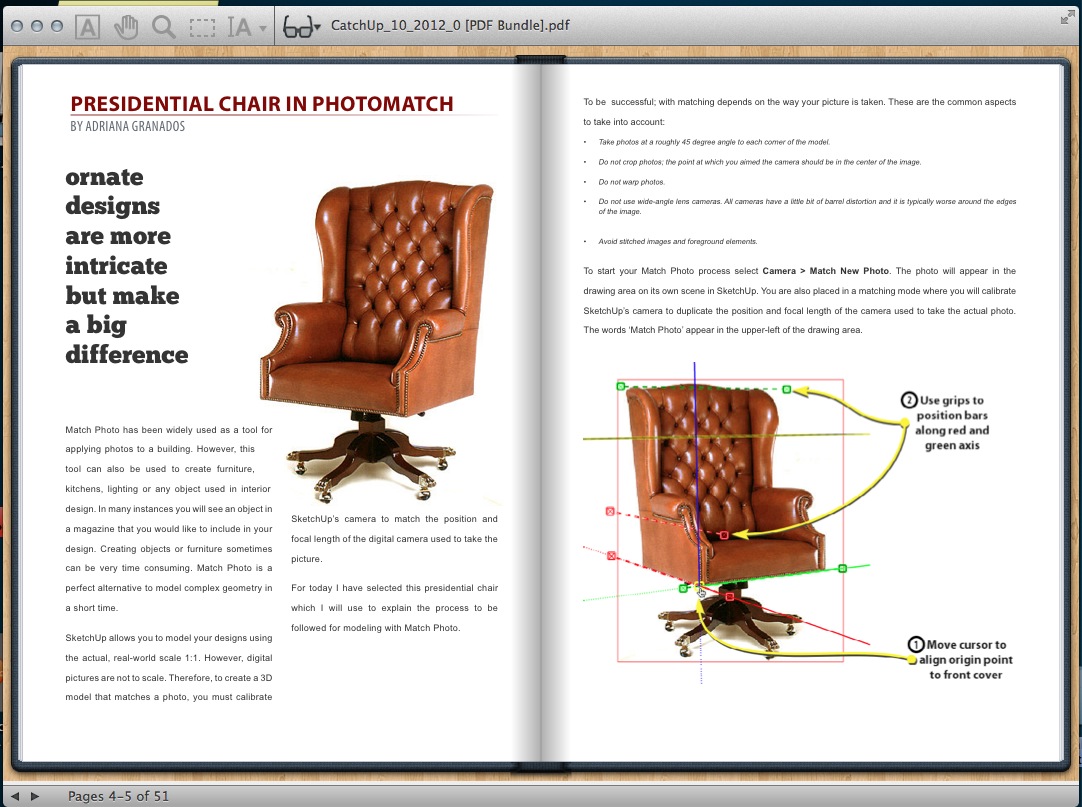
                    For anyone that is looking for an alternative to the bloated Adode PDF reader, HyperPDF might be worth looking at. Its not free but at $9.99, I think it offer good value.

                    What I like most is the flipping page reader option. Its also has a lot more to it which can be read about here.

                    HyperPdf.jpg

                    Support us so we can support you! Upgrade to Premium Membership!

                    1 條回覆 最後回覆 回覆 引用 0
                    • pbacotP 離線
                      pbacot
                      最後由 編輯

                      Thanks, Mike.

                      I like using Preview for anything that it will do but it lacks some features. For some reason Adobe Acrobat Reader really bugs me (including the obnoxious automatic "update" application).

                      MacOSX MojaveSketchUp Pro v19 Twilight v2 Thea v3 PowerCADD

                      1 條回覆 最後回覆 回覆 引用 0
                      • Mike LuceyM 離線
                        Mike Lucey
                        最後由 編輯

                        Guys,

                        I think you will like this one! Its a clever little search app called FOUND and the best part is that its free. You can locate it in the App Store here http://itunes.apple.com/us/app/found/id527134927?mt=12 and while downloading, be sure to watch the well executed Demo / Tutorial Video!

                        Mike
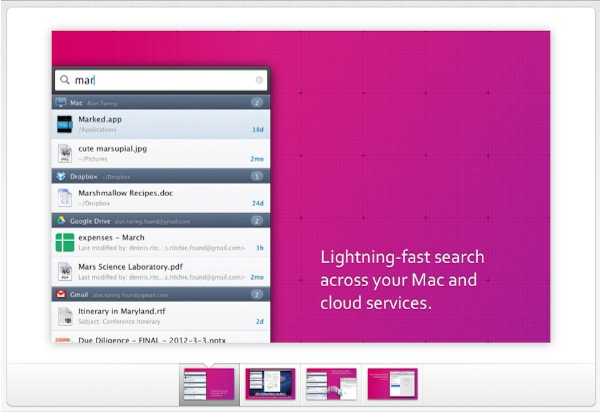

                        FOUND.jpg

                        Support us so we can support you! Upgrade to Premium Membership!

                        1 條回覆 最後回覆 回覆 引用 0
                        • EdsonE 離線
                          Edson
                          最後由 編輯

                          @mike lucey said:

                          Guys,

                          I think you will like this one! Its a clever little search app called FOUND and the best part is that its free. You can locate it in the App Store here http://itunes.apple.com/us/app/found/id527134927?mt=12 and while downloading, be sure to watch the well executed Demo / Tutorial Video!

                          Mike

                          mike,

                          is the video available only while downloading? I looked for it in their site and found nothing.

                          edson mahfuz, architect| porto alegre • brasil
                          http://www.mahfuz.arq.br

                          1 條回覆 最後回覆 回覆 引用 0
                          • Mike LuceyM 離線
                            Mike Lucey
                            最後由 編輯

                            Edson,

                            This might give you a better overview,
                            http://techcrunch.com/2012/04/02/found-file-searching-app/

                            I am wondering if these guys will add some extra 'pay for' features over time. I imagine they will. The other thing that is being mentioned is that its memory hungry! I think it probably is but everything as a cost at the end of the day.

                            Let me know how you get on with it?

                            Mike

                            Support us so we can support you! Upgrade to Premium Membership!

                            1 條回覆 最後回覆 回覆 引用 0
                            • Mike LuceyM 離線
                              Mike Lucey
                              最後由 編輯

                              SHUSH could be a useful little app for anyone that makes a lot of Skype calls! http://mizage.com/shush/


                              SHUSH.jpg

                              Support us so we can support you! Upgrade to Premium Membership!

                              1 條回覆 最後回覆 回覆 引用 0
                              • M 離線
                                mwm5053
                                最後由 編輯

                                I saw this on OSX Daily kinda cool specially if you like the old typewriter.

                                Link Preview Image
                                Noisy Typer – a typewriter for your laptop.

                                Noisy Typer is a free piece of software which plays typewriter sounds as you type. It runs in the background and works with all applications ( email, web, word

                                favicon

                                F.A.T. (fffff.at)

                                2011 iMac
                                SU 2015 Pro, 2017 Make
                                V2 Twilight
                                macOS Sierra 10.12.5

                                1 條回覆 最後回覆 回覆 引用 0
                                • Mike LuceyM 離線
                                  Mike Lucey
                                  最後由 編輯

                                  Thanks Walt. Noisy Typer is cool! Bring back memories of pre computer times. Oh! and don't forget the qaz123 code to quit to go back to silent mode 😄

                                  Support us so we can support you! Upgrade to Premium Membership!

                                  1 條回覆 最後回覆 回覆 引用 0
                                  • Mike LuceyM 離線
                                    Mike Lucey
                                    最後由 編輯

                                    Guys,

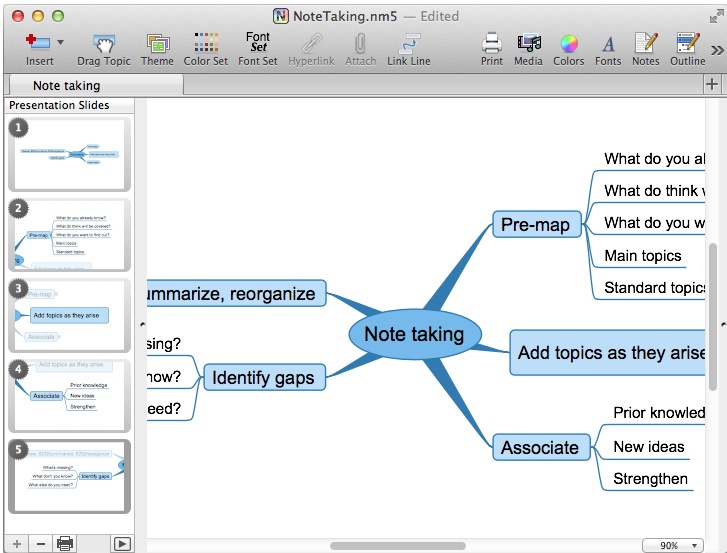
                                    I don't know how many of you ever use mindmaps. I use them occasionally and find the process useful for getting thought connections organised, even initial building room / area layouts requirements sorted.

                                    The problem to date has been how to present the mindmap to a client / associate etc. Giving them a huge mindmap can be daunting and off putting but I've just learned of NovaMind's latest Beta with Presenter. It looks like it could be a nice solution.

                                    The d/l link is here,
                                    http://www.novamind.com/blog/2012/announcements-novamind-5-for-mac/novamind-5-4-for-mac-with-presenter-enters-beta-testing/

                                    Mike


                                    NovaMind .jpg

                                    Support us so we can support you! Upgrade to Premium Membership!

                                    1 條回覆 最後回覆 回覆 引用 0
                                    • Mike LuceyM 離線
                                      Mike Lucey
                                      最後由 編輯

                                      Hi All,

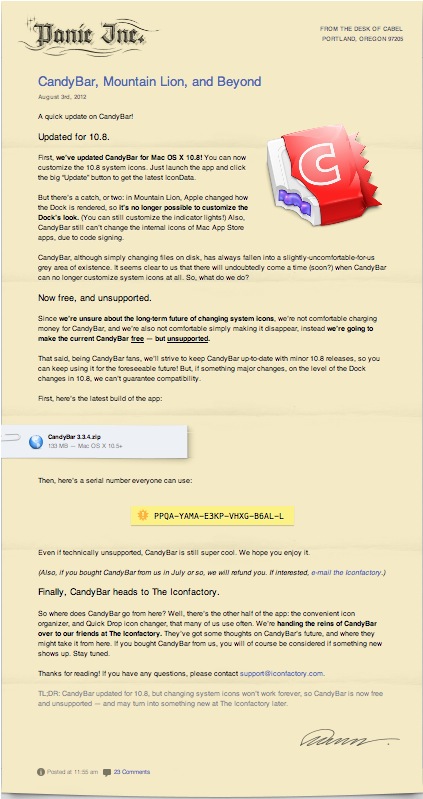
                                      Just learned that Panic the CandyBar developers are now giving the app away for free. I won't go into the reason, you can read that for yourself.

                                      301 Moved Permanently

                                      favicon

                                      (www.panic.com)

                                      Mike


                                      Candybar free.jpg

                                      Support us so we can support you! Upgrade to Premium Membership!

                                      1 條回覆 最後回覆 回覆 引用 0
                                      • M 離線
                                        mwm5053
                                        最後由 編輯

                                        Here's one I found recently if it's been mentioned here sorry.
                                        The Unarchiver, it opens zip, rar and a whole slew of other extensions I've never even heard of before, the great thing is if you download a plugin you can unzip it directly to the plugins folder no more copy and paste.

                                        favicon

                                        (itunes.apple.com)

                                        2011 iMac
                                        SU 2015 Pro, 2017 Make
                                        V2 Twilight
                                        macOS Sierra 10.12.5

                                        1 條回覆 最後回覆 回覆 引用 0
                                        • A 離線
                                          Aerilius
                                          最後由 編輯

                                          For those who have always been interested to use both OS X/Windows variants of SketchUp in combination (they have both pros/cons in their UI), still today you can get Codeweaver's CrossOver for free (they only ask you to promiss to vote...)
                                          http://flock.codeweavers.com

                                          http://www.codeweavers.com/images/themes/cw6/cw_logo_top.png

                                          CrossOver is a program to run any Windows application directly without virtualization/emulation.

                                          1 條回覆 最後回覆 回覆 引用 0
                                          • D 離線
                                            driven
                                            最後由 編輯

                                            Hi Aerillius,

                                            have you managed to run SketchUp under crossover on linux?

                                            I've tried on mac in the past and just reinstalled to try anew, but get a Bugsplat on startup, and cant locate openGL error, etc...

                                            a working bottle may help
                                            john

                                            learn from the mistakes of others, you may not live long enough to make them all yourself...

                                            1 條回覆 最後回覆 回覆 引用 0
                                            • 1
                                            • 2
                                            • 3
                                            • 4
                                            • 5
                                            • 6
                                            • 7
                                            • 14
                                            • 15
                                            • 5 / 15
                                            • 第一個貼文
                                              最後的貼文
                                            Buy SketchPlus
                                            Buy SUbD
                                            Buy WrapR
                                            Buy eBook
                                            Buy Modelur
                                            Buy Vertex Tools
                                            Buy SketchCuisine
                                            Buy FormFonts

                                            Advertisement