sketchucation logo sketchucation
    • 登入
    Oops, your profile's looking a bit empty! To help us tailor your experience, please fill in key details like your SketchUp version, skill level, operating system, and more. Update and save your info on your profile page today!
    🔌 Smart Spline | Fluid way to handle splines for furniture design and complex structures. Download

    Trying to get to grips with Indigo

    已排程 已置頂 已鎖定 已移動 Gallery
    23 貼文 9 Posters 2.9k 瀏覽 9 Watching
    正在載入更多貼文
    • 從舊到新
    • 從新到舊
    • 最多點贊
    回覆
    • 在新貼文中回覆
    登入後回覆
    此主題已被刪除。只有擁有主題管理權限的使用者可以查看。
    • AnssiA 離線
      Anssi
      最後由 編輯

      I am still trying to learn to use Indigo. My first experiments were perhaps a bit too complicated. These two are stripped of all difficult features. No glass, no lights. The default SKINDIGO settings (except size that was 800 x 800) The first one came out OK, although the interior is still grainy after about 9 hours:
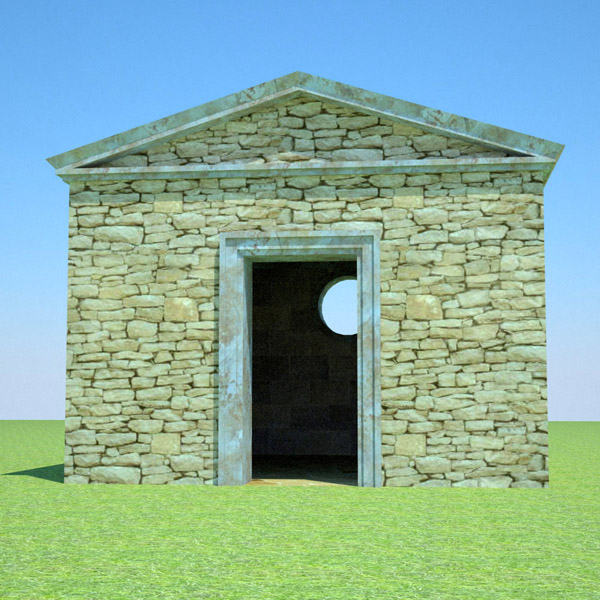
      cella.jpg
      This one ran for 18 hours, and I am still not very pleased with it. Some overexposure and still quite grainy.
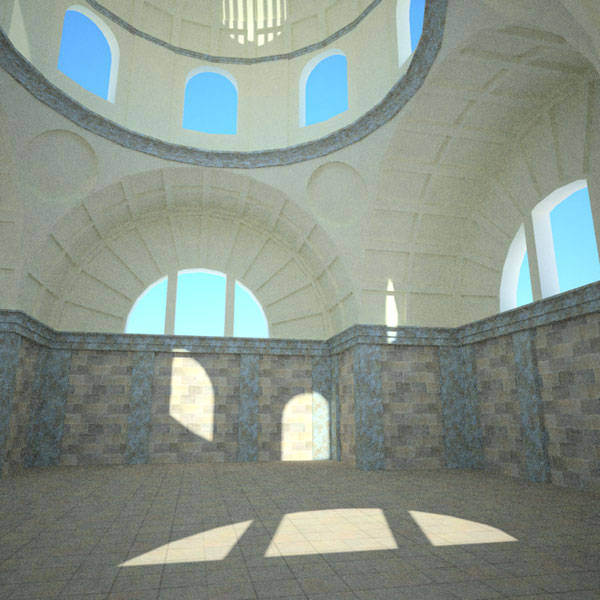
      interior1.jpg
      Cheers

      Anssi

      securi adversus homines, securi adversus deos rem difficillimam adsecuti sunt, ut illis ne voto quidem opus esset

      1 條回覆 最後回覆 回覆 引用 0
      • W 離線
        Whaat
        最後由 編輯

        Anssi,

        A couple of suggestions to improve rendering speed.

        1. Never use 100% white materials. Reduce the whiteness of your material and you will get less noise.
        2. If you have more than one processor, make sure you set the number of render threads equal to your number of processors for faster performance.
        3. Go through the SkIndigo tutorials (if you haven't already). One way to dramatically improve the render time of your second image is to use exit portals. They are really easy to set up but you have to understand the proper way to use them (explained in the tutorial)

        You can adjust the exposure of your images with 'Violet', the Indigo tonemapper application if you have 'Save IGI' enabled. Just load the IGI file into 'Violet' (free download from Indigo website).

        If you have more questions, ask away. Also, there's always someone willing to help you out on the Indigo forums. :esmile:

        Regards,
        Whaat

        SketchUp Plugins for Professionals

        1 條回覆 最後回覆 回覆 引用 0
        • AnssiA 離線
          Anssi
          最後由 編輯

          Thanks again for the tips Whaat!

          Here are two tries using exit portals. I guess that having more than 20 of them makes that the improvement in speed is not very dramatic. It seems that it goes much faster using Path Tracing instead of MLT (both bidirectional).

          The first one used MLT and was stopped at about 8 hours:
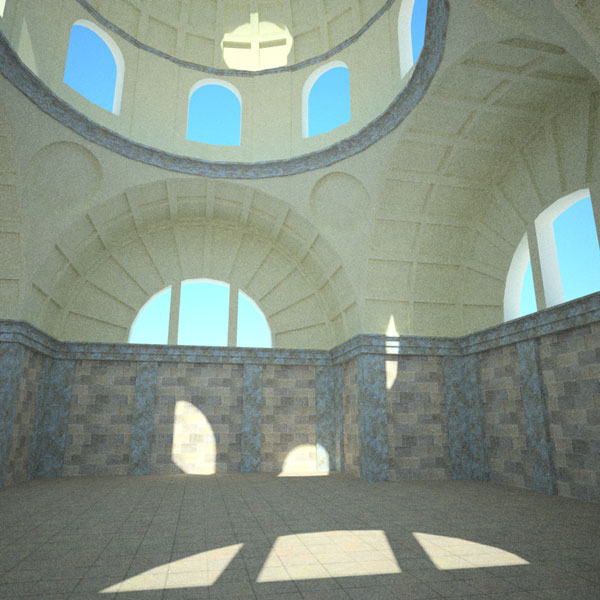
          interior2.jpg
          And the second was with PT, 2 hours:

          interior3.jpg
          BTW, The wording about the face direction of exit portals in the tutorial is a bit ambiguous, it made me make them face the light at first until I realized that they blocked all the light...

          Anssi

          securi adversus homines, securi adversus deos rem difficillimam adsecuti sunt, ut illis ne voto quidem opus esset

          1 條回覆 最後回覆 回覆 引用 0
          • W 離線
            Whaat
            最後由 編輯

            You are correct. If you are using exit portals, Bidirectional path tracing is the most efficient method to use. I am surprised Bidir MLT is that much slower than Bidir PT when using exit portals (even though it's still much faster than not using exit portals).

            I looked at my tutorials. You are right that the wording is a bit ambiguous. At least there is a 50-50 chance of the user getting it right!

            SketchUp Plugins for Professionals

            1 條回覆 最後回覆 回覆 引用 0
            • AnssiA 離線
              Anssi
              最後由 編輯

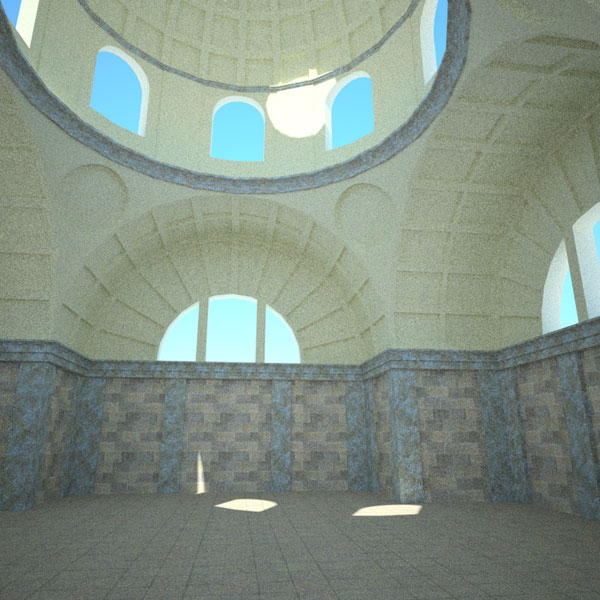
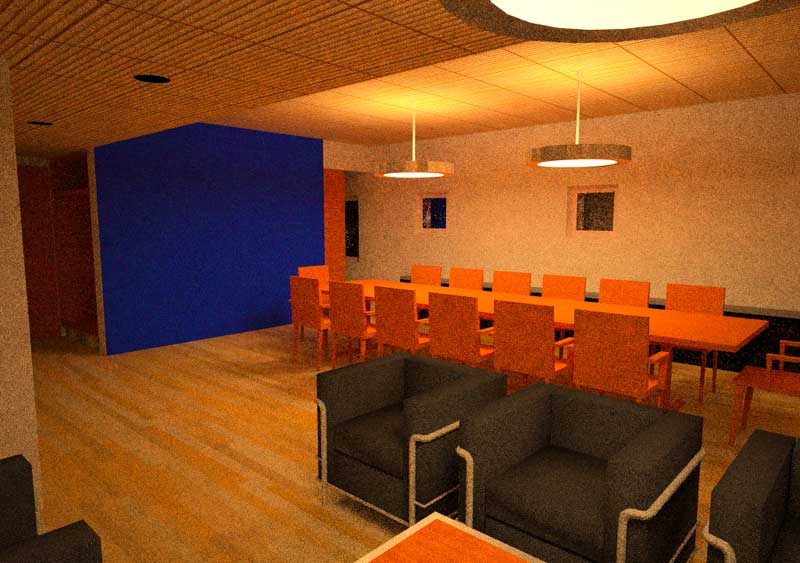
              If you look at my previous examples closely, the latter is of course much grainier as I stopped it so soon.

              This is grainy too, after 2 hours, but I like the light. It's an old model that I once spent a lot of time rendering in ArtLantis or Carrara without getting it just right. This one was again with the standard SkIndigo settings. Next I have to start tweaking the materials...

              Thanks for all the help!

              Anssi

              interior4.jpg

              securi adversus homines, securi adversus deos rem difficillimam adsecuti sunt, ut illis ne voto quidem opus esset

              1 條回覆 最後回覆 回覆 引用 0
              • soloS 離線
                solo
                最後由 編輯

                I hope y'all do not mind me posting here, I did not want to start a new thread for one picture.
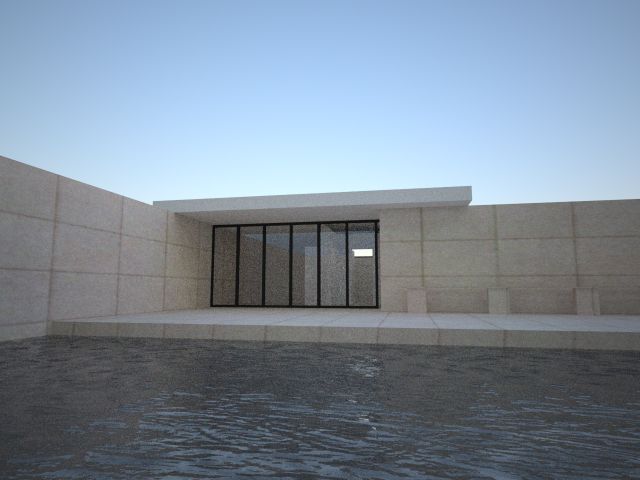
                Anyway, below is my first Indigo render, damn I have a lot to learn, first thing I need to understand the materials editor, I used the tutorial PDF but still lost with a lot of the values. Lighting, now if I can ace that then i am good to go.

                I like the way Indigo handles exteriors (even though I've only rendered one)and the amount of options available (a bit of a learning curve)but adjustable to exactly what you require (when you know what you are doing)

                Are there any video tutorials? or setup screen shots?

                I like this app, well done.

                I had to hunt for the rendered image file...(in my unzipped folder?)

                indigotestkw9.jpg

                http://www.solos-art.com

                If you see a toilet in your dreams do not use it.

                1 條回覆 最後回覆 回覆 引用 0
                • W 離線
                  Whaat
                  最後由 編輯

                  @solo said:

                  Are there any video tutorials? or setup screen shots?

                  There's three skippy tutorials (much better than video tutorials :esmile: )
                  if you follow the link below.
                  http://www.indigorenderer.com/joomla/forum/viewtopic.php?t=2317

                  Someone with your rendering experience and skill should pick up Indigo in no time. Some of the settings may not be completely intuitive (compared to say Podium) but I think once you go through the tutorials and take a look at some of the material presets, it will all make sense.
                  BTW, the tutorials are for SkIndigo 0.9.1 so make sure you are using the right version.

                  Looking forward to seeing some more Indigo renders from one the rendering masters :thup:

                  Cheers,
                  Whaat

                  SketchUp Plugins for Professionals

                  1 條回覆 最後回覆 回覆 引用 0
                  • Dave RD 離線
                    Dave R
                    最後由 編輯

                    I'm having a bit of luck with Indigo. Thanks Whaat. This is with version 1.0.2 and Skindigo V1.

                    http://smg.photobucket.com/albums/v506/weekender410/th_FurnitureWarehousepng.jpg

                    Click to enlarge.

                    13 hours and a wee bit of adjustment in Violet. Materials need work and I'm still working on learning the new Skindigo UI but it's coming.

                    Etaoin Shrdlu

                    %

                    (THERE'S NO PLACE LIKE)

                    G28 X0.0 Y0.0 Z0.0

                    M30

                    %

                    1 條回覆 最後回覆 回覆 引用 0
                    • boofredlayB 離線
                      boofredlay
                      最後由 編輯

                      Dave that is really something.
                      13 hours... you have patience sir. 🤓

                      http://www.coroflot.com/boofredlay

                      1 條回覆 最後回覆 回覆 引用 0
                      • Dave RD 離線
                        Dave R
                        最後由 編輯

                        thankyou Modelhead and Boo.

                        @unknownuser said:

                        Dave that is really something.
                        13 hours... you have patience sir. :egeek:

                        Version 1 of Indigo doesn't seem to hog the resources on my computer as the previous couple of versions I tried did. I went ahead and did other stuff. I also slept during most of it. I just shut the monitor off and went to bed. Got up this morning and it was still churning. A little bit longer and I might have had butter. 😉

                        Etaoin Shrdlu

                        %

                        (THERE'S NO PLACE LIKE)

                        G28 X0.0 Y0.0 Z0.0

                        M30

                        %

                        1 條回覆 最後回覆 回覆 引用 0
                        • marked001M 離線
                          marked001
                          最後由 編輯

                          haha.. 13 hours.. that's practically seconds when you're a maxwell user 😉

                          these are looking good guys..keep the work coming.

                          http://www.revision21vis.com

                          instagram: revi21on

                          1 條回覆 最後回覆 回覆 引用 0
                          • soloS 離線
                            solo
                            最後由 編輯

                            Thats why I never bothered with maxwell, however i must say after a few days rendering with maxwell the image is amazing...but I am too impatient for that. Anything longer than an hour if not being payed for by the hour is wasting time and conjesting a core that could be used for paying work.

                            http://www.solos-art.com

                            If you see a toilet in your dreams do not use it.

                            1 條回覆 最後回覆 回覆 引用 0
                            • marked001M 離線
                              marked001
                              最後由 編輯

                              ha..yeah, the way you bust things out you'd never be able to use it..haha.. i just throw it on an extra machine and let it go.. .or let it go overnight.. i know how to use it and dont have the patience to learn anything else 😕

                              http://www.revision21vis.com

                              instagram: revi21on

                              1 條回覆 最後回覆 回覆 引用 0
                              • Dave RD 離線
                                Dave R
                                最後由 編輯

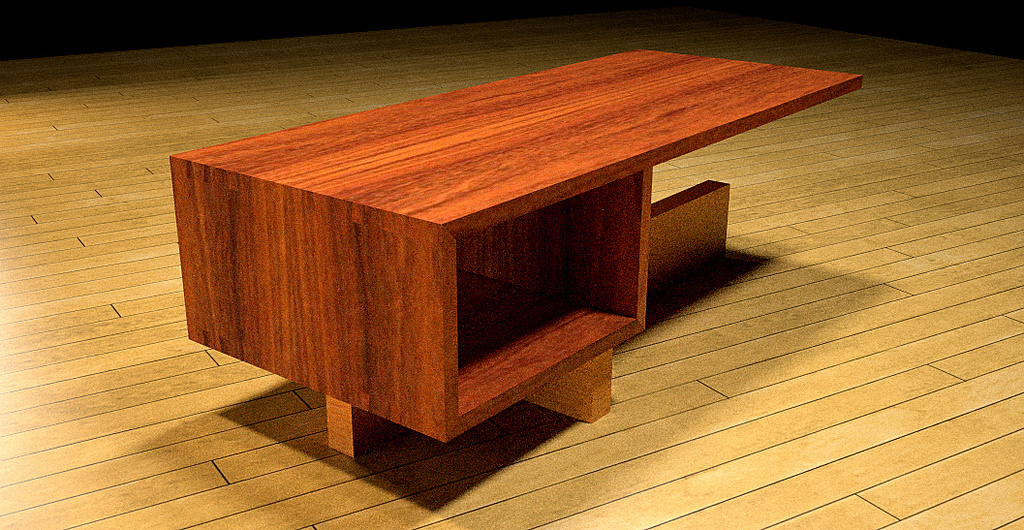
                                2-1/2 hours. Simple materials and 4 lights.

                                im1194654315png.jpg

                                Etaoin Shrdlu

                                %

                                (THERE'S NO PLACE LIKE)

                                G28 X0.0 Y0.0 Z0.0

                                M30

                                %

                                1 條回覆 最後回覆 回覆 引用 0
                                • Dave RD 離線
                                  Dave R
                                  最後由 編輯

                                  After a good night's sleep.

                                  http://smg.photobucket.com/albums/v506/weekender410/th_im1194654315png-1.jpg

                                  One thing I'd like to be able to have is the highlights on the edges. I could do it by putting a tiny bevel on all the edges but I've been working so hard at reducing my over modeling tendencies. 😒

                                  Etaoin Shrdlu

                                  %

                                  (THERE'S NO PLACE LIKE)

                                  G28 X0.0 Y0.0 Z0.0

                                  M30

                                  %

                                  1 條回覆 最後回覆 回覆 引用 0
                                  • GaieusG 離線
                                    Gaieus
                                    最後由 編輯

                                    Can't you use bevel mapping in Indigo?

                                    Gai...

                                    1 條回覆 最後回覆 回覆 引用 0
                                    • Dave RD 離線
                                      Dave R
                                      最後由 編輯

                                      Apparently not. I asked on the forum after one of the guys there told me my renders would look better with beveled edges. I was told I'd have to bevel the edges manually in SU.

                                      I like that about Kerkythea but I wish it was available through the SU2KT exporter.

                                      Etaoin Shrdlu

                                      %

                                      (THERE'S NO PLACE LIKE)

                                      G28 X0.0 Y0.0 Z0.0

                                      M30

                                      %

                                      1 條回覆 最後回覆 回覆 引用 0
                                      • GaieusG 離線
                                        Gaieus
                                        最後由 編輯

                                        Actually I was trying to do some bevel with my models and I seemed to be able to do it with Kerky primitive objects (not the SU model).

                                        Does it mean that it wasn't just me laming around but SU models (with the exporter) cannot be bevelled? (I really don't mean to go off-topic here though; I should ask questions in the Kerky forums I know...)

                                        Gai...

                                        1 條回覆 最後回覆 回覆 引用 0
                                        • Dave RD 離線
                                          Dave R
                                          最後由 編輯

                                          @gaieus said:

                                          Does it mean that it wasn't just me laming around but SU models (with the exporter) cannot be bevelled?

                                          As far as I can tell, it's not just you. Or at least it is both of us. 🤓

                                          Etaoin Shrdlu

                                          %

                                          (THERE'S NO PLACE LIKE)

                                          G28 X0.0 Y0.0 Z0.0

                                          M30

                                          %

                                          1 條回覆 最後回覆 回覆 引用 0
                                          • GaieusG 離線
                                            Gaieus
                                            最後由 編輯

                                            Hehe...
                                            I's a pity though.

                                            Tomasz!!!
                                            😒

                                            Gai...

                                            1 條回覆 最後回覆 回覆 引用 0
                                            • 1
                                            • 2
                                            • 1 / 2
                                            • 第一個貼文
                                              最後的貼文
                                            Buy SketchPlus
                                            Buy SUbD
                                            Buy WrapR
                                            Buy eBook
                                            Buy Modelur
                                            Buy Vertex Tools
                                            Buy SketchCuisine
                                            Buy FormFonts

                                            Advertisement