sketchucation logo sketchucation
    • 登入
    Oops, your profile's looking a bit empty! To help us tailor your experience, please fill in key details like your SketchUp version, skill level, operating system, and more. Update and save your info on your profile page today!
    🔌 Smart Spline | Fluid way to handle splines for furniture design and complex structures. Download

    Easy digital watercolor

    已排程 已置頂 已鎖定 已移動 Gallery
    83 貼文 25 Posters 138.9k 瀏覽 25 Watching
    正在載入更多貼文
    • 從舊到新
    • 從新到舊
    • 最多點贊
    回覆
    • 在新貼文中回覆
    登入後回覆
    此主題已被刪除。只有擁有主題管理權限的使用者可以查看。
    • jenujacobJ 離線
      jenujacob
      最後由 編輯

      i downloaded the action.. but didnt try it yet.. but i will definitely try it and post the results here... thank u majid!!!

      1 條回覆 最後回覆 回覆 引用 0
      • A 離線
        alpro
        最後由 編輯

        Thanks majid!!, just downloaded and ran, can't wait to play around with it a little more.

        Mike
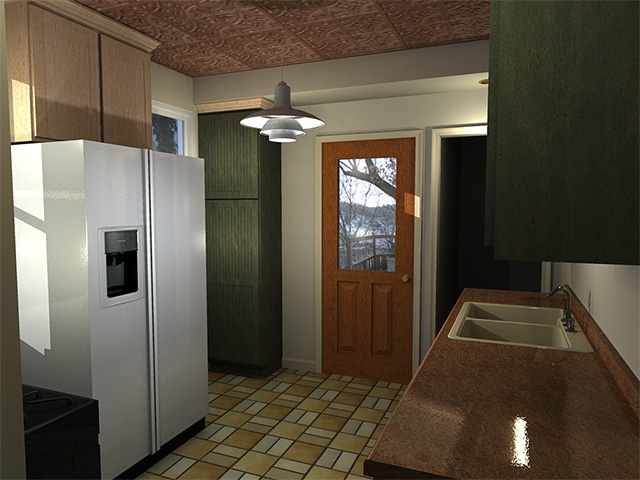

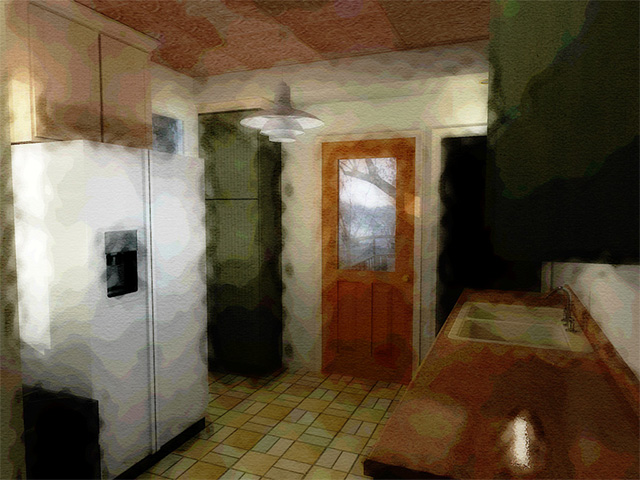
        kitchen render.jpg


        kitchen render action.jpg

        1 條回覆 最後回覆 回覆 引用 0
        • majidM 離線
          majid
          最後由 編輯

          pls use it over a su pure result ( not a render ) try to duge/burn T light and shadows befor the action is applied . just copy the background layer and then start the action.
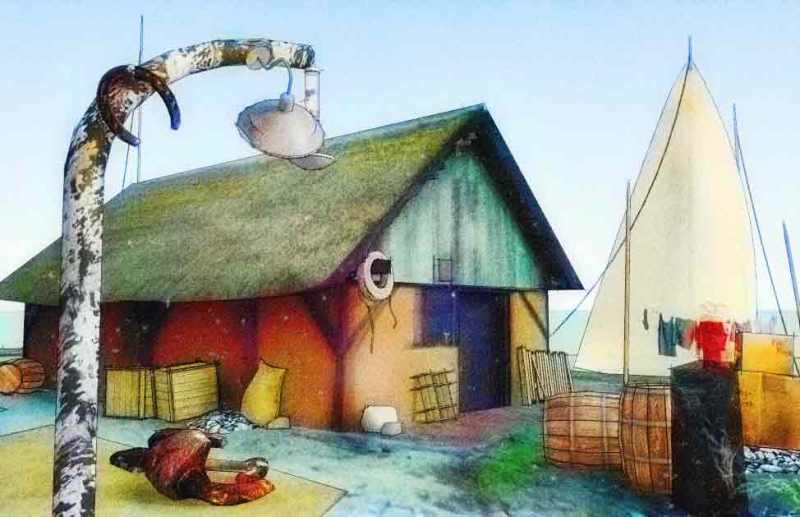
          also i have tried the second generation of my action that works better on SU outpots !and i think it is better for architectural jobs ... here r the results
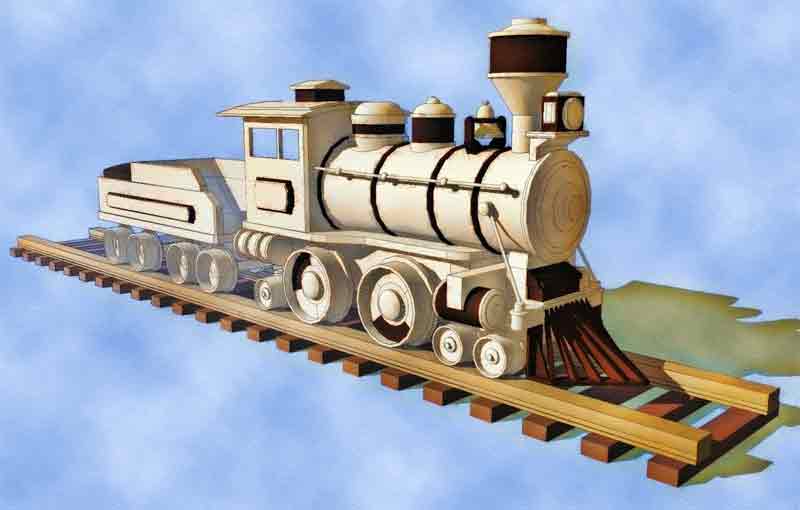
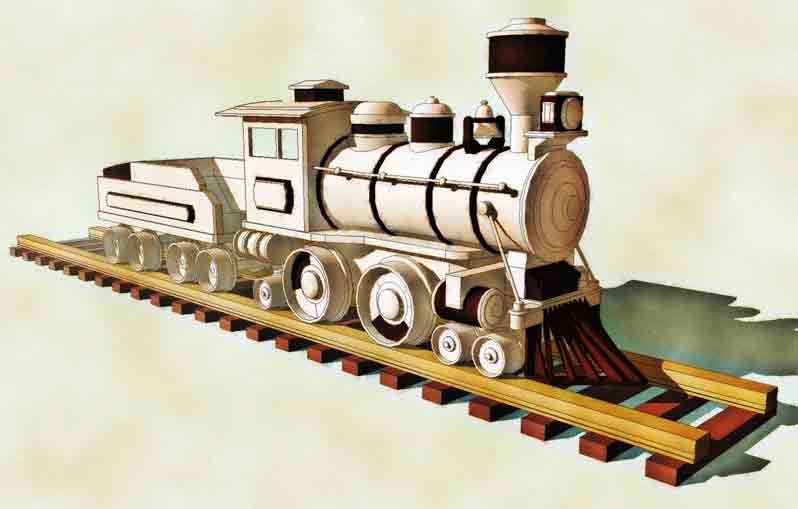
          wooden_toyFog1.jpg


          wooden_toyFog2.jpg

          My inspiring A, B, Sketches book: https://sketchucation.com/shop/books/intermediate/2612-alphabet-inspired-sketches--inspiring-drills-for-architects--3d-artists-and-designers-

          1 條回覆 最後回覆 回覆 引用 0
          • A 離線
            alpro
            最後由 編輯

            Here is the action applied to SU output, I will try and play with the dodge and burn tools when I get a little more time. Thanks again.

            Mike
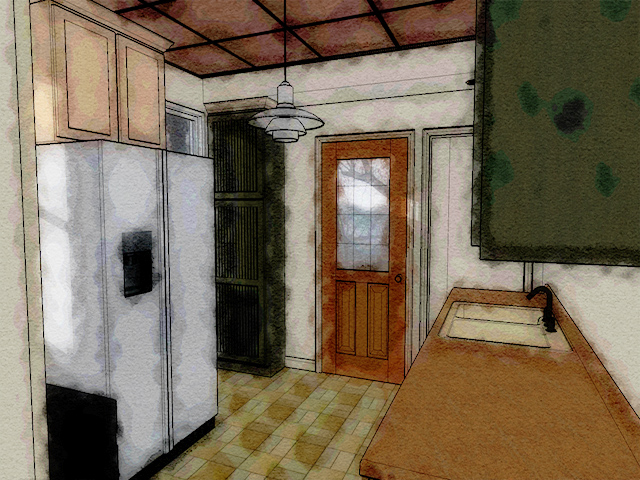

            SU kitchen action.jpg

            1 條回覆 最後回覆 回覆 引用 0
            • majidM 離線
              majid
              最後由 編輯

              a easier way is direct watercolor outpot of su ( the styles) . i had post some new styles here : (i myself like draftsman+watercolor style)
              http://www.sketchucation.com/forums/scf/viewtopic.php?f=42&t=5293&p=29685#p29685

              My inspiring A, B, Sketches book: https://sketchucation.com/shop/books/intermediate/2612-alphabet-inspired-sketches--inspiring-drills-for-architects--3d-artists-and-designers-

              1 條回覆 最後回覆 回覆 引用 0
              • majidM 離線
                majid
                最後由 編輯

                try these new styles plz


                watercolor

                My inspiring A, B, Sketches book: https://sketchucation.com/shop/books/intermediate/2612-alphabet-inspired-sketches--inspiring-drills-for-architects--3d-artists-and-designers-

                1 條回覆 最後回覆 回覆 引用 0
                • majidM 離線
                  majid
                  最後由 編輯

                  here u can try the watercolor directly by the su . by the way my last PS action is in progress

                  My inspiring A, B, Sketches book: https://sketchucation.com/shop/books/intermediate/2612-alphabet-inspired-sketches--inspiring-drills-for-architects--3d-artists-and-designers-

                  1 條回覆 最後回覆 回覆 引用 0
                  • majidM 離線
                    majid
                    最後由 編輯

                    here is the last try . a photon map quick render as light/shadow layer overthe su pure image layer ,blended . and then action (last action that is in progress)... and here is the result
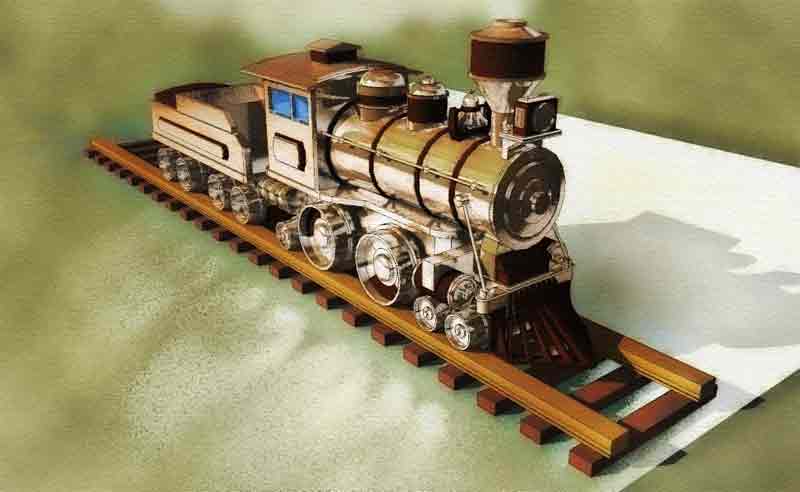

                    w1.jpg

                    My inspiring A, B, Sketches book: https://sketchucation.com/shop/books/intermediate/2612-alphabet-inspired-sketches--inspiring-drills-for-architects--3d-artists-and-designers-

                    1 條回覆 最後回覆 回覆 引用 0
                    • X 離線
                      XXXXXXXXXXXXXXXXXXXX
                      最後由 編輯

                      These are nice. I have also been working on creating a decent photoshop action that simulates watercolor, which is not an easy task. I'll have to give your style a try in CS3...thanks!

                      I have a photoshop action that I have used for the last 3 years or so (prior to my use of SketchUp), but it's still a work in progress. It's similar to Dennis' technique that layers b/w, colored, shadowed in seperate layers, only this does it all for you. You put in a colored rendering that you want to watercolor, hit the action and answer a few questions along the way to get the end result just the way you want it. You "paint" away the white exposing the the right amount of coloring you want. It works pretty well, but I'm still not entirely happy with it, however, I just haven't had the time to really finish working out exactly how I want it.

                      I've attached a close up sample below. This piece was taken from an illustration that had the linework created in cad and then colored in photoshop. No fancy texturing or brushwork was done. Everything you see was done in the script.

                      When I get some free time, I'll try and finish it and maybe it'll be presentable enough to share.
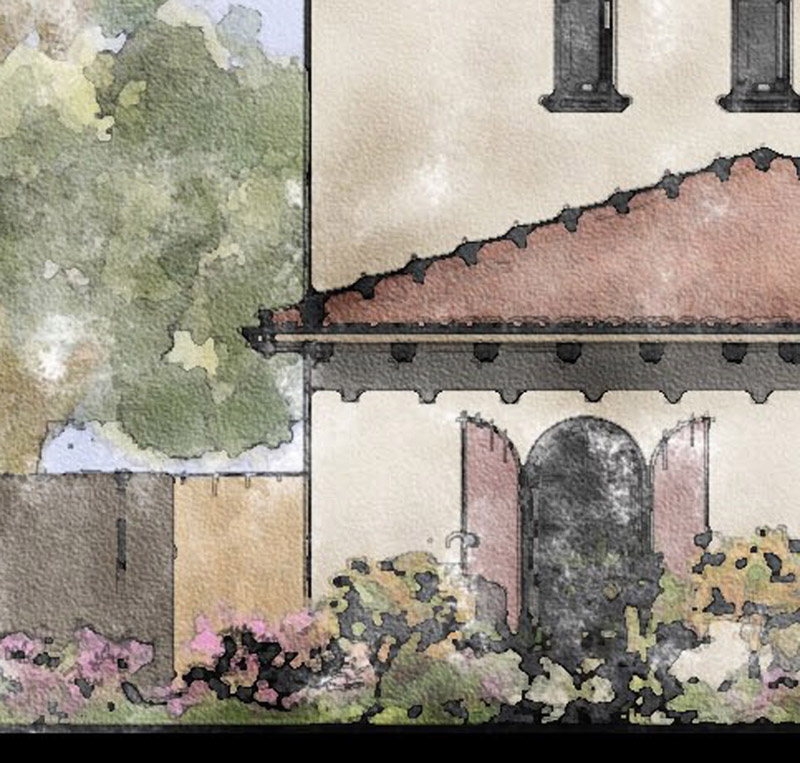

                      18-MOR-LGRIDV6-DDStreet-wc4.jpg

                      1 條回覆 最後回覆 回覆 引用 0
                      • majidM 離線
                        majid
                        最後由 編輯

                        the hard part of the work is simulating human smartness! human knows were to loose or tight work ( i.e trees r ignored to be detailed by the man ) .... btw if good texturing in SU = good result by PS action ... .very well done! really nice job u did!! 😄

                        My inspiring A, B, Sketches book: https://sketchucation.com/shop/books/intermediate/2612-alphabet-inspired-sketches--inspiring-drills-for-architects--3d-artists-and-designers-

                        1 條回覆 最後回覆 回覆 引用 0
                        • majidM 離線
                          majid
                          最後由 編輯

                          the important point is that keep some part textures ( architectural parts) and ignore and loose work on other areas... what do u suggest about?

                          My inspiring A, B, Sketches book: https://sketchucation.com/shop/books/intermediate/2612-alphabet-inspired-sketches--inspiring-drills-for-architects--3d-artists-and-designers-

                          1 條回覆 最後回覆 回覆 引用 0
                          • majidM 離線
                            majid
                            最後由 編輯

                            is ther any body how has a way <tip , trick... to solve the peoblem??

                            My inspiring A, B, Sketches book: https://sketchucation.com/shop/books/intermediate/2612-alphabet-inspired-sketches--inspiring-drills-for-architects--3d-artists-and-designers-

                            1 條回覆 最後回覆 回覆 引用 0
                            • majidM 離線
                              majid
                              最後由 編輯

                              here is the dennis way , expanded using clay render from kt as a light layer. any suggestion?
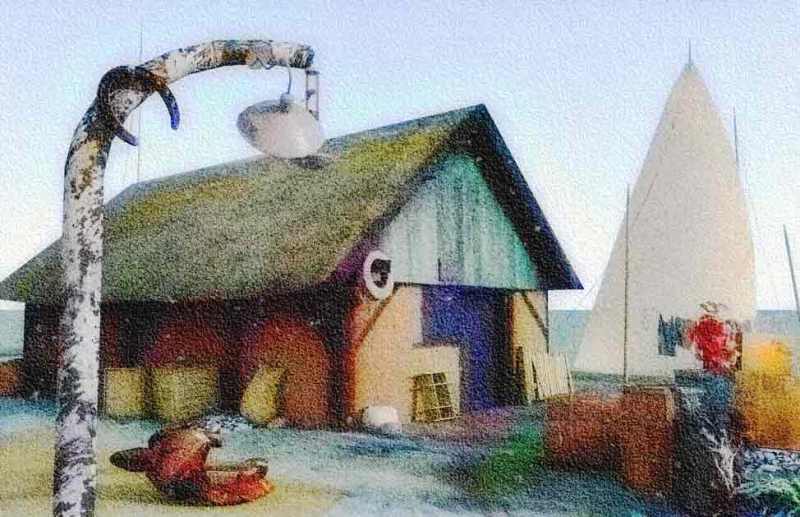

                              watercolor_test1.jpg


                              watercolorTest2.jpg


                              Blog_watercolor.jpg

                              My inspiring A, B, Sketches book: https://sketchucation.com/shop/books/intermediate/2612-alphabet-inspired-sketches--inspiring-drills-for-architects--3d-artists-and-designers-

                              1 條回覆 最後回覆 回覆 引用 0
                              • P 離線
                                PKast
                                最後由 編輯

                                Majid,
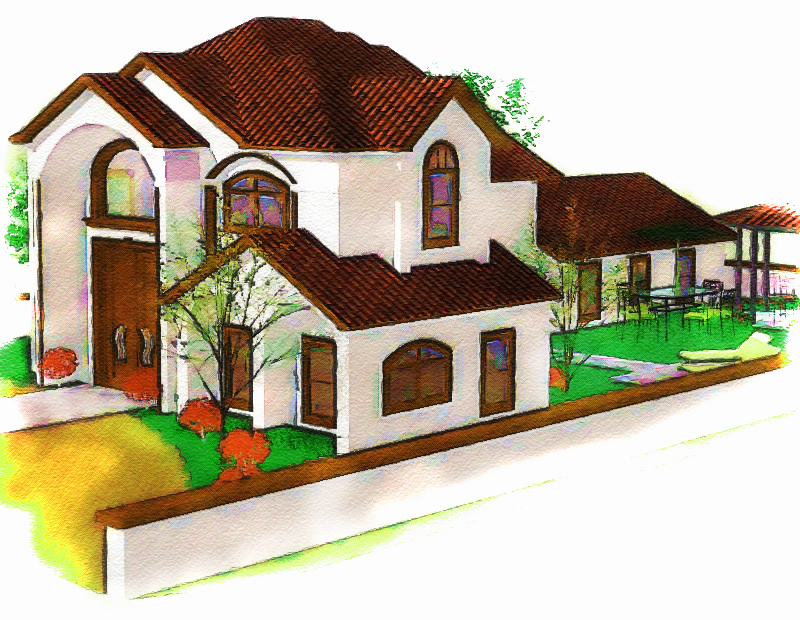
                                I have admired the draftsman-watercolor style that you posted in the styles section of the forum. It is a very pleasant style. I have meant to try your photoshop action, and I just did. I think it gives interesting results. I posted the results for you to see and for others as well. I think many people on this forum would be happy with the action that you have created. I started with a no edges, color sketchup file, then I ran your actions, and then I added a line layer over that. Thanks very much for posting this.
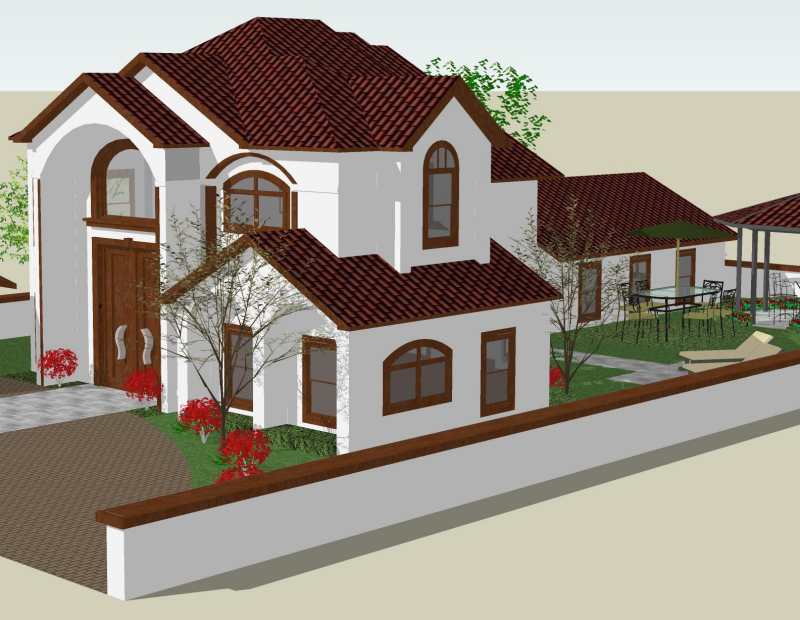
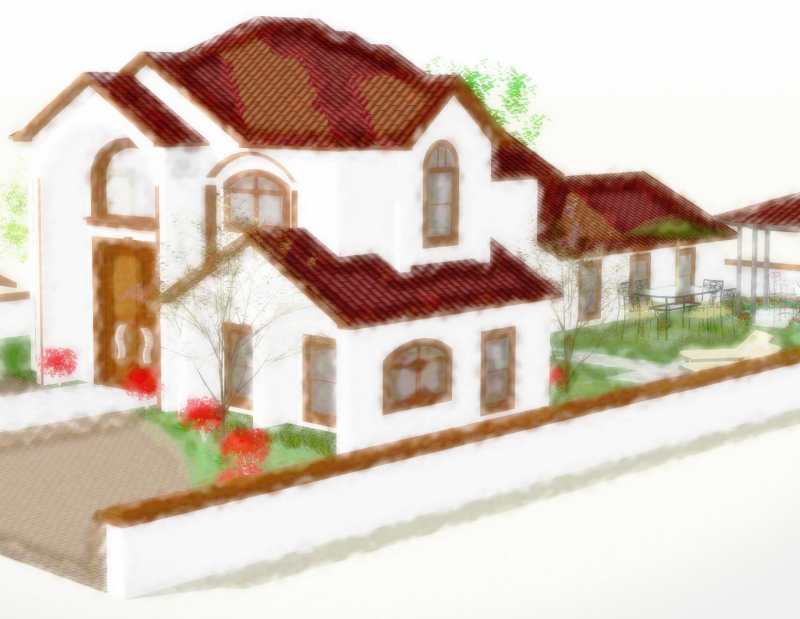
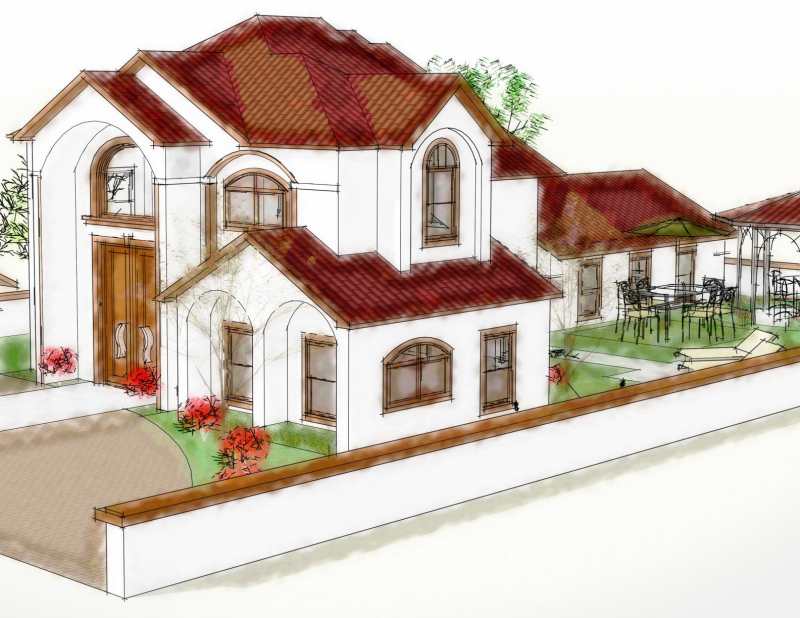
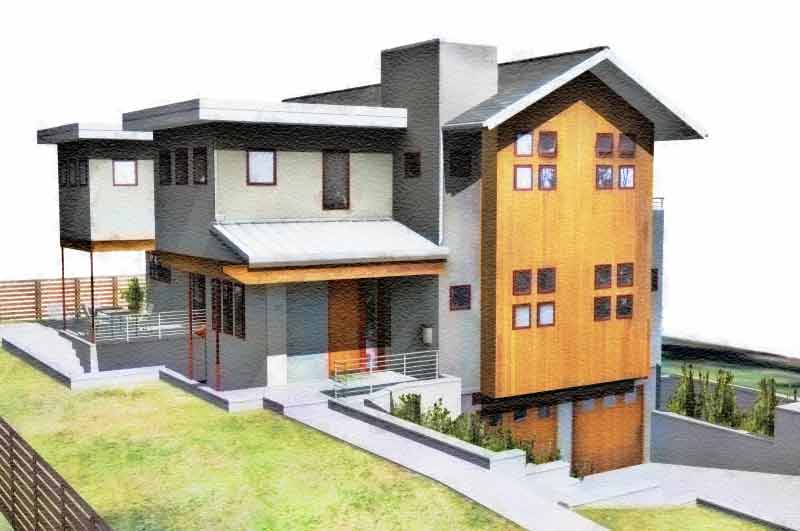
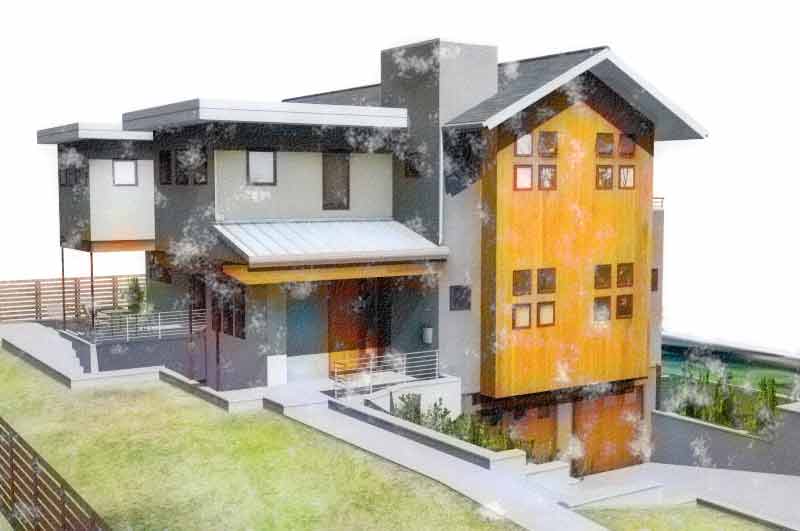
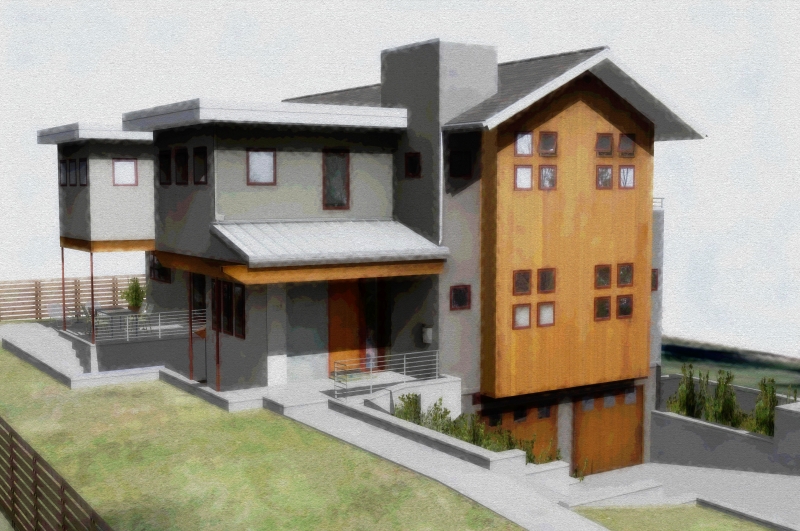
                                Sample Skippy house from 3d Warehouse


                                Sample Majid Actions with no edges.


                                Sample Majid Actions with line layer added.

                                1 條回覆 最後回覆 回覆 引用 0
                                • majidM 離線
                                  majid
                                  最後由 編輯

                                  ok , good job . now try this way : pure SU textured (no shadow)layer below , apply clay render of the same view from KT as luminosity layer over it , merge layers , apply ripple filter as : 50% medium over merged layers . add line layer over it as multiply layer , have fun

                                  My inspiring A, B, Sketches book: https://sketchucation.com/shop/books/intermediate/2612-alphabet-inspired-sketches--inspiring-drills-for-architects--3d-artists-and-designers-

                                  1 條回覆 最後回覆 回覆 引用 0
                                  • C 離線
                                    canoek
                                    最後由 編輯

                                    can't get your action to work - running ps 4.0. could you post your steps in ps that comprise your action?
                                    this was done with basic ps techniques - took 5 min.

                                    jb


                                    house copy3.JPG

                                    1 條回覆 最後回覆 回覆 引用 0
                                    • majidM 離線
                                      majid
                                      最後由 編輯

                                      the main idea is: copy tha fist su exported layer( a gussian blur /and then (unsharpen mask) layer) over the first layer as overlay (+ curves midified) then using anothercopied layer and posterized/then gussian blured for more color as mutiply and then overlayed over first layer . and a spatterd layer for watercolor effect over them . then merged together . u may improve the technique 😄

                                      My inspiring A, B, Sketches book: https://sketchucation.com/shop/books/intermediate/2612-alphabet-inspired-sketches--inspiring-drills-for-architects--3d-artists-and-designers-

                                      1 條回覆 最後回覆 回覆 引用 0
                                      • P 離線
                                        PKast
                                        最後由 編輯

                                        Canoek,

                                        I will post Majid's actions for PhotoShop. You may need PhotoShop 6 or greater for these actions to work, I'm not sure. He actually has two actions, both are a little more involved than what he describes.
                                        I will post some images of before and after. The second action I will post in a separate reply.

                                        Majid's Photoshop Action 1:
                                        -Copy Background Layer ("Background Copy")
                                        -Gaussian blur 11.5
                                        -Image/Adjustment/Posterize 16
                                        -Glass/Frosted, 14,11,100%
                                        -Set current Layer Style: Overlay, Opacity 100%
                                        -Copy Background Layer ("Background Copy 2")
                                        -Gaussian blur 5.4
                                        -Image/Adjustment/Posterize 12
                                        -Set current Layer Style: Multiply, Opacity 100%
                                        -Image/Adjustment/Brightness +55, Contrast -90
                                        -Make a New adjustment Layer (Levels 1)
                                        -Image/Adjustment/Levels: RGB Input 0,1.83,255; Output 0,255
                                        -Select Layer "Background Copy 2"
                                        -Gaussian Blur 3.2
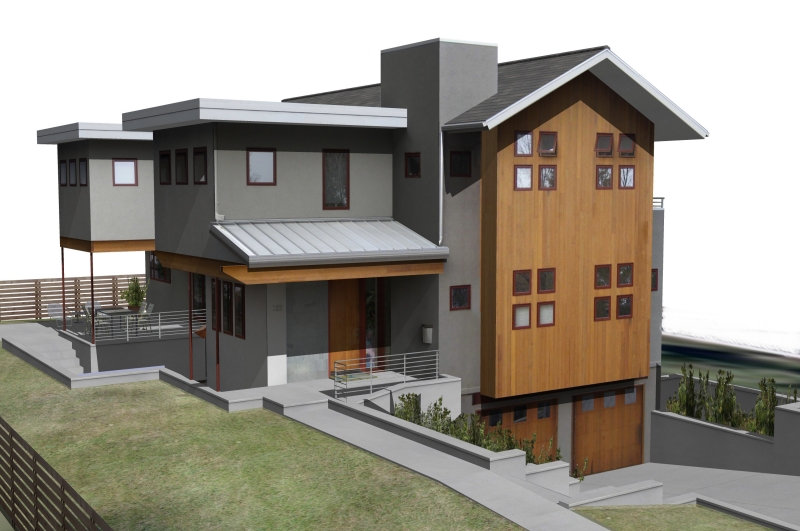

                                        Here is the Skippy of the file.


                                        Here is the Skippy image with Majid's Action 1 applied in PS. (No Lines, no edges).

                                        1 條回覆 最後回覆 回覆 引用 0
                                        • majidM 離線
                                          majid
                                          最後由 編輯

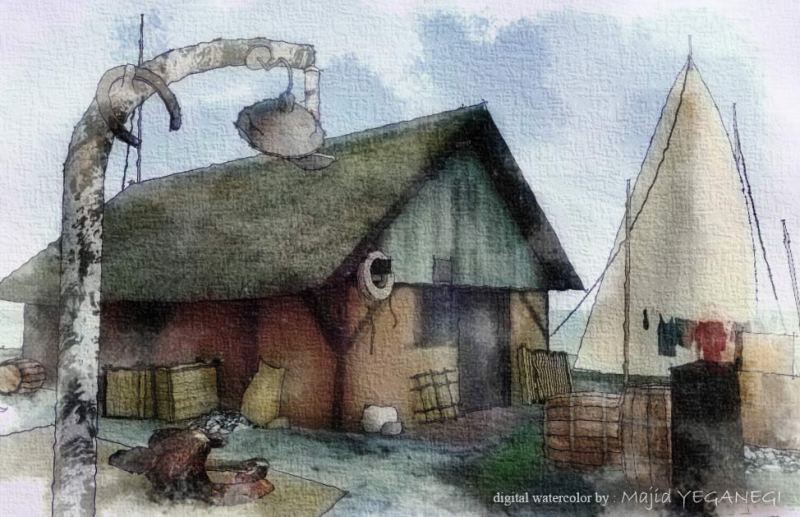
                                          here is my 2nd generation and 3rd generation of watercolor action ( specially for pure SU output , not renders ). i used it over the image that PKast send . the main idea is combination of filters to make strong edges like watercolor and spreading color to near areas .


                                          2nd.jpg


                                          727-Forest-Ave,-Denver-Skip.jpg

                                          My inspiring A, B, Sketches book: https://sketchucation.com/shop/books/intermediate/2612-alphabet-inspired-sketches--inspiring-drills-for-architects--3d-artists-and-designers-

                                          1 條回覆 最後回覆 回覆 引用 0
                                          • P 離線
                                            PKast
                                            最後由 編輯

                                            Canoek,

                                            Here is Majid's 2nd action for PhotoShop. This action is longer than the first.

                                            Majid's Photoshop Action 2:
                                            -Copy Background Layer ("Background Copy")
                                            -Gaussian blur 11.5
                                            -Image/Adjustment/Posterize 16
                                            -Glass/Frosted, 14,11,100%
                                            -Set current Layer Style: Overlay, Opacity 100%
                                            -Gaussian blur 5.4
                                            -Image/Adjustment/Posterize 12
                                            -Set current Layer Style: Multiply, Opacity 100%
                                            -Image/Adjustment/Brightness +55, Contrast -90
                                            -Make a New adjustment Layer (Levels 1)
                                            -Image/Adjustment/Levels: RGB Input 0,1.83,255; Output 0,255
                                            -Select Layer "Background Copy 2"
                                            -Gaussian Blur 3.2
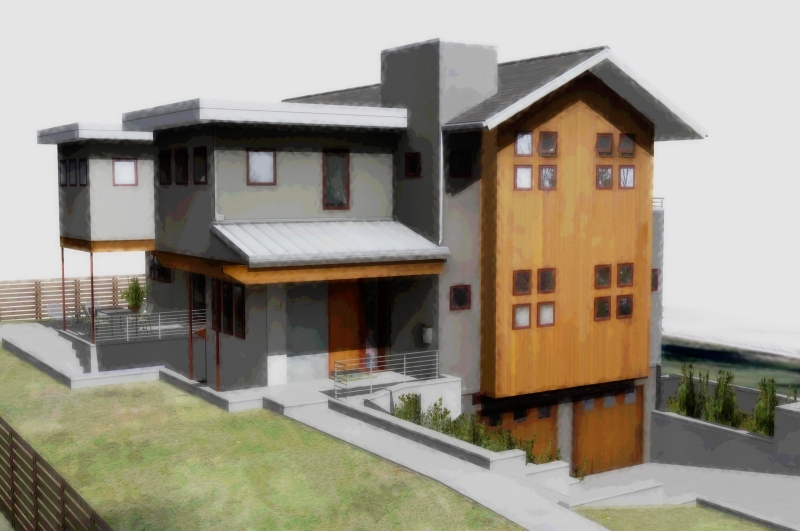
                                            -Colored Pencil 24,7,42
                                            -Edit/Fade 50%, Normal
                                            -CutOut 8,5,3
                                            -Edit/Fade 24% Normal
                                            -Texturizer/Canvas 170%, 3
                                            -Spatter 6,5
                                            -Texturizer/Sandstone 170%, 3

                                            Thanks Majid. I think you use some interesting techniques in your style, a little bit different from the others. I learned a lot by studying your actions. I also like the idea of using actions to quickly get through the tedium of repetitive tasks.

                                            Best PKast
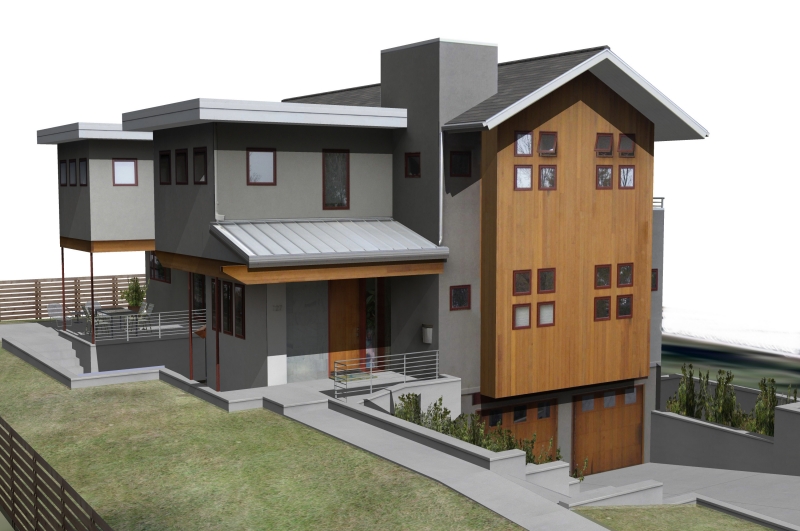

                                            Again the original skippy file. (No edges, no lines)


                                            The Skippy with Majid's 2nd PS Action Applied.

                                            1 條回覆 最後回覆 回覆 引用 0
                                            • 1
                                            • 2
                                            • 3
                                            • 4
                                            • 5
                                            • 2 / 5
                                            • 第一個貼文
                                              最後的貼文
                                            Buy SketchPlus
                                            Buy SUbD
                                            Buy WrapR
                                            Buy eBook
                                            Buy Modelur
                                            Buy Vertex Tools
                                            Buy SketchCuisine
                                            Buy FormFonts

                                            Advertisement