sketchucation logo sketchucation
    • 登入
    Oops, your profile's looking a bit empty! To help us tailor your experience, please fill in key details like your SketchUp version, skill level, operating system, and more. Update and save your info on your profile page today!
    🔌 Smart Spline | Fluid way to handle splines for furniture design and complex structures. Download

    Easy digital watercolor

    已排程 已置頂 已鎖定 已移動 Gallery
    83 貼文 25 Posters 138.9k 瀏覽 25 Watching
    正在載入更多貼文
    • 從舊到新
    • 從新到舊
    • 最多點贊
    回覆
    • 在新貼文中回覆
    登入後回覆
    此主題已被刪除。只有擁有主題管理權限的使用者可以查看。
    • majidM 離線
      majid
      最後由 編輯

      hi dear all
      thanks to mirjman .
      i tried your method , fixed bugs ( over hi contrast pics) and improved it . i tried it over pictures and also Pure SU output , good result , try this action ( full PS 😎 no more outer filers . (remover rb extention , load from action panel in PS)


      dwc-o-f.atn.rb

      My inspiring A, B, Sketches book: https://sketchucation.com/shop/books/intermediate/2612-alphabet-inspired-sketches--inspiring-drills-for-architects--3d-artists-and-designers-

      1 條回覆 最後回覆 回覆 引用 0
      • M 離線
        mirjman
        最後由 編輯

        i just ran your action straight through on the same photo see attached. it has a nice texture

        i am going to study your action some more, but one thing you can try is setting the "paper brightness" on the color pencil filter very high
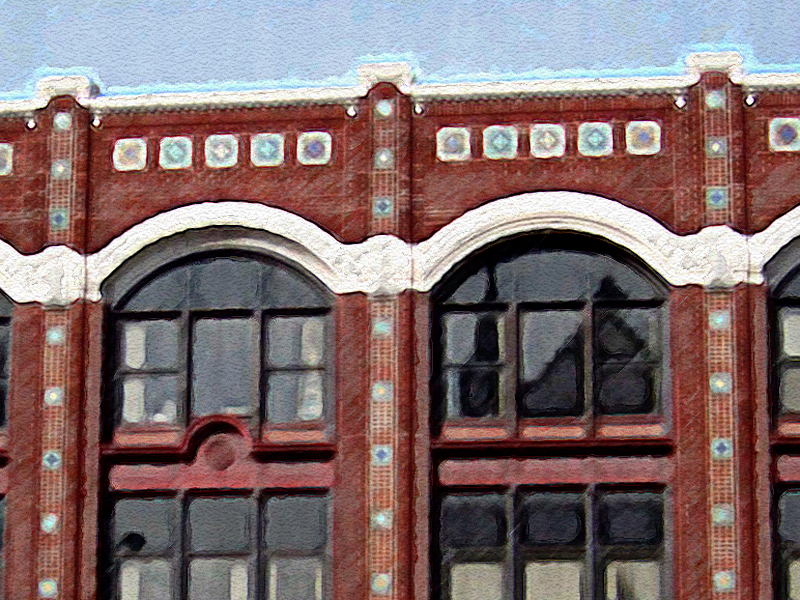

        majidaction.jpg

        1 條回覆 最後回覆 回覆 引用 0
        • S 離線
          sintra
          最後由 編輯

          Hi,

          Maybe this is me being a little dumb, but i dont have much experience with photoshop. 😳

          Could someone please tell me exactly where i need to extract the file to and exactly how it works, maybe a quick step by step.

          Kind regards

          Darren

          1 條回覆 最後回覆 回覆 引用 0
          • M 離線
            mirjman
            最後由 編輯

            sintra: the step by step method 😃

            1. download majid's file to your computer, and rename the file to remove the ".rb" at the end

            2. open photoshop, go to window>actions to bring up your actions palette

            3. drag the .atn file that you downloaded onto this palette, the action will now show up on your list

            4. open a target image, then highlight the action. push the triangle "play" button and its all automated after that

            1 條回覆 最後回覆 回覆 引用 0
            • S 離線
              sintra
              最後由 編輯

              Thanks for that buddy, works great 😄

              Darren

              1 條回覆 最後回覆 回覆 引用 0
              • majidM 離線
                majid
                最後由 編輯

                did anyone tried the action? plz test it over SU pure output (not renders) . thanx again

                My inspiring A, B, Sketches book: https://sketchucation.com/shop/books/intermediate/2612-alphabet-inspired-sketches--inspiring-drills-for-architects--3d-artists-and-designers-

                1 條回覆 最後回覆 回覆 引用 0
                • A 離線
                  Amfab
                  最後由 編輯

                  Im new here, today actually, and kinda new to Sketchup. It is interesting that this topic is being discussed because I wasn't so happy with some renderings my Architect was doing…
                  I ended up kinda learning Sketchup over the last month or two to show her the angles I wanted for the renderings. She then did a rough rendering and I wasn't too happy with it so I learned some more Sketchup stuff and in the last day or so I started messing with my Sketchup output in Photoshop... I think Im kinda getting there.
                  Maybe you guys can add to what I have done, although I don't think that this is as good as some of the stuff I have seen here, (especially Ross’s stuff-wow) but it is all done with SU7 free and PSCS3
                  Here is what I’m doing:
                  I output three or four versions, changing styles each time.
                  I have been using the Sketchup "Sketchup Style builder competition winners" Styles included with the free version of SU7
                  "Pencil Edges With Whiteout Border. Created by Mark Paschke." Is the one I am using for this.
                  I output Tiffs:
                  One with no background, no sky, edges only (for top layer in PS)
                  One with Sky, Shaded, no edges (for middle layer in PS)
                  One with Sky, Shaded, with edges (for Bottom layer in PS)
                  I stack them in layers in Photoshop in the order mentioned above.
                  On the top I clear out the white so I have only black pencil, I sharpen it up a little
                  The middle one (the one with no edges) I apply the filter Artistic>Poster edges to generate a few large contrast-ey areas...
                  Then Noise>Median to smooth and blotch them out
                  Then if it needs more interest a little “paint daubs”–maybe I didn't use it on this one though.
                  Then I use diffuse glow on the bottom layer, with no graininess–this makes it pop–I so dig that filter–then I fade it back to a reasonable level after applying.

                  I mix the layers together, the bottom layer full strength, then somewhere near 30 percent for the middle layer, combining using “vivid light” helps the colors get that over-saturated watercolor color vibe.
                  I then just adjust the toplayers opacity to make the lines feel sharper.

                  Then I flatten the image and paint a bit by hand with Bit box’s watercolor brushes (no affiliation–and they are free)

                  Link Preview Image
                  Page not found - Bittbox

                  favicon

                  Bittbox (www.bittbox.com)

                  Anything that is very saturated I paint with the main color at maybe 15% transparency, using the “normal” setting. And I make sure to go outside the objects to get the color running on to other objects.
                  After I have done that I then run around with the brushes using multiply at 5-10%.
                  You have to choose different brushes at different sizes and edit them a lot to make it look random.

                  Anyway, I just thought I would put in my cent an a half

                  Attached is the watercolor experiment–I darkened up the jpeg because when I was converting the sky was getting washed out, PC gamma people let me know if it is too dark for you.

                  -Andrew
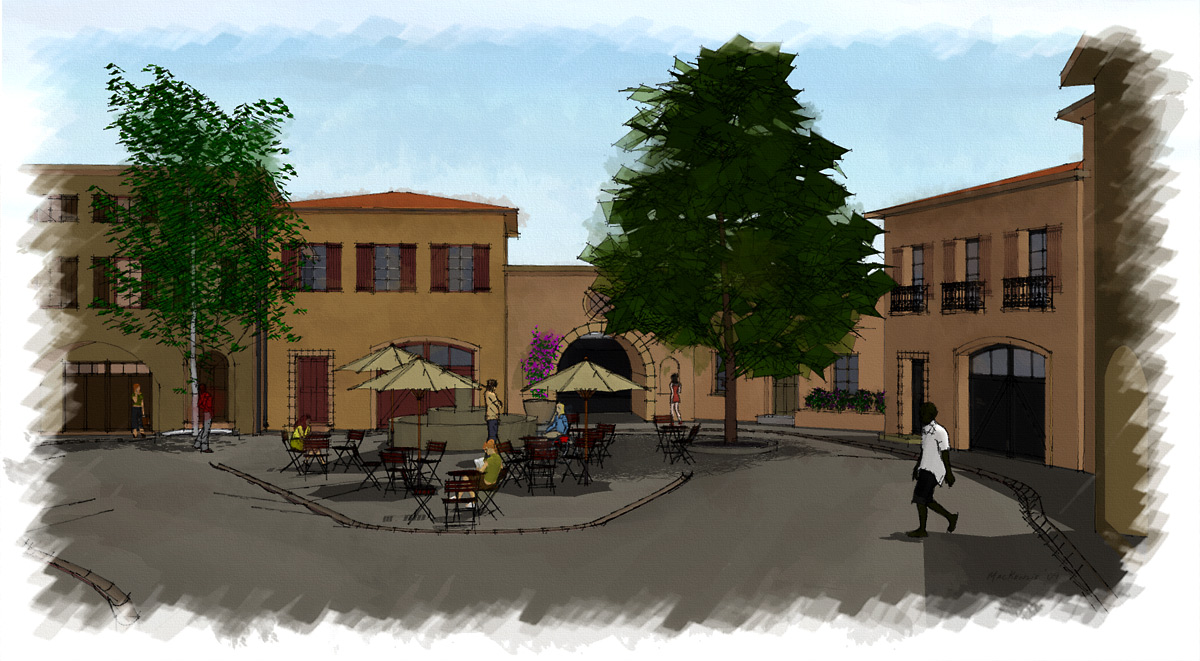

                  SURender.jpg

                  1 條回覆 最後回覆 回覆 引用 0
                  • A 離線
                    Amfab
                    最後由 編輯

                    Jan, I just tried your paper, tak så mycket. And by the way using a picture of Sweden isn't fair, as the whole country looks like a watercolor to begin with.

                    -Andrew
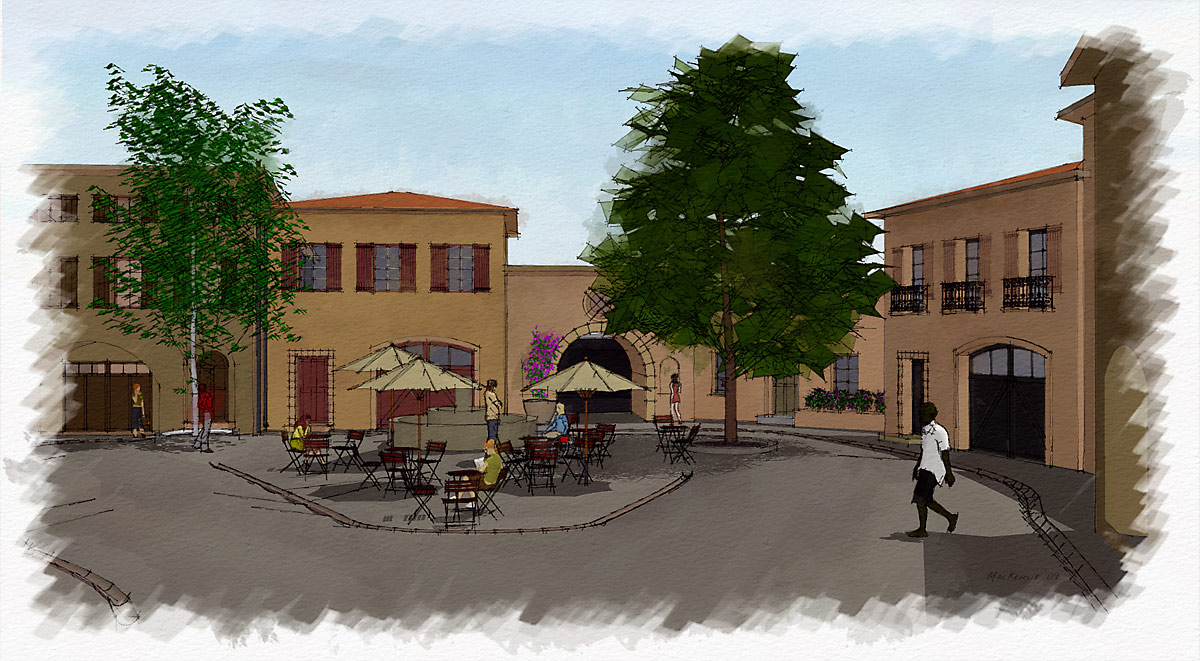

                    Withpaper.jpg

                    1 條回覆 最後回覆 回覆 引用 0
                    • E 離線
                      Ecuadorian
                      最後由 編輯

                      Oh, well, since the thread has just been revived, here's my try, using an action I found on the Web:
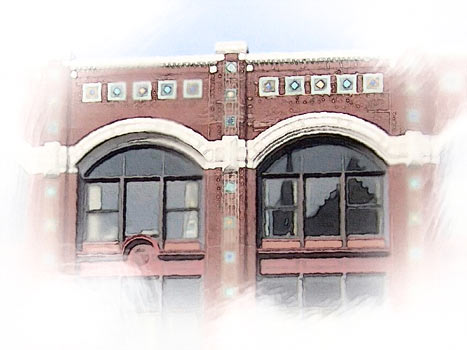
                      full.jpg
                      detalle.jpg

                      Of course, I did some manual preparations before applying the action (Resizing to about 1500px wide, whitening the border, applying Gaussian blur to the border and to several random spots)

                      And here's the action I found. The text file says it's OK to re-distribute as long as you keep it intact.
                      The documentation says it works better on images around 3000px in the biggest dimension, but I think it works equally nice on 1500px images.


                      WatercolorTintAction.zip

                      -Miguel Lescano
                      Subscribe to my house plans YouTube channel! (30K+ subs)

                      1 條回覆 最後回覆 回覆 引用 0
                      • E 離線
                        Ecuadorian
                        最後由 編輯

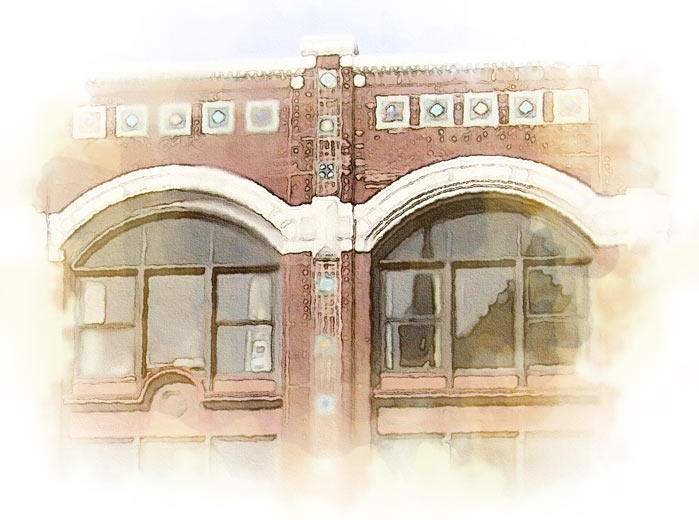
                        Yet another try.
                        layered_watercolor.jpg

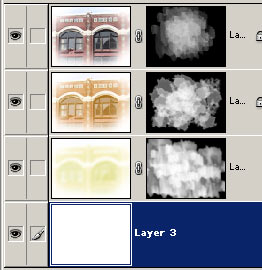
                        This time I applied the effect to a completely blurred version, and put it beneath the regular version. I made another copy of the regular version, and started to alter the curves of the bottom two layers, making them yellowish. I then used layer masks to hide all layers, and revealed them using Photoshop's wetmedia brushes and this brush collection:
                        http://fbrushes.com/2008/11/05/watercolor-1-brushes-pack/

                        Here's how my layers look:
                        layers.jpg

                        A tip: When you use the brushes I linked to, instead of dragging the brush, just apply it in spots. If the brush borders become too distracting in certain parts, blur those parts. Remember that all this work is done in the layer Mask, not the layer itself.

                        -Miguel Lescano
                        Subscribe to my house plans YouTube channel! (30K+ subs)

                        1 條回覆 最後回覆 回覆 引用 0
                        • A 離線
                          Amfab
                          最後由 編輯

                          HA, I thought this was a recent thread, I read the year wrong, anyway, I messed with it some more and came up with this:
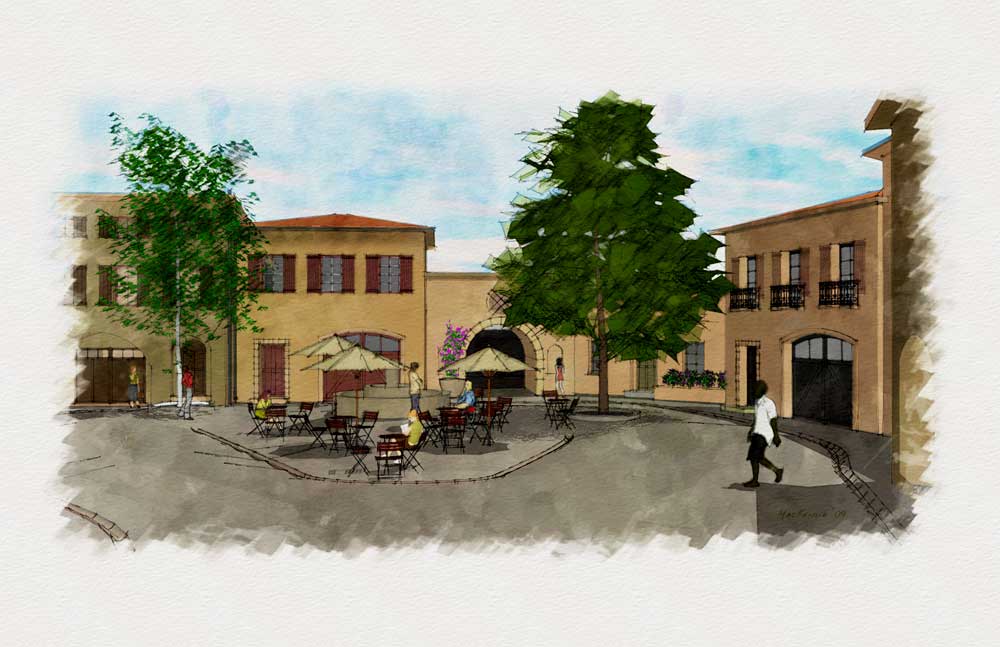

                          Watertry.jpg

                          1 條回覆 最後回覆 回覆 引用 0
                          • majidM 離線
                            majid
                            最後由 編輯

                            nice job u did. I've done some recent experiences and soon will share them 😉 . but in short :u can have more/less lost-fond edges (depending on suject) in your render.. and also color variations tahat makes yr job more like watercolor job.
                            majid

                            My inspiring A, B, Sketches book: https://sketchucation.com/shop/books/intermediate/2612-alphabet-inspired-sketches--inspiring-drills-for-architects--3d-artists-and-designers-

                            1 條回覆 最後回覆 回覆 引用 0
                            • majidM 離線
                              majid
                              最後由 編輯

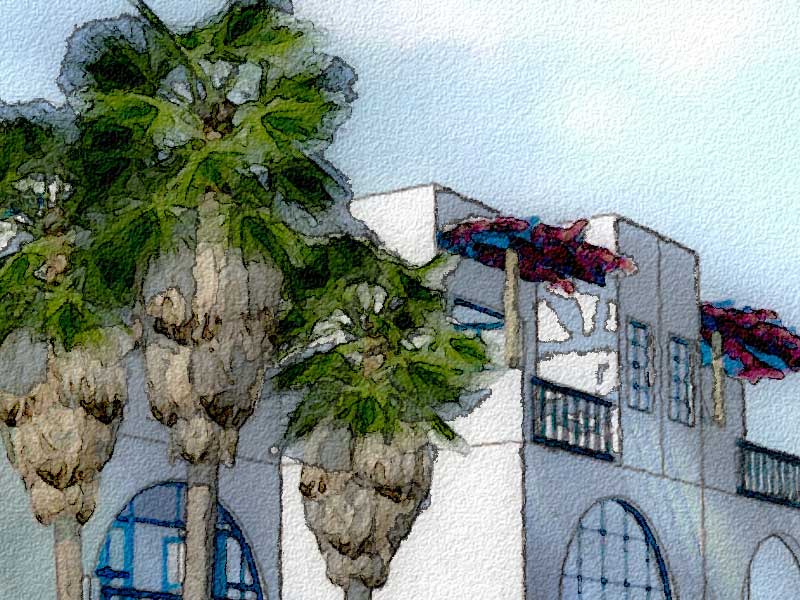
                              just to inform you about my refiend trick, not as an action , but using SU+Ps, soon would be published,
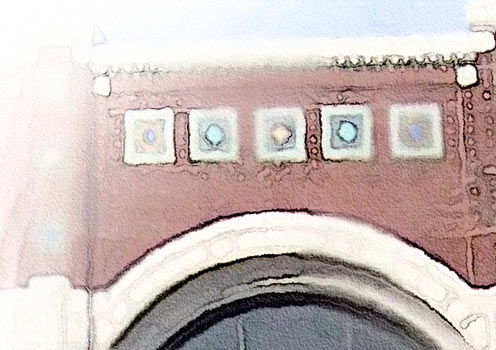
                              here is a sample:detail
                              My inspiring A, B, Sketches book: https://sketchucation.com/shop/books/intermediate/2612-alphabet-inspired-sketches--inspiring-drills-for-architects--3d-artists-and-designers-

                              1 條回覆 最後回覆 回覆 引用 0
                              • MALAISEM 離線
                                MALAISE
                                最後由 編輯

                                Magic ! Majid , i like this effect really;

                                MALAISE 👍

                                La Connaissance n'a de valeur que partagée

                                1 條回覆 最後回覆 回覆 引用 0
                                • majidM 離線
                                  majid
                                  最後由 編輯

                                  Thanks MALAISE ! 😄 .we hada good discussion here and learned alot from each other, and now after a while the refined simplified trick is ready. I've tried to do the "smart" part by human, so that the Photoshop does it's "fool"ish job, excellent!!!!.
                                  also I've tested the trick over several 3dwh models, all were acceptable and so guess it will rock!!!

                                  My inspiring A, B, Sketches book: https://sketchucation.com/shop/books/intermediate/2612-alphabet-inspired-sketches--inspiring-drills-for-architects--3d-artists-and-designers-

                                  1 條回覆 最後回覆 回覆 引用 0
                                  • utilerU 離線
                                    utiler
                                    最後由 編輯

                                    look forward to it majid!!!

                                    Just Curious...

                                    1 條回覆 最後回覆 回覆 引用 0
                                    • C 離線
                                      Coronel
                                      最後由 編輯

                                      Great work

                                      Post marked

                                      1 條回覆 最後回覆 回覆 引用 0
                                      • majidM 離線
                                        majid
                                        最後由 編輯

                                        recently I progressed a simple tricky NPR way , you can read about it here:
                                        http://forums.sketchucation.com/viewtopic.php?f=81&t=22093

                                        My inspiring A, B, Sketches book: https://sketchucation.com/shop/books/intermediate/2612-alphabet-inspired-sketches--inspiring-drills-for-architects--3d-artists-and-designers-

                                        1 條回覆 最後回覆 回覆 引用 0
                                        • V 離線
                                          valerostudio
                                          最後由 編輯

                                          What ever happened with Moxi? I Googled it but found nothing.

                                          1 條回覆 最後回覆 回覆 引用 0
                                          • PixeroP 離線
                                            Pixero
                                            最後由 編輯

                                            @valerostudio said:

                                            What ever happened with Moxi? I Googled it but found nothing.

                                            Apparently not much. Adobe licensed it I know but I havent seen anything yet.
                                            The guy behind Moxi (Nelson Chu) has been seen in a Microsoft video featuring "project Gustav", a painting application in development.
                                            The images show tools like oilpaint so I don't know if there will be any watercolour tool in it. We can just hope...
                                            http://research.microsoft.com/en-us/projects/gustav/
                                            Still it looks cool.

                                            1 條回覆 最後回覆 回覆 引用 0
                                            • 1
                                            • 2
                                            • 3
                                            • 4
                                            • 5
                                            • 4 / 5
                                            • 第一個貼文
                                              最後的貼文
                                            Buy SketchPlus
                                            Buy SUbD
                                            Buy WrapR
                                            Buy eBook
                                            Buy Modelur
                                            Buy Vertex Tools
                                            Buy SketchCuisine
                                            Buy FormFonts

                                            Advertisement