Having trouble making face
-
Hi All, I am having trouble trying to get the attached skp into a co-planar face. I tried to purchase S4U Make Face extension - but it doesn't seem to recognize that it has been purchased. Can anyone assist in opening the attached and making it into a face? Many Thanks! Jeff. ( olso5345@umn.edu. )roadway and parking lot.skp
-
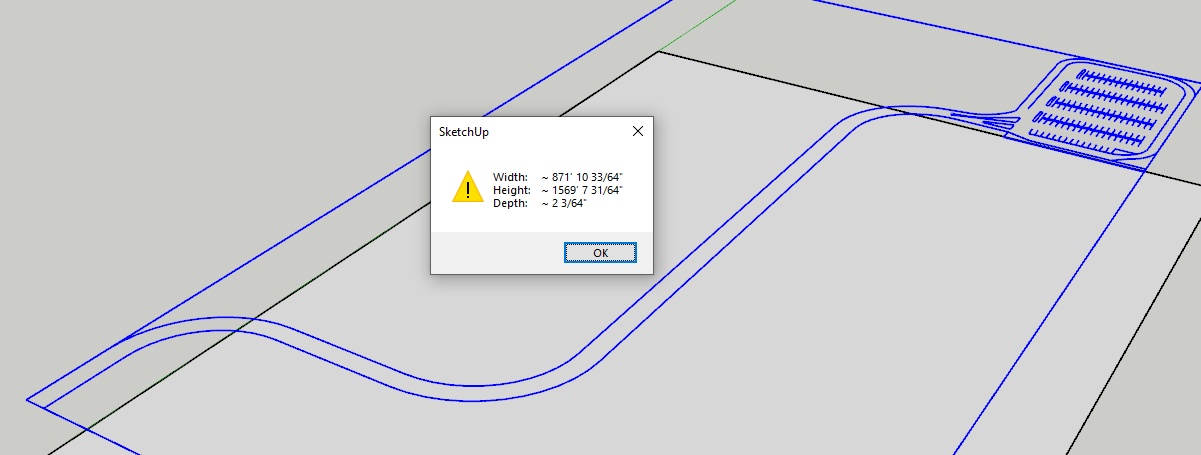
You main problem is that your roadway edges are not in the same plane. Even with an extrension for creating faces you'll have a problem. Flatten the drawing first.
-
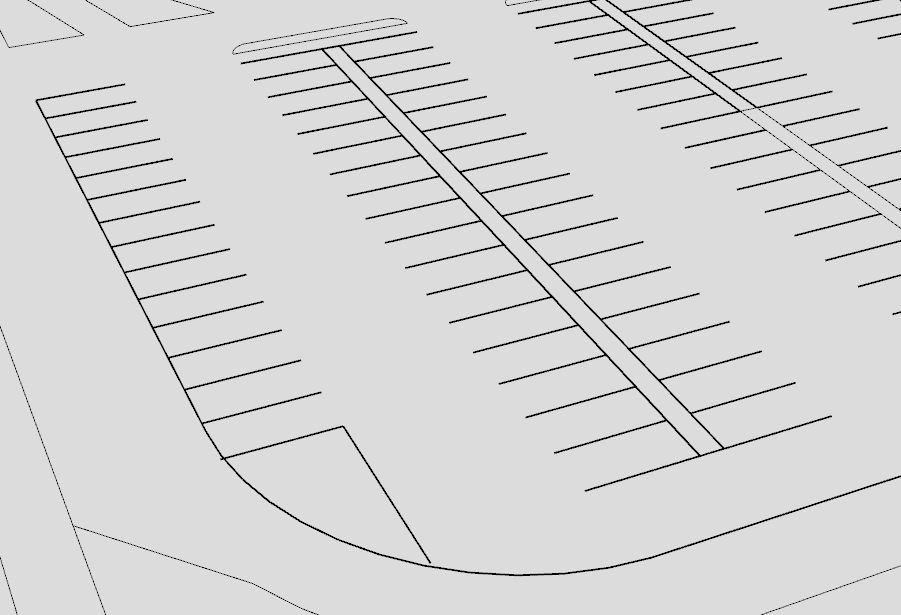
There are some place where you won't get separate faces such as in the corner near the bottom here due to the gap. And since the perimeter of the parking area doesn't for a closed loop of edges, you won't have faces there, either.
-
Thanks Dave R! How do you flatten a drawing in SU Pro?
-
There are a variety of plugins/extensions that can flatten geometry. TIG's Flatten to Plane is a good one. You can get it from the Sketchucation Extension Store.

Hello! It looks like you're interested in this conversation, but you don't have an account yet.
Getting fed up of having to scroll through the same posts each visit? When you register for an account, you'll always come back to exactly where you were before, and choose to be notified of new replies (either via email, or push notification). You'll also be able to save bookmarks and upvote posts to show your appreciation to other community members.
With your input, this post could be even better 💗
Register Login


Advertisement