How to see my model's edges by colour
-
Hi,
I cannot find out how to see all my model's objects' edges by colour. I used to do it in Styles - Edit, but now I do not see that function that would allow me to do quality control check. I want to check once in while that all my edges are green, red, blue, as they are supposed to be.
Help, please:)
Lena -
In styles.
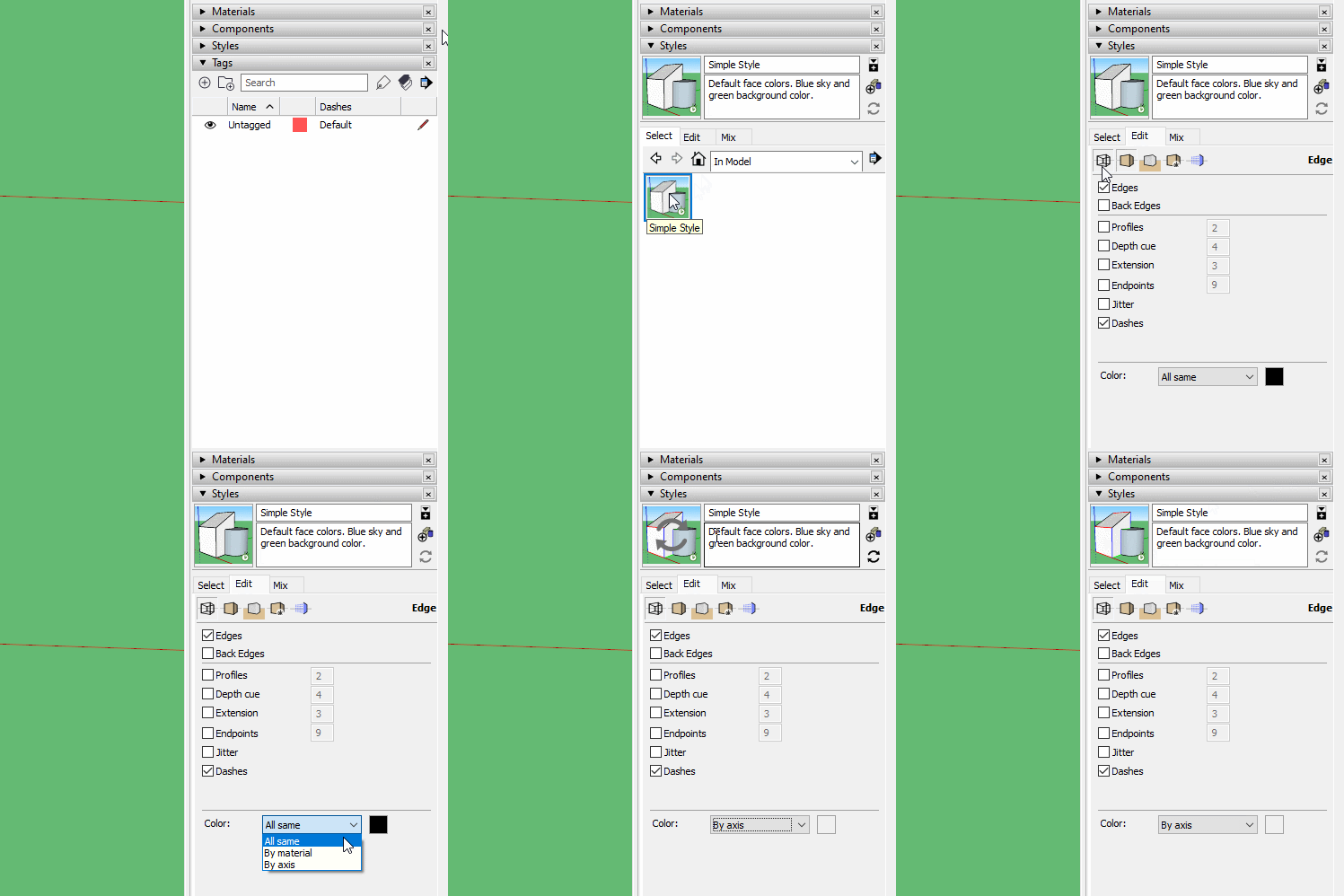
-
Worked as magic! Thanks!!!!


-
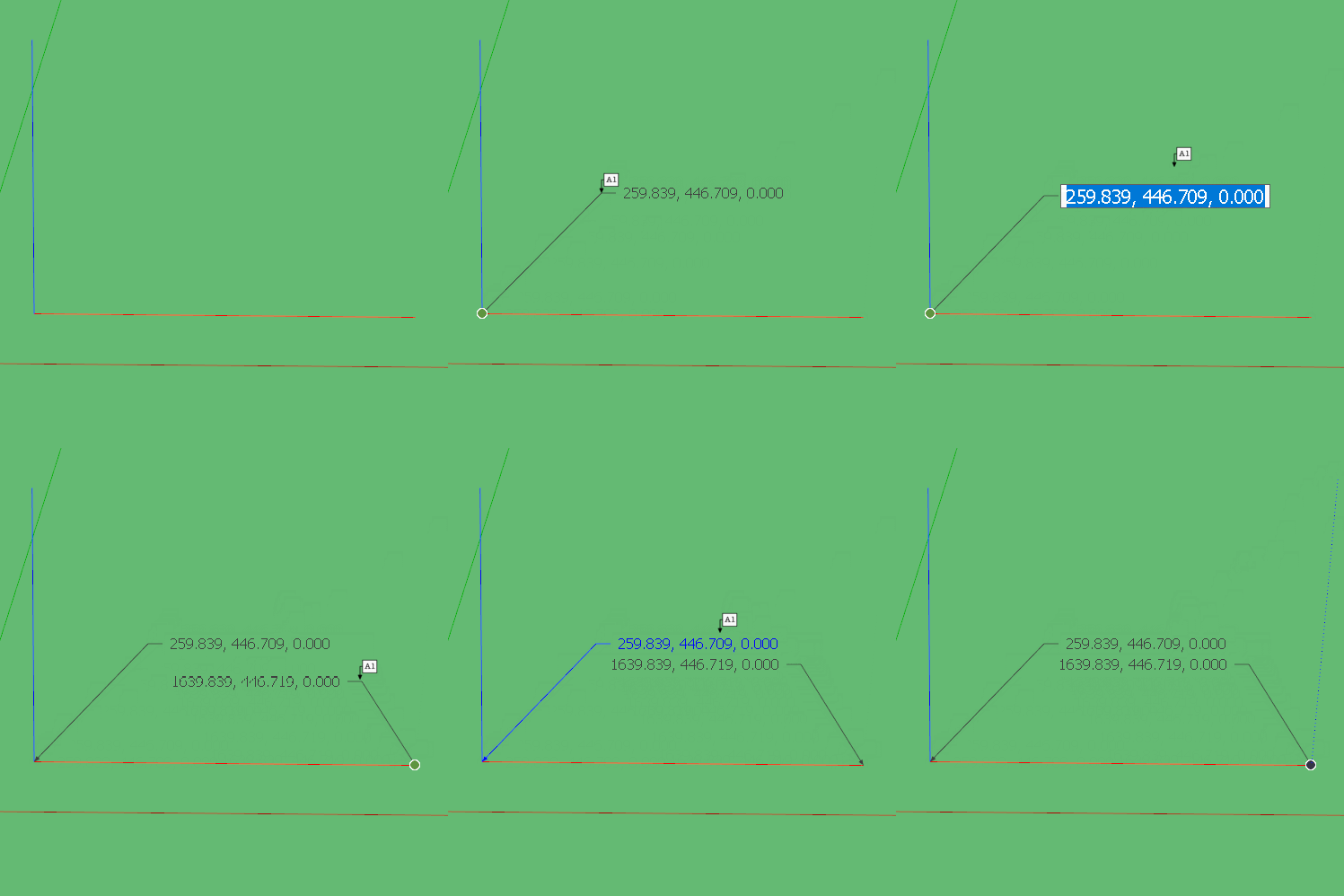
Be aware though that By Axis is not a perfect tool. It has a tolerance that does allow things to be very slightly off axis and still show the colour. It is more of a general overview than a perfect accuracy checker. We have seen cases where people insist their model is accurate because the colours says so, but there are still errors buried in the detail. If you suspect something is out of alignment the Text tool can be used to check the coordinates of endpoints.

Hello! It looks like you're interested in this conversation, but you don't have an account yet.
Getting fed up of having to scroll through the same posts each visit? When you register for an account, you'll always come back to exactly where you were before, and choose to be notified of new replies (either via email, or push notification). You'll also be able to save bookmarks and upvote posts to show your appreciation to other community members.
With your input, this post could be even better 💗
Register Login


Advertisement