How to make a mould
-
Hi,
I'm a beginner.
I have created a cinder block (cement block) in Sketchup Make, the free web version, and now I need to create a mould.
Boy, it's not a straight forward thing!
Can anyone point to me where I could find how to create a mould? I created a plane and used the Push/Pull tool but it creates an empty box - it's not solid.
thanks.
-
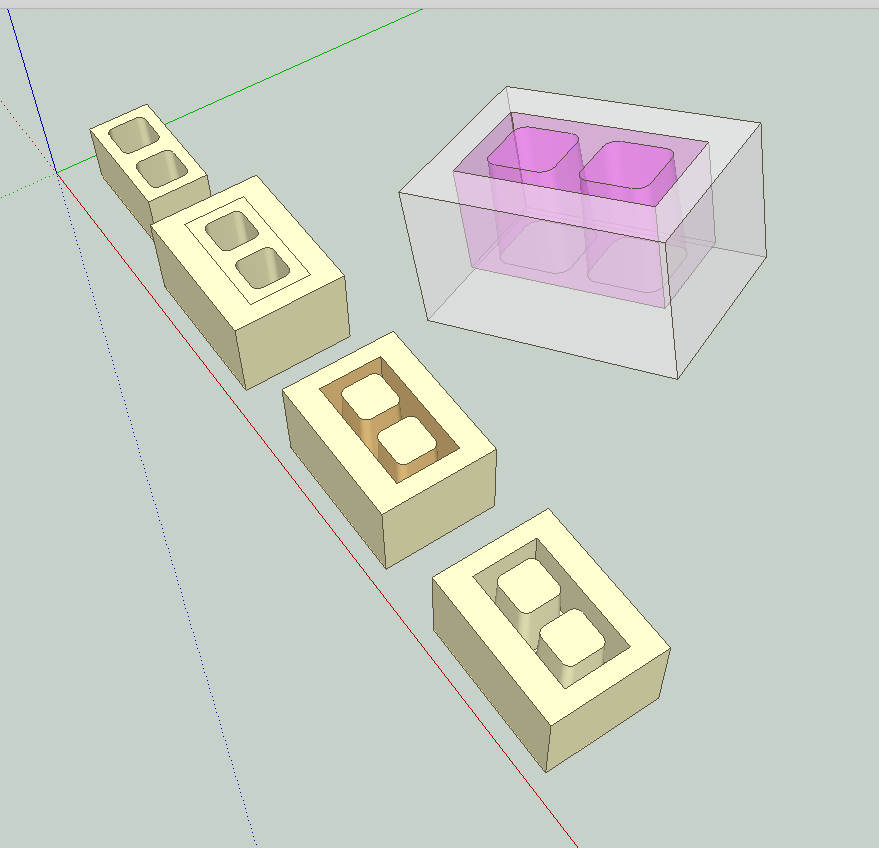
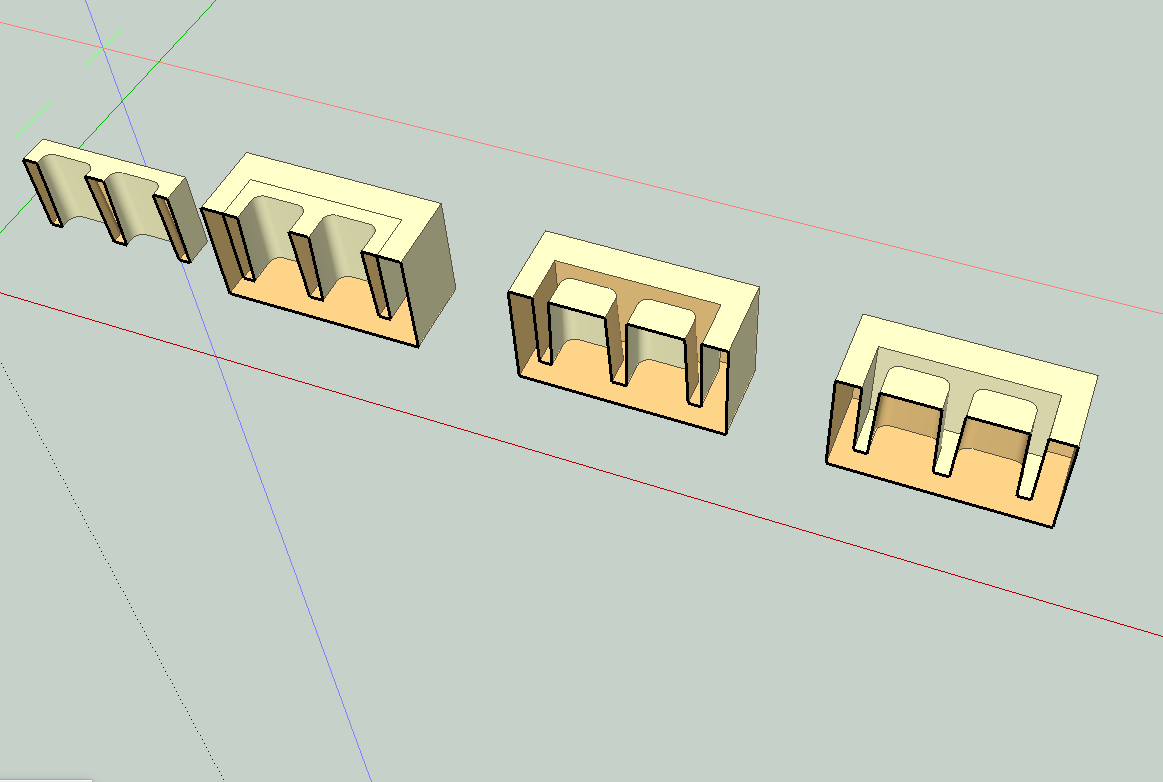
If I understand correctly. It can easily be done.Make a block (the mould material) larger than the concrete block. Place the concrete block with the top side (the side that will be the open side of the mould) on a face of the mould block. Remove the face covering where the concrete will be and make sure the there are faces on top of the parts that will create center voids. Orient faces so all "FRONT FACES" are facing outward (contextual menu "orient faces"). Please see attached with the mould in transparent material (which I hope makes it clearer--the pink is all surfaces that will contain the concrete).
(If you are using a typical template your front faces are probably white and the back faces are blue. My front faces here are the pale yellowish color.)

Hello! It looks like you're interested in this conversation, but you don't have an account yet.
Getting fed up of having to scroll through the same posts each visit? When you register for an account, you'll always come back to exactly where you were before, and choose to be notified of new replies (either via email, or push notification). You'll also be able to save bookmarks and upvote posts to show your appreciation to other community members.
With your input, this post could be even better 💗
Register Login


Advertisement