How to show bark edge in Sketchup?
-
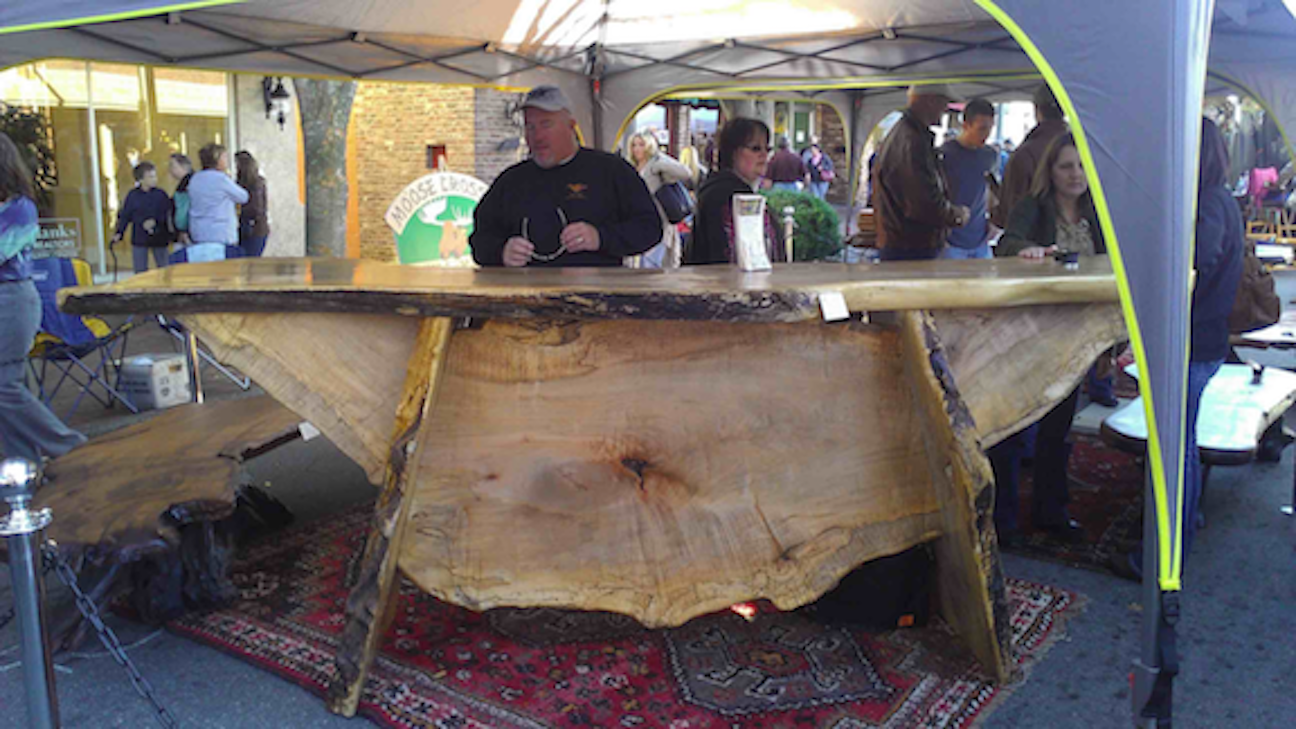
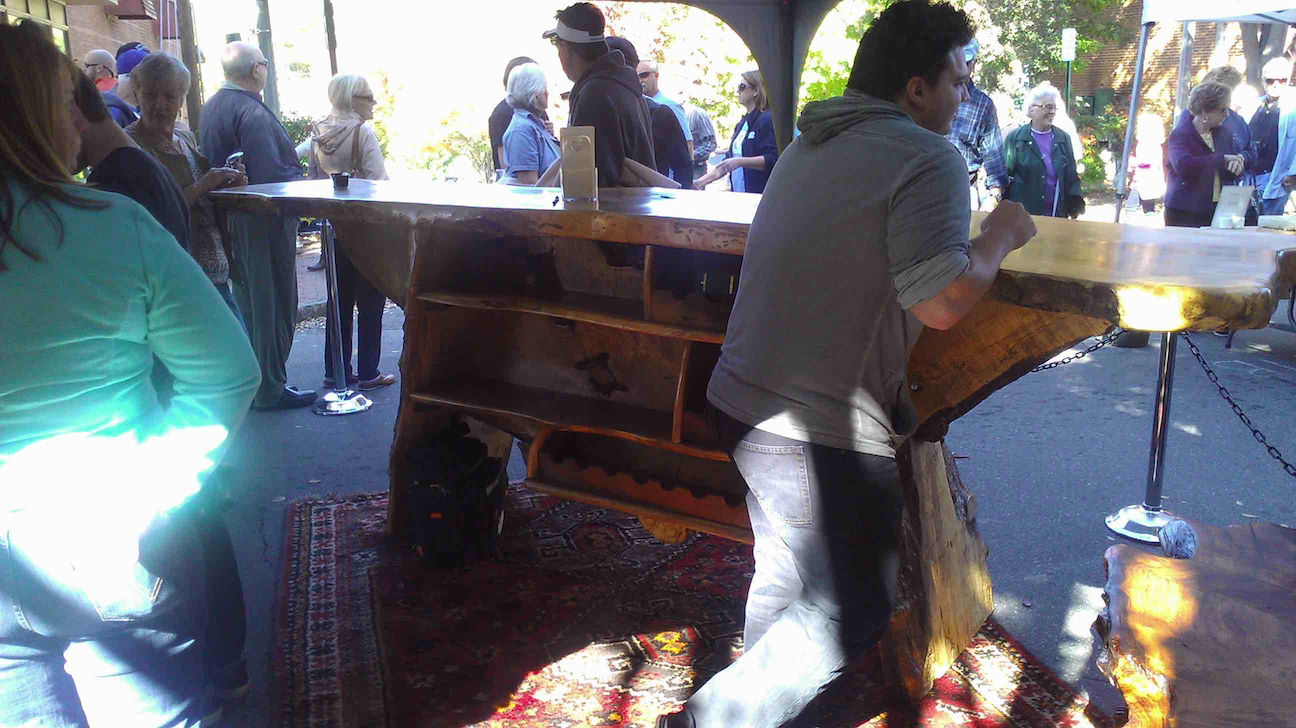
Saw (no pun intended) this bar at a craft fair in NC. How would you show a bark edge in Sketchup?
-
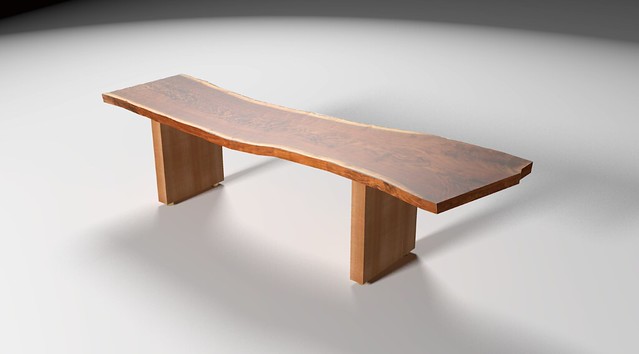
Would something like this be close enough?
-
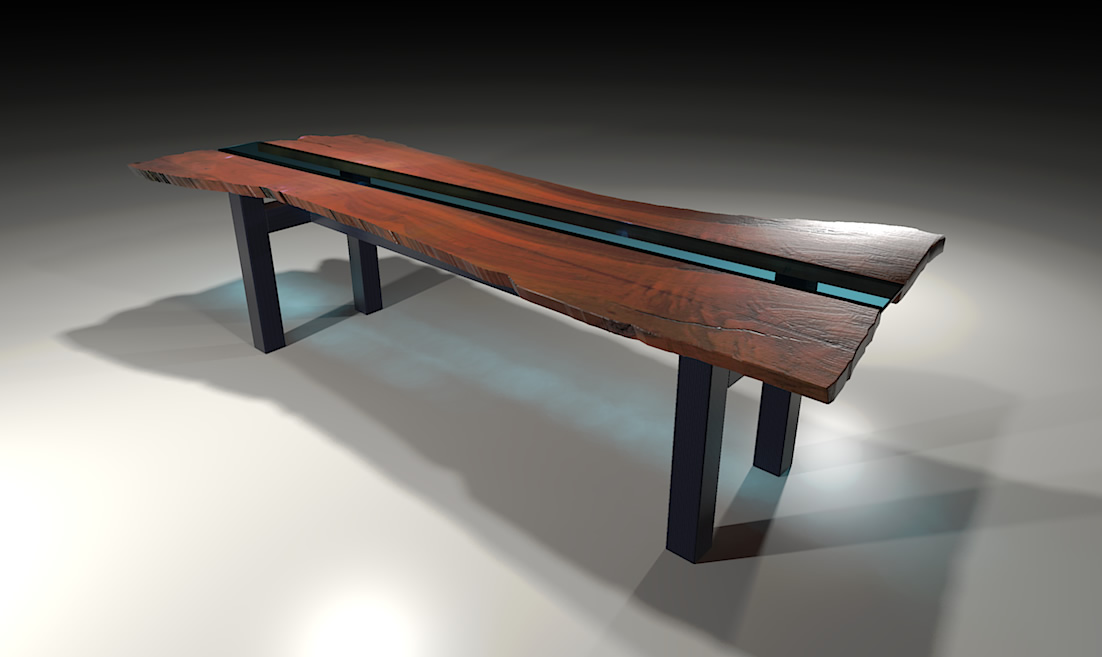
Here's another...
-
Is the edge just drawn freehand and then push/pull?
Baz, how do you get the checking lines at the end of the board in your render? Is that also drawn in the model?... or a bump/displacement map?
-
I used an image of a claro walnut slab and TIG's image trimmer to cut it out.
-
@brooklynia373 said:
Is the edge just drawn freehand and then push/pull?
Baz, how do you get the checking lines at the end of the board in your render? Is that also drawn in the model?... or a bump/displacement map?
It was a bump.


Hello! It looks like you're interested in this conversation, but you don't have an account yet.
Getting fed up of having to scroll through the same posts each visit? When you register for an account, you'll always come back to exactly where you were before, and choose to be notified of new replies (either via email, or push notification). You'll also be able to save bookmarks and upvote posts to show your appreciation to other community members.
With your input, this post could be even better 💗
Register Login


Advertisement