Find position of component in world space
-
There seem to be a lot of old threads about this without any great answers.
I create a box with unit size 1, 1, 1. I put it at the origin.
Now I make a copy of that box and move it to another point in 3d space.How can I find the position of that box? If that doesn't make sense given that a box is made up of different vertices, how can I find the position of those vertices? Which tool lets me see the world vertex position? What if I make it a component? How do I see the position of the component?
These seem like simple things to do but I can't find a way. They are instrumental in level design and accuracy.
Thank you

-
This is not sufficient ?
So this point of this component is at X= -2.18 , Y = 3.12, Z = 0 for example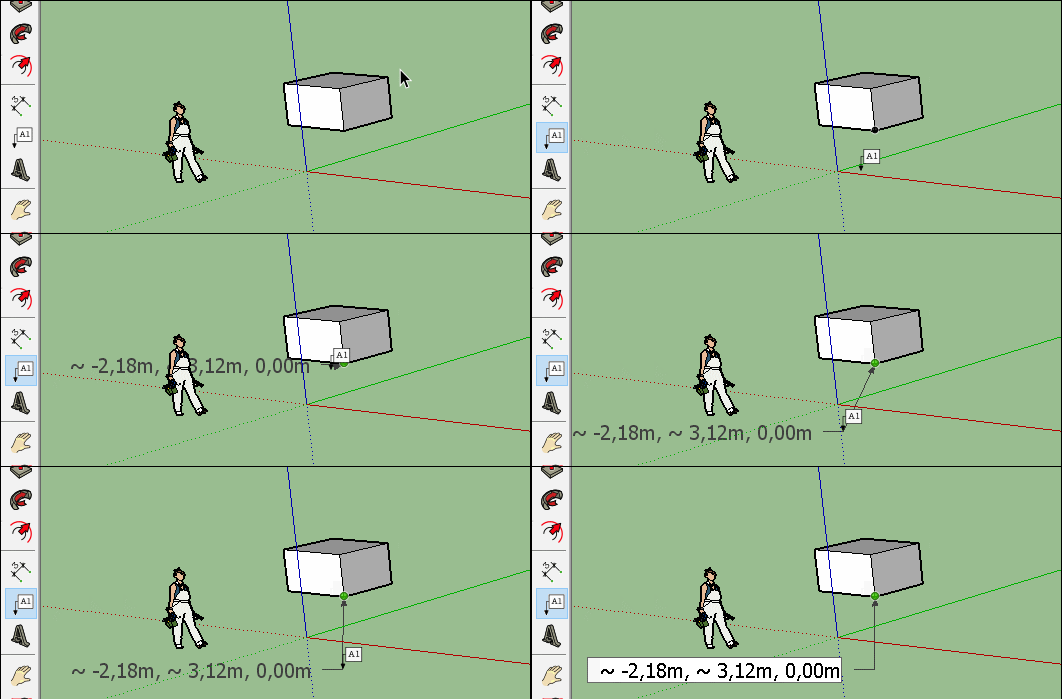
-
That's exactly what I needed. Thanks!
I will definitely try the script, too. Thank you both.
-
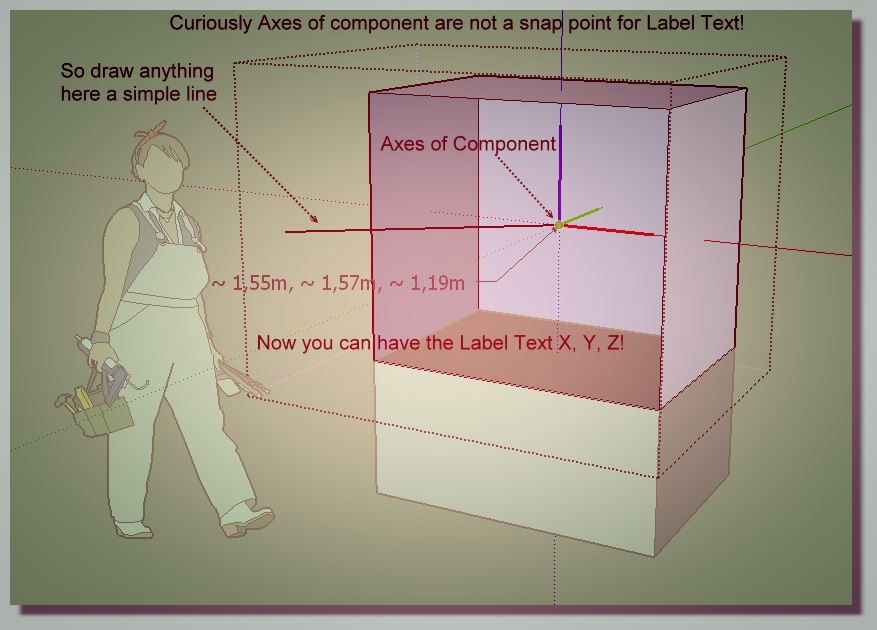
This can also help you
Axes Tool by Thomthom for Automatic Center Components axes!
View axes by Menu Display / Animation/ Parameters / Components / Display Components axes
The drawing of line is made in Edit Component!
Idem for the Label Text!
Mode XRay can also help! Not Used here! Just Hide Front Face!
-


Hello! It looks like you're interested in this conversation, but you don't have an account yet.
Getting fed up of having to scroll through the same posts each visit? When you register for an account, you'll always come back to exactly where you were before, and choose to be notified of new replies (either via email, or push notification). You'll also be able to save bookmarks and upvote posts to show your appreciation to other community members.
With your input, this post could be even better 💗
Register Login


Advertisement