Profile Builder 2 - Hidden Lines?
-
I love this plugin for certain.
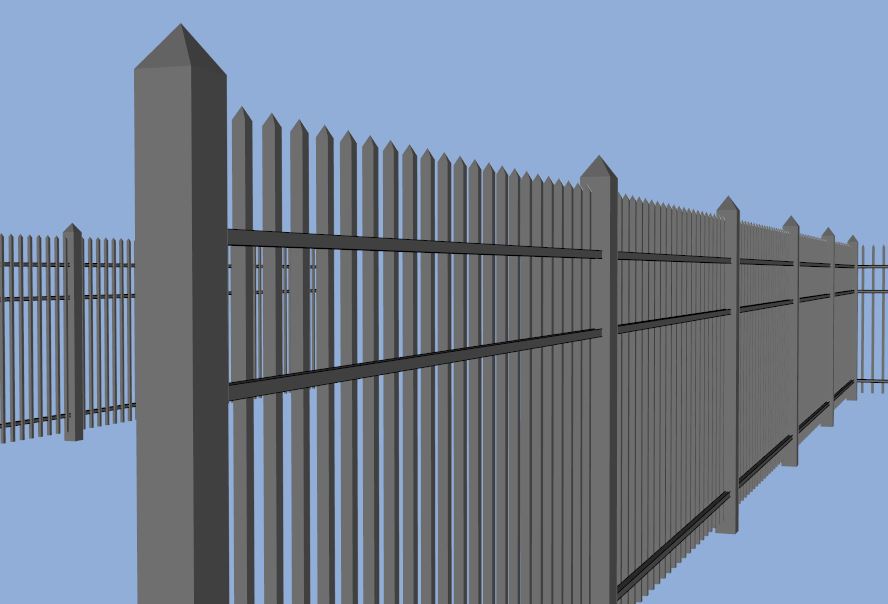
Question. Can you make a profile extrude with hidden lines? I frequently hide lines in fencing or window mullions to get a cleaner SU image export.
For example, the assembly in this image. I created the components to have hidden lines but I cannot figure out how to make the horizontal profiles to have hidden lines. I can edit them in the final placement and get the result I want but having them extrude hidden already would be great.
Thanks.
-
put your edges to hidden layer.
-
I tried creating a profile in model with the lines on a hidden layer as well as saving a profile to a folder with lines on a hidden layer and loading it in. Neither produced an extruded profile with hidden lines.
Are you able to produce one? If so what was your process?
-
oops.. I misunderstood your request. I thought you're talking about vertical elements.
As workaround (for profiles) I could recommend Fredo's ' Hide All Edges'- works amazingly. -
Thanks.
-
@rv1974 said:
oops.. I misunderstood your request. I thought you're talking about vertical elements.
As workaround (for profiles) I could recommend Fredo's ' Hide All Edges'- works amazingly.Yeah - that plugin is probably the way to go. It's a nice idea for Profile Builder but I am not sure if there would be enough people using the feature to justify putting it in.
-
Ok, thanks for the reply. Yeah I really like Fredo's ' Hide All Edges'.

Hello! It looks like you're interested in this conversation, but you don't have an account yet.
Getting fed up of having to scroll through the same posts each visit? When you register for an account, you'll always come back to exactly where you were before, and choose to be notified of new replies (either via email, or push notification). You'll also be able to save bookmarks and upvote posts to show your appreciation to other community members.
With your input, this post could be even better 💗
Register Login


Advertisement